1. مقدمه
This manual provides essential information for the proper use and understanding of your OBO HANDS T5577 125kHz Writable Rewritable RFID Cards. These cards are designed for various applications including access control systems and time attendance. Please read this manual thoroughly before use to ensure optimal performance and longevity of the product.
2. محصول تمام شدview & مشخصات فنی
The OBO HANDS T5577 RFID cards are high-quality, rewritable proximity cards operating at 125kHz. They are ideal for systems requiring customizable card data.
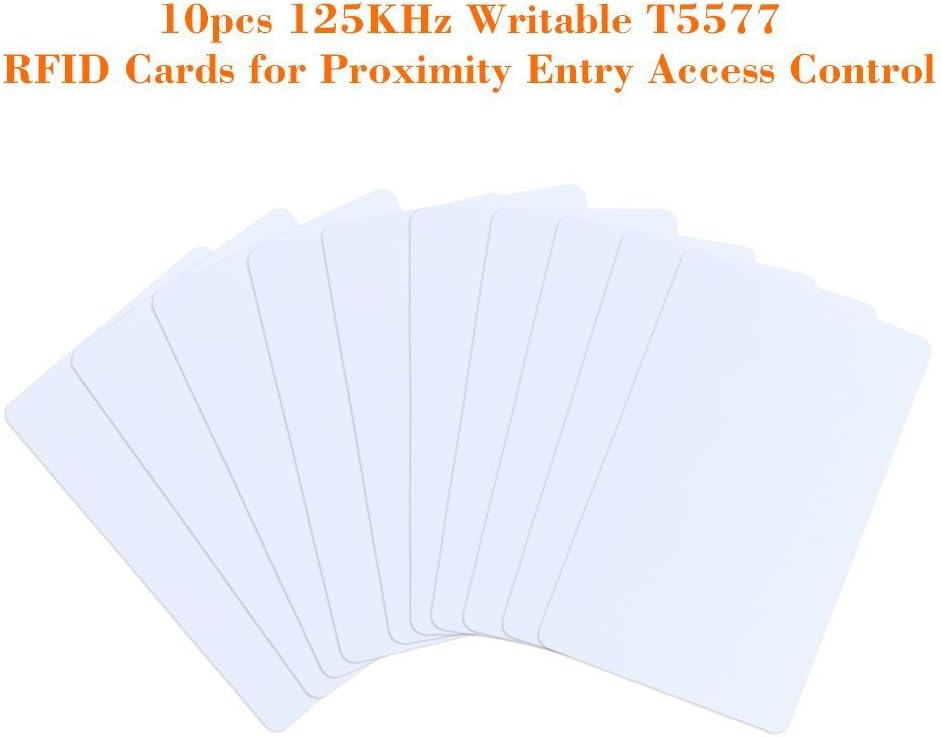
Image 2.1: A pack of ten OBO HANDS T5577 125KHz Writable RFID Cards, illustrating the product packaging and quantity.
ویژگی های کلیدی:
- Chip: T5577
- فرکانس کاری: 125 کیلوهرتز
- Sensing Distance: 5 - 8cm
- ضخامت: 0.8 میلیمتر
- جنس: پی وی سی
- Function: Read/Write (protected by password)
- Memory Size: 330-bits EEPROM (10 blocks, 33-bits each)
مشخصات فنی:

Image 2.2: A diagram illustrating the standard dimensions of an RFID card, measuring 86mm by 54mm.
| مشخصات | ارزش |
|---|---|
| نام تجاری | OBO HANDS |
| ابعاد کارت | 85.5 x 54 x 0.84mm (ISO Credit Card Size) |
| مواد | پی وی سی |
| استاندارد | 125KHz T5577 Re-writable Cards |
| تراشه | Atmel T5577 |
| فرکانس کاری | 125 کیلوهرتز |
| اندازه حافظه | 330-bits EEPROM (10 blocks, 33-bits each) |
| وزن مورد | 0.704 اونس |
| ابعاد بسته بندی | 3.46 x 2.52 x 0.39 اینچ |
3. Setup and Writing Instructions
To utilize the rewritable functionality of the T5577 cards, a compatible 125kHz RFID card reader/writer is required. The cards are designed to have their internal code written or rewritten, which is distinct from writing general data (like dates or names) using tools such as Android Mifare Classic Tool or NFC Tools.

Image 3.1: A visual guide demonstrating the process of writing to an RFID card using a handheld RFID writer. The steps include powering on, placing the card, pressing read/write buttons, and confirming completion.
Steps for Writing to T5577 Cards (using a compatible RFID writer):
- روشن کردن: Switch on your handheld RFID writer. The power LED should flash once.
- Read Source Card: Place the RFID ID Card (the source card you wish to clone or copy) in the designated read area of the writer.
- Initiate Read: Press the 'Read' button on the writer. The green LED should flash with beep sounds, indicating a successful read.
- Prepare Target Card: Remove the source card and place the blank T5577 RFID card (the target card to be written) in the read/write area.
- Initiate Write: Press the 'Write' button on the writer. The yellow LED should flash with beep sounds, indicating the writing process.
- تکمیل: Once the process is complete, the card is ready for use.
Note: The RFID card writer is not included with the T5577 cards and must be acquired separately.
4. دستورالعمل های عملیاتی
Once the T5577 RFID cards have been successfully written with the desired internal code, they function as standard 125kHz proximity cards. To operate:
- ارائه: Present the programmed T5577 card to a compatible 125kHz RFID reader (e.g., an access control panel, time clock, or door entry system).
- مجاورت: Ensure the card is within the sensing distance (typically 5-8cm) of the reader for detection.
- تایید: The reader will process the card's internal code. A successful read is usually indicated by an audible beep, a green light, or an unlock mechanism, depending on the system.
These cards are designed for read/write operations, meaning their internal code can be changed multiple times using a compatible writer. This flexibility allows for re-purposing cards as needed within your system.
5. تعمیر و نگهداری
To ensure the longevity and reliable performance of your OBO HANDS T5577 RFID cards, follow these simple maintenance guidelines:
- تمیز نگه دارید: Wipe cards periodically with a soft, dry cloth to remove dust and grime. Avoid abrasive cleaners.
- اجتناب از شرایط شدید: Do not expose cards to extreme temperatures, direct sunlight for prolonged periods, or harsh chemicals.
- جلوگیری از آسیب فیزیکی: Avoid bending, scratching, or puncturing the cards, as this can damage the internal chip or antenna.
- به درستی ذخیره کنید: When not in use, store cards in a clean, dry place away from strong magnetic fields.
6 عیب یابی
If you encounter issues with your T5577 RFID cards, consider the following troubleshooting steps:
- Card Not Writing:
- Ensure you are using a dedicated 125kHz RFID card reader/writer. Generic NFC tools (like Android Mifare Classic Tool) are designed for writing data to different types of chips and will not write the internal code of a T5577 card.
- Verify the card is correctly placed in the writer's read/write area.
- Check if the writer's battery is sufficiently charged.
- Some T5577 cards might be password-protected. If you are attempting to rewrite a card that was previously programmed, ensure you have the necessary permissions or a writer capable of overriding protection.
- Card Not Reading (by access control system):
- Confirm the card was successfully written with the correct internal code for your access control system.
- Ensure the access control reader is compatible with 125kHz RFID cards.
- Present the card within the reader's optimal sensing range.
- Check for any physical damage to the card that might affect its functionality.
- Verify that the card's ID has been properly enrolled in your access control system's database.
- عملکرد ناسازگار:
- Avoid placing the card near other RFID cards or metallic objects during use, as this can interfere with the signal.
- Ensure the card is not exposed to strong electromagnetic interference.
7. گارانتی و پشتیبانی
OBO HANDS is committed to providing high-quality products. For any questions or issues regarding your T5577 RFID cards, please contact our support team.
اطلاعات تماس:
- پشتیبانی واتس اپ: 86 177 2255 +8183
- در دسترس بودن: Monday - Sunday, 24/7
Our team is available to assist you with product inquiries, technical support, and any concerns you may have.


