1. محصول تمام شدview
The LEXIN LX-R6 is a high-performance Bluetooth intercom system designed for motorcycle riders. It facilitates communication between riders, allows for hands-free phone calls, and provides stereo music streaming and GPS voice instructions. The unit is built for durability and clear audio in various riding conditions.
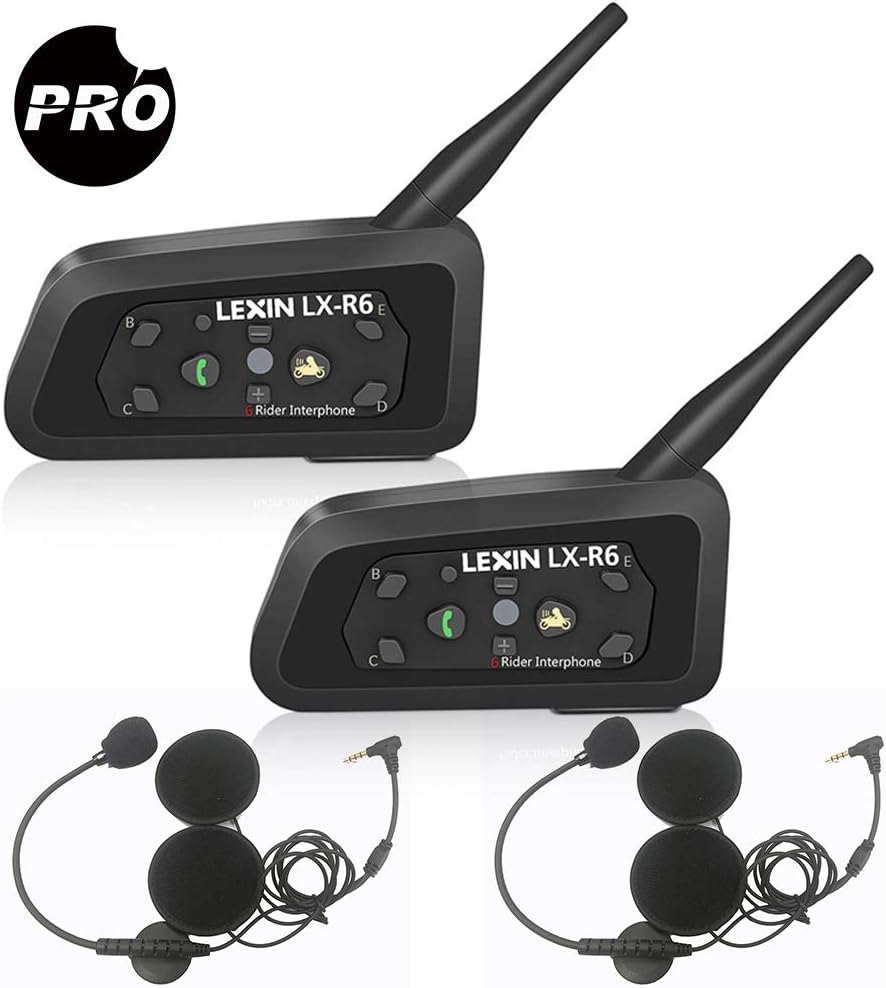
Image: Two LEXIN LX-R6 intercom units, each with a speaker and microphone set, illustrating the complete product package.
ویژگی های کلیدی:
- Full-duplex intercom communication for up to 6 riders (2 simultaneous).
- Intercom range of up to 1000 meters (0.62 miles).
- Bluetooth V2.1 for mobile phone connectivity (HFP, A2DP).
- Hands-free calling and GPS voice navigation.
- Stereo music streaming.
- DSP Noise Reduction for clear audio.
- Waterproof design (IPX5 rated).
- Long-lasting battery: 8-12 hours talk time, 150 hours standby.
- 3.5mm line-in for non-Bluetooth audio devices.

Image: Visual representation of the LX-R6's core functionalities, including its waterproof rating, group chat capability, GPS compatibility, intercom range, hands-free calling, music playback, and noise reduction technology.
2. راه اندازی و نصب
2.1 محتویات بسته:
قبل از شروع نصب، مطمئن شوید که همه اجزا وجود دارند:
- LX-R6 Main Unit (x2)
- Speaker and Microphone Set (x2)
- کابل صوتی 3.5 میلی متری (x2)
- شارژر USB (2 عدد)
- Clamp (x2)
- براکت نصب (x2)
- پیچ (x2)
- Screw Driver (x1)
- راهنمای کاربر (x1)

تصویر: جامع view of all items included in the LEXIN LX-R6 product box, detailing each accessory and component.
2.2 Mounting the Intercom Unit:
- Choose a suitable location on the left side of your helmet, typically near the chin bar or base.
- Attach the mounting bracket to the helmet using either the clamp method (for helmets with a suitable edge) or the adhesive method (for smooth surfaces). Ensure a secure fit.
- Slide the LX-R6 main unit onto the mounted bracket until it clicks into place.

Image: The LX-R6 intercom unit securely attached to the side of a motorcycle helmet, demonstrating a typical installation.
2.3 Installing Speakers and Microphone:
- پد داخلی کلاه ایمنی را با دقت بردارید تا جیبهای گوش نمایان شوند.
- Place the ultra-thin speakers into the ear pockets, ensuring they are centered over your ears for optimal audio quality.
- Route the speaker wires discreetly under the helmet padding to the main unit.
- Attach the boom microphone to the inside of the chin bar, positioning it close to your mouth but away from direct airflow to minimize wind noise.
- Connect the speaker and microphone cable to the corresponding port on the LX-R6 main unit.
- Reinstall the helmet's inner padding, ensuring no wires are pinched or exposed.
2.4 Charging the Unit:
Before first use, fully charge the LX-R6 unit. Connect the provided USB charging cable to the unit's charging port and plug the other end into a USB power source (e.g., computer, wall adapter). The indicator light will show charging status and turn off when fully charged. A full charge provides 8-12 hours of talk time or 150 hours of standby time.
3. دستورالعمل های عملیاتی
۳.۱ عملکردهای دکمه:

Image: A detailed layout of the LX-R6's control buttons, indicating the function of each button for easy operation.
- Power/Rider A Button: Press and hold to power on/off. Short press to initiate/end intercom with Rider A.
- Phone/Play Button: Short press to answer/end calls. Long press to reject calls. Short press to play/pause music.
- حجم + دکمه: فشار کوتاه برای افزایش صدا.
- دکمهی تنظیم صدا - برای کاهش صدا، کوتاه را فشار دهید.
- Rider B/C/D/E Buttons: Short press to initiate/end intercom with corresponding rider.
- دکمه تنظیم مجدد: دکمه سوراخ سوزنی کوچک برای تنظیم مجدد کارخانه.
- چراغ نشانگر: وضعیت دستگاه (برق، جفت شدن، شارژ) را نمایش میدهد.
3.2 روشن/خاموش برق:
- روشن کردن: را فشار داده و نگه دارید Power/Rider A button for approximately 3 seconds until the indicator light flashes.
- خاموش: را فشار داده و نگه دارید Power/Rider A button for approximately 3 seconds until the indicator light turns off.
3.3 Bluetooth Pairing (Mobile Phone/GPS):
- Ensure the LX-R6 is powered off.
- را فشار داده و نگه دارید Phone/Play button for approximately 5-7 seconds until the indicator light flashes red and blue alternately, indicating pairing mode.
- On your mobile phone or GPS device, enable Bluetooth and search for new devices. Select
اسناد مرتبط - LEXINR6

دفترچه راهنمای سیستم ارتباط بلوتوث موتورسیکلت LEXIN LX-FT4
دفترچه راهنمای جامع سیستم ارتباط داخلی بلوتوث موتورسیکلت LEXIN LX-FT4 چهار طرفه، شامل نصب، بهرهبرداری، جفتسازی و ویژگیهای مربوط به موتورسواران.
دفترچه راهنمای دستگاه مخابره بلوتوث موتورسیکلت LEXIN LX-B4FM
LEXIN LX-B4FM یک سیستم ارتباط داخلی موتورسیکلت با بلوتوث ۵.۰ است که برای ارتباط واضح و سرگرمی طراحی شده است. این سیستم دارای کاهش نویز DSP/CVC، تماس هندزفری، پخش موسیقی، رادیو FM، ناوبری GPS، پشتیبانی از دستیار صوتی است و امکان اتصال گروهی ارتباط داخلی را برای حداکثر ۱۰ موتورسوار در برد ۲ کیلومتری فراهم میکند. این دفترچه راهنما دستورالعملهای جامعی برای نصب، بهرهبرداری و عیبیابی ارائه میدهد.
راهنمای کاربر اینترکام کنفرانس چهار طرفه موتورسیکلت LEXIN LX-FT4
راهنمای جامع کاربر برای دستگاه ارتباط داخلی کنفرانس بلوتوثی چهار طرفه موتورسیکلت LEXIN LX-FT4، شامل نصب، بهرهبرداری، جفتسازی، ویژگیها، نگهداری و اطلاعات ایمنی. بیاموزید که چگونه حداکثر چهار سرنشین را برای ارتباط داخلی و تماسهای تلفنی متصل کنید.
راهنمای کاربر بلوتوث موتورسیکلت LEXIN LX-FT4
راهنمای جامع کاربر برای دستگاه کنفرانس چهار طرفه موتورسیکلت LEXIN LX-FT4، شامل نصب، بهرهبرداری، جفتسازی، ویژگیهای دستگاه، رادیو FM، نگهداری و اطلاعات ایمنی.
LEXIN LX-B4FM Motorcycle 4-Way Conference Intercom User Guide
Comprehensive user guide for the LEXIN LX-B4FM Bluetooth intercom system, covering installation, operation, pairing, and maintenance for motorcycle riders. Learn how to connect multiple units for group communication.
دفترچه راهنمای دستگاه مخابره داخل ساختمان بلوتوثی موتورسیکلت LEXIN G2P
یک دفترچه راهنمای جامع برای دستگاه ارتباط بلوتوث موتورسیکلت LEXIN G2P، که جزئیات ویژگیها، نصب، عملکرد، مراحل جفتسازی و اطلاعات مهم ایمنی و گارانتی آن را شرح میدهد.