مقدمه
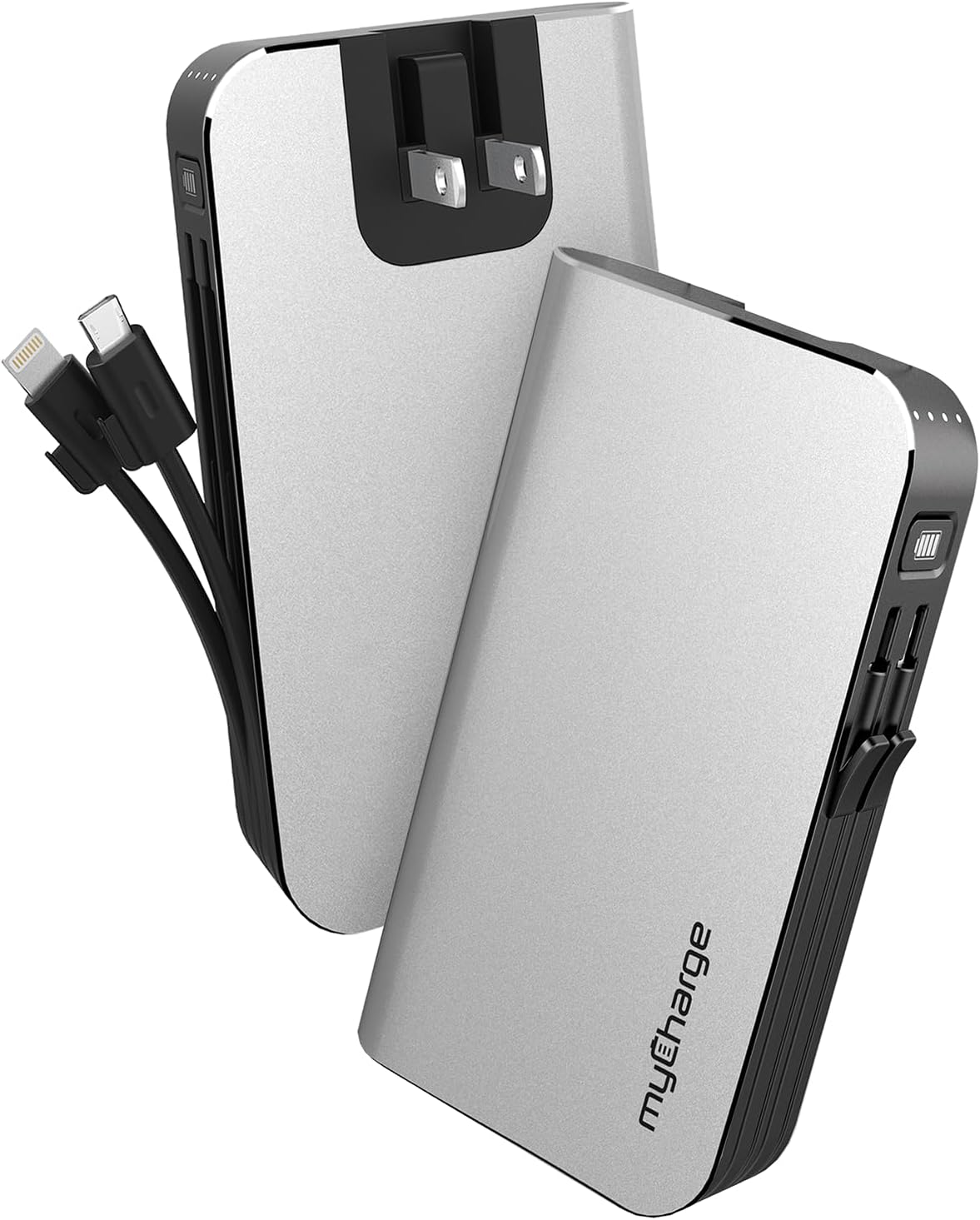
The myCharge HubMax portable charger, model HB10V, is a versatile power bank designed to provide on-the-go power for your mobile devices. It features a 10050mAh internal battery, integrated Lightning and Micro USB charging cables, and a built-in wall plug for convenient recharging of the power bank itself. This manual provides instructions for the proper use and care of your HubMax charger.
راه اندازی
Initial Charging of the HubMax
Before first use, fully charge your myCharge HubMax. The device features a foldable wall plug for direct connection to a standard AC outlet.
- Locate the foldable wall prongs on the side of the HubMax.
- Flip out the prongs and plug the HubMax directly into a wall outlet.
- The LED indicators on the device will illuminate to show the charging status. A full recharge typically takes approximately 4.6 hours.
- Once fully charged, unplug the device and fold the prongs back into the unit for storage.
دستورالعمل های عملیاتی
شارژ دستگاه های موبایل
The HubMax allows you to charge up to three devices simultaneously using its built-in cables and USB-A port.
- استفاده از کابلهای داخلی: Extend the integrated Lightning cable for Apple devices or the Micro USB cable for compatible Android and other devices. Connect the appropriate cable to your device's charging port.
- استفاده از پورت USB-A: For devices requiring a different cable type (e.g., USB-C), connect your device's standard USB charging cable to the USB-A output port on the HubMax.
- The HubMax will automatically begin charging your connected device(s). The LED indicators will show the remaining battery capacity of the HubMax.
- For optimal charging speed, ensure your device is compatible with Power Delivery or Quick Charge 3.0 standards, which the HubMax supports for faster charging (up to 2.4x faster than standard chargers).


تعمیر و نگهداری
Proper maintenance ensures the longevity and optimal performance of your myCharge HubMax.
- تمیز کردن: از یک پارچه نرم و خشک برای تمیز کردن قسمت بیرونی دستگاه استفاده کنید. از استفاده از مواد شیمیایی خشن یا مواد ساینده خودداری کنید.
- ذخیره سازی: Store the HubMax in a cool, dry place away from direct sunlight and extreme temperatures.
- مراقبت از باتری: For best battery health, avoid fully discharging the power bank frequently. Recharge it when the battery level is low.
- مراقبت از کابل: Handle the built-in cables gently. Avoid excessive bending or pulling to prevent damage.
عیب یابی
If you encounter issues with your myCharge HubMax, refer to the following common solutions:
- HubMax Not Charging:
- Ensure the wall plug is fully extended and securely inserted into a working AC outlet.
- با وصل کردن دستگاه دیگری به پریز، بررسی کنید که آیا پریز کار میکند یا خیر.
- Device Not Charging from HubMax:
- Verify that the HubMax itself has sufficient charge (check LED indicators).
- Ensure the built-in cables or your external USB cable are securely connected to both the HubMax and your device.
- برای بررسی دقیقتر مشکل، کابل یا دستگاه دیگری را امتحان کنید.
- شارژ آهسته:
- Ensure your device is compatible with fast charging protocols supported by the HubMax.
- هنگام شارژ شدن، از استفاده زیاد از دستگاه خودداری کنید، زیرا این کار میتواند روند شارژ را کند کند.
مشخصات
| ویژگی | جزئیات |
|---|---|
| شماره مدل | HB10V |
| نام تجاری | myCharge |
| ظرفیت باتری | ۱۰۰۰ میلیآمپر ساعت (لیتیوم پلیمر) |
| ابعاد محصول | 0.9 x 2.8 x 4.6 اینچ |
| وزن مورد | 3.53 اونس |
| انواع اتصال دهنده ها | Built-in Lightning Cable, Built-in Micro USB, USB-A Output Port |
| ویژگی های خاص | Built-in Wall Plug, Integrated Cables |
| زمان شارژ | Approximately 4.6 hours (via wall plug) |
گارانتی و پشتیبانی
For warranty information and customer support, please refer to the official myCharge webبه سایت مراجعه کنید یا مستقیماً با خدمات مشتریان آنها تماس بگیرید. رسید خرید خود را برای هرگونه ادعای گارانتی نگه دارید.
سازنده: myCharge
برای کمک بیشتر، به آدرس زیر مراجعه کنید: www.mycharge.com


