1. مقدمه
This manual provides detailed instructions for the installation, operation, and maintenance of the HPE 768857-B21 8-SFF Cage/Backplane Kit. This kit is designed to expand storage capabilities in compatible HPE ProLiant DL360 Gen9 and DL380 Gen9 servers by providing an additional 8 Small Form Factor (SFF) drive bays. Please read this manual thoroughly before installation and use to ensure proper functionality and safety.
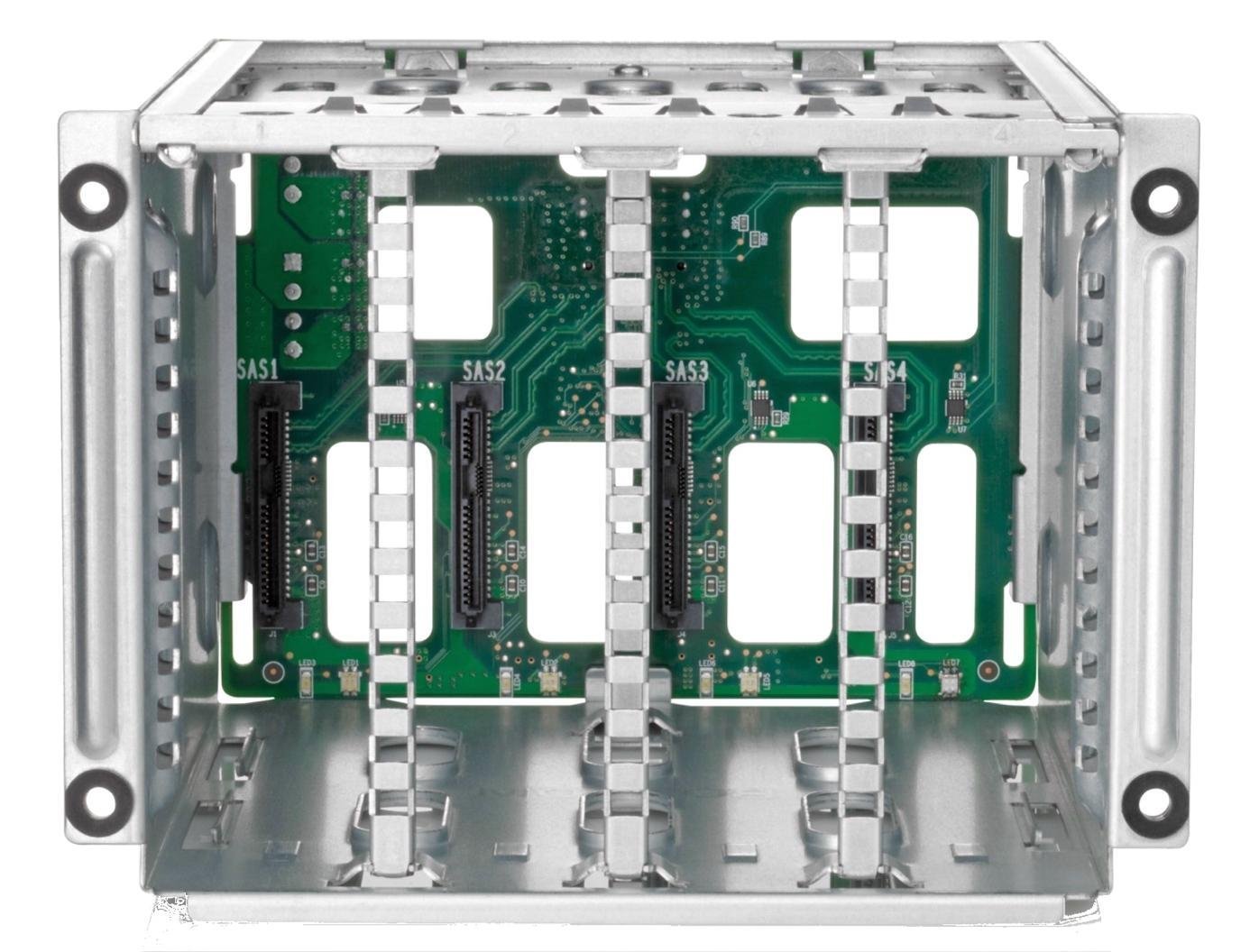
Image 1.1: The HPE 8-SFF Cage/Backplane Kit, showing the internal SAS connectors for eight small form factor drives.
2. اطلاعات ایمنی
Always observe the following safety precautions when handling and installing the HPE 8-SFF Cage/Backplane Kit:
- محافظت در برابر تخلیه الکترواستاتیک (ESD): Always use an ESD wrist strap and work on an ESD-safe surface when handling server components to prevent damage.
- قطع برق: Before opening the server chassis or installing any components, ensure the server is powered off and disconnected from all power sources.
- سازگاری کامپوننت: Verify that the kit is compatible with your specific server model (ProLiant DL360 Gen9, DL380 Gen9).
- مدیریت صحیح: Handle the backplane and cage by their edges to avoid touching sensitive electronic components.
- تهویه: Ensure proper airflow within the server chassis after installation to prevent overheating.
3. محتویات بسته
The HPE 768857-B21 8-SFF Cage/Backplane Kit package typically includes the following items:
- Storage drive cage - 2nd HDD bay
- Associated cabling (SAS/SATA data and power cables, if applicable)

Image 3.1: The HPE 8-SFF Cage/Backplane Kit, shown with typical associated cabling.
۱. راهاندازی و نصب
Follow these steps to install the HPE 8-SFF Cage/Backplane Kit into your compatible ProLiant server:
- Prepare the Server:
- Power down the server and disconnect all power cords.
- Remove the server from the rack, if necessary, and place it on a stable, ESD-safe surface.
- Open the server access panel.
- Locate the 2nd HDD Bay: Identify the designated bay for the 2nd HDD cage. Refer to your server's specific service manual for exact location and instructions on removing any existing blanks or components.
- Install the Drive Cage:
- Carefully align the HPE 8-SFF Cage/Backplane Kit with the bay.
- Slide the cage into the bay until it clicks securely into place. Ensure all mounting screws or latches are engaged.
- کابل های اتصال:
- Connect the necessary SAS/SATA data cables from the backplane to the server's RAID controller or motherboard.
- Connect any required power cables to the backplane from the server's power distribution board.
- Ensure all cable connections are firm and properly routed to avoid obstructing airflow.
- Close the Server:
- Replace the server access panel.
- Return the server to the rack, if applicable.
- Reconnect all power cords and power on the server.
- Install Drives: Once the server is powered on and the operating system has loaded, you can install your SFF hard drives or solid-state drives into the newly installed cage.
5. دستورالعمل های عملیاتی
This section outlines the basic operation of the HPE 8-SFF Cage/Backplane Kit, primarily focusing on drive installation and removal.
5.1. Installing Drives
- Ensure the server is powered on and the drive bay is accessible.
- Slide the SFF drive (mounted in a compatible drive carrier/caddy) into an empty bay in the cage.
- Push the drive firmly until it seats correctly and the drive carrier latch engages.
- The server's operating system or RAID controller utility should detect the new drive.

تصویر ۵.۳: یک دوست پسر سابقample of a Small Form Factor (SFF) hard drive mounted in a compatible drive caddy, ready for insertion into the cage.
5.2. Removing Drives
- If the drive is part of a RAID array, ensure it is properly offline or marked for removal within the RAID controller utility or operating system.
- Press the release latch on the drive carrier.
- Gently pull the drive carrier out of the bay.
- Replace with a new drive or a blank filler panel to maintain proper airflow.
6. تعمیر و نگهداری
The HPE 8-SFF Cage/Backplane Kit requires minimal maintenance. Adhere to the following guidelines:
- تمیز کردن: Periodically inspect the server's interior for dust accumulation. Use compressed air to gently clean the cage and backplane, ensuring the server is powered off and disconnected from power before cleaning.
- به روز رسانی سیستم عامل: Ensure your server's system ROM and RAID controller firmware are kept up-to-date, as these updates may include improvements for storage subsystem compatibility and performance.
- بازرسی بدنی: Regularly check for any loose cables or connections within the server chassis.
7 عیب یابی
If you encounter issues with your HPE 8-SFF Cage/Backplane Kit, consider the following troubleshooting steps:
7.1. Drives Not Detected
- بررسی اتصالات: Verify that all SAS/SATA data and power cables are securely connected to the backplane and the server's controller/power supply.
- Reseat the Cage: Power down the server and reseat the 8-SFF cage in its bay to ensure it is properly seated.
- سازگاری درایو: Confirm that the installed drives are compatible with your server and RAID controller.
- RAID Controller Configuration: Check the RAID controller's BIOS or utility to see if the drives are detected there. Configure new drives as needed.
۶.۴ مشکلات عملکرد
- یکپارچگی کابل: Inspect data cables for damage. Replace if necessary.
- سلامت درایو: Check the health status of individual drives using diagnostic tools.
- سیستم عامل: Ensure all relevant firmware (server, RAID controller, drive) is up-to-date.
7.3. Physical Damage
- If the cage or backplane appears physically damaged, contact HP support for assistance. Do not attempt to repair damaged components yourself.
8. مشخصات
Key technical specifications for the HPE 768857-B21 8-SFF Cage/Backplane Kit:
| ویژگی | جزئیات |
|---|---|
| شماره مدل | 768857-B21 |
| نام تجاری | HP (HPE) |
| خلیج های توسعه | 8 Small Form Factor (SFF) |
| Compatible Servers | HPE ProLiant DL360 Gen9, DL380 Gen9 |
| وزن مورد | 15.87 اونس (0.99 پوند) |
| ابعاد محصول (WxDxH) | 5.1 x 10.6 x 8.3 اینچ |
| ضریب فرم هارد دیسک | 2.5 Inches (SFF) |
| رنگ | مشکی |
| مواد | نامشخص |
9. ضمانت و پشتیبانی
For warranty information and technical support regarding your HPE 768857-B21 8-SFF Cage/Backplane Kit, please refer to the official HP (HPE) website or contact their customer support directly. Keep your purchase receipt and product serial number handy when seeking support.
You can typically find support resources and contact information on the official پشتیبانی اچ پی webسایت.