1. مقدمه
This manual provides comprehensive instructions for the Sony Cyber-shot DSC-W810 Digital Camera. It covers essential information for setting up, operating, maintaining, and troubleshooting your camera to ensure optimal performance and longevity. Please read this manual thoroughly before using your camera.
2. محصول تمام شدview
Familiarize yourself with the components and controls of your Sony Cyber-shot DSC-W810 camera.
۲.۳ اجزای دوربین
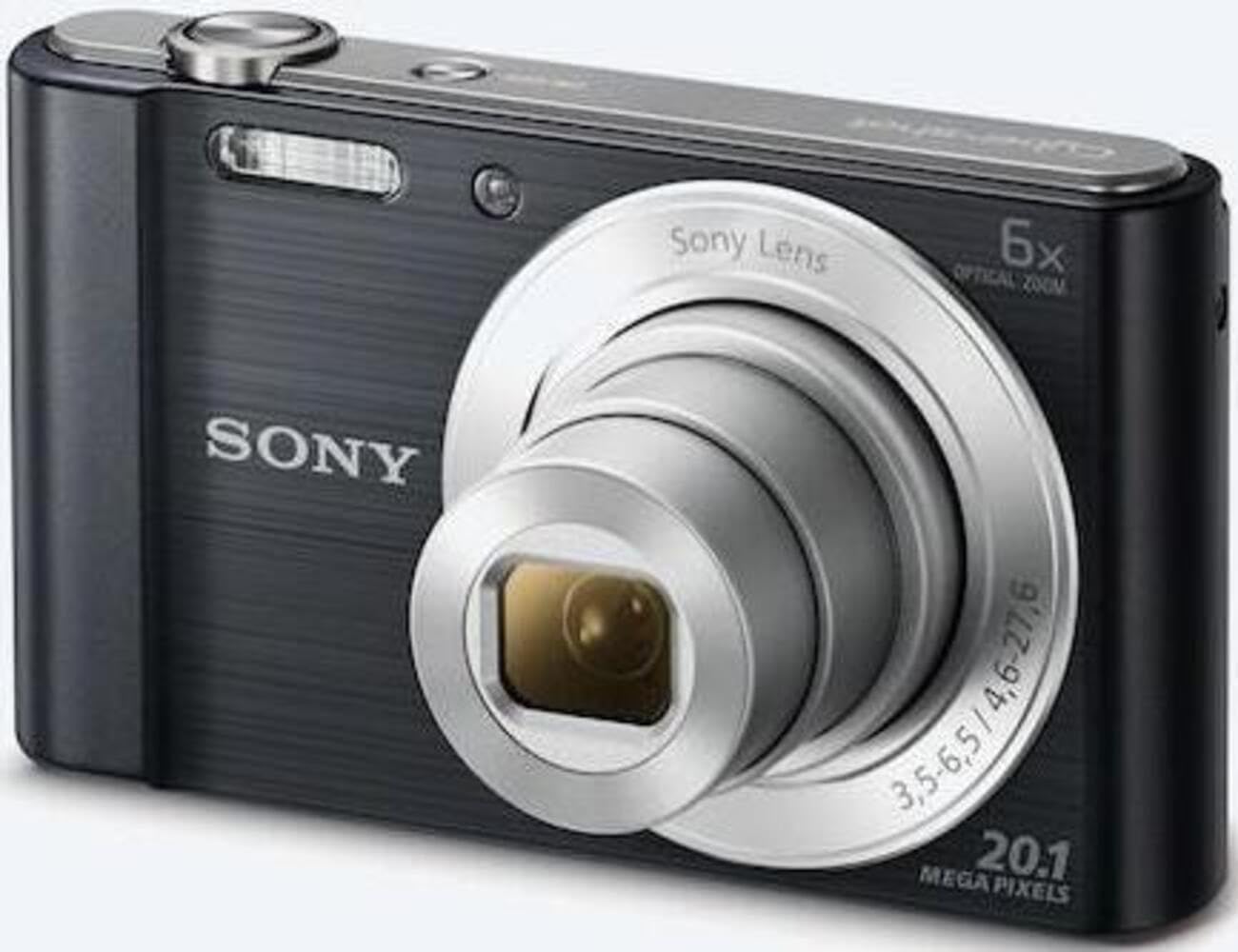
شکل 1: جلو view of the camera with the lens retracted. This shows the lens, flash, and shutter button.
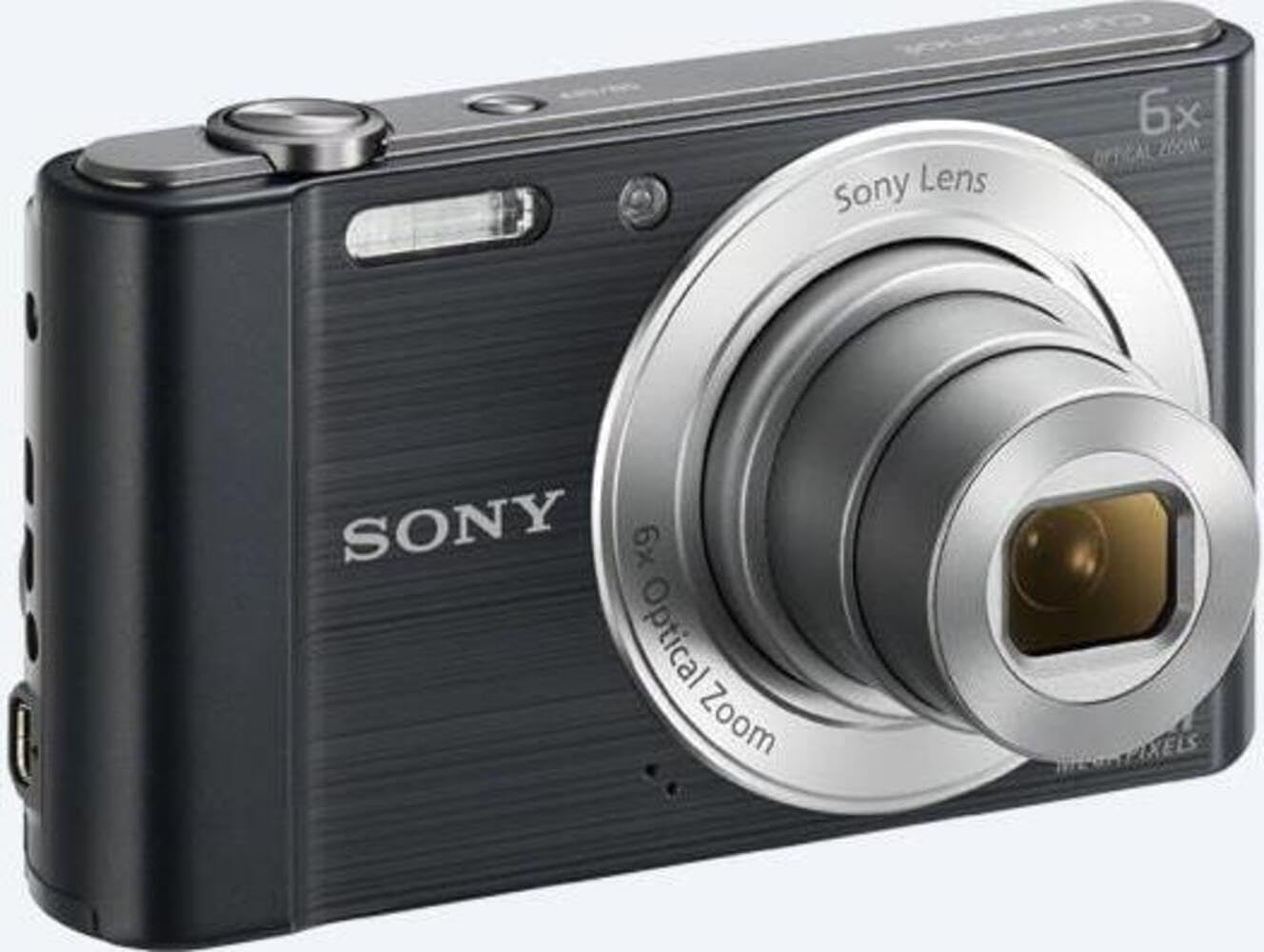
شکل 2: جلو view of the camera with the lens extended, ready for shooting. This illustrates the camera's compact design when in use.

شکل 3: عقب view of the camera, highlighting the 2.7-inch LCD screen, navigation buttons, movie record button, and menu button.

شکل 4: بالا view of the camera, showing the power button, shutter button, and zoom lever.
2.2 Control Buttons and Functions
- دکمه شاتر: برای فوکوس تا نیمه و برای ثبت تصویر تا انتها فشار دهید.
- اهرم زوم (با/بدون زوم): Adjusts optical and digital zoom. "W" for wide-angle, "T" for telephoto.
- دکمه پاور: دوربین را روشن یا خاموش میکند.
- دکمه فیلم: ضبط ویدیو را شروع و متوقف می کند.
- دکمه پخش: وارد حالت پخش میشود تا view عکس ها و فیلم ها
- دکمه منو: به تنظیمات و گزینههای دوربین دسترسی پیدا میکند.
- دکمه های جهت دار: Navigate menus and select options. Also used for flash settings, self-timer, and display options.
- فلش: فلاش داخلی برای شرایط کم نور.
- صفحه نمایش LCD: 2.7-inch display for framing shots, viewگرفتن تصاویر و پیمایش منوها
3. راه اندازی
Follow these steps to prepare your camera for first use.
3.1 قرار دادن باتری
- پوشش باتری/کارت حافظه واقع در پایین دوربین را باز کنید.
- Insert the battery with the correct orientation, ensuring the terminals align. Push until it clicks into place.
- درپوش را محکم ببندید.
Note: The camera does not include batteries. Please use compatible Sony NP-BN or NP-BN1 batteries.
3.2 قرار دادن کارت حافظه
The camera supports SDXC or SDHC memory cards.
- پوشش باتری/کارت حافظه را باز کنید.
- کارت حافظه را با جهت صحیح وارد شیار کنید تا صدای کلیک بدهد.
- درپوش را محکم ببندید.
Note: A memory card is not included with the camera. Purchase a compatible SDXC or SDHC card separately.
۳.۴ روشن کردن اولیه و تنظیمات
- دکمه پاور را فشار دهید تا دوربین روشن شود.
- The initial setup screen will appear. Follow the on-screen prompts to set the language, date, and time.
- Ensure the date and time are accurate for proper photo organization.
4. کار با دوربین
Learn how to capture photos and videos with your DSC-W810.
۴.۱ عکس گرفتن
- دوربین را روشن کنید.
- با استفاده از صفحه نمایش LCD، عکس خود را کادربندی کنید.
- برای تنظیم زوم اپتیکال ۵ برابر از اهرم زوم (W/T) استفاده کنید.
- برای فوکوس، دکمه شاتر را تا نیمه فشار دهید. وقتی فوکوس انجام شد، کادر فوکوس سبز میشود.
- Press the Shutter button fully to take the picture.
4.2 Using Flash Modes
The camera features a built-in flash with various modes. Press the right directional button (flash icon) to cycle through modes:
- فلاش خودکار: دوربین به طور خودکار تشخیص میدهد که آیا به فلاش نیاز است یا خیر.
- Fill-flash: برای هر شلیک، فلاش بزنید.
- همگامسازی آهسته: فلاش میزند، و سرعت شاتر برای ثبت نور پسزمینه کاهش مییابد.
- بدون فلش: فلش غیرفعال است.
Tip: For low-light environments, the "Party Mode" (accessible via the menu) can optimize settings for clearer images without harsh flash.
4.3 ضبط فیلم
- دوربین را روشن کنید.
- Press the dedicated Movie button to start recording.
- Press the Movie button again to stop recording.
Note: Videos are recorded in 720p resolution in MP4 format.
4.4 حالت پخش
- برای ورود به حالت پخش، دکمه پخش را فشار دهید.
- Use the left/right directional buttons to browse through your photos and videos.
- Press the center button to play videos.
- برای بازگشت به حالت عکاسی، دوباره دکمه پخش را فشار دهید.
5. تعمیر و نگهداری
مراقبت مناسب، طول عمر و عملکرد دوربین شما را تضمین میکند.
۶.۱ تمیز کردن دوربین
- بدنه دوربین: با یک پارچه نرم و خشک پاک کنید. برای آلودگیهای سرسخت، از پارچهای به آرامی استفاده کنید.ampبا آب تمام شد
- لنز: از یک برس لنز برای پاک کردن گرد و غبار استفاده کنید، سپس به آرامی با یک پارچه تمیز کننده لنز پاک کنید. از لمس سطح لنز با انگشتان خود خودداری کنید.
- صفحه نمایش LCD: Use a soft, dry cloth specifically designed for LCD screens.
Caution: Do not use organic solvents such as alcohol or thinner to clean the camera.
5.2 مراقبت از باتری
- قبل از استفاده اول باتری را کاملاً شارژ کنید.
- اگر دوربین برای مدت طولانی استفاده نمی شود، باتری را خارج کنید.
- باتری ها را در جای خشک و خنک نگهداری کنید.
5.3 ذخیره سازی
When not in use, store the camera in a dry, well-ventilated area, away from direct sunlight, high temperatures, and humidity. Use a camera case for protection during transport.
6 عیب یابی
برای حل مشکلات رایج به این بخش مراجعه کنید.
| مشکل | راه حل |
|---|---|
| دوربین روشن نمیشود. |
|
| تصاویر تار هستند. |
|
| Flash is too bright or too dim. |
|
| خطای کارت حافظه. |
|
7. مشخصات
Key technical specifications for the Sony Cyber-shot DSC-W810 Digital Camera.
| ویژگی | جزئیات |
|---|---|
| نام مدل | DSCW810B.CE3 |
| وضوح هنوز موثر | 20.1 مگاپیکسل |
| فناوری حسگر عکس | CCD |
| زوم اپتیکال | 6x |
| بزرگنمایی دیجیتال | 48 برابر |
| حداکثر فاصله کانونی | 27.6 میلی متر |
| حداقل فاصله کانونی | 4.6 میلی متر |
| تثبیت تصویر | دیجیتال، نوری |
| اندازه صفحه نمایش | LCD 2.7 اینچ |
| وضوح تصویر | 720p |
| پشتیبانی می شود File فرمت ها | JPEG، RAW (عکس)، MP4 (فیلمبرداری) |
| نوع حافظه فلش | SDXC or SDHC |
| قابلیت اتصال | USB، HDMI |
| وزن مورد | 111 گرم |
| رنگ | مشکی |
8. گارانتی و پشتیبانی
8.1 اطلاعات گارانتی
This product comes with a 90-day Limited Hardware Warranty. For full details, please refer to the official warranty document:
View ۹۰ روز گارانتی محدود سختافزار
Note: This is an international version of the camera and may have warranty limitations in certain regions.
8.2 پشتیبانی مشتری
برای راهنمایی بیشتر، پشتیبانی فنی یا سوالات مربوط به خدمات، لطفاً از پشتیبانی رسمی سونی دیدن کنید webسایت یا با خدمات مشتریان آنها تماس بگیرید.


