1. Sarrera
This manual provides essential information for the safe and efficient operation of your FOXX C10 10.1-inch Android Tablet. Please read this guide thoroughly before using your device to ensure proper functionality and to understand its features. Keep this manual for future reference.
2. Zer dago kutxan
Egiaztatu elementu guztiak paketean daudela:
- FOXX C10 Tablet
- C motako kablea
- Kargagailua (10W)
- Erabiltzailearen eskuliburua
- Protective Cover (pre-applied)
- Screen Protector Film (pre-applied)
3. Produktua amaitu daview
The FOXX C10 tablet features a 10.1-inch HD display, dual 8MP cameras, and a robust 6000mAh battery, all powered by an Android 13 operating system.

Irudia: Aurrealdea eta atzealdea view of the FOXX C10 tablet, showcasing its sleek design and dual camera module on the rear.

Image: An infographic highlighting key features including the 10.1-inch display, Android 13, 6000mAh battery, 8MP cameras, MediaTek quad-core chipset, 4GB RAM + 64GB storage, 4G LTE bands, Wi-Fi, Bluetooth 5.0, Nano SIM, Type-C, and 3.5mm AUX port.
3.1 Bistaratzea
The tablet is equipped with a 10.1-inch HD TFT V-notch display, offering a resolution of 800x1280 pixels for clear visuals.

Image: Close-up of the tablet's 10.1-inch HD TFT V-notch display, showing vibrant colors and detail.
3.2 Kamera
The FOXX C10 features dual 8-megapixel cameras, both on the front and rear, enabling high-quality photos and video calls.
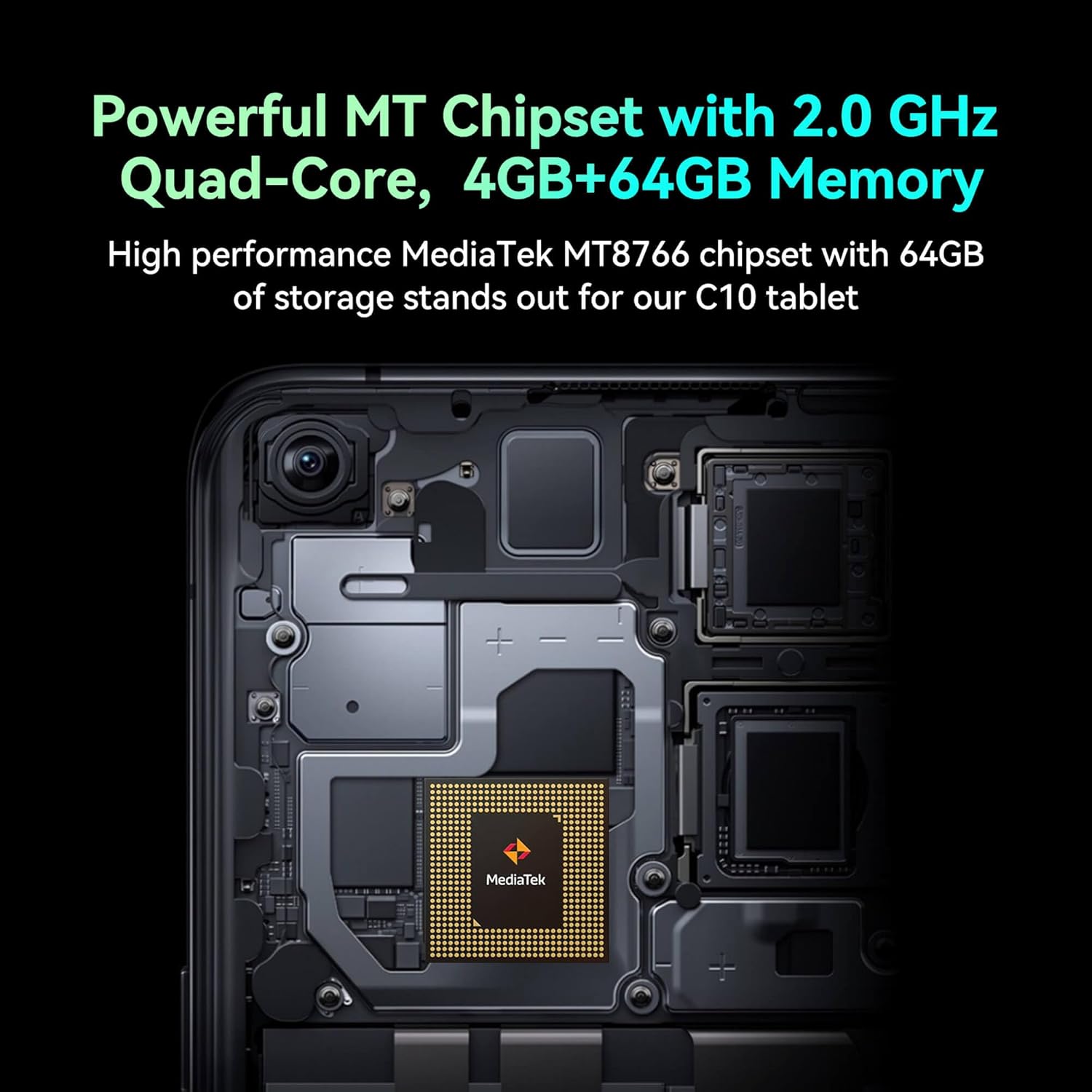
Image: Detail of the tablet's rear camera module, highlighting the 8-megapixel main camera with autofocus capabilities.
3.3 Prozesadorea eta memoria
It runs on a 2.0 GHz quad-core MediaTek MT8766 chipset, paired with 4GB of RAM and 64GB of internal storage for smooth performance and ample space.

Irudia: Barneko bat view of the tablet's motherboard, showcasing the MediaTek MT8766 quad-core chipset.
3.4 Bateria
A 6000mAh battery provides extended usage time, ensuring the device stays powered throughout the day.
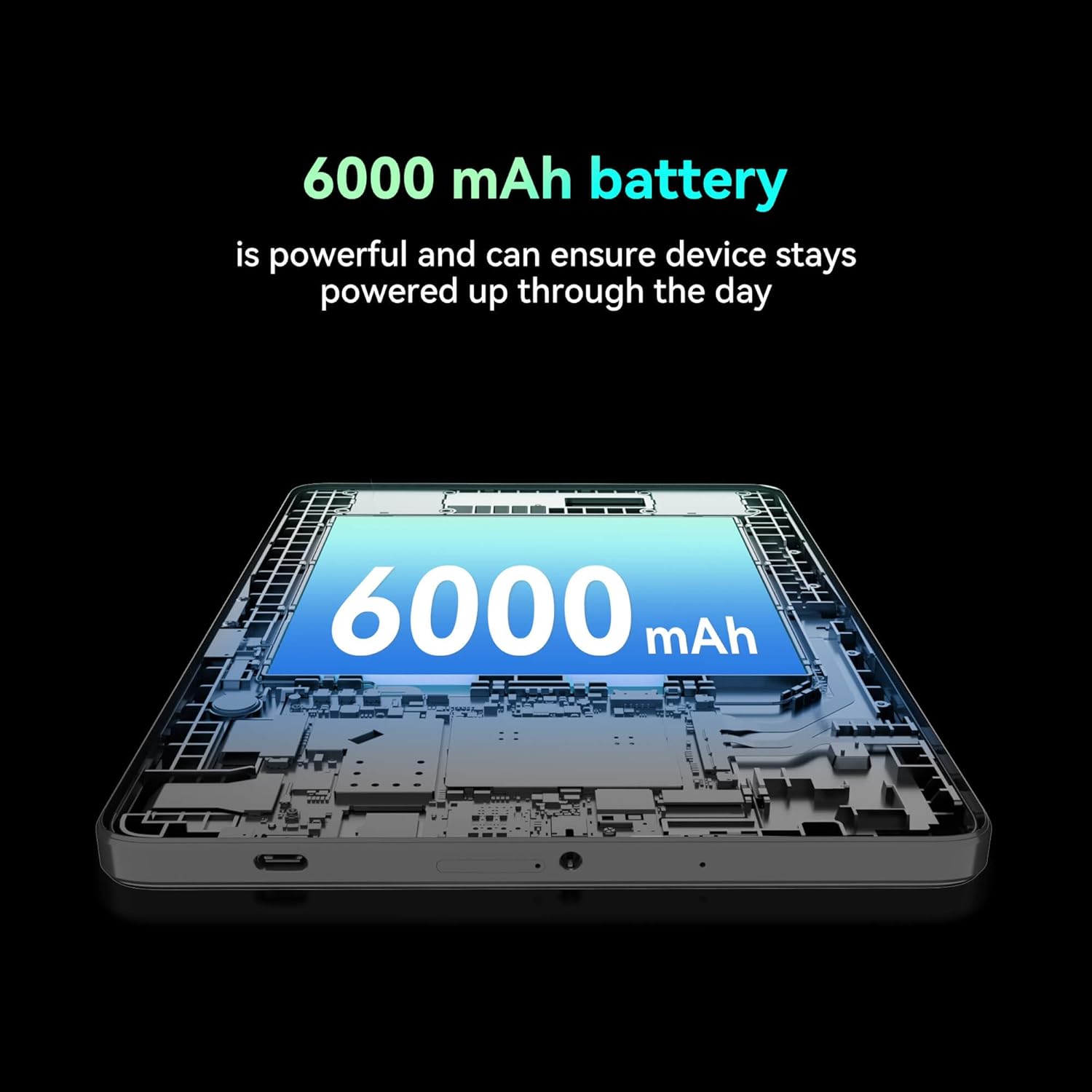
Irudia: Mozketa bat view of the tablet highlighting the large 6000 mAh battery component.
4. Konfigurazioa
4.1 Hasierako karga
Before first use, fully charge your tablet using the provided Type-C cable and 10W charger. The battery indicator on the screen will show charging status.
4.2 Piztu/Itzaltzea
- Pizteko: Eduki sakatuta pizteko botoia pantaila argitu arte.
- Itzaltzeko: Sakatu eta eutsi pizteko botoiari, eta ondoren hautatu 'Itzali' pantailan agertzen diren aukeren artean.
- Berrabiarazteko: Sakatu eta eutsi pizteko botoiari, eta ondoren hautatu 'Berrabiarazi' pantailan agertzen diren aukeren artean.
4.3 SIM txartelaren instalazioa
The FOXX C10 supports Nano SIM cards for cellular connectivity. Locate the SIM card tray on the side of the tablet. Use the provided SIM ejector tool to open the tray. Insert the Nano SIM card into the designated slot with the gold contacts facing down. Close the tray securely.
4.4 MicroSD txartelaren instalazioa (aukerakoa)
If your tablet supports expandable storage, locate the MicroSD card slot, often combined with the SIM tray. Insert a MicroSD card (up to 128GB, sold separately) into the slot with the gold contacts facing down. Close the tray securely.
5. Funtzionamendu-argibideak
5.1 Oinarrizko nabigazioa
Your tablet runs on Android 13. Use touch gestures for navigation:
- Sakatu: Hautatu elementu bat edo ireki aplikazio bat.
- Pasatu hatza: Pantailetan edo zerrendetan zehar joan.
- Pixka bat: Irudiak handitu edo txikitu eta web orrialdeak.
- Prentsa luzea: Sartu testuinguru-menuetara edo mugitu ikonoak.
5.2 Wi-Fira konektatzea
- Joan zaitez Ezarpenak > Sarea eta Internet > Wi-Fi.
- Wi-Fia aktibatu/desaktibatu On.
- Hautatu nahi duzun Wi-Fi sarea zerrendatik.
- Eskatzen bazaizu, idatzi pasahitza eta, ondoren, sakatu Konektatu.
5.3 Making Calls (4G LTE)
With a properly installed and activated Nano SIM card, your tablet can make and receive calls.
- Ireki Telefonoa aplikazioa.
- Dial the desired number or select a contact.
- Sakatu Deitu botoia.
5.4 Kamera erabiltzea
The tablet features dual 8MP cameras for photography and video recording.
- Ireki Kamera aplikazioa.
- Sakatu Pertsiana argazkia ateratzeko botoia.
- Sakatu Bideoa icon to switch to video recording mode.
- Erabili kameraren etengailuaren ikonoa aurreko eta atzeko kameren artean txandakatzeko.
5.5 Bluetooth parekatzea
- Joan zaitez Ezarpenak > Konektatutako gailuak > Bluetootha.
- Aktibatu Bluetooth-a On.
- Ensure the device you want to pair with is in pairing mode.
- Hautatu gailua zerrendatik eta jarraitu pantailan agertzen diren argibideei parekatzea osatzeko.
6. Mantentzea
6.1 Bateria zaintzea
- Saihestu tenperatura muturrekoak, bateriaren iraupena murriztu baitezakete.
- Do not leave the tablet charging for extended periods after it's fully charged.
- Erabili emandako kargagailua eta kablea soilik.
6.2 Garbiketa
Use a soft, lint-free cloth to clean the screen and body of the tablet. Avoid using harsh chemicals or abrasive materials. For stubborn smudges, slightly dampGarbitu oihal bat urarekin edo elektronikarako diseinatutako pantaila-garbitzaile batekin.
6.3 Software eguneraketak
Egiaztatu eta instalatu software eguneraketak aldizka, zure tabletak azken funtzioak, segurtasun adabakiak eta errendimendu hobekuntzak dituela ziurtatzeko. Joan honera Ezarpenak > Sistema > Sistema eguneratzea.
7. Arazoak
| Arazoa | Irtenbidea |
|---|---|
| Tableta ez da pizten | Ziurtatu bateria kargatuta dagoela. Konektatu kargagailua eta itxaron minutu batzuk berriro pizten saiatu aurretik. |
| Ezin da wifira konektatu | Check if Wi-Fi is enabled in settings. Restart your router and the tablet. Verify the Wi-Fi password. |
| Aplikazioak motel doaz edo huts egiten dute | Close unused apps. Clear app cache (Settings > Apps > [App Name] > Storage > Clear cache). Restart the tablet. Ensure sufficient storage space. |
| Ez dago zerbitzu mugikorrik | Ensure the Nano SIM card is correctly inserted and activated. Check your network settings and contact your service provider if necessary. |
| Pantailak ez du erantzuten | Restart the tablet. If the issue persists, perform a factory reset (data will be lost). |
8. Zehaztapenak
| Ezaugarri | Xehetasuna |
|---|---|
| Ereduaren izena | FOXX C10 |
| Sistema eragilea | Android 13 |
| Pantailaren tamaina | 10.1 hazbete |
| Gehienezko pantailaren bereizmena | 800x1280 pixel |
| Prozesadorea | 2 GHz Quad-Core MediaTek |
| RAM | 4 GB |
| Barne Biltegiratzea | 64 GB |
| Flash memoriaren tamaina | 8 GB (likely referring to system partition or eMMC base) |
| Kamerak | Dual 8MP (Front & Rear) |
| Bateria Edukiera | 6000 mAh |
| Konektibitatea | 4G LTE, Wi-Fi (802.11 b/g/n/ac), Bluetooth 5.0, USB-C, 3.5mm AUX |
| Elementuaren pisua | 1.26 kilo |
| Produktuaren neurriak | 9.64 x 6.39 x 0.42 hazbete |
| Kolorea | Beltza |
9. Bermea eta Laguntza
For warranty information and technical support, please refer to the documentation provided with your purchase or contact the retailer. Keep your proof of purchase for warranty claims.


