1. Sarrera
This manual provides essential instructions for setting up, operating, and maintaining your LG 43QNED80TUC QNED 4K Smart TV. Please read this manual thoroughly before using your television to ensure safe and optimal performance. Keep this manual for future reference.
2. Zer dago kutxan
Egiaztatu osagai guztiak daudela konfigurazioa hasi aurretik.
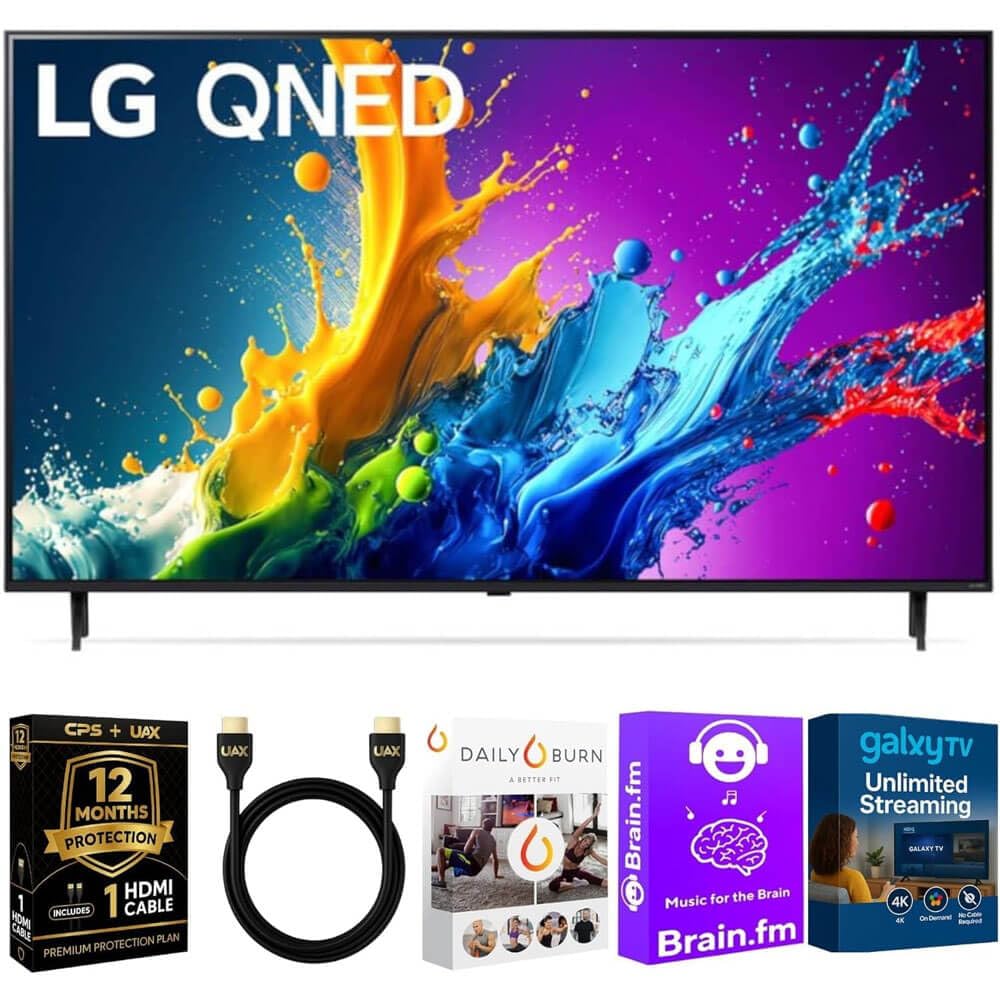
Irudia: The LG 43QNED80TUC QNED 4K Smart TV, displaying its dimensions and a list of included accessories such as the Magic Remote, remote control batteries, stand, and quick start guide.
- LG 43QNED80TUC QNED 4K Smart TV
- Urrutiko Magia
- Urruneko Kontroleko bateriak
- Telebistako euskarria osagaiak
- Elikatze-kablea
- Hasierako gida azkarra
- UAX HDMI 2.0 Cable (6ft)
- 12-Month CPS Protection Plan documentation
- Streaming Bundle activation details (Brain.fm, Daily Burn, Galaxy TV)
3. Konfigurazioa
3.1 Standa muntatzea
Kontu handiz jarri telebistaren pantaila behera begira gainazal bigun eta lau batean. Lotu euskarriaren osagaiak telebistaren beheko zirrikituetan emandako torlojuak erabiliz. Ziurtatu euskarria ondo finkatuta dagoela telebista zutik jarri aurretik.

Irudia: Aldea view of the LG QNED TV, illustrating its slim design and the attached stand, which provides stable support.
3.2 Periferikoak konektatzea
Connect your external devices such as cable boxes, gaming consoles, or Blu-ray players to the TV's input ports. Use the provided UAX HDMI 2.0 cable for optimal performance with compatible devices.

Irudia: Atzekoa view of the LG QNED TV, highlighting the various input and output ports including HDMI, USB, Ethernet, RF In, and Optical Digital Audio Out, for connecting external devices.
Eskuragarri dauden portuak:
- 4 HDMI sarrera
- 2 USB ataka
- 1 Ethernet (LAN) Port
- RF sarreran (antena / kablea)
- Audio Digital Optiko Irteera
3.3 Hasierako piztea eta oinarrizko ezarpenak
Plug the power cable into the TV and a wall outlet. Press the power button on the Magic Remote or on the TV. Follow the on-screen prompts to complete the initial setup, including language selection, network connection, and channel scanning.
4. Zure telebista funtzionatzea
4.1 Magiko urrutiko agintea erabiltzea
The Magic Remote allows intuitive control of your TV. Point and click, use the scroll wheel, or utilize voice commands for navigation and content selection. Ensure batteries are correctly inserted.
4.2 webSistema eragileko telebista adimendunaren ezaugarriak
Zure LG QNED telebistak funtzionatzen du webOS, providing access to a wide range of streaming services and LG Channels. Navigate the home screen to find apps like Netflix, Prime Video, Disney+, and more.
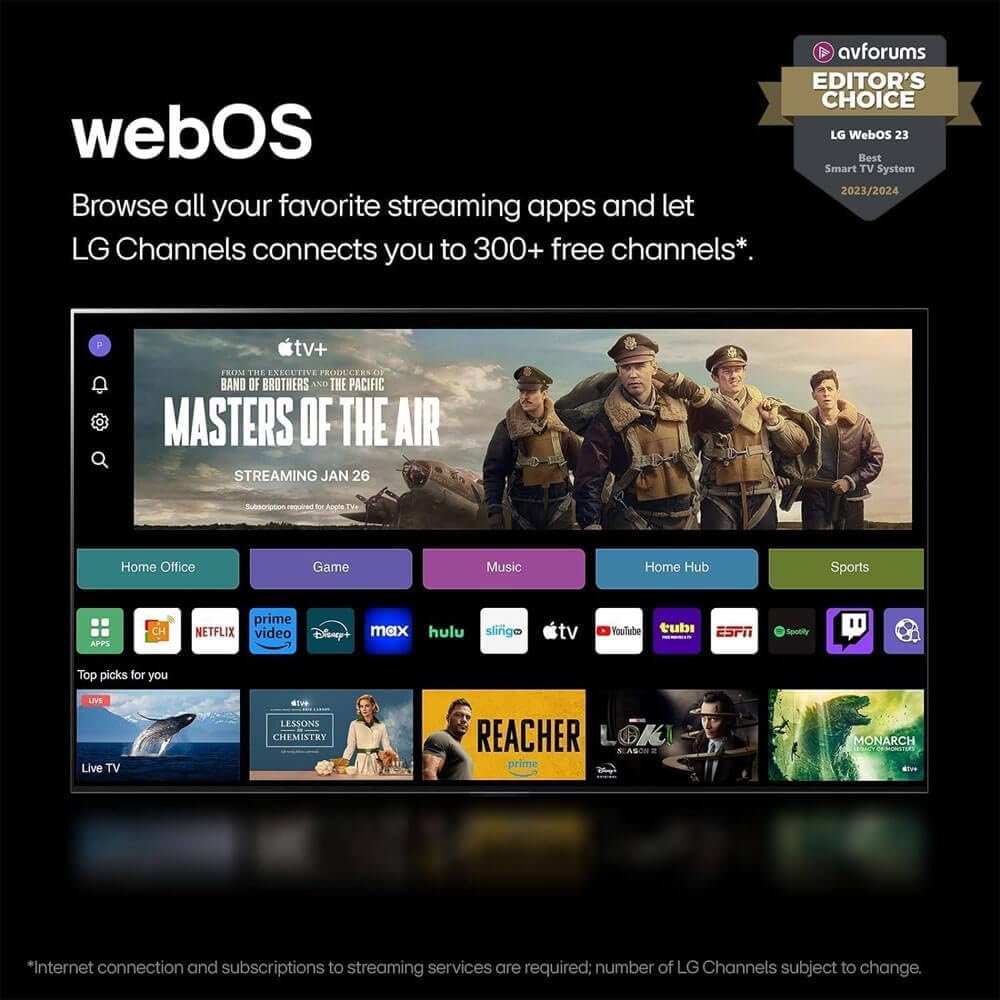
Irudia: LG webOS 23 interface, displaying a selection of popular streaming applications and content categories, indicating easy access to entertainment.
Ahots kontrola: The TV features Alexa Built-in. Press the microphone button on your Magic Remote and speak your commands to search for content, control smart home devices, or get information.
4.3 Picture and Sound Enhancement (a5 AI Processor Gen7)
The a5 AI Processor Gen7 automatically optimizes picture and sound quality in real-time. This processor enhances brightness, refines detail, and improves audio clarity for an immersive viewesperientzia.

Irudia: A visual representation of the LG a5 AI Processor Gen7 chip, illustrating its role in enhancing brightness, sound, and picture detail for an improved viewesperientzia.
HDR and Audio Technologies: The TV supports HDR10 and Dolby Vision for enhanced contrast and color, and Dolby Atmos for immersive audio. These technologies are automatically engaged when compatible content is played.
4.4 Gaming Features (Game Optimizer)
Access the Game Optimizer menu to quickly adjust settings for an optimal gaming experience. Features include Auto Low Latency Mode (ALLM) for reduced input lag and HGiG compatibility for accurate HDR gaming.

Irudia: A screenshot of the LG Game Optimizer interface displayed during a racing game, showing options for customizing gaming settings like ALLM, eARC, and HGiG.
5. Mantentzea
5.1 Zure telebista garbitzea
Gently wipe the screen and cabinet with a soft, dry cloth. For stubborn marks, lightly dampen the cloth with water. Avoid using harsh chemicals or abrasive cleaners, as these can damage the screen and finish.
5.2 Software eguneraketak (webSistema eragilearen berri: Programa berria)
Your TV will receive software updates through the webOS Re:New Program for up to 5 years. These updates provide new features and performance improvements. Ensure your TV is connected to the internet for automatic updates. You will receive a notification if an update requires manual acceptance.

Irudia: LG webOS Re:New Program logo, signifying the commitment to providing software updates and feature refreshes for 5 years.
6. Arazoak
Telebistarekin arazoak badituzu, kontsultatu honako arazo eta irtenbide ohikoenak zerbitzuarekin harremanetan jarri aurretik.
| Arazoa | Kausa posiblea | Irtenbidea |
|---|---|---|
| Botererik ez | Kable elektrikoa deskonektatuta; entxufearen arazoa. | Ziurtatu kablea ondo konektatuta dagoela. Probatu entxufea beste gailu batekin. |
| Irudirik ez, soinua bakarrik | Sarrera-iturri okerra; kanpoko gailuaren arazoa. | Egiaztatu sarrera-iturria. Ziurtatu kanpoko gailuak piztuta eta behar bezala konektatuta daudela. |
| Soinurik ez, irudia bakarrik | Volume muted; audio settings incorrect. | Unmute the TV. Check audio output settings in the TV menu. |
| Urruneko kontrola ez dabil | Pilak agortuta; oztopoa; urrutiko agintea ez dago parekatuta. | Aldatu bateriak. Kendu oztopoak. Beharrezkoa bada, berriro parekatu Magic Remote agintea (ikusi Hasiera Azkarreko Gida). |
| Ezin da Wi-Fira konektatu | Pasahitz okerra; bideratzailearen arazoa; telebista bideratzailetik urrunegi. | Verify Wi-Fi password. Restart your router. Move TV closer or use a wired Ethernet connection. |
7. Zehaztapenak
- Eredua: 43QNED80TUC
- Bistaratzeko mota: QNED 4K UHD
- Pantailaren tamaina: 43 hazbete (43.1 hazbeteko diagonala)
- Prozesadorea: a5 AI prozesadorea Gen7
- Sistema eragilea: webOS Smart TV
- HDR euskarria: HDR10, Dolby Vision
- Audio laguntza: Dolby Atmos
- Konektibitatea: Wi-Fi, Bluetootha
- Portuak: 4 HDMI, 2 USB, 1 Ethernet (LAN), RF In, Optical Digital Audio Out
- Produktuaren neurriak (W x H x D):
- Without Stand: 38.1 x 22.2 x 1.2 inches
- With Stand: 38.1 x 25 x 10.1 inches
- Elementuaren pisua: 27 kilo
- Fabrikatzailea: LG
8. Bermea eta Laguntza
Your LG 43QNED80TUC QNED 4K Smart TV includes a standard manufacturer's warranty. Additionally, this bundle includes a 12-Month CPS Protection Plan for extended coverage and peace of mind. Refer to the documentation provided with your purchase for specific terms and conditions of both the manufacturer's warranty and the CPS Protection Plan.
For technical assistance, troubleshooting, or warranty claims, please contact LG Customer Support or refer to the official LG website for detailed support resources.
LG laguntza Webgunea: https://www.lg.com/us/support
9. Produktuen bideoak
LG webOS Smart TV Overview
Bideoa: Bat baino gehiagoview LG-ren webOS Smart TV platform, demonstrating its user interface, app navigation, and smart features for an enhanced entertainment experience.
LG a5 AI Processor Gen7 Explained
Bideoa: This video explains the capabilities of the LG a5 AI Processor Gen7, detailing how it optimizes picture and sound quality through artificial intelligence for a superior viewesperientzia.
LG Game Optimizer Features
Bideoa: A demonstration of the LG Game Optimizer, showcasing its various settings and how it enhances gaming performance with features like ALLM and HGiG for a smoother, more responsive gaming experience.