1. Sarrera
This manual provides essential instructions for the setup, operation, and maintenance of your Samsung QN83S95FAEXZA 83-inch OLED HDR Pro 4K Smart TV, Walts TILT-MOUNT-43-90 Large/XL Tilt Mount, and Amber Protection 3-Outlet Surge Protector. Please read this manual thoroughly before using your products to ensure safe and optimal performance.
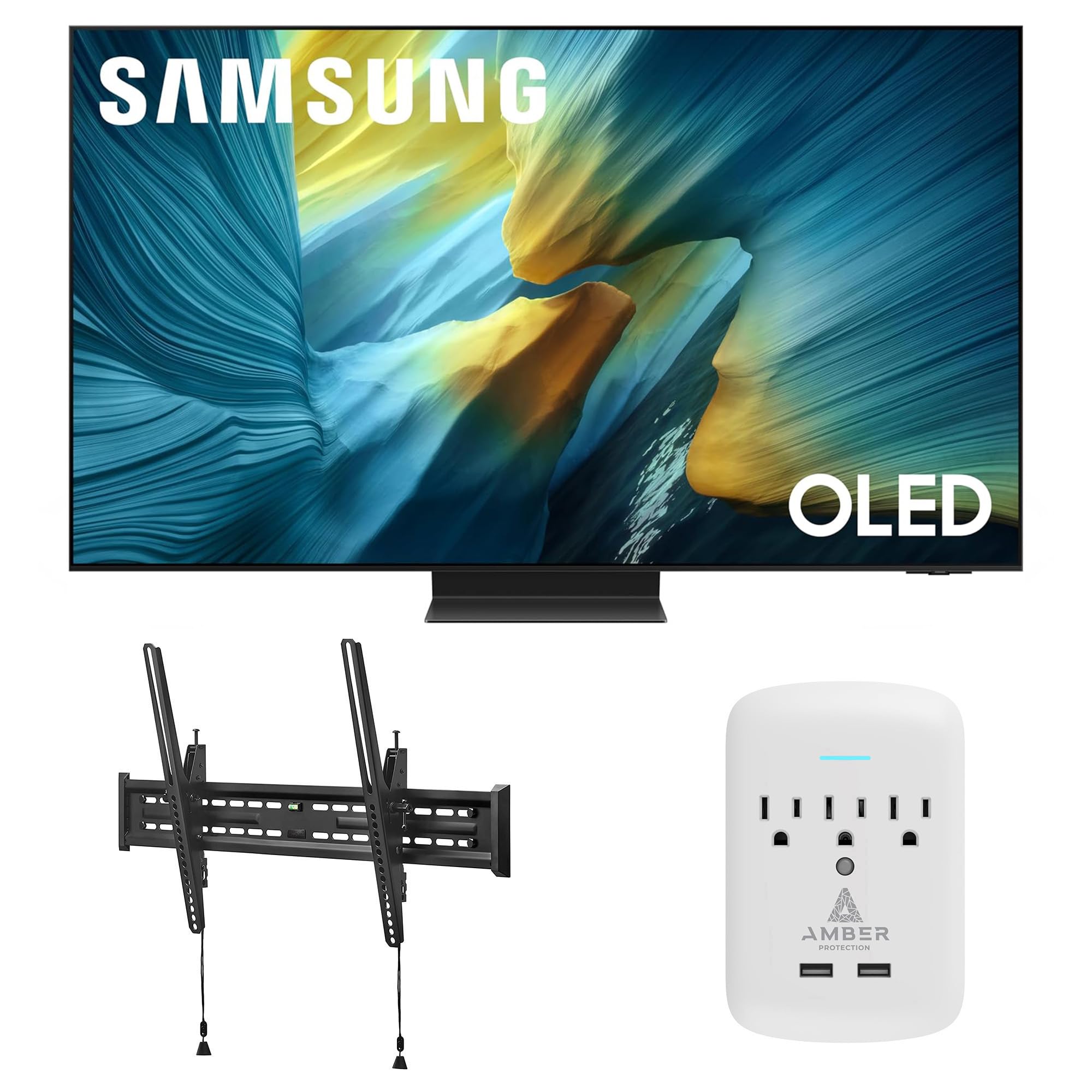
Image 1.1: Samsung QN83S95FAEXZA 83-inch OLED HDR Pro 4K Smart TV. This image shows the front view of the Samsung OLED TV with a vibrant display.

Image 1.2: The complete product bundle, including the Samsung 83-inch OLED TV, Walts Tilt Mount, and Amber Protection 3-Outlet Surge Protector.
2. Konfigurazioa
2.1 Samsung QN83S95FAEXZA 83-inch OLED TV
- Despaketatzea: Carefully remove the TV from its packaging. It is recommended to have at least two people for this process due to the size and weight of the 83-inch TV.
- Standaren instalazioa (aukerakoa): If not wall-mounting, attach the TV stand according to the separate stand instructions provided with your TV. Ensure all screws are securely fastened.
- Konexioak: Connect all necessary cables (power, HDMI, antenna, etc.) to the appropriate ports on the TV. Refer to the diagram below for port locations.

2.1. irudia: Atzekoa view of the Samsung QN83S95FAEXZA TV, displaying connection ports including LAN, Optical, Antenna, USB, and HDMI inputs.
- Piztu: Plug the TV into the Amber Protection Surge Protector. Press the power button on the remote control or TV.
- Hasierako konfigurazioa: Follow the on-screen prompts to complete the initial setup, including language selection, network connection (Wi-Fi or Ethernet), and channel scanning.
2.2 Walts TILT-MOUNT-43-90 Large/XL Tilt Mount Installation
The Walts TILT-MOUNT-43-90 is designed for 43"-98" TVs and supports VESA patterns up to 700mm x 400mm. Always ensure your wall structure can support the combined weight of the TV and mount.
- Muntatzeko kokapena identifikatu: Choose a suitable wall location, ensuring it has adequate structural support (e.g., wood studs, concrete).
- Erantsi euskarriak telebistari: Secure the vertical mounting brackets to the back of your Samsung TV using the appropriate screws and spacers. Ensure the brackets are level and centered.

Image 2.2: Close-up of the Walts TILT-MOUNT-43-90 mounting brackets attached to the rear of a television, showing the secure screw points.
- Instalatu horma-plaka: Mark and drill pilot holes for the wall plate. Secure the wall plate to the wall using the provided lag bolts. Use a level to ensure the wall plate is perfectly horizontal.

Image 2.3: The Walts TILT-MOUNT-43-90 wall plate, featuring multiple mounting holes and an integrated bubble level for accurate installation.
- Telebista muntatu: Carefully lift the TV and hook the vertical brackets onto the wall plate. Ensure the TV is securely seated.
- Telebista segurua: Engage the safety locks on the bottom of the vertical brackets to prevent the TV from accidentally disengaging from the wall plate.
- Inklinazioa doitu: The mount allows for tilting. Adjust the tilt angle to your preferred viewing position and tighten any locking mechanisms.

2.4 irudia: Alboko profile of the Walts TILT-MOUNT-43-90 mount, illustrating its low-profile design and the mechanism for adjusting the TV's tilt angle.
2.3 Amber Protection 3-Outlet Surge Protector
- Konektatu: Insert the surge protector directly into a standard wall outlet.
- Konektatu gailuak: Plug your TV and other sensitive electronics into the surge protector's outlets.
- LED adierazlea: The LED indicator on the surge protector will glow blue when it is working correctly and providing protection.
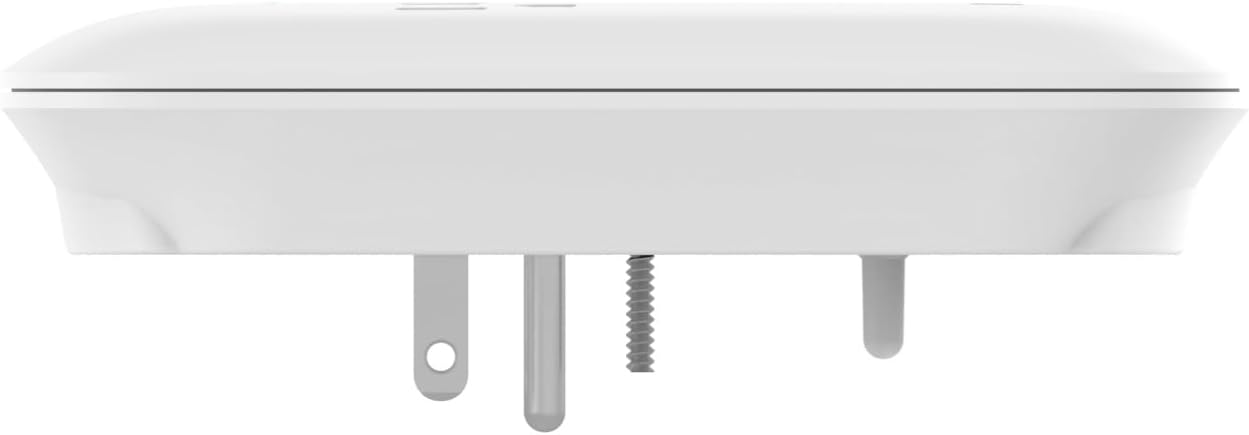
Image 2.5: The Amber Protection 3-Outlet Surge Protector, showing its compact design and three power outlets.
3. Operating Your Samsung OLED TV
3.1 Ezaugarri nagusiak
- NQ4 AI Gen3 prozesadorea: This advanced processor utilizes 128 neural networks to enhance picture and sound, delivering an exceptional 4K experience for all content.

Image 3.1: A visual representation of the NQ4 AI Gen3 Processor chip, highlighting its advanced technology for picture and sound enhancement.
- Distirarik gabeko pantaila: Enjoy content without distracting reflections, even in brightly lit rooms. The innovative screen redirects light to minimize glare.
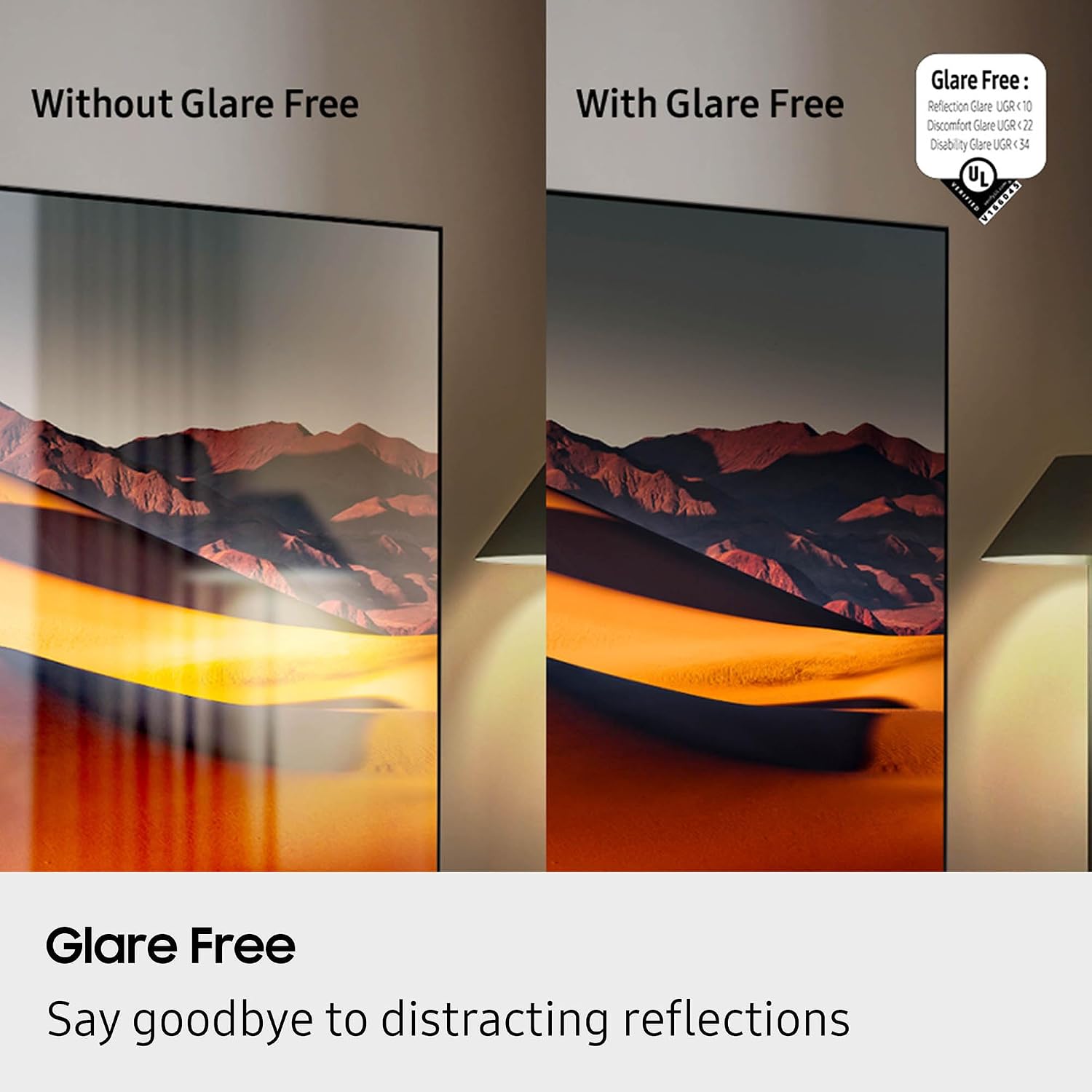
Image 3.2: A side-by-side comparison demonstrating the effectiveness of Glare Free technology, showing a clear image on the right and a reflective image on the left.
- OLED HDR Pro: Experience more powerful brightness and richer contrast compared to standard dynamic range, thanks to 8.3 million self-lit pixels.

Image 3.3: A visual comparison illustrating the enhanced colors and contrast provided by OLED HDR Pro compared to SDR (Standard Dynamic Range).
- Motion Xcelerator Turbo Ultra: Delivers a picture with virtually no lag or blur at high refresh rates (up to 165Hz), ideal for gaming and fast-paced sports.
3.2 Telebista adimendunaren funtzioak
- Egin klik bilatzeko: Use your remote to quickly find more information about shows, actors, or other content displayed on your screen.
- Zuzeneko itzulpena: For supported content, enable Live Translate to view subtitles in your preferred language.
3.3 Produktuaren bideo ofiziala
3.1 bideoa: Samsung S95F serieko telebistaren produktuaren berrikuspenaviewBideo honek baino gehiago eskaintzen duview of the key features and benefits of the Samsung S95F OLED TV series, including its Glare Free display, OLED HDR Pro, and AI processor.
4. Mantentzea
4.1 Samsung OLED TV
- Pantaila garbitzea: Garbitu pantaila astiro-astiro mikrofibra zapi leun eta lehor batekin. Orban egoskorrak izanez gero, garbitu astiro-astiro.ampen the cloth with distilled water. Avoid harsh chemicals or abrasive materials.
- Hautsa botatzea: Regularly dust the TV's frame and back panel with a soft, dry cloth.
- Software eguneraketak: Ensure your TV's software is up to date for optimal performance and security. Check for updates via the TV's settings menu.
4.2 Walts Tilt Mount
- Aldizkako ikuskapena: Periodically check all mounting screws and bolts to ensure they remain tight and secure.
- Garbiketa: Wipe the mount with a dry cloth to remove dust. Do not use liquid cleaners directly on the mount.
4.3 Amber Protection Surge Protector
- Adierazleen egiaztapena: Regularly verify that the blue LED indicator is illuminated, confirming active surge protection.
- Gainkarga: If the surge protector trips (power cuts off), reduce the number of connected devices and reset it.
5. Arazoak
5.1 Samsung OLED TV
- Potentziarik gabe: Ensure the power cable is securely connected to both the TV and the surge protector/wall outlet. Check if the surge protector's LED is on. Try a different outlet.
- Irudi/soinurik ez: Verify the correct input source is selected. Check all HDMI or other video/audio cables for secure connections.
- Urrunekoa ez dabil: Replace the remote control batteries. Ensure there are no obstructions between the remote and the TV's IR receiver.
- Sareko konexio arazoak: Berrabiarazi bideratzailea eta modema. Idatzi berriro Wi-Fi pasahitza telebistaren sare ezarpenetan.
5.2 Walts Tilt Mount
- Telebista mailarik gabe: Re-check the wall plate installation with a level. Minor adjustments can sometimes be made by slightly loosening and re-tightening the TV brackets.
- Inklinatzeko zailtasuna: Ensure no cables are obstructing the tilt mechanism. Loosen the tilt adjustment knobs slightly before attempting to adjust.
5.3 Amber Protection Surge Protector
- Gailuetarako energiarik gabe: Check if the surge protector's LED indicator is off. If so, it may have absorbed a surge and needs replacement, or it may be overloaded. Unplug devices and press the reset button if available.
6. Zehaztapenak
6.1 Samsung QN83S95FAEXZA 83-inch OLED TV
| Ezaugarri | Zehaztapena |
|---|---|
| Marka | Samsung |
| Ereduaren izena | QN83S95FAEXZA |
| Pantailaren tamaina | 83 hazbete |
| Bistaratzeko Teknologia | OLEDa |
| Ebazpena | 4K |
| Freskatze tasa | 120 Hz (165Hz arte) |
| Prozesadorea | NQ4 AI Gen3 prozesadorea |
| Ezaugarri bereziak | Glare Free, OLED HDR Pro, Motion Xcelerator 165Hz, Tizen Smart TV |
| Konektibitatea | Wi-Fi 5, HDMI 4, 3 x USB-A, 1 x USB-C |
| Produktuaren neurriak | 12" L x 72.6" W x 44.2" H |
| Elementuaren pisua | 114.4 kilo |
6.2 Walts TILT-MOUNT-43-90 Large/XL Tilt Mount
| Ezaugarri | Zehaztapena |
|---|---|
| Marka | Walts TV |
| Eredua | TILT-MOUNT-43-90 |
| Telebistako tamaina bateragarriak | 43"-98" |
| VESA bateragarritasuna | Up to 700mm x 400mm |
| Mendi mota | Tilt Mount |
6.3 Amber Protection 3-Outlet Surge Protector
| Ezaugarri | Zehaztapena |
|---|---|
| Marka | Amber Protection |
| Saltokiak | 3 |
| Joules Protection | 1225 Joule |
| Adierazlea | LED (Blue when working) |
7. Bermea eta laguntza
7.1 Bermearen informazioa
For specific warranty details regarding your Samsung QN83S95FAEXZA TV, Walts TILT-MOUNT-43-90, and Amber Protection 3-Outlet Surge Protector, please refer to the warranty cards included with each product or visit the respective manufacturer's official websites. Warranty periods and coverage may vary by product.
7.2 Bezeroarentzako laguntza
If you require further assistance or have questions not covered in this manual, please contact the manufacturer's customer support:
- Samsungen laguntza: Bisitatu Samsung-en webgune ofiziala weblaguntza baliabideetarako, maiz egiten diren galderetarako eta harremanetarako informaziorako gunea.
- Walts TV Support: For assistance with the tilt mount, refer to the Walts TV documentation or their customer service channels.
- Amber Protection Support: Contact Amber Protection for inquiries regarding the surge protector.
Erosketa ere kontuan hartu dezakezuasing an extended protection plan for additional coverage, such as the 4 Urteko Babes Plana available for this product bundle.


