1. Sarrera
This manual provides essential information for setting up, operating, and maintaining your Hisense 40E43QT 40-inch Full HD Smart TV. Please read it thoroughly before using the product to ensure safe and correct operation.
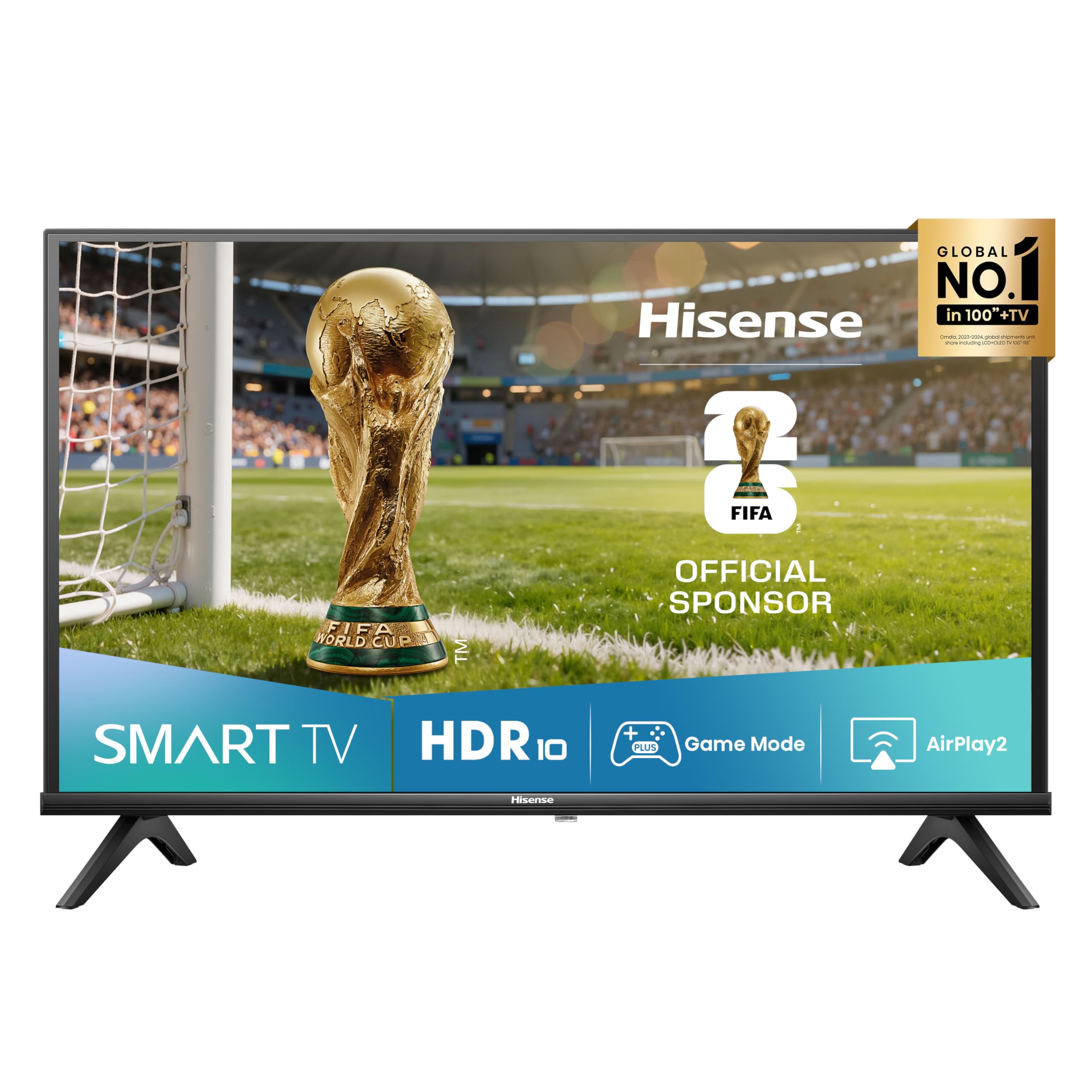
Irudia: Aurrealdea view of the Hisense 40E43QT 40-inch Full HD Smart TV, showcasing its slim bezels and modern design.
2. Zer dago kutxan
Carefully unpack your Hisense TV and check that all the following items are included:
- Hisense 40-inch Full HD Smart TV
- Elikatze-kablea
- Urruneko Kontrola
- Erabiltzailearen eskuliburua (dokumentu hau)
- TV Stands (if not wall-mounted)
If any items are missing or damaged, please contact Hisense customer support.
3. Konfigurazioa
3.1 Telebista-euskarriak lotzea
If you are not wall-mounting your TV, follow these steps to attach the included stands:
- Jarri telebistaren pantaila beherantz gainazal bigun eta lau batean, kalteak saihesteko.
- Lerrokatu euskarri bakoitza telebistaren behealdeko dagokien zirrikituekin.
- Lotu euskarriak emandako torlojuak erabiliz. Ziurtatu ondo lotuta daudela.

Irudia: Aurrealdea eta albokoa view of the Hisense 40E43QT TV with dimensions and stand attachment points. The image shows the TV's width (900mm), height with stand (565mm), height without stand (515mm), depth with stand (186mm), and depth without stand (85mm). It also indicates a VESA mount dimension of 200x200mm and product weight with stand (5.5 kg) and without stand (5.4 kg).
3.2 Konektatzeko kableak
Before connecting any cables, ensure the TV and all external devices are powered off.
- Sare elektrikoa Konektatu elikatze-kablea telebistaren elikatze-sarrerara eta gero hormako entxufe batera.
- Antena/Kablea: Connect your antenna or cable TV source to the "ANT" input on the TV.
- HDMI gailuak: Connect devices like Blu-ray players, game consoles, or set-top boxes to the HDMI ports. This model features HDMI 2.1 (eARC) for enhanced audio return channel capabilities.
- USB gailuak: For media playback or software updates, connect USB flash drives to the USB ports.
- Ethernet: Interneteko konexio egonkor bat lortzeko, konektatu Ethernet kable bat zure bideratzailearen eta telebistaren Ethernet atakaren artean.
- Audio-irteera digitala: Konektatu soinu-barra edo etxeko zinema-sistema batera audio-irteera digitala lortzeko.
- Entzungailuak: Konektatu entzungailuak entzuteko modu pribatuan.

Irudia: Xehetasun handikoa view of the Hisense 40E43QT TV's rear panel, showing connectivity options including two USB ports, Digital Audio Out, Headphone jack, two ANT inputs, HDMI 2.1 (eARC), HDMI 2, and an Ethernet port for internet router connection.
3.3 Hasierako piztea eta lehen konfigurazioa
- After connecting all necessary cables, plug the TV into a power outlet.
- Sakatu urrutiko agintean edo telebistan bertan pizteko botoia.
- Telebistak lehen konfigurazio-morroian gidatuko zaitu, eta horrek hizkuntza hautatzea, sareko konexioa (Wi-Fi edo Ethernet), kanalen eskaneatzea eta ordu-eremuaren ezarpenak barne hartzen ditu.
- Jarraitu pantailako argibideei konfigurazioa osatzeko.
4. Zure telebista funtzionatzea
4.1 Urruneko kontrolaren funtzioak
The remote control allows you to navigate the TV's features and settings. Familiarize yourself with its buttons:

Image: The Hisense 40E43QT remote control, featuring standard navigation, volume, and channel controls, along with dedicated quick access buttons for popular streaming services like Disney+, YouTube, Prime Video, Netflix, YouTube Kids, Apple TV+, and a customizable VOD button.
- Pizteko botoia: Telebista pizten edo itzaltzen du.
- Nabigazio botoiak (Gora/Behera/Ezkerra/Eskuina/Ados): Menuetan nabigatzeko eta aukerak hautatzeko erabiltzen da.
- Bolumena igo/behera: Soinu maila doitzen du.
- Kanal gora/behera: Telebistako kateak aldatzen ditu.
- Telebista adimendunaren botoiak: Direct access to streaming apps like Netflix, Prime Video, YouTube, Disney+, and Apple TV+.
- Hasierako botoia: Returns to the Smart TV home screen (VIDAA U8).
- Sarrerako botoia: Sarrera iturria hautatzen du (HDMI, AV, TV).
4.2 Smart TV Ezaugarriak (VIDAA U8)
Your Hisense 40E43QT TV runs on the VIDAA U8 Smart TV operating system, offering access to a wide range of applications and services.

Image: The Hisense 40E43QT TV screen showing the VIDAA Smart TV home interface, featuring icons for popular streaming services and applications such as Netflix, Disney+, YouTube, Prime Video, and more, indicating a user-friendly content hub.
- App Store: Deskargatu eta instalatu aplikazio gehigarriak VIDAA App Store-tik.
- Streaming zerbitzuak: Enjoy pre-installed and downloadable streaming apps.
- Web Arakatzailea: Arakatu Interneten zuzenean zure telebistatik.
- Ahots kontrola: The TV supports "Works with Alexa" for voice commands.
4.3 Irudi eta soinu hobekuntzak
- Natural Colour Enhancer: Optimizes color reproduction for a more vibrant and realistic viewesperientzia.

Image: A split-screen comparison showing the effect of Natural Colour Enhancer, with one side displaying dull colors and the other vibrant, enhanced colors of a row of houses.
- Zarata murriztea: Reduces visual noise in the picture for clearer, sharper images.

Image: A split-screen comparison illustrating the Noise Reduction feature, with one side showing a grainy image of a building and the other a smooth, clear version of the same scene.
- Dolby Audio & DTS HD: Provides rich, clear, and immersive sound for an enhanced audio experience.

Image: A close-up of a drum set with vibrant light effects, accompanied by the Dolby Audio and DTS HD logos, signifying superior sound quality for entertainment.
4.4 Connectivity and Sharing
- Airplay2: Stream content directly from your Apple devices to the TV.
- Partekatu telebistan: Easily cast content from your mobile devices to the TV screen.

Image: A person holding a tablet that is mirroring its content (a woman with a horse) onto the Hisense TV screen, illustrating the "Share to TV" feature for easy content casting.
4.5 Joko modua
Activate Game Mode for an optimized gaming experience with reduced input lag.

Image: A dynamic image of a motorcycle racer in action, with "Game Mode" text, indicating the TV's feature for optimizing gaming performance by reducing input lag.
5. Mantentzea
To ensure the longevity and optimal performance of your Hisense TV, follow these maintenance guidelines:
- Pantaila garbitzea: Garbitu pantaila astiro-astiro zapi leun, lehor eta pelusik gabeko batekin. Orba egoskorrak izanez gero, garbitu apur batampGarbitu oihal bat urarekin edo pantaila-garbitzaile espezializatu batekin (inoiz ez ihinztatu zuzenean pantailan).
- Gorputza garbitzea: Erabili zapi leun eta lehor bat telebistaren markoa eta euskarria garbitzeko. Saihestu garbitzaile edo disolbatzaile urratzaileak.
- Aireztapena: Ziurtatu telebistaren atzealdeko aireztapen-irekidurak ez daudela blokeatuta, gehiegi berotzea saihesteko.
- Itzali: Always unplug the TV from the power outlet before cleaning or when it will not be used for an extended period.
6. Arazoak
Telebistarekin arazoak badituzu, jo ezazu honako arazo eta irtenbide ohikoenei:
| Arazoa | Irtenbide posiblea |
|---|---|
| Botererik ez | Egiaztatu kablea telebistara eta hormako entxufera ondo konektatuta dagoen. Ziurtatu entxufea funtzionatzen duela. |
| Ez dago irudirik, baina soinua badago | Egiaztatu sarrera-iturria. Ziurtatu kanpoko gailuak piztuta eta behar bezala konektatuta daudela. Saiatu beste HDMI kable batekin. |
| Soinurik ez, baina irudia badago | Egiaztatu bolumen maila eta isilarazteko ezarpenak. Ziurtatu kanpoko audio sistemak behar bezala konektatuta eta konfiguratuta daudela. |
| Urruneko kontrola ez dabil | Ordeztu bateriak. Ziurtatu ez dagoela oztoporik urrutiko agintearen eta telebistaren IR sentsorearen artean. |
| Ezin da wifira konektatu | Check your router and modem. Restart the TV and your router. Re-enter the Wi-Fi password. |
| Telebista adimendunen aplikazioak ez dira kargatzen | Egiaztatu zure Interneteko konexioa. Saiatu telebista berrabiarazten. Ziurtatu telebistaren softwarea eguneratuta dagoela. |
For more detailed troubleshooting, refer to the full electronic user manual or contact Hisense customer support.
7. Zehaztapenak
Below are the key technical specifications for the Hisense 40E43QT 40-inch Full HD Smart TV:
| Ezaugarri | Xehetasuna |
|---|---|
| Modelo zenbakia | 40E43QT |
| Pantailaren tamaina | 40 hazbete (100 cm) |
| Bistaratzeko Teknologia | LED |
| Ebazpena | 1920x1080 (HD osoa) |
| Freskatze tasa | 60 Hz |
| Smart TV Plataforma | BIZITZA U8 |
| Audio Teknologia | DTS HD, Dolby Audio |
| Konektibitatea | Wi-Fi, Ethernet, HDMI (2 ports, including 1x HDMI 2.1 eARC), USB (2 ports) |
| Ezaugarri bereziak | Parental Controls, Frameless Design, Game Mode, Airplay2, Works with Alexa |
| Sintonizatzailea | DVB-T2/S2 HEVC 10 |
| Neurriak (euskarriarekin) | 90 cm (W) x 56.5 cm (H) x 18.6 cm (L) |
| Pisua (zutiluarekin) | 7.37 kg |
| Energia Eraginkortasun Klasea (SDR) | F (39 kWh/1000h) |
| Energia Eraginkortasun Klasea (HDR) | G (50 kWh/1000h) |

Image: The EU Energy Label for the Hisense 40E43QT TV, indicating an energy efficiency class of F for SDR content (39 kWh/1000h) and G for HDR content (50 kWh/1000h). It also shows the screen size as 40 inches (100 cm) and resolution as 1920x1080 pixels.

Image: The official Product Information Sheet (Scheda Informativa del Prodotto) for the Hisense 40E43QT, detailing various parameters such as manufacturer, model, energy classes, power consumption, screen dimensions, resolution, refresh rate, and included components. A QR code is visible, linking to the EPREL database.
Xehetasun gehiagorako, jo EPREL Product Database.
8. Bermea eta Laguntza
Your Hisense 40E43QT TV comes with a standard manufacturer's warranty. Please refer to the warranty card included in your packaging for specific terms and conditions, including the warranty period and coverage details.
For technical assistance, troubleshooting beyond this manual, or warranty claims, please contact Hisense customer support. Contact information can typically be found on the Hisense official webgunean edo telebistarekin batera emandako dokumentazioan.


