1. Sarrera eta Overview
This manual provides essential information for the safe and effective use of your Canon PowerShot IXY 650 HS Compact Digital Camera. The camera is designed for high-quality image and video capture with user-friendly features.
The Canon PowerShot IXY 650 HS features a 20.2MP CMOS sensor and DIGIC 4+ image processor, enabling high-resolution photos and Full HD 1080p video recording. Its 12x optical zoom lens covers a versatile 25-300mm equivalent focal length, complemented by Intelligent IS image stabilization for sharp results. Built-in Wi-Fi with NFC facilitates easy sharing and remote control.
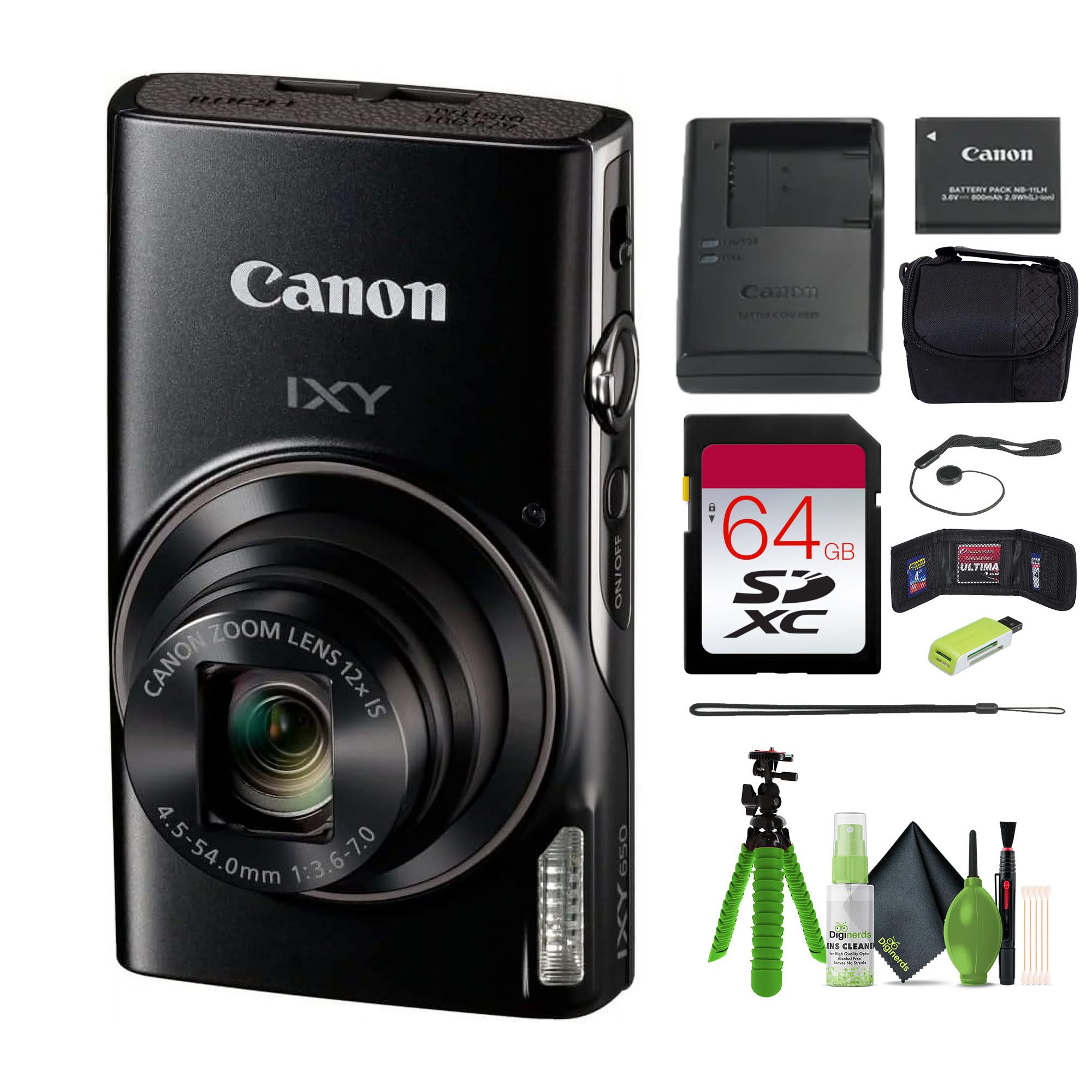
1.1. irudia: Aurrealdea view of the Canon PowerShot IXY 650 HS Compact Digital Camera. This image displays the camera's compact design, the prominent lens with 12x optical zoom, the built-in flash, and the Canon IXY branding.
2. Zer dago kutxan
Konfigurazioarekin jarraitu aurretik, egiaztatu elementu guztiak paketean daudela.
- Canon IXY 650 Compact Digital Camera (Black)
- 64GB Extreme PRO Memory Card
- Kasu Txikia
- Memoria Txartelaren irakurgailua
- 12 inch Flexible Vlogging Tripod
- Memoria Txartelaren Zorroa
- Lentearen tapa gordetzeko
- Garbiketa Kit

2.1. irudia: Typical contents of the Canon PowerShot IXY 650 HS camera bundle. This image shows the camera, a battery, a battery charger, and a wrist strap, which are core components.
3. Konfigurazioa
3.1. Bateria kargatzea
- Insert the battery into the provided battery charger.
- Entxufatu kargagailua korronte-hartune batera.
- The charging indicator light will show the charging status. Charge until the light indicates a full charge.
3.2. Bateria eta memoria txartela sartzea
- Ireki kameraren beheko aldean dagoen bateriaren/txartelaren konpartimentuaren estalkia.
- Sartu kargatutako bateria orientazio zuzenarekin, bere lekuan klik egin arte.
- Insert the 64GB memory card into the card slot until it clicks. Ensure the card is facing the correct direction.
- Itxi konpartimenduaren estalkia ongi.
3.1. irudia: Aldea view of the Canon PowerShot IXY 650 HS. This image highlights the top controls including the power button, shutter button, and zoom lever.
4. Kameraren funtzionamendua
4.1. Piztu/Itzaltzea
Sakatu ON/OFF kameraren goialdean dagoen botoia pizteko edo itzaltzeko.
4.2. Oinarrizko Argazkilaritza
- Hautatu argazki modu bat: Use the mode dial or menu to select your desired shooting mode (e.g., Automatic, Program, Manual).
- Marraztu zure planoa: Use the 3.0" LCD monitor to compose your image.
- Fokua: Press the shutter button halfway down to autofocus. The camera will confirm focus.
- Harrapatzea: Sakatu obturadorearen botoia guztiz argazkia ateratzeko.
4.3. Zoom funtzioa
The camera features a 12x optical zoom lens. Use the zoom lever around the shutter button to zoom in or out.

4.1. irudia: Illustration of the camera's zoom capabilities. This diagram shows the visual difference between 1x optical zoom (25mm equivalent), 12x optical zoom (300mm equivalent), and 24x progressive fine zoom (600mm equivalent), demonstrating the camera's versatility for various shooting distances.
4.4. Bideo Grabaketa
To record Full HD 1080p video at 30 fps, press the dedicated movie record button. Press it again to stop recording.
4.5. Wi-Fi eta NFC konexioa
The camera features built-in Wi-Fi with NFC for easy sharing and remote control.
- Press the dedicated Wi-Fi button.
- Follow the on-screen instructions to connect to a smartphone or tablet using the Canon Camera Connect app.
- For NFC-enabled devices, simply touch the camera to the device to establish a connection.

4.2. irudia: Wi-Fi functionality diagram for the Canon IXY 650 HS. This image illustrates how to activate Wi-Fi by pressing the dedicated button and shows the subsequent connection screen for transferring photos and videos to a smartphone or tablet.
4.6. Image Stabilization (Intelligent IS)
The Intelligent IS system automatically selects the optimal image stabilization mode for various shooting conditions, reducing camera shake for sharper images and smoother videos.

4.3. irudia: Multi-Scene IS and Auto Shutter features. This image demonstrates how the camera automatically adjusts image stabilization for different scenes, such as nightscapes, and how the auto shutter function detects smiles for optimal portrait capture.
5. Mantentzea
- Lentea garbitzea: Use a soft, lint-free cloth or a lens brush from the cleaning kit to gently remove dust and smudges. Avoid harsh chemicals.
- Gorputza garbitzea: Wipe the camera body with a soft, dry cloth. Do not use organic solvents.
- Bateria zaintzea: Store batteries in a cool, dry place. Do not expose to extreme temperatures.
- Biltegiratzea: When not in use for extended periods, remove the battery and store the camera in its case in a dry, well-ventilated area.
6. Arazoak
| Arazoa | Irtenbidea |
|---|---|
| Kamera ez da pizten. | Ensure the battery is fully charged and correctly inserted. Try a different charged battery if available. |
| Irudiak lausoak dira. | Check if the lens is clean. Ensure sufficient lighting. Hold the camera steady or use a tripod. Verify that Intelligent IS is active. |
| Ezin da wifira konektatu. | Ensure the Canon Camera Connect app is installed on your smart device. Restart both the camera and the smart device. Check network settings. |
| Memoria txartelaren errorea. | Ensure the memory card is correctly inserted. Try formatting the card (this will erase all data). Use a different memory card if the issue persists. |
7. Zehaztapenak
| Ezaugarri | Xehetasuna |
|---|---|
| Marka | Kanona |
| Ereduaren izena | IXY 650 (ELPH 360) HS |
| Argazki sentsorearen bereizmena | 20.2 MP |
| Argazki sentsoreen teknologia | CMOS |
| Zoom optikoa | 12x |
| Fokuaren Gehienezko Luzera | 300 Millimeters (equivalent) |
| Gutxieneko Fokua | 25 Millimeters (equivalent) |
| Irudi Egonkortzea | Optikoa (IS Adimenduna) |
| Bideo Ebazpena | 1080p Full HD at 30 FPS |
| Konektibitate Teknologia | NFC, WiFi |
| Pantailaren tamaina | 3 hazbeteko LCDa |
| Bistaratzeko Gehienezko bereizmena | 0.461 MP (461k-dot) |
| Onartua File Formatua | JPEG (Argazki finkoak), MP4 (Bideoa) |
| Etengabeko filmaketa | 7.2 FPS |
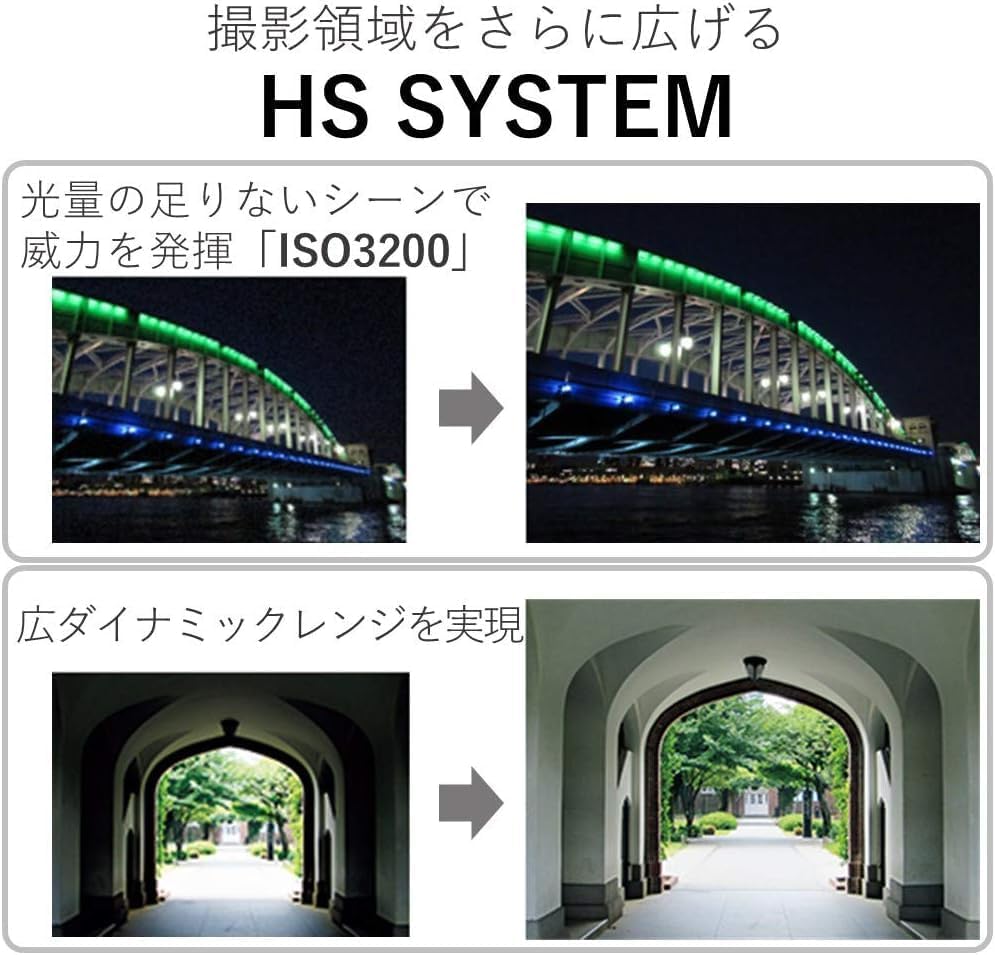
| ISO gehienez hedatua | 3200 |
| Bateria mota | Litio ioia |
| Memoria Biltegiratzeko Ahalmena | 64 GB (External-Memory Size) |
| Elementuaren pisua | 1.92 kilo |
| Kolorea | Beltza |
| Uraren Erresistentzia Maila | Ez Urarekiko Erresistentea |
8. Bermea eta Laguntza
This product comes with a 90-day limited warranty. For warranty claims or technical support, please refer to the official Canon support channels or contact your retailer.
For additional resources, including software downloads and FAQs, visit the official Canon webgunea.


