Sarrera
This manual provides detailed instructions for the safe and efficient use of your Xtreme Armor All Wireless Bluetooth FM Transmitter. Please read this manual thoroughly before operating the device and retain it for future reference.
Segurtasun Informazioa
For your safety and to prevent damage to the device, please observe the following:
- Maneatu gailua kontu handiz.
- Avoid exposure to water and high temperatures.
- Ez saiatu gailua desmuntatzen edo aldatzen.
- Erabiltzean, ziurtatu aireztapen egokia dagoela.
Produktua amaituview
The Xtreme Armor All Wireless Bluetooth FM Transmitter allows you to stream music wirelessly from your Bluetooth-enabled device to your vehicle's stereo system. It also features dual USB charging ports, voice control capabilities, and a bass boost function.
Osagaien identifikazioa
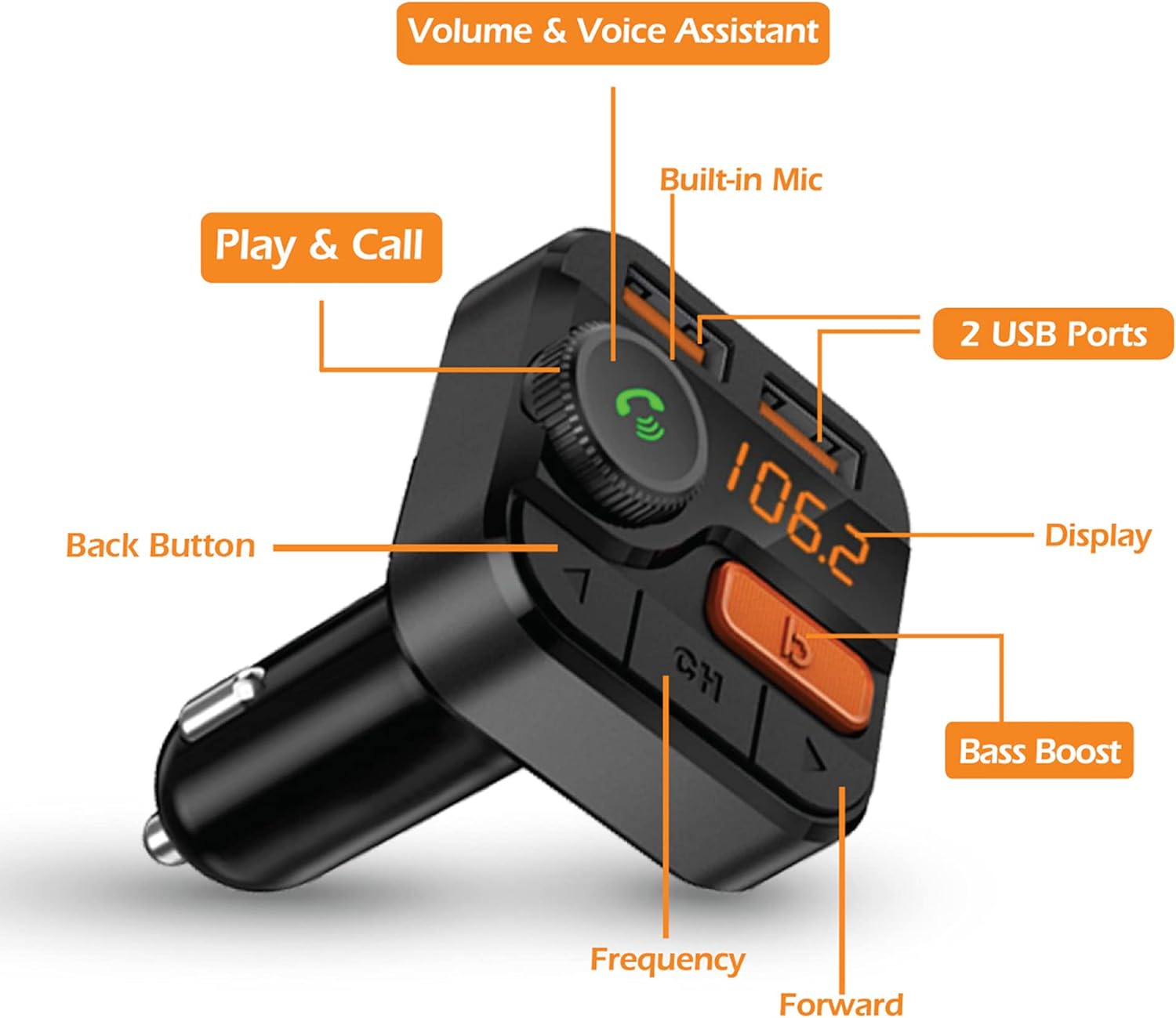
This image illustrates the key components of the FM Transmitter:
- Volume & Voice Assistant Knob: Rotate to adjust volume, press to activate voice assistant or answer/end calls.
- Microfono integratua: Esku libreko deiak eta ahots-komandoak egiteko.
- 2 USB ataka: For charging devices. The left port also supports USB flash drive music playback.
- Pantaila: Uneko FM maiztasuna erakusten du.
- Baxu Boost botoia: Baxu-irteera hobetzen du.
- Frequency Adjustment Buttons (Back/Forward): Used to change the FM frequency.
Konfigurazio Argibideak
- Piztu: Insert the FM Transmitter into your vehicle's 12V power outlet (cigarette lighter socket). The device will power on automatically, and the LED display will illuminate.
- Sintonizatu FM maiztasuna:
- Tune your vehicle's FM radio to an unused, clear frequency. Avoid frequencies with strong radio stations to minimize interference.
- Adjust the FM Transmitter to the same frequency as your car radio. Use the "CH" button to enter frequency adjustment mode, then use the left and right arrow buttons to select the desired frequency.
- Parekatu Bluetootha:
- Zure telefonoan edo Bluetooth gaitutako gailuan, gaitu Bluetooth eta bilatu eskuragarri dauden gailuak.
- Select "AHF9-1010-BLK" (or similar name) from the list to pair. A confirmation tone will sound upon successful pairing.
- Proba konexioa: Play audio from your paired device. The sound should now transmit through your vehicle's stereo system. Adjust the volume on both your device and car stereo for optimal sound.
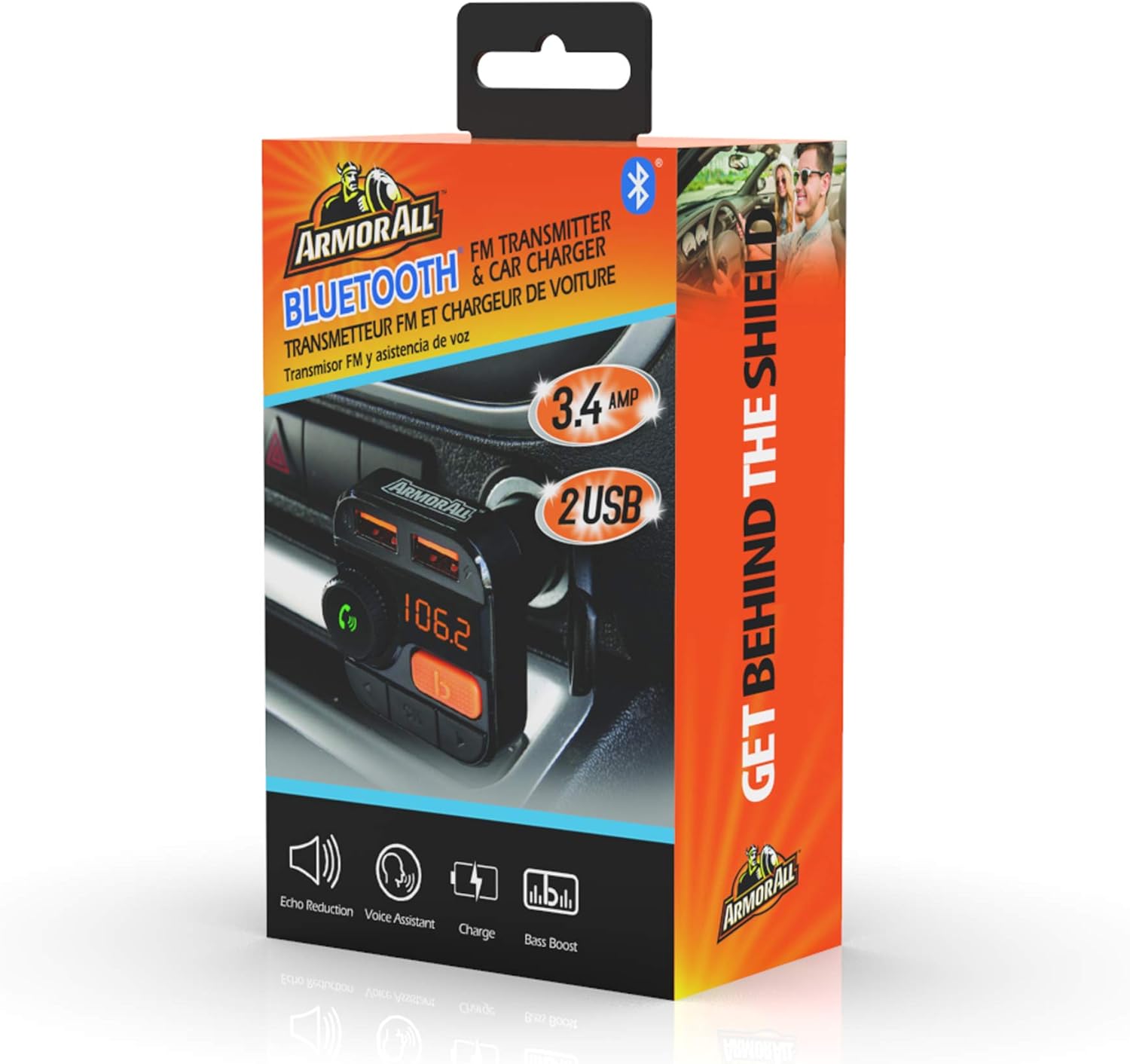
This image demonstrates the correct installation of the FM Transmitter into a car's power socket, ready for operation.
Funtzionamendu-argibideak
Musika erreproduzitzea
- Bluetooth bidezko erreprodukzioa: Once paired, music from your device will automatically stream to your car stereo.
- USB Flash Drive erreprodukzioa: Sartu MP3a duen USB flash drive bat files into the left USB port. The device will automatically detect and play music from the drive.
- Bolumen kontrola: Rotate the multi-function knob to adjust the output volume of the transmitter.
- Pista nabigazioa: Use the left and right arrow buttons to skip to the previous or next track.
- Baxu Boost: Press the "B1" (Bass Boost) button to activate or deactivate the bass enhancement feature.

This image highlights the various control buttons and the digital frequency display, essential for operating the device.
Esku libreko deiak
- Deia erantzun/amaitu: Press the multi-function knob once to answer an incoming call. Press it again to end a call.
- Deia baztertu: Press and hold the multi-function knob to reject an incoming call.
- Berriro markatzea: Double-press the multi-function knob to redial the last number.
Ahots kontrola
- Aktibatu Ahots Laguntzailea: Press and hold the multi-function knob to activate your smartphone's voice assistant (e.g., Siri, Google Assistant).
- You can then use voice commands for tasks such as selecting playlists, sending texts, or asking for navigation.
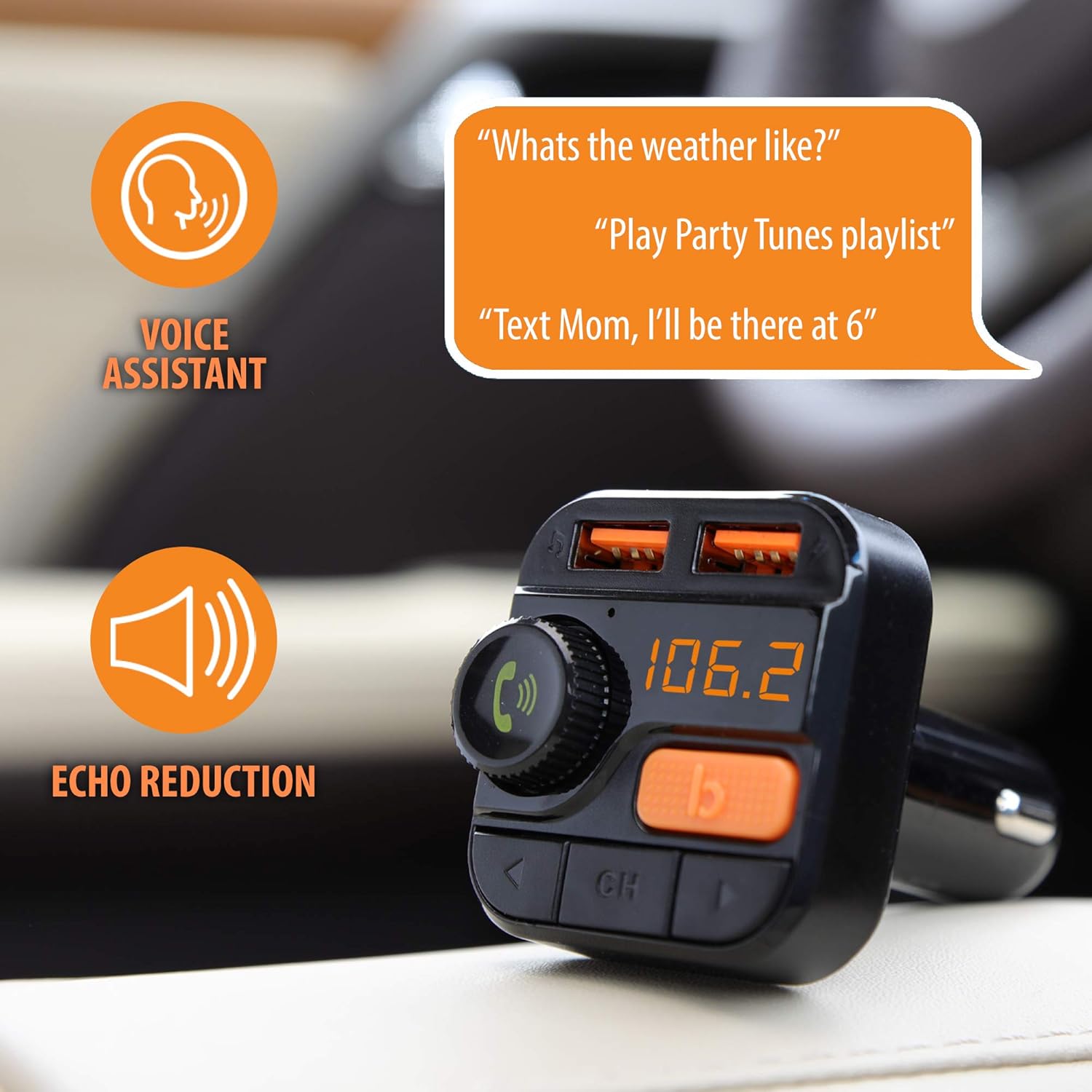
This image demonstrates how to use voice commands with the device, such as asking for weather or sending messages, and highlights the echo reduction feature for clear communication.
USB kargatzea
- The two USB ports provide 3.4 Amps of power for charging mobile devices.
- Connect your device's charging cable to either USB port on the transmitter.

This image clearly shows the two USB ports, indicating their function for charging electronic devices.
Mantentzea
- Garbiketa: Erabili zapi leun eta lehor bat gailua garbitzeko. Ez erabili garbitzaile likidorik edo aerosolik.
- Biltegiratzea: Denbora luzez erabiltzen ez duzunean, gorde gailua leku fresko eta lehor batean, eguzki-argitik babestuta.
- Saihestu eragina: Babestu gailua erorketetatik eta kolpeetatik.
Arazoak konpontzea
| Arazoa | Kausa posiblea | Irtenbidea |
|---|---|---|
| Argindarrik ez / Gailua ez da pizten. | Loose connection in 12V outlet; vehicle's 12V outlet fuse blown. | Ensure the transmitter is firmly seated. Check your vehicle's fuse box for a blown fuse and replace if necessary. |
| Poor sound quality/Static. | FM frequency interference; volume levels too low/high; weak Bluetooth connection. |
|
| Bluetooth-a ez da parekatzen. | Bluetooth not enabled on device; transmitter not in pairing mode; incorrect device selected. |
|
| USB kargatzeak ez du funtzionatzen. | Kable arazoa; gailua ez da bateragarria; igorlea ez dago elikatuta. |
|
Zehaztapenak
| Ezaugarri | Xehetasuna |
|---|---|
| Modelo zenbakia | AHF9-1010-BLK |
| Konektibitate Teknologia | Bluetooth, USB, FM |
| Energia iturria | Vehicle Powered (12V) |
| USB kargatzeko irteera | 3.4 Amps (Total for 2 ports) |
| Ezaugarri bereziak | Bluetooth FM Transmitter, Dual USB Charging, Voice Controls, Bass Boost, Hands-Free Calling, Music Streaming |
| Elementuaren pisua | 3.52 ontza |
| Paketearen neurriak | 7.8 x 4.53 x 2.4 hazbete |
| Fabrikatzailea | Armadura guztiak |
Bermea eta Laguntza
For warranty information or technical support, please refer to the contact details provided with your product packaging or visit the official Xtreme Digital Lifestyle Accessories webgunea. Gorde erosketa-agiria erosketaren frogagiri gisa.
Fabrikatzailea: Armadura guztiak
Marka: XTREME


