Sarrera
The Canon VIXIA HF G50 4K30P Camcorder is designed for capturing high-quality video with exceptional detail and color. Featuring a large-format CMOS Sensor and DIGIC DV 6 Image Processor, it delivers brilliant results. The advanced 20x Optical Zoom lens provides impressive telephoto power and a wide angle of view, complemented by a 5-axis Image Stabilization system for steady footage. Eskuliburu honek zure kamera konfiguratzeko, erabiltzeko eta mantentzeko ezinbesteko informazioa ematen du.
Kutxan dagoena
Hasi aurretik, ziurtatu osagai guztiak daudela:
- VIXIA HF G50 Camcorder Body
- Compact Power Adapter CA-570
- Battery Pack BP-820
- Lens Hood with Lens Barrier
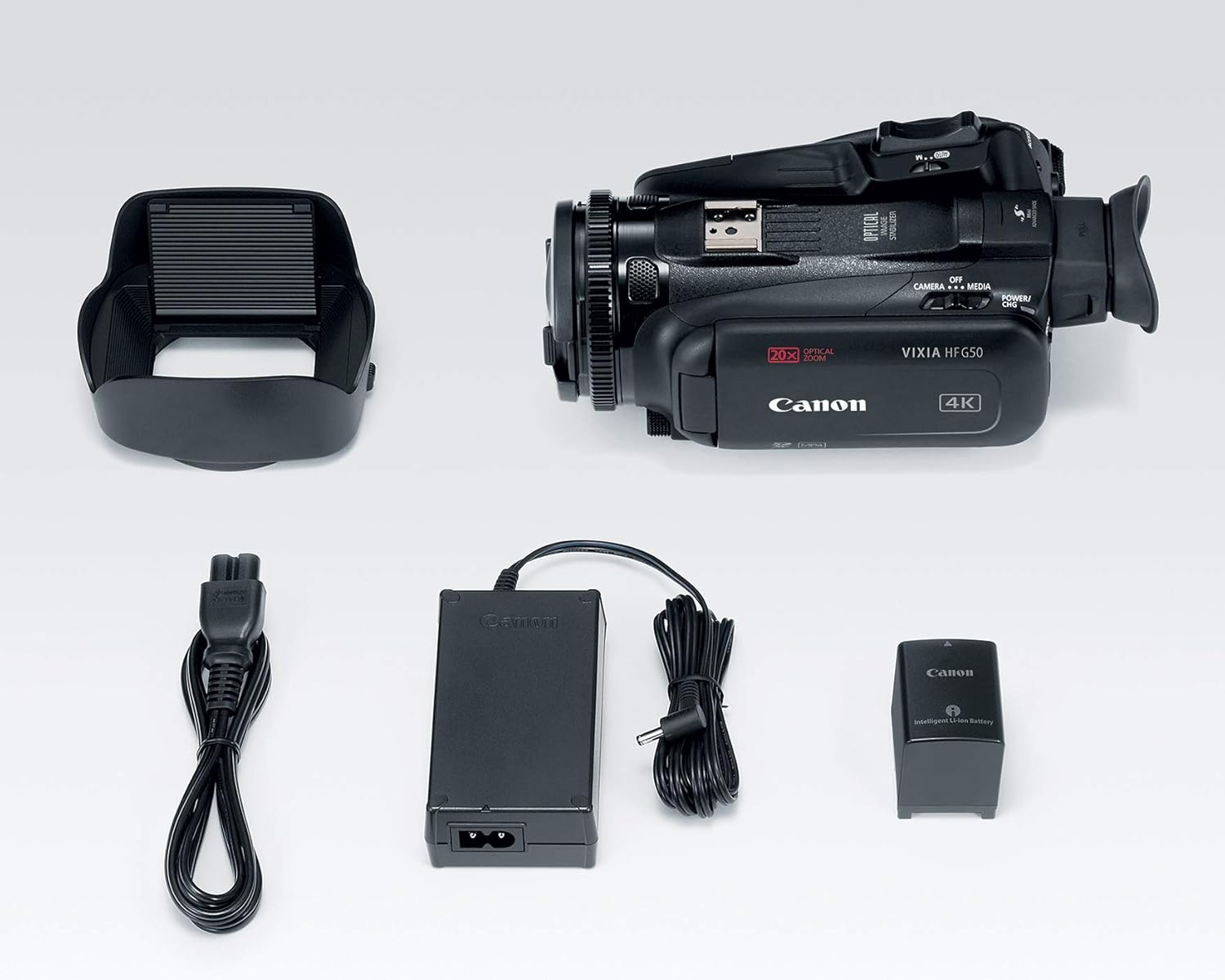
Image: All components included in the Canon VIXIA HF G50 camcorder package.
Konfigurazioa
1. Bateria kargatzea
- Connect the Compact Power Adapter CA-570 to the camcorder and a power outlet.
- Insert the Battery Pack BP-820 into the camcorder. The charging indicator will illuminate.
- Charge until the indicator turns off, signifying a full charge.
2. SD txartel bat sartzea
- Ireki SD txartelaren zirrikituaren estalkia.
- Insert an SDXC memory card into one of the dual slots until it clicks into place.
- Itxi SD txartelaren zirrikituaren estalkia.

Irudia: Atzealdea view of the camcorder, highlighting the battery and dual SD card slots.
3. Lentearen estalkia jartzea
- Lerrokatu lentearen estalkia lentearen aurrealdearekin.
- Twist the lens hood clockwise until it locks securely.
- Ensure the lens barrier is open before recording.
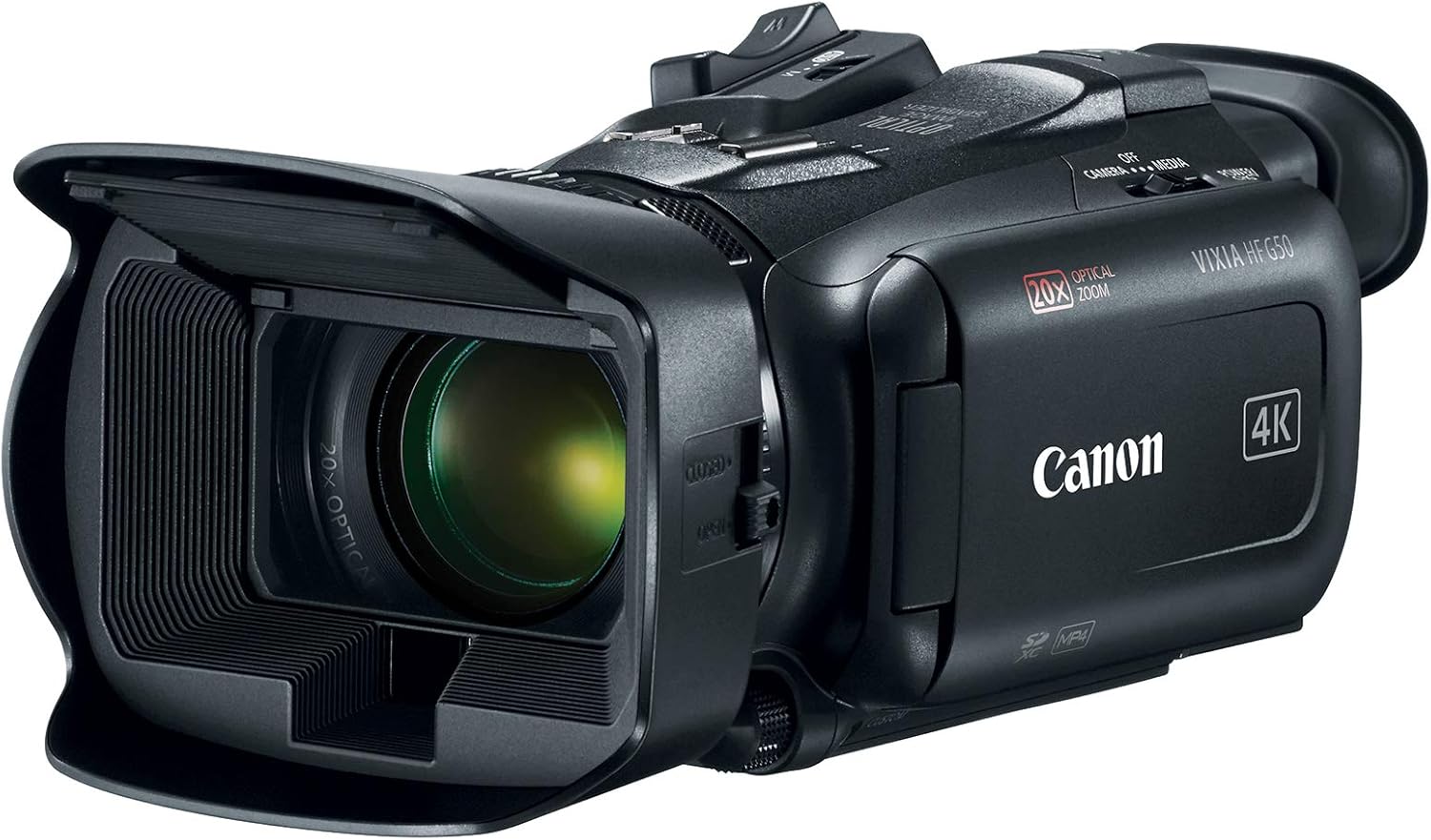
Image: The Canon VIXIA HF G50 camcorder with its lens hood and open LCD screen.
4. Piztu/Itzaltzea
To power on the camcorder, slide the POWER switch to the 'CAMERA' or 'MEDIA' position. To power off, slide the switch to 'OFF'.
Funtzionamendu-argibideak
Recording 4K UHD 30p Video
The VIXIA HF G50 supports 4K UHD 30p recording for high-resolution video. Ensure your SD card has sufficient space and speed for 4K recording. Press the record button to start and stop recording.
20x zoom optikoa
Utilize the zoom lever to control the 20x optical zoom lens. Push the lever towards 'W' for wide-angle shots and towards 'T' for telephoto magnification.
Intelligent 5-axis Image Stabilization
The camcorder features Intelligent 5-axis Image Stabilization to reduce blur caused by camera shake. This function is automatically engaged during recording to ensure smooth footage.
Bistaratu eta Viewaurkitzailea
The 3.0-inch LCD Capacitive Touchscreen allows for intuitive control and menu navigation. For bright conditions or precise framing, use the Tiltable Electronic Viewbilatzailea.

Image: The camcorder with its LCD screen open, showing the interface for operation.
Neurrira egindako kontrolak
Personalize your shooting experience using the five assignable buttons, joystick, lens ring, and custom dial. These controls can be configured for quick access to frequently used functions.
Special Recording Modes
Explore creative options with Slow and Fast Motion recording, including Interval Recording, available for both 4K and Full HD resolutions.
Webcam Functionality with Clean HDMI Output
Transform your VIXIA HF G50 into a high-quality webcam using its clean HDMI output. This feature allows you to stream video without on-screen display information, ideal for live streaming and video conferencing.
Video: Official Canon guide on using your camcorder for livestreaming with clean HDMI output.
Mantentzea
Bideokamera garbitzea
- Erabili zapi leun eta lehor bat bideo-kameraren gorputza garbitzeko.
- For the lens, use a lens brush or a soft, lint-free cloth specifically designed for optical surfaces. Avoid touching the lens directly with your fingers.
- Do not use organic solvents such as alcohol or benzene, as these may damage the finish.
Bateria zaintzea
- Gorde bateriak leku fresko eta lehor batean erabiltzen ez dituzunean.
- Saihestu bateria denbora luzez guztiz deskargatzea.
- Charge the battery at least once every six months to maintain its lifespan.
Biltegiratzea
When storing the camcorder for an extended period, remove the battery and store it separately. Keep the camcorder in a dry, dust-free environment, ideally in a protective case.
Arazoak konpontzea
Botererik ez
- Ziurtatu bateria guztiz kargatuta eta behar bezala sartuta dagoela.
- Verify the power adapter is securely connected to both the camcorder and a working power outlet.
- Check the POWER switch position.
Grabaketa Arazoak
- Confirm an SD card is inserted and has sufficient free space.
- Check the SD card's write-protect tab.
- Ensure the camcorder is in recording mode.
Irudien Kalitatearen kezkak
- Clean the lens if images appear blurry or smudged.
- Adjust lighting conditions for optimal exposure.
- Check image stabilization settings if footagdardarka dago.
For more detailed troubleshooting or persistent issues, please refer to the comprehensive user manual available on the Canon support webwebgunean edo jarri harremanetan Canon bezeroarentzako laguntzarekin.
Zehaztapenak
| Ezaugarri | Xehetasuna |
|---|---|
| Produktuaren neurriak | 9.1 x 4.5 x 3.3 hazbete |
| Elementuaren pisua | 1.25 kilo |
| Elementuaren eredu-zenbakia | 3667C002 |
| Pilak | 1 litio ioi bateriak behar dira (barne) |
| Argazki sentsoreen teknologia | CMOS |
| Bideo Harrapaketa Ebazpena | 4K, 1080p |
| Fokuaren Gehienezko Luzera | 73.4 milimetro |
| Gehieneko irekiera | 2.8 f |
| Flash memoria mota | SDXC |
| Bideo Harrapaketa formatua | MPEG-4 |
| Onartutako audio formatua | AAC, Dolby Digital/AC-3 |
| Pantailaren tamaina | 3 hazbete |
| Konektibitate Teknologia | USB, Haririk gabekoa |
| 4K UHD 30p Recording | Bai |
| Zoom optikoa | 20x |
| Irudi Egonkortzea | Intelligent 5-axis |
| Clean HDMI Output | Bai |
| SD txartel bikoitzen zirrikituak | Bai |
Bermea eta Laguntza
The Canon VIXIA HF G50 Camcorder is covered by a manufacturer's warranty. For specific warranty terms and conditions, please refer to the documentation included with your product or visit the official Canon webgunea.
For technical support, driver downloads, or to access the full user manual, please visit the Canon USA support webgunea.


