1. Sarrera
This manual provides essential information for the safe and efficient use of your TCL 55P607 55-Inch 4K Ultra HD Roku Smart LED TV. Please read these instructions thoroughly before operating your television and retain them for future reference.
Ezaugarri nagusiak:
- 55-inch 4K Ultra HD display for clear picture clarity.
- Integrated Roku TV smart functionality with access to over 4,000 streaming channels.
- Dolby Vision HDR (High Dynamic Range) compatibility for enhanced contrast, color, and detail.
- Full-array LED backlighting with 72 local dimming zones for deep blacks and excellent picture quality.
- 120Hz refresh rate for smooth motion in fast-paced scenes.
- Multiple inputs including 3 HDMI 2.0 with HDCP 2.2 (one with HDMI ARC), 1 USB (media player), RF, Composite, Headphone Jack, Optical Audio Out, and Ethernet.
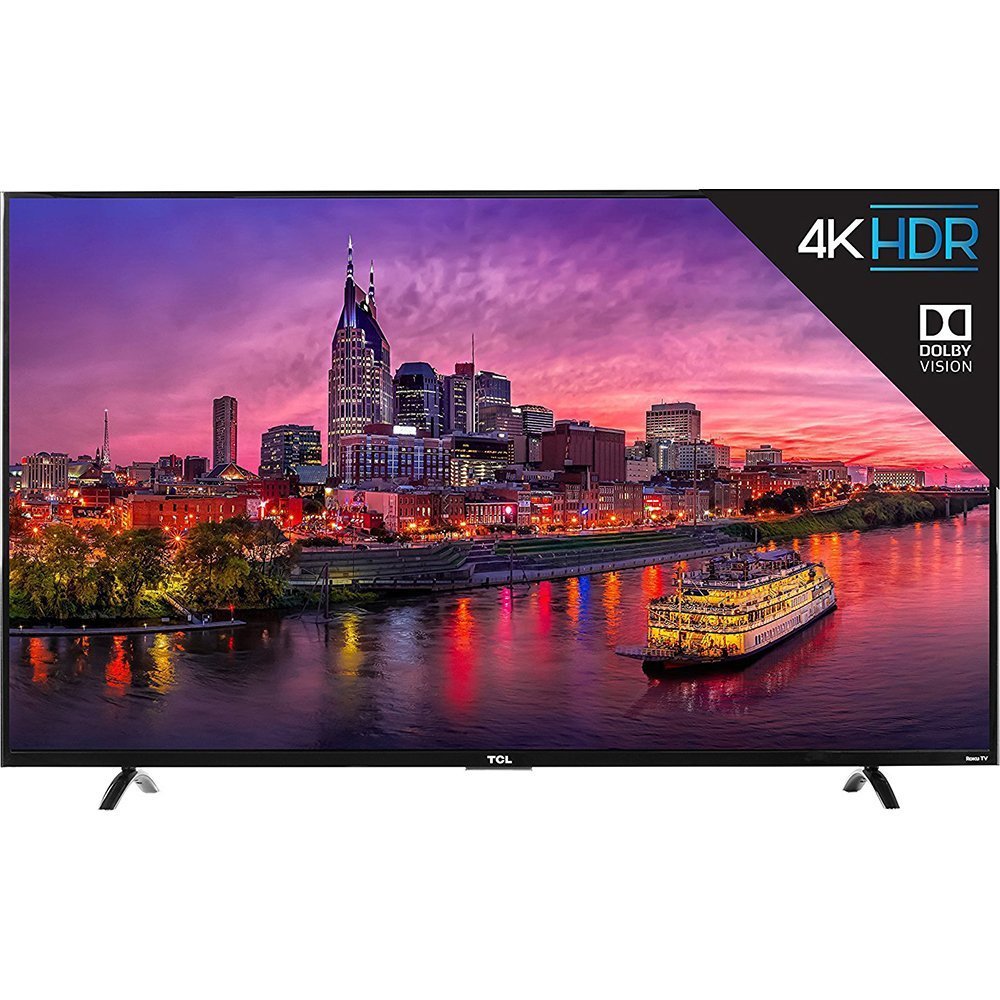
1.1. irudia: Aurrealdea view of the TCL 55P607 55-Inch 4K Ultra HD Roku Smart LED TV.
2. Konfigurazioa
2.1 Desontziratzea eta kokatzea
Kontu handiz atera telebista bere paketetik. Unitatearen tamaina eta pisua direla eta, bi pertsona erabiltzea gomendatzen da segurtasunez maneiatzeko. Jarri telebista gainazal egonkor eta lau batean edo muntatu horman VESA euskarri bateragarri bat erabiliz (bereiz saltzen da).

2.1. irudia: The TCL 55P607 TV displayed on a media console, illustrating typical placement.
2.2 Telebistaren euskarria muntatzea
If you are not wall-mounting the TV, attach the included stand feet. Ensure the TV is placed face down on a soft, clean surface to prevent screen damage. Align each stand foot with the corresponding screw holes on the bottom of the TV and secure them with the provided screws. Refer to the diagram below for dimensions.

2.2. irudia: Diagram showing the dimensions of the TCL 55P607 TV: 49" (width), 30.1" (height with stand), and 8.3" (depth with stand).
2.3 Energia eta gailuak konektatzea
Connect the power cord to the TV and then to a wall outlet. Connect your external devices (e.g., cable box, Blu-ray player, gaming console) to the appropriate HDMI, AV, or other input ports on the TV. The TV features 3 HDMI 2.0 ports with HDCP 2.2, including one with HDMI ARC, 1 USB port, RF input, Composite input, Headphone Jack, and Optical Audio Out.
3. Funtzionamendu-argibideak
3.1 Initial Setup and Roku TV Interface
Upon first power-on, the TV will guide you through the initial setup process, including connecting to your Wi-Fi network and activating your Roku account. The Roku TV interface provides easy access to streaming channels, inputs, and settings.
3.1. bideoa: Bat baino gehiagoview of the TCL 55P607 55-Inch 4K Ultra HD Roku Smart LED TV, demonstrating its features and the Roku interface. This video is provided by Merchant Video.
3.2 Urruneko kontrolaren funtzioak
The included Roku remote control is designed for simplicity. It features dedicated buttons for popular streaming services like Netflix and Hulu, as well as navigation controls for the Roku interface. The remote also includes a headphone jack for private listening, with earbuds included.
3.2. bideoa: An expert review of the TCL P Series, highlighting the intuitive Roku remote control and its features, including dedicated app buttons and the headphone jack for private listening. This video is provided by Digital Trends Review.
3.3 Input Selection and Customization
You can easily switch between connected devices and streaming apps. The Roku TV allows you to rename inputs (e.g., "HDMI 1" to "Blu-ray Player") and organize them on your home screen for quick access.
3.4 Irudi ezarpenak
Adjust picture settings to optimize your viewing experience. The TV offers various picture modes (e.g., Movie, Sports) and advanced settings for brightness, contrast, sharpness, color, and tint. Note that some picture settings may need to be adjusted within specific streaming apps for optimal performance.
3.3. bideoa: A review from Digital Trends discussing the best TVs under $1,000, which includes the TCL 55P607, and touches upon its picture quality and features.
3.4. bideoa: A review from Digital Trends discussing the best TVs under $500, which includes the TCL 55P607, and highlights its value and performance.
4. Mantentzea
4.1 Telebista garbitzea
Pantaila garbitzeko, astiro-astiro zapi leun eta pelusik gabeko batekin garbitu. Orban egoskorrak izanez gero, astiro-astiro garbitu.ampen the cloth with water or a screen-specific cleaning solution. Avoid using harsh chemicals or abrasive materials. For the TV casing, erabili oihal leun eta lehor bat.
4.2 Arreta orokorra
- Unplug the TV from the power outlet before cleaning or performing any maintenance.
- Avoid blocking ventilation openings on the back of the TV to prevent overheating.
- Do not expose the TV to direct sunlight, extreme temperatures, or high humidity.
- Babestu korronte-kablea ibiltzeko edo atximur ez dadin.
5. Arazoak
If you encounter issues with your TCL 55P607 TV, refer to the following common solutions:
5.1 Potentziarik gabe
- Ziurtatu elikatze-kablea ondo konektatuta dagoela telebistara eta funtzionatzen duen entxufe elektriko batera.
- Egiaztatu entxufea funtzionatzen ari den beste gailu bat konektatuz.
- Sakatu telebistako pizteko botoia bertan, ez urrutiko agintea bakarrik.
5.2 Irudirik ez edo irudiaren kalitate eskasa
- Egiaztatu sarrera-iturri zuzena hautatuta dagoela.
- Egiaztatu telebistaren eta kanpoko gailuen arteko kable-konexio guztiak.
- Adjust picture settings (brightness, contrast, etc.) in the TV menu.
- If using an antenna, ensure it is properly connected and positioned.
5.3 Soinurik ez edo soinu kalitate eskasa
- Igo bolumena bai telebistan bai konektatutako edozein audio gailutan.
- Egiaztatu audio-kablearen konexioak.
- Ziurtatu telebista ez dagoela isilarazita.
- If using external speakers, verify they are powered on and correctly configured.
5.4 Urrutiko agintea ez dabil
- Ordeztu urrutiko agintearen pilak (2 AAA pila barne daude).
- Ziurtatu urrutiko agintearen eta telebistaren IR sentsorearen artean oztoporik ez dagoela.
- If using the Roku mobile app as a remote, ensure your smartphone is connected to the same Wi-Fi network as the TV.
5.1. bideoa: Berri zehatzaview of the TCL 55P607 55-Inch 4K Ultra HD Roku Smart LED TV, covering various aspects including picture quality, sound, and smart features, which can be helpful for troubleshooting. This video is provided by RTINGS.com.
6. Zehaztapenak
| Ezaugarri | Xehetasuna |
|---|---|
| Marka | TCL |
| Modelo zenbakia | 55P607 |
| Pantailaren tamaina | 55 hazbete |
| Bistaratzeko Teknologia | LED |
| Ebazpena | 4K Ultra HD |
| Freskatze tasa | 120 Hz |
| HDR bateragarritasuna | Dolby Vision HDR |
| Atzeko argiztapena | Full-array LED with 72 local dimming zones |
| Plataforma Adimenduna | Roku telebista |
| Konektibitate Teknologia | HDMI, Wi-Fi |
| HDMI sarrerak | 3 (HDMI 2.0 with HDCP 2.2, one with HDMI ARC) |
| USB atakak | 1 (media player) |
| Beste sarrera/irteera batzuk | RF, Composite, Headphone Jack, Optical Audio Out, Ethernet |
| Neurriak (W x H x D) euskarririk gabe | 49" x 28.3" x 3" |
| Neurriak (W x H x D) euskarriarekin | 49" x 30.1" x 8.3" |
| Elementuaren pisua | 33.1 kilo |
| Dakarten osagaiak | Remote Control, Power Cord, Batteries |
| Energia Eraginkortasuna | Energy Star Ziurtagiria |
7. Bermea eta Laguntza
For detailed warranty information and customer support, please refer to the warranty card included with your product or visit the official TCL support webgunea. Gorde erosketa-agiria erosketaren frogagiri gisa, berme-erreklamazioetarako.
TCL is committed to providing high-quality products and excellent customer service. Should you require assistance with setup, troubleshooting, or any other aspect of your TV, please contact TCL customer support.


