1. Sarrera
Eskerrik asko erosketagatik.asing the RCA DHT235A 3.5-Inch LED-lit 720p 60Hz TV. This portable television is designed to provide digital television viewing on a compact screen. This manual provides instructions for the proper setup, operation, and maintenance of your device.
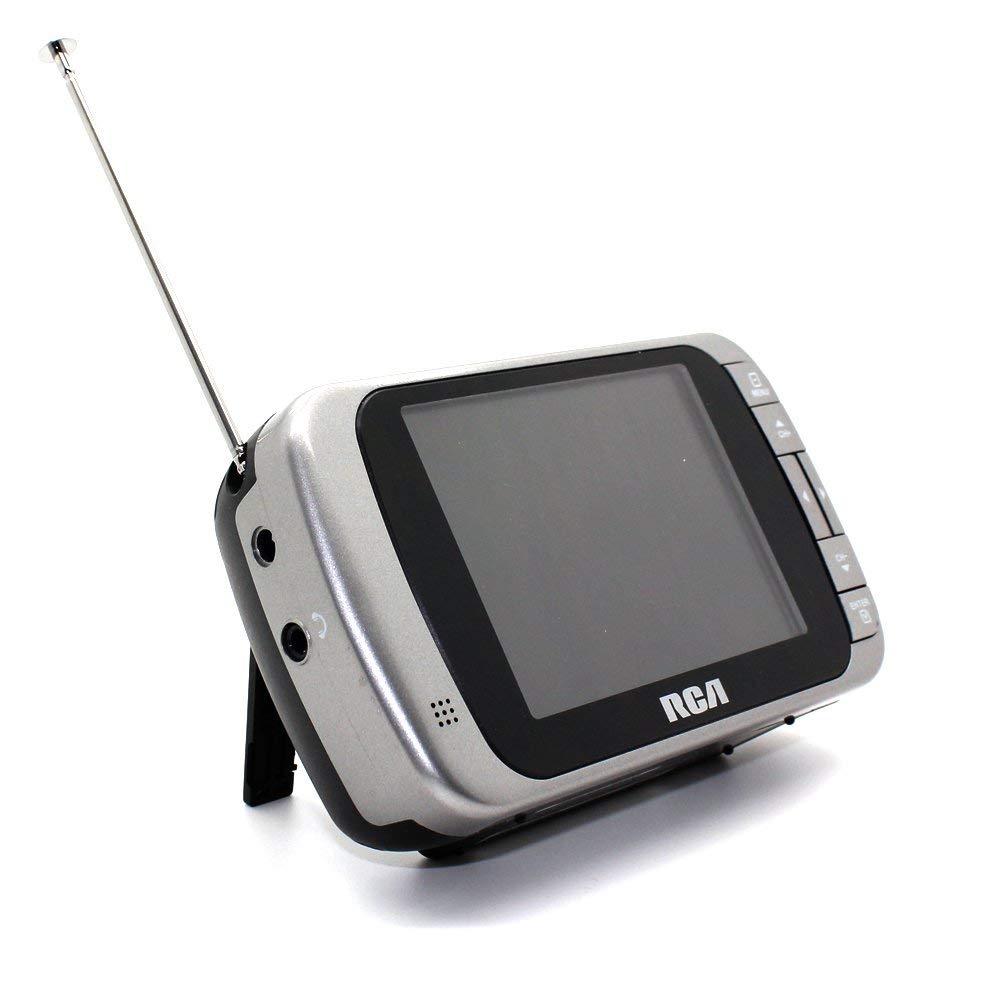
Image 1.1: The RCA DHT235A portable television, featuring its 3.5-inch screen and compact design.
2. Segurtasun informazioa
- Irakurri argibide guztiak gailua erabili aurretik.
- Ez jarri unitatea euripean edo hezetasunean, suteak edo deskarga elektrikoak saihesteko.
- Ez blokeatu aireztapen-irekidurak. Ziurtatu nahikoa leku dagoela unitatearen inguruan aire-fluxu egokia izan dadin.
- Use only specified power sources (4 AA batteries or compatible AC adapter).
- Saihestu unitatea erortzea edo kolpe gogorren eraginpean jartzea.
- Ez saiatu produktu hau zuk zeuk ematen. Bidali zerbitzu guztiak zerbitzu kualifikatuko langileengana.
- Bota pilak behar bezala tokiko araudiaren arabera.
3. Paketearen edukia
Egiaztatu elementu guztiak paketean daudela:
- RCA DHT235A Portable TV Unit
- Zutik
- Quick Guide (refer to this manual for detailed instructions)
- Erabiltzailearen eskuliburua (dokumentu hau)
4. Produktua amaitu daview
The RCA DHT235A features a 3.5-inch LED-lit display, designed for portable digital television reception. Key components include:
- 3.5-Inch LED Backlit LCD Display: Provides clear visual output.
- Bozgorailu integratua: Audio irteerarako.
- Aurikularrak Jack: Entzun pribaturako.
- Embedded Monopole Antenna: For receiving terrestrial ATSC and NTSC signals.
- Bateriaren konpartimendua: 4 AA piletarako.
- AC Adapter Input (9-24VDC): For external power.
- Kontrol-botoiak: For power, channel, volume, and menu navigation.
5. Konfigurazioa
5.1 Powering the TV
The TV can be powered by 4 AA batteries or an optional AC adapter.
Bateriak erabiltzea:
- Locate the battery compartment on the back of the TV.
- Ireki bateriaren konpartimenduaren estalkia.
- Sartu 4 AA bateria, polaritate zuzena ziurtatuz (+/-).
- Itxi bateriaren konpartimenduaren estalkia ondo.
Using AC Adapter (Optional):
- Connect a compatible 9-24VDC AC adapter (not included) to the DC input jack on the TV.
- Entxufatu AC egokitzailea hormako entxufe estandar batera.
5.2 Antenen konfigurazioa
Extend the embedded monopole antenna fully for optimal signal reception. For improved reception, especially in areas with weak signals, an external antenna may be connected to the dedicated RCA connector input.
6. Funtzionamendu-argibideak
6.1 Piztu/Itzali
Sakatu BOTEREA botoia telebista pizteko edo itzaltzeko.
6.2 Initial Channel Scan
Upon first use or after moving to a new location, perform an auto channel scan to find available digital and analog channels.
- Sakatu MENUA botoia.
- Navigate to the "Channel" or "Setup" menu using the arrow buttons.
- Select "Auto Scan" or "Auto Program" and confirm.
- The TV will scan for available channels. This process may take several minutes.
6.3 Kanalaren hautaketa
- Erabili CH+ eta CH- buttons to cycle through available channels.
- For direct channel input, use the numeric keypad (if available on your model) or the "Direct Channel Changing" option in the menu.
6.4 Bolumenaren doikuntza
Erabili VOL+ eta Boluntario botoiak audioaren bolumena doitzeko.
6.5 Menu Nabigazioa
Sakatu MENUA button to access settings. Use the arrow buttons to navigate and the OK or SARTU button to confirm selections. Press MENUA again or an EXIT button to leave the menu.
Available menu options include:
- Irudiaren ezarpenak: Adjust brightness, contrast, color.
- Soinu ezarpenak: Adjust audio mode, balance.
- Kanalaren ezarpenak: Auto scan, manual scan, channel editing.
- Ordu ezarpenak: Auto time setting, time zone.
- Hizkuntza: Select menu language (English, Spanish).
- Azpitituluak: Enable/disable digital closed captioning (E1A-708B compliant).
7. Mantentzea
7.1 Garbiketa
- Before cleaning, ensure the TV is powered off and disconnected from any external power source.
- Erabili zapi leun eta lehor bat pantaila eta kanpoko gainazalak garbitzeko.
- Marka egoskorretarako, arinki garbituampGarbitu zapiarekin urarekin. Ez erabili garbitzaile urratzailerik, argizaririk edo disolbatzailerik.
- Saihestu likidoak zuzenean pantailan edo irekiduretan ihinztatzea.
7.2 Biltegiratzea
When storing the TV for an extended period, remove the batteries to prevent leakage. Store the unit in a cool, dry place away from direct sunlight and extreme temperatures.
8. Arazoak
| Arazoa | Irtenbide posiblea |
|---|---|
| Botererik ez | Ensure batteries are correctly inserted and not depleted. If using AC adapter, verify it is properly connected and the outlet is functional. |
| No Picture/Weak Signal | Extend the antenna fully. Perform an auto channel scan. Try repositioning the TV or antenna. Consider using an external antenna for better reception. Check signal strength display in the menu. |
| Soinurik ez | Increase the volume. Check if headphones are plugged in. Ensure the Mute function is not active. |
| Botoiak ez dute erantzuten | Turn the TV off and then on again. If the issue persists, remove and reinsert batteries or disconnect/reconnect the AC adapter. |
| Screen Scratches Easily | Handle the screen with care. Use a screen protector if desired (not included). |
| Bateriaren iraupen laburra | Use fresh, high-quality alkaline or rechargeable batteries. Consider using the AC adapter for extended viewing. |
| Low Audio Volume | Ensure volume is set to maximum. For better audio, consider connecting external speakers to the headphone jack. |
9. Zehaztapenak
- Eredua: DHT235A
- Bistaratzeko tamaina: 3.5 hazbete (diagonala)
- Bistaratzeko mota: LED atzeko argiztatutako LCDa
- Ebazpena: 320 x 240 digital RGB (720p compatible)
- Freskatze-tasa: 60Hz
- Bideo deskodetzea: MPEG-2 (MP at ML, MP at HL)
- Audio deskodetzea: Dolby Digital Audio, Digital multi-lingual
- Sintonizatzailea: Terrestrial ATSC 8VSB, Terrestrial NTSC CH2 - CH69
- Energia iturria: 4 AA Batteries or 9-24VDC AC Adapter (optional)
- Bateriaren iraupena: Approximately 2+ hours of DTV playback on 4 AA batteries
- Audio irteera: Headphone jack, Built-in speaker
- Ezaugarri gehigarriak: Real-time signal strength display, On-screen program information, Direct channel changing, Channel editing, Time zone setting, Auto channel scan, Digital Closed Captioning (E1A-708B compliant), Menu languages (English, Spanish).
- Neurriak: 4.84 x 1.34 x 2.83 hazbete inguru
- Pisua: 5.6 ontza gutxi gorabehera
10. Bermearen informazioa
This product is covered by a limited warranty. For detailed warranty terms and conditions, please refer to the warranty card included with your purchase or visit the official RCA webgunea. Gorde erosketaren egiaztagiria bermearen erreklamazioetarako.
11. Bezeroarentzako arreta
If you encounter any issues or have questions not covered in this manual, please contact RCA customer support. You can find contact information on the official RCA webgunearen bidez edo zure produktuarekin batera emandako dokumentazioaren bidez.
Lineako laguntza: Visit the official RCA webmaiz egiten diren galderen eta laguntza-baliabideen gunea.
Telefono-laguntza: Refer to your product packaging or the RCA webuneko harremanetarako zenbakien gunea.


