Sissejuhatus
This manual provides comprehensive instructions for the setup, operation, maintenance, and troubleshooting of your Apple Watch SE (GPS, 40mm) with Space Gray Aluminum Case and Black Sport Band. Please read this manual thoroughly to ensure proper use and to maximize the features of your device.
Mis on karbis
Upon unboxing your Apple Watch SE, verify that all components are present:
- Apple Watch SE (GPS, 40mm) with Space Gray Aluminum Case
- Black Sport Band (includes both S/M and M/L sizes)
- 1 m magnetiline laadimiskaabel

Image: The Apple Watch SE, its black sport band, and the magnetic charging cable included in the box.
Seadistamine
Esialgne laadimine
Before first use, fully charge your Apple Watch SE. Connect the magnetic charging cable to a USB power adapter (sold separately) and plug it into a power outlet. Place the back of your Apple Watch on the magnetic charger. The watch will display a charging indicator.
Sidumine iPhone'iga
- Ensure your iPhone is updated to the latest iOS version and has Bluetooth and Wi-Fi enabled.
- Lülitage Apple Watch sisse, vajutades ja hoides all külgnuppu, kuni ilmub Apple'i logo.
- Bring your iPhone near your Apple Watch. A pairing screen will appear on your iPhone. Tap "Continue."
- Asetage oma iPhone nii, et teie Apple Watch kuvatakse viewApple Watchi rakenduse leidja.
- Follow the on-screen instructions on both your iPhone and Apple Watch to complete the pairing process, including setting up a passcode and choosing preferences.
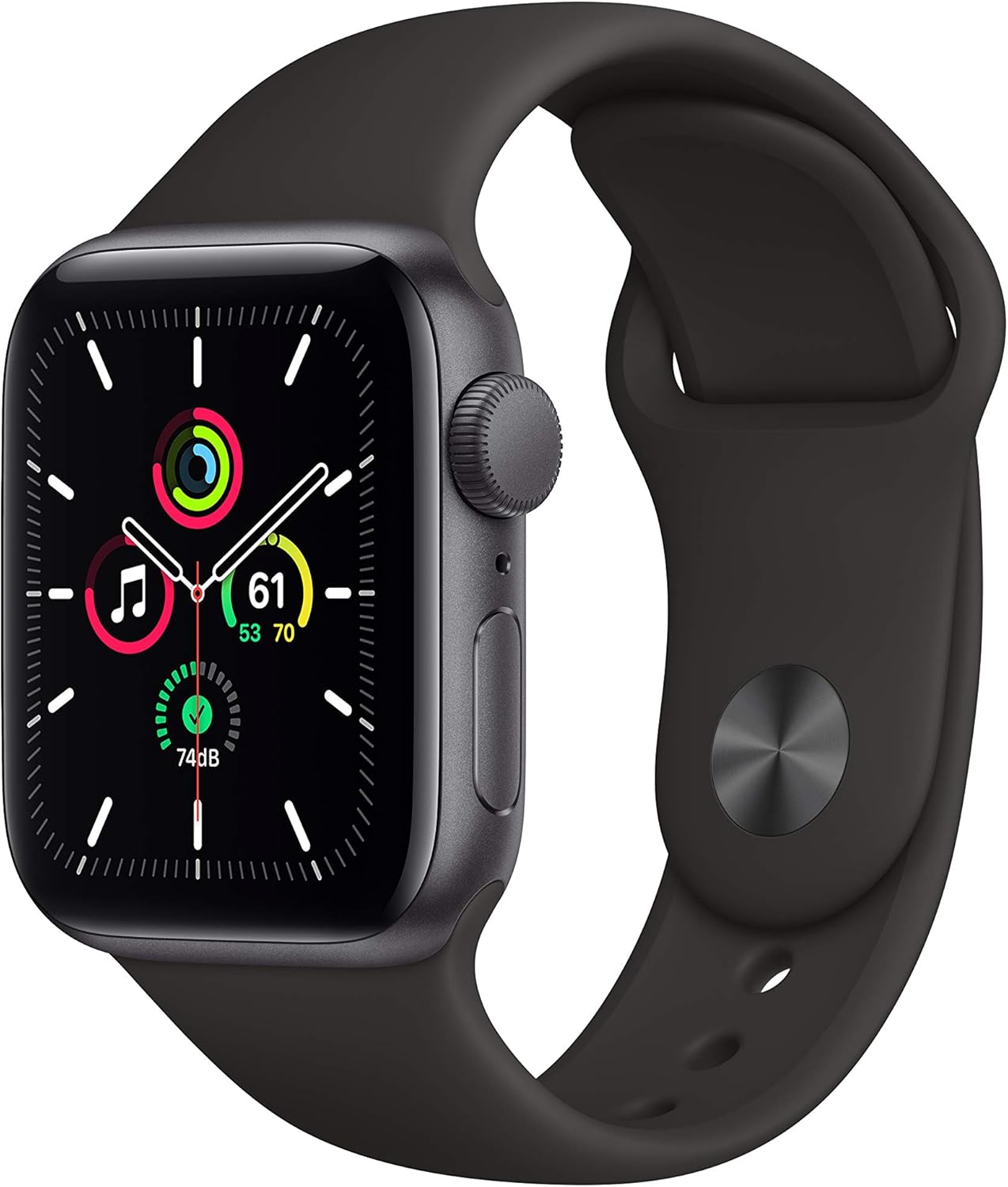
Image: The Apple Watch SE main unit with its default watch face, ready for use.
Operating Your Apple Watch SE
Liideses navigeerimine
- Digitaalne kroon: Rotate to scroll, zoom, or adjust values. Press once to go to the watch face or app launcher. Double-press to switch between your last two apps. Press and hold for Siri.
- Külgnupp: Press once to open the Dock (recent apps). Double-press for Apple Pay. Press and hold for Emergency SOS or to power off.
- Puuteekraan: Tap to select, swipe to navigate, force touch for additional options (on supported apps).

Pilt: detailne view of the Digital Crown and side button on the Apple Watch SE, key for navigation.
Rakenduste kasutamine
Access apps from the App View by pressing the Digital Crown. Tap an app icon to open it. Apps can be rearranged or deleted from your iPhone's Apple Watch app.
Tervise ja vormisoleku jälgimine
The Apple Watch SE tracks various health and fitness metrics:
- Aktiivsusrõngad: Monitor Move, Exercise, and Stand goals throughout the day.
- Treeningrakendus: Select from a variety of workout types (e.g., running, walking, cycling, yoga, swimming) to track performance, heart rate, and calories burned.
- Südame löögisageduse jälgimine: Continuously monitors your heart rate and can alert you to unusually high or low rates.
- Une jälgimine: Set sleep goals and track your sleep patterns using the Sleep app.

Image: The Apple Watch SE displaying the Workout app interface with options for various physical activities.

Image: A visual summary of health and fitness features, including sleep goal tracking, activity rings, and icons representing different workout types.
Suhtlusfunktsioonid
- Kõned ja sõnumid: Make and receive calls, and send and reply to text messages directly from your wrist when connected to your iPhone.
- Märguanded: Receive notifications from your iPhone apps.
- Apple Pay: Use your Apple Watch for secure payments.
Hooldus ja hooldus
Apple Watchi puhastamine
To clean your Apple Watch, power it off and disconnect the charging cable. Wipe the watch and band with a non-abrasive, lint-free cloth. If necessary, lightly dampen the cloth with fresh water. Do not use cleaning products, abrasive materials, or compressed air.
Veekindlus
The Apple Watch SE has a water resistance rating of 50 meters under ISO standard 22810:2010. This means it can be used for shallow-water activities like swimming in a pool or ocean. It should not be used for scuba diving, waterskiing, or other activities involving high-velocity water or submersion below shallow depths. Water resistance is not a permanent condition and may diminish over time.
Levinud probleemide tõrkeotsing
- Kell ei lülitu sisse: Ensure the watch is charged. Connect it to the magnetic charging cable and a power source for at least 30 minutes.
- Watch not pairing with iPhone:
- Check that both devices have Bluetooth and Wi-Fi enabled.
- Ensure your iPhone is running the latest iOS and your Apple Watch the latest watchOS.
- Restart both your iPhone and Apple Watch.
- If issues persist, unpair the watch from your iPhone (if previously paired) and attempt to pair again.
- Ebatäpsed pulsisageduse näidud: Ensure the watch is snug but comfortable on your wrist. Clean the back of the watch and your wrist.
- Aku tühjeneb kiiresti:
- Reduce background app refresh.
- Lower screen brightness.
- Keela mittevajalikud teavitused.
- Kontrollige tarkvaravärskendusi.
Tehnilised andmed
| Mudel | MYDP2LL/A |
| Toote mõõtmed | 1.57 x 1.34 x 0.42 tolli |
| Kauba kaal | 1.08 untsi |
| Operatsioonisüsteem | WatchOS |
| Mälu salvestusmaht | 32 GB |
| Eriomadused | Aktiivsusmonitor, pulsimõõtja |
| Ühenduvustehnoloogia | Bluetooth, GPS, NFC, WiFi |
| Traadita side standard | 2.4 GHz Radio Frequency, 802.11a/b/g/n, Bluetooth |
| Akuelemendi koostis | Liitiumioon |
| GPS | GPS-Enabled |
| Kuju | Ristkülikukujuline |
| Ekraani suurus | 40 millimeetrit |
Garantii ja tugi
Your Apple Watch SE is covered by a limited warranty provided by Apple. For detailed information regarding warranty terms, conditions, and coverage, please refer to the official Apple warranty documentation included with your product or visit the official Apple Support websaidile.
For technical assistance, service, or additional support, please visit support.apple.com/watch or contact Apple Support directly.


