1. Üleview
The Casio AE1000W Digital Watch is designed for durability and functionality, offering a range of features suitable for daily wear and travel. This manual will guide you through its various functions and ensure optimal use.
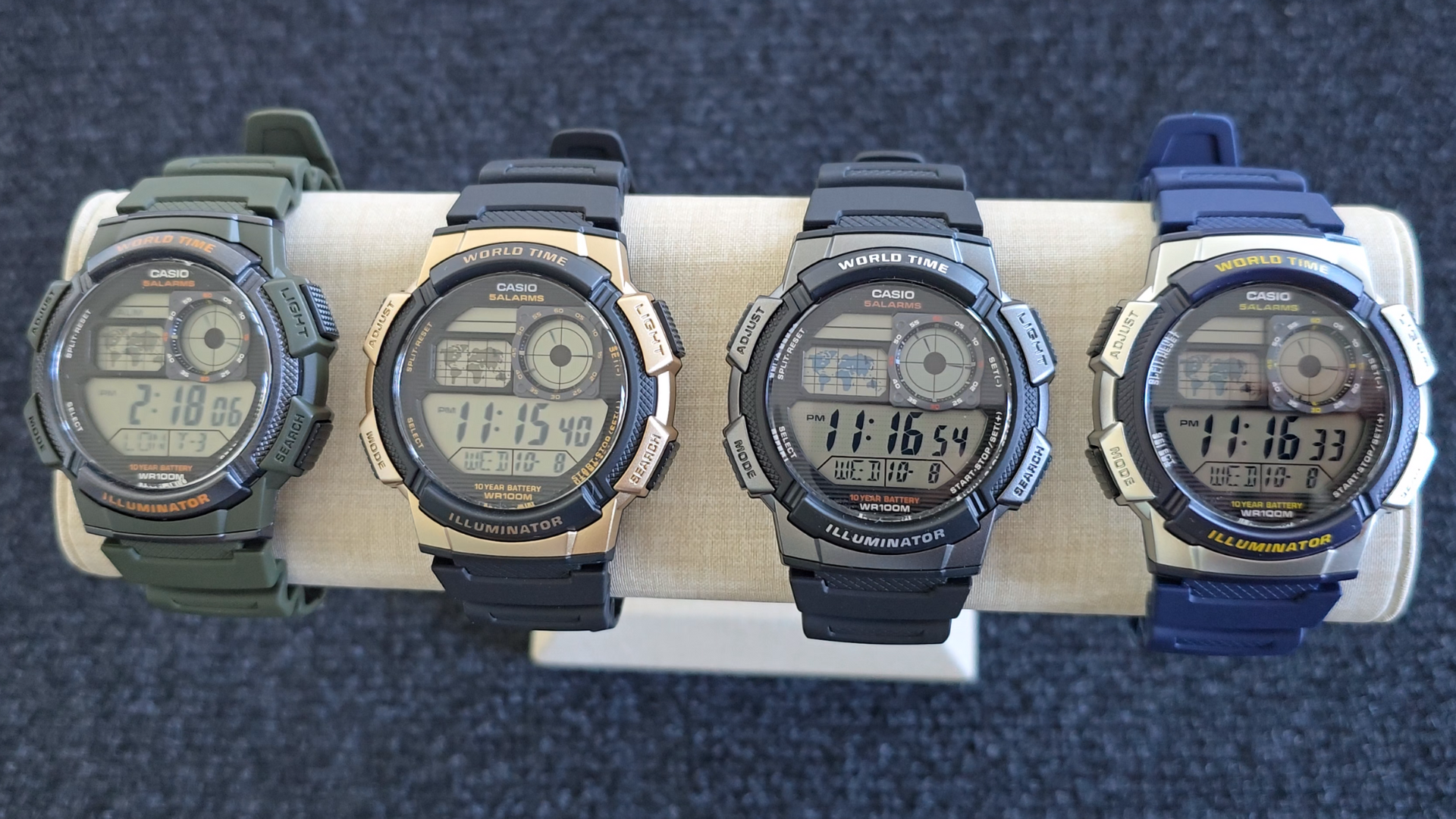
Image: Casio AE1000W Digital Watch series in various color options.
2. Põhiomadused
- Maailmaaeg: Displays current time in 48 cities (31 time zones) with a world map indicator.
- Multi Alarms: Features five independent daily alarms.
- Stopper: 1/100-second stopwatch with measuring modes: elapsed time, split time, 1st-2nd place times.
- Taimer: Measuring unit: 1 second, Countdown range: 24 hours.
- LED valgus: Illuminates the watch face for easy reading in low light conditions.
- Veekindlus: 100 meters (330 feet) suitable for swimming and snorkeling.
- 10-aastane aku tööiga: Kauakestev aku pikemaks kasutamiseks.
- Kvarts liikumine: Tagab täpse ajaarvestuse.
- Glass Crystal: Durable watch face protection.

Image: Emblem highlighting the 10-year battery life feature.
3. Seadistamine
3.1 Kellaaja ja kuupäeva algseadistus
- Kellaaja režiimis vajutage ja hoidke all nuppu REGULEERIDA nuppu, kuni linna kood hakkab vilkuma.
- Kasutage OTSI ja REŽIIM buttons to select your desired city code (Home City).
- Vajutage nuppu REGULEERIDA button to move to the DST (Daylight Saving Time) setting. Use OTSI to toggle DST On/Off.
- Vajutage REGULEERIDA again to cycle through the settings: 12/24-hour format, Seconds, Hour, Minute, Year, Month, Day. Use OTSI ja REŽIIM väärtuste muutmiseks.
- Kui kõik sätted on õiged, vajutage nuppu REGULEERIDA nuppu seadistusrežiimist väljumiseks.
4. Kasutusjuhised
4.1 Režiimi navigeerimine
Vajutage nuppu REŽIIM button to cycle through the different modes: Timekeeping, World Time, Alarm, Stopwatch, and Countdown Timer.
4.2 Maailmaaja funktsioon
In World Time Mode, the watch displays the current time in 48 cities across 31 time zones. The world map indicator visually highlights the selected time zone.
- Maailmaaja režiimi sisenemiseks vajutage REŽIIM nuppu.
- Kasutage OTSI button to scroll through the different city codes. The time for the selected city will be displayed, and the corresponding area on the world map will be highlighted.
- To swap your Home City time with a World Time City, press and hold the REGULEERIDA button while in World Time Mode.
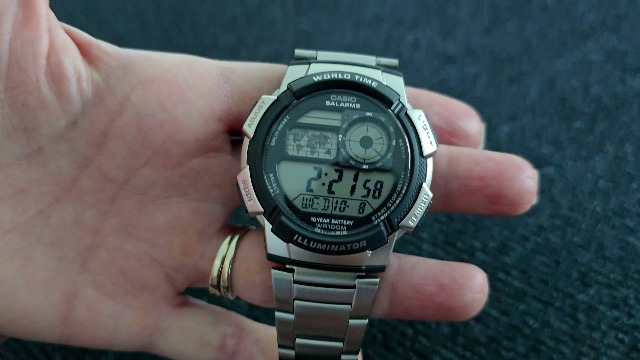
Pilt: Esikülg view of the Casio AE1000W watch, showing the digital display and world map.
4.3 Häired
The watch features five daily alarms. You can set each alarm independently.
- Sisenege äratusrežiimi, vajutades REŽIIM button until "ALM" appears.
- Kasutage OTSI button to cycle through the five alarms (AL1 to AL5) and the Hourly Ajasignaal (SIG).
- To set an alarm, select the desired alarm (e.g., AL1) and press and hold the REGULEERIDA nuppu, kuni tunninumbrid vilguvad.
- Kasutage OTSI ja REŽIIM tunni ja minuti määramiseks.
- Vajutage REGULEERIDA kinnitamiseks ja väljumiseks.
- To turn an alarm On/Off, select the alarm and press the REGULEERIDA nuppu lühidalt.
4.4 Stopper
The stopwatch measures elapsed time, split times, and 1st-2nd place times.
- Stopperirežiimi sisenemiseks vajutage REŽIIM button until "STW" appears.
- Vajutage START/STOP/SET(+) stopperi käivitamiseks ja peatamiseks.
- Vajutage JAGAMINE/LÄHTESTAMINE to record split times or reset the stopwatch to zero.
4.5 Taimer
Taimerit saab seadistada kuni 24 tunniks.
- Sisenege taimeri režiimi, vajutades nuppu REŽIIM button until "TMR" appears.
- Tagasiloendusaja määramiseks vajutage ja hoidke all nuppu REGULEERIDA nuppu, kuni tunninumbrid vilguvad.
- Kasutage OTSI ja REŽIIM tunni ja minuti määramiseks.
- Vajutage REGULEERIDA kinnitamiseks.
- Vajutage START/STOP/SET(+) loenduri alustamiseks ja peatamiseks.
4.6 LED-taustvalgustust
Vajutage nuppu VALGUS button to illuminate the watch face for a few seconds, making it easy to read in the dark.
5. Hooldus
- Puhastamine: Wipe the watch with a soft, dry cloth. For water-resistant models, you can rinse it with fresh water after exposure to saltwater.
- Veekindlus: While water-resistant to 100M, avoid operating buttons underwater to prevent water ingress.
- Aku: The watch features a 10-year battery. When the display becomes dim or functions become erratic, it may be time for a battery replacement by a qualified technician.
- Temperatuur: Vältige kella jätmist äärmuslike temperatuuride, pikaajalise otsese päikesevalguse või tugevate magnetväljade kätte.
6. Veaotsing
- Vale aeg: Ensure your Home City is correctly set and Daylight Saving Time (DST) is adjusted as needed. Refer to Section 3.1.
- Nupud ei reageeri: Check if the watch is in a specific setting mode. Exit any setting mode by pressing the REGULEERIDA button. If the issue persists, a full reset may be required (refer to the full Casio manual for advanced reset procedures).
- Ekraan on tuhm: This may indicate a low battery. While rated for 10 years, environmental factors can affect battery life. Consider professional battery replacement.
7. Tehnilised andmed
| Funktsioon | Detail |
|---|---|
| Kaubamärk | Casio |
| Mudeli number | AE-1000W-1BVCF |
| Toote mõõtmed | 2.4 x 4.09 x 3.78 tolli |
| Kauba kaal | 1.41 untsi |
| Materjal | Vaik |
| Patareid | 1 liitium-metallist aku (kaasas) |
| Veekindlus | 100 meetrit (330 jalga) |
| Liikumine | Kvarts |
| Kuva tüüp | Digitaalne LC analoogekraaniga |
8. Garantii ja tugi
Garantiiteabe ja klienditoe saamiseks vaadake Casio ametlikku veebilehte. webveebisaidilt või võtke otse ühendust nende klienditeenindusega. Hoidke ostutšekk ostutõendina garantiinõuete korral.
Veebitugi: Külastage Casio tugi Websaidile for FAQs, manuals, and service center locations.


