Introducción
Thank you for choosing the Lefant M210 Robot Vacuum Cleaner. This manual provides essential information for the safe operation, maintenance, and troubleshooting of your device. Please read it thoroughly before use and keep it for future reference.

Image: The Lefant M210 Robot Vacuum Cleaner, showcasing su diseño compacto.
Instrucciones de seguridad importantes
Siga siempre las precauciones básicas de seguridad al utilizar aparatos eléctricos para reducir el riesgo de incendio, descarga eléctrica o lesiones. Esto incluye:
- Lea todas las instrucciones antes de utilizar el aparato.
- Do not operate the vacuum cleaner in areas with flammable or combustible materials.
- Mantenga el cabello, la ropa suelta, los dedos y todas las partes del cuerpo lejos de las aberturas y las partes móviles.
- No recoja nada que esté ardiendo o humeando, como cigarrillos, fósforos o cenizas calientes.
- Asegúrese de que la base de carga esté colocada contra una pared sobre una superficie nivelada.
- Utilice únicamente el adaptador de corriente y la base de carga originales proporcionados por el fabricante.
Contenido del paquete
Verifique que todos los componentes estén presentes en el paquete:
- Robot Aspirador Lefant M210
- Base de carga
- Adaptador de corriente
- Cepillos laterales (2 pares)
- Filtro de alto rendimiento
- Herramienta de limpieza
- Manual de usuario
Configuración
1. Prepare the Robot
- Retire todas las películas protectoras y pegatinas del robot y la base de carga.
- Coloque los cepillos laterales presionándolos sobre los postes hasta que encajen en su lugar.
2. Place the Charging Dock
- Coloque la base de carga contra una pared en un área abierta y despejada.
- Ensure there is at least 0.5 meters (1.6 feet) of clear space on either side of the dock and 1.5 meters (4.9 feet) in front.
- Conecte el adaptador de corriente a la base de carga y enchúfelo a una toma de pared.
3. Cargue el robot
Place the robot onto the charging dock, ensuring the charging contacts align. The indicator light on the robot will show charging status. Fully charge the robot before first use (approximately 4-5 hours).
4. Connect to the Lefant App
- Descargue la aplicación "Lefant" desde la App Store o Google Play.
- Register an account and follow the in-app instructions to connect your M210 robot vacuum cleaner to your home Wi-Fi network.
Instrucciones de funcionamiento
Iniciar y detener la limpieza
- Comenzar: Press the power button on the robot or use the Lefant app to start a cleaning cycle.
- Pausa: Presione el botón de encendido nuevamente para pausar la limpieza.
- Regreso al muelle: Presione el botón de inicio del robot o use la aplicación para enviar el robot de regreso a su base de carga.
Modos de limpieza
The Lefant M210 offers various cleaning modes to suit different needs:

Image: Illustration of the Lefant M210's various cleaning modes, including Random, Zigzag, Edge, and Spot cleaning.
- Limpieza automática: The robot automatically cleans in a zigzag pattern, adjusting to the environment.
- Limpieza de manchas: Se centra en un área sucia específica y limpia en un patrón en espiral.
- Limpieza de bordes: Limpia a lo largo de paredes y bordes de muebles.
- Limpieza programada: Establezca horarios de limpieza a través de la aplicación Lefant.
Efficient Cleaning Path

Image: The Lefant M210 utilizes an effective zigzag route for thorough and intelligent cleaning, avoiding random patterns.
Limpieza de pelos de mascotas
The Lefant M210 is designed to effectively pick up pet hair, making it suitable for homes with pets. Its powerful suction and brush design help manage pet dander and fur.

Image: The Lefant M210 Robot Vacuum Cleaner effectively collects pet hair, as demonstrated in a home setting with a dog and child.
Tecnología FreeMove 3.0
The M210 is equipped with updated FreeMove Technology 3.0, which helps the robot navigate around obstacles and avoid getting stuck, ensuring a smooth cleaning process.
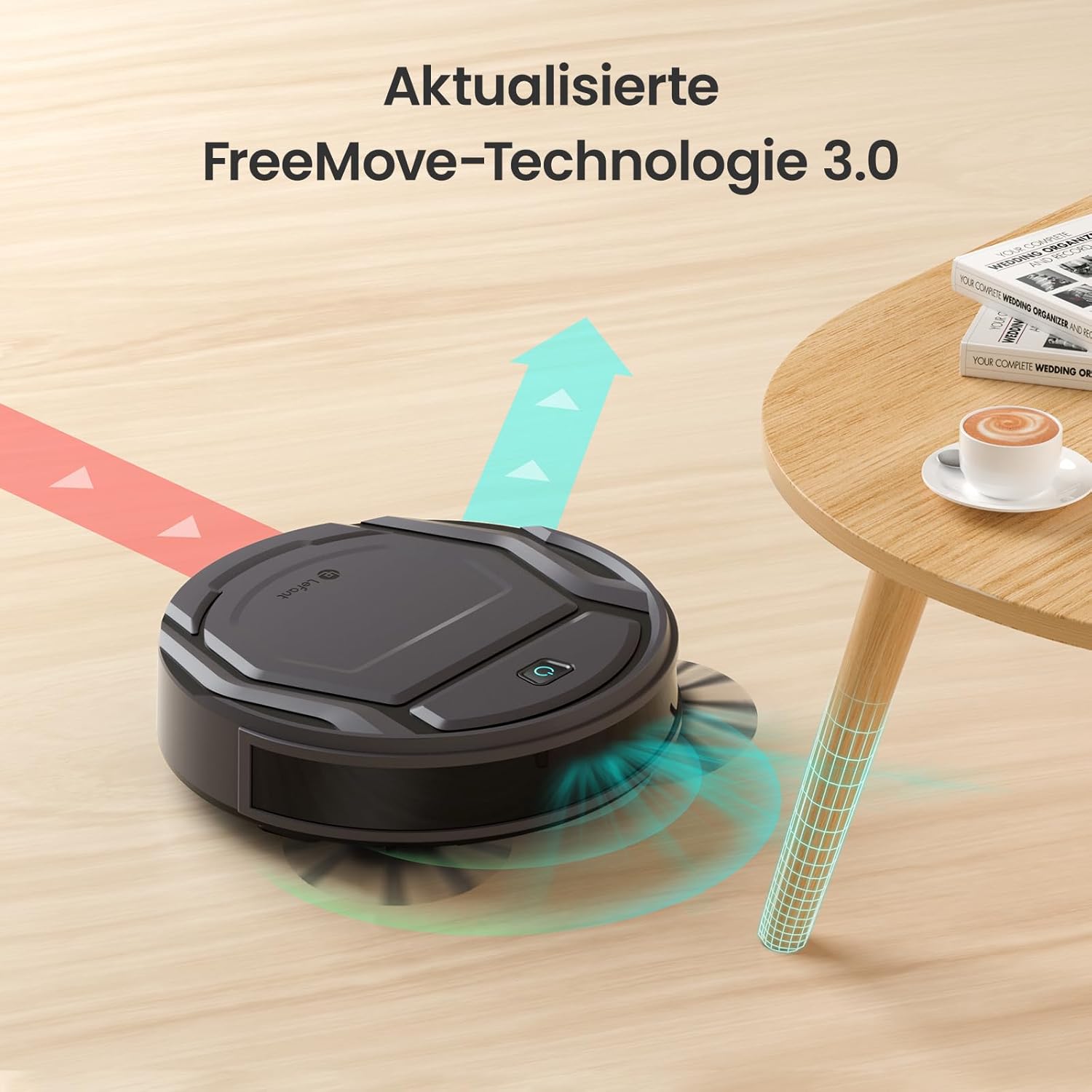
Image: The Lefant M210 demonstrating its updated FreeMove Technology 3.0 for enhanced navigation and obstacle avoidance.
Control de voz
The Lefant M210 supports voice control through Amazon Alexa and Google Home. Connect your robot to these services via the Lefant app for convenient hands-free operation.

Image: The Lefant M210 integrates with Amazon Alexa and Google Home for intelligent voice control, allowing users to start cleaning with simple commands.
Mantenimiento
Regular maintenance ensures optimal performance of your Lefant M210. Always turn off the robot and disconnect it from the charging dock before performing any maintenance.
1. Vaciado del depósito de basura (después de cada uso)
- Presione el botón de liberación del depósito de basura y extraiga el depósito de basura.
- Abra la tapa del depósito de basura y vacíe su contenido en un cubo de basura.
- Clean the filter with the provided cleaning tool or tap it gently to remove debris. Do not wash the filter with water.
- Reinsert the filter and close the dustbin cover. Place the dustbin back into the robot.
2. Cleaning the Side Brushes (Weekly or as needed)
- Tire suavemente los cepillos laterales hacia arriba para quitarlos.
- Retire cualquier cabello o residuo enrollado alrededor de los cepillos o de los postes del cepillo.
- Vuelva a colocar los cepillos asegurándose de que encajen en su lugar.
3. Cleaning the Sensors and Charging Contacts (Monthly or as needed)
- Use a clean, dry cloth to wipe the anti-drop sensors on the bottom of the robot.
- Limpie los contactos de carga tanto del robot como de la base de carga.

Image: The Lefant M210 features a design optimized for easy maintenance, reducing hair tangles compared to traditional robot vacuum designs.
Solución de problemas
If your robot vacuum cleaner encounters issues, refer to the following common problems and solutions:
| Problema | Posible causa | Solución |
|---|---|---|
| El robot no enciende. | Batería baja o no cargada. | Coloque el robot en la base de carga y asegúrese de que esté completamente cargado. |
| El robot no puede regresar a la base de carga. | Charging dock is obstructed or too far. | Ensure the charging dock is in an open area and free from obstacles. Manually place the robot on the dock if needed. |
| El rendimiento de limpieza es deficiente. | Dustbin full, filter clogged, or brushes tangled. | Empty the dustbin, clean or replace the filter, and clean the side brushes. |
| El robot se atasca con frecuencia. | Too many obstacles or uneven surfaces. | Clear the cleaning area of loose cables, small objects, and thick rugs. |
| Problemas de conexión de la aplicación. | Incorrect Wi-Fi password, router issues, or robot not in pairing mode. | Ensure correct Wi-Fi credentials. Restart your router and the robot. Follow app instructions for pairing mode. |
Presupuesto
| Característica | Detalle |
|---|---|
| Marca | Lefante |
| Nombre del modelo | M210 |
| Número de modelo | M210P |
| Color | Negro |
| Dimensiones del producto (L x An x Al) | 28 x 8 x 28 cm (11 x 3.1 x 11 pulgadas) |
| Peso del artículo | 3.14 kg (6.92 libras) |
| Capacidad del cubo de basura | 500 litros (Note: This capacity is unusually large for a robot vacuum dustbin and may refer to a different metric or be a typo in the source data.) |
| Volumentage | 220 voltios |
| Material | Plástico |
| Característica especial | Anti-colisión |
| Recomendación de superficie | Alfombra, pisos duros |
| Tipo de controlador | Control de aplicaciones |
| Composición de la batería | Iones de litio |
| Tiempo de ejecución | Hasta 120 minutos |
| Nivel de ruido | 55 dB |

Image: The Lefant M210 offers a long runtime of up to 120 minutes on a single charge, capable of cleaning up to 120 square meters.
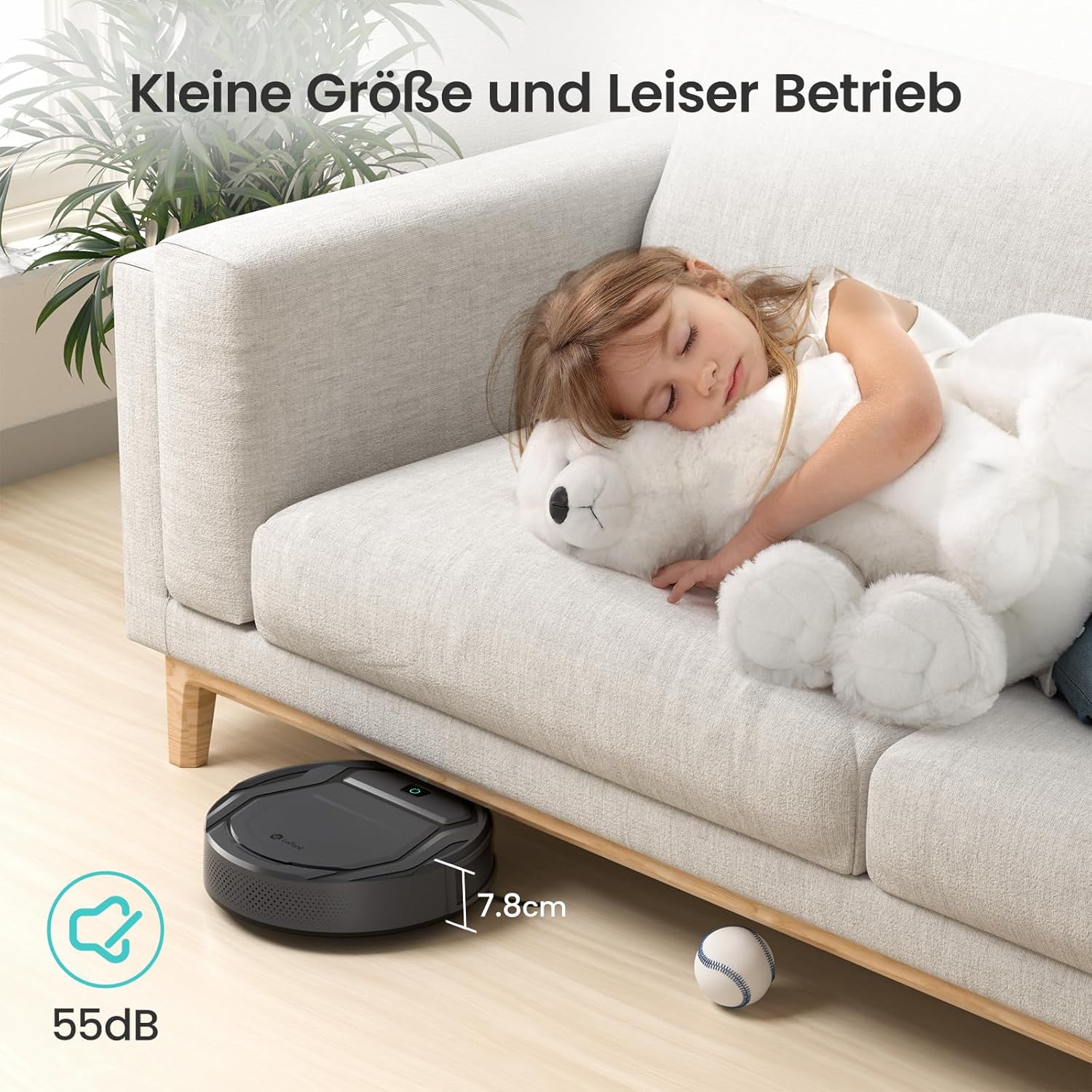
Image: The Lefant M210's compact size (7.8cm height) allows it to clean under furniture, and its quiet operation at 55dB ensures minimal disturbance.
Garantía y soporte
For warranty information, technical support, or service inquiries, please refer to the official Lefant webSitio web o contacte directamente con el servicio de atención al cliente. Conserve su recibo de compra como comprobante.
Lefant Oficial Websitio: www.lefant.com