Introducción
Este manual proporciona información esencial para el funcionamiento seguro y eficiente de su Blackview XPLORE 2 rugged smartphone. Please read this manual thoroughly before using the device to ensure proper functionality and longevity.

Imagen: Anverso y reverso view del Negroview XPLORE 2 rugged smartphone, showcasing su diseño robusto y módulo de cámara.
Configuración
1. Desembalaje e inspección inicial
Retire con cuidado todos los artículos del embalaje. Compruebe que todos los componentes enumerados en la sección "Contenido de la caja" estén presentes y sin daños.
¿Qué hay en la caja?
- Negroview XPLORE 2 Smartphone
- Cable USB
2. Instalación de la tarjeta SIM y la tarjeta de memoria
Locate the SIM card tray on the side of the device. Use the provided SIM ejector tool (if included) to open the tray. Insert your Nano-SIM card(s) and/or microSD card into the designated slots. Ensure the tray is securely closed to maintain water and dust resistance.
3. Carga inicial
Before first use, fully charge the device using the provided USB cable and a compatible power adapter. The device supports 120W fast charging.

Imagen: El Negroview XPLORE 2 smartphone connected to a charger, illustrating the charging process.
Operar su dispositivo
1. Encender, apagar y reiniciar
To power on, press and hold the Power button until the Blackview logo appears. To power off, press and hold the Power button, then select "Power off" from the options. To restart, select "Restart".
2. Características de la pantalla
The XPLORE 2 features a 6.73-inch 3.2K AMOLED display with a 120Hz dynamic refresh rate. Adjust brightness and display settings in the "Display" menu within Settings for optimal viewEn.

Image: A visual representation of the Blackview XPLORE 2's display specifications, highlighting its 3.2K resolution and 120Hz refresh rate.
3. Uso de la cámara
The device is equipped with a 50MP main camera and a 20MP night vision camera. Open the Camera app to access various modes including panorama, portrait, beauty, and night vision.
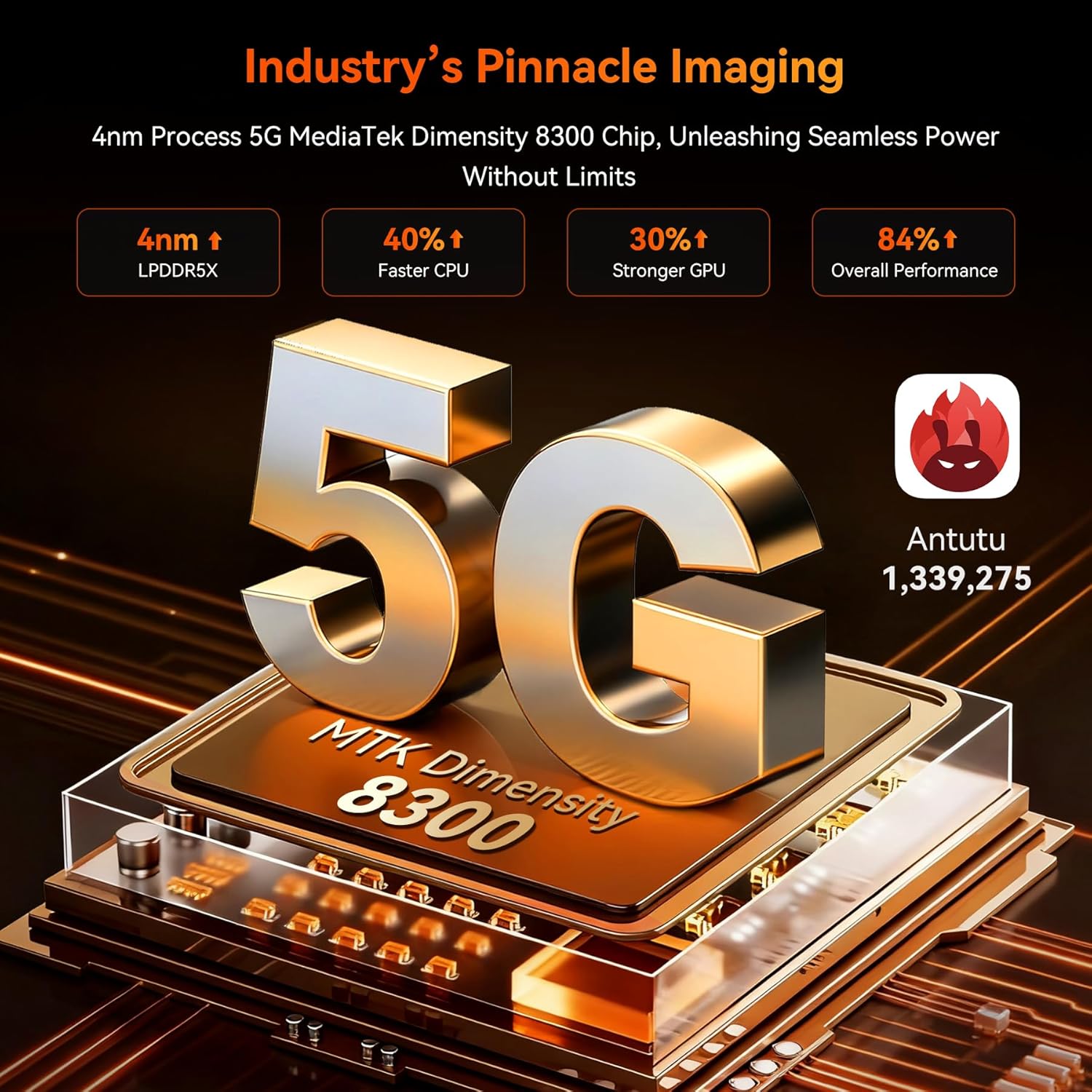
Imagen: Primer plano del Negroview XPLORE 2's rear camera module, detailing the 50MP main camera and 20MP night vision lens.
4. Doke AI Smart Assistant
Utilize the integrated Doke AI Smart Assistant for various tasks, including answering questions and providing information. Access it through the dedicated app or voice commands.
Video: A demonstration of the Doke AI Smart Assistant providing information on how to choose a campsitio.
5. Projector Function
The XPLORE 2 features a built-in high-precision projector. To activate, locate the projector settings in the device menu. It supports up to 100-inch projection with 100-lumen brightness.
Vídeo: Un vídeo muestraasing el Negroview XPLORE 2's features, including its built-in projector, large battery, and ruggedness.
Mantenimiento
1. Limpieza del dispositivo
Use a soft, lint-free cloth to clean the screen and body of the device. For stubborn dirt, a slightly damp Se puede usar un paño. Evite productos químicos agresivos o materiales abrasivos.
2. Actualizaciones de software
Revise periódicamente las actualizaciones del sistema para garantizar un rendimiento y una seguridad óptimos. Vaya a Settings > System > System updates para comprobar e instalar las actualizaciones disponibles.
Video: A step-by-step guide on how to check for and install system updates on the device.
3. Expansión de la memoria
The device supports RAM expansion technology. To expand virtual RAM, go to Settings > About phone > RAM and adjust the memory expansion size. A restart is required for changes to take effect.
Video: Instructions on how to expand the RAM memory of the device through the settings.
Solución de problemas
Problemas comunes y soluciones
- Device is slow or freezing: Close background applications, uninstall unused apps, and restart the device.
Video: A short video demonstrating steps to resolve device lagging or freezing issues, such as closing background apps and restarting.
- No hay señal de red: Ensure your SIM card is correctly inserted and activated. Check network settings or contact your carrier.
- La batería se agota rápidamente: Reduce screen brightness, disable unnecessary features (Wi-Fi, Bluetooth, GPS) when not in use, and close background apps.
- Entrada de agua/polvo: Ensure all port covers are securely closed. If water or dust enters, follow the cleaning instructions and allow the device to dry completely before use.
Para obtener más ayuda, consulte la sección "Garantía y soporte".
Presupuesto
- Modelo: XPLORE2
- Sistema operativo: Androide 15
- Procesador: Dimensity 8300 AI 5G Octa-core CPU
- RAM: Hasta 36 GB (12 GB físicos + 24 GB virtuales)
- Almacenamiento: 256 GB de ROM (ampliable hasta 2 TB mediante tarjeta TF)
- Mostrar: 6.73-inch 3.2K AMOLED, 120Hz dynamic refresh rate, 2600 nits peak brightness
- Batería: 20000mAh, 120W Fast Charging, 10W Reverse Charging
- Cámara trasera: 50MP Main Camera, 20MP Night Vision Camera
- Cámara frontal: 32MP
- Durabilidad: IP68/IP69K a prueba de agua, a prueba de polvo, a prueba de caídas MIL-STD-810H
- Conectividad: 5G, Wi-Fi 6E, Bluetooth 5.4, NFC, GPS (L1+L5 Dual-Frequency)
- Características especiales: Built-in Projector (100-inch, 100-lumen), Doke AI Smart Assistant, Customized Shortcut Button, 467LM Campluz brillante
- Dimensiones: 186 × 87.8 × 29 mm
- Peso: 645 gramos
Garantía y soporte
Tu negroview XPLORE 2 smartphone comes with a 2 año de garantía. Negroview also offers lifetime technical support.
For warranty claims, technical assistance, or service inquiries, please contact Blackview Atención al cliente a través de su oficina oficial websitio o la información de contacto proporcionada con su compra.
Compatibilidad de red
This device supports 5G networks and is compatible with GSM carriers such as T-Mobile, Speedtalk, Mint Mobile, BTC, MetroPCS, H2O, Movistar, Telcel, Tigo, Claro, Ultra Mobile, Tello, Bell Wireless, Rogers Wireless, Chatr, Telus, Fido, and FIZZ.
Important: Not compatible with CDMA carriers such as AT&T, Cricket Wireless, Verizon, Straight Talk, or U.S. Cellular.
Bandas de red compatibles:
- 4G FDD: B2/B3/B4/B5/B7/B12/B13/B17/B26/B66/B28A/B28B
- 4G TDD: B40/B41
- 3G WCDMA: B2/B3/B4/B5
- GSM 2G: 850/900/1800/1900 (B2/B3/B5/B8)


