1. Introducción
The ASMAX F1 Motorcycle Bluetooth Headset is an advanced communication system designed for motorcyclists. It features Bluetooth 5.3 technology, supporting up to 10 riders with a communication range of up to 1.8km. The F1 offers dual intercom modes (Free and Group Mesh), voice control, superior sound quality with ENC noise reduction, and an IP67 waterproof rating. Its magnetic mounting system and fast-charging capabilities ensure convenience and reliability for all your rides.
2. Información de seguridad
- Priorice siempre la seguridad vial. No utilice el dispositivo de forma que le distraiga de la conducción.
- Asegúrese de que los auriculares estén bien montados en su casco antes de empezar a conducir.
- Ajuste los niveles de volumen para asegurarse de que aún pueda escuchar los sonidos del tráfico ambiental.
- No intente desmontar ni modificar el dispositivo, ya que esto puede anular la garantía y suponer riesgos de seguridad.
- Mantenga el dispositivo alejado de temperaturas extremas y de la luz solar directa.
- Cargue el dispositivo utilizando únicamente el cable provisto y una fuente de alimentación compatible.
3. Contenido del paquete
Verifique que todos los artículos estén presentes en su paquete:
- ASMAX F1 Bluetooth Headset Unit(s)
- Speaker and Microphone Kit(s)
- Magnetic Mounting Base(s)
- Cable(s) de carga USB
- Manual de usuario
- Mounting Accessories (e.g., adhesive pads, clips)

Image: ASMAX F1 Headset and included accessories.
4. Producto terminadoview
4.1 Componentes
The ASMAX F1 unit features a sleek design with an illuminated cross-shaped indicator. It is designed for easy attachment to most motorcycle helmets.

Image: ASMAX F1 Bluetooth Headset units.
4.2 Controles e indicadores
The ASMAX F1 is equipped with intuitive controls and indicators for ease of use while riding.
- Botón de intercomunicación: Initiates and manages intercom connections.
- Botones de volumen +/-: Ajusta el volumen del audio.
- Botón de función: Multi-purpose button for various operations.
- Indicador LED: Displays device status (e.g., power, pairing, charging).
- Control de voz: Activates functions using voice commands (e.g., "Hi Max").

Image: ASMAX F1 controls and helmet compatibility.
5. Configuración
5.1 Instalación en el casco
The ASMAX F1 features a magnetic mounting system for easy and secure attachment to your helmet.
- Choose a suitable location on the side of your helmet, typically on the left side, ensuring it does not obstruct your vision or helmet functionality.
- Clean the helmet surface thoroughly where the mounting base will be attached.
- Attach the magnetic mounting base to the helmet using the provided adhesive pad or clamp. Ensure it is firmly secured.
- Insert the speakers into the helmet's ear pockets. Ensure they are positioned directly over your ears for optimal sound.
- Route the microphone boom or wired microphone to a position near your mouth, ensuring clear voice pickup and minimal wind noise.
- Connect the speaker and microphone cables to the ASMAX F1 unit.
- Attach the ASMAX F1 unit to the magnetic mounting base. The strong magnet will secure it in place.
5.2 Carga inicial
Before first use, fully charge the ASMAX F1 unit. The 1250mAh battery supports fast charging.
- Connect the provided USB charging cable to the ASMAX F1 unit's charging port.
- Conecte el otro extremo del cable a un adaptador de corriente USB (no incluido) o a un puerto USB de una computadora.
- The LED indicator will show charging status. Once fully charged, the indicator will change (refer to specific LED behavior in the full manual).
- El dispositivo se puede cargar mientras está en uso.
6. Instrucciones de funcionamiento
6.1 Encendido y apagado
- Encendido: Press and hold the Function Button for approximately 3 seconds until the LED indicator lights up and you hear a voice prompt.
- Apagado: Press and hold the Function Button for approximately 3 seconds until the LED indicator turns off and you hear a voice prompt.
6.2 Emparejamiento Bluetooth con dispositivo móvil
The ASMAX F1 uses Bluetooth 5.3 for stable connections.
- With the ASMAX F1 powered off, press and hold the Function Button for approximately 5-7 seconds until the LED indicator flashes rapidly (usually blue/red alternating), indicating pairing mode.
- En su teléfono móvil, habilite Bluetooth y busque nuevos dispositivos.
- Select "ASMAX F1" from the list of available devices.
- Once paired, the LED indicator will change (e.g., slow blue flashes) and you will hear a confirmation tone.

Image: Universal pairing capability of ASMAX F1.
6.3 Intercom Modes
The ASMAX F1 supports various intercom modes for group communication.
- Modo libre: For spontaneous connections within range. Up to 10 riders can join instantly.
- Group Mode (MESH Communication): For private conversations with a team of up to 10 riders. Supports 1-on-1 chats within the group.
- CloudTalk Mode: (Requires app update) Supports cross-brand cloud intercom for up to 50 people, anywhere with a mobile network.

Image: ASMAX F1 10-Rider Mesh Group Intercom.
6.4 Control de voz
Activate voice commands by saying "Hi Max" followed by your command. This allows for hands-free operation.
- "Hi Max, Music On"
- "Hi Max, Next Track"
- "Hi Max, Volume Up/Down"
- "Hi Max, Answer The Phone"
- "Hi Max, End Intercom"
- "Hi Max, Phone Pairing"
- "Hi Max, Group Mesh"
- "Hi Max, Free Mode"

Image: ASMAX F1 Voice Control feature.
6.5 Multitarea de audio
The ASMAX F1 allows for simultaneous audio streams, such as listening to music while receiving navigation instructions or participating in an intercom conversation.

Image: ASMAX F1 Audio Multitasking.
7. Mantenimiento
- Limpieza: Limpie la unidad con un paño suave yamp paño. No utilice productos químicos agresivos ni limpiadores abrasivos.
- Almacenamiento: Guarde el dispositivo en un lugar fresco y seco cuando no esté en uso.
- Cuidado de la batería: Para una vida útil óptima de la batería, evite descargarla por completo con frecuencia. Cárguela regularmente.
- Resistencia al agua: The ASMAX F1 is IP67 waterproof. While it can withstand rain and splashes, avoid prolonged submersion.

Image: ASMAX F1 IP67 Waterproof feature.
8. Solución de problemas
| Problema | Posible causa | Solución |
|---|---|---|
| El dispositivo no se enciende. | Batería baja. | Cargue el dispositivo por completo. |
| No se puede emparejar con el teléfono. | El dispositivo no está en modo de emparejamiento; Bluetooth desactivado en el teléfono. | Ensure device is in pairing mode (flashing LED). Turn on phone's Bluetooth. Forget previous pairings on phone. |
| Problemas de conexión del intercomunicador. | Out of range; interference; incorrect mode. | Ensure units are within range. Check for obstacles. Verify correct intercom mode (Free/Group). |
| Mala calidad de audio / Ruido. | Microphone position; speaker placement; high speed. | Adjust microphone closer to mouth. Ensure speakers are aligned with ears. ENC noise reduction works best with visor closed at high speeds. |
| Los comandos de voz no responden. | Microphone issue; noisy environment; incorrect command. | Ensure microphone is clear. Speak clearly. Try again in a quieter environment. Refer to voice command list. |
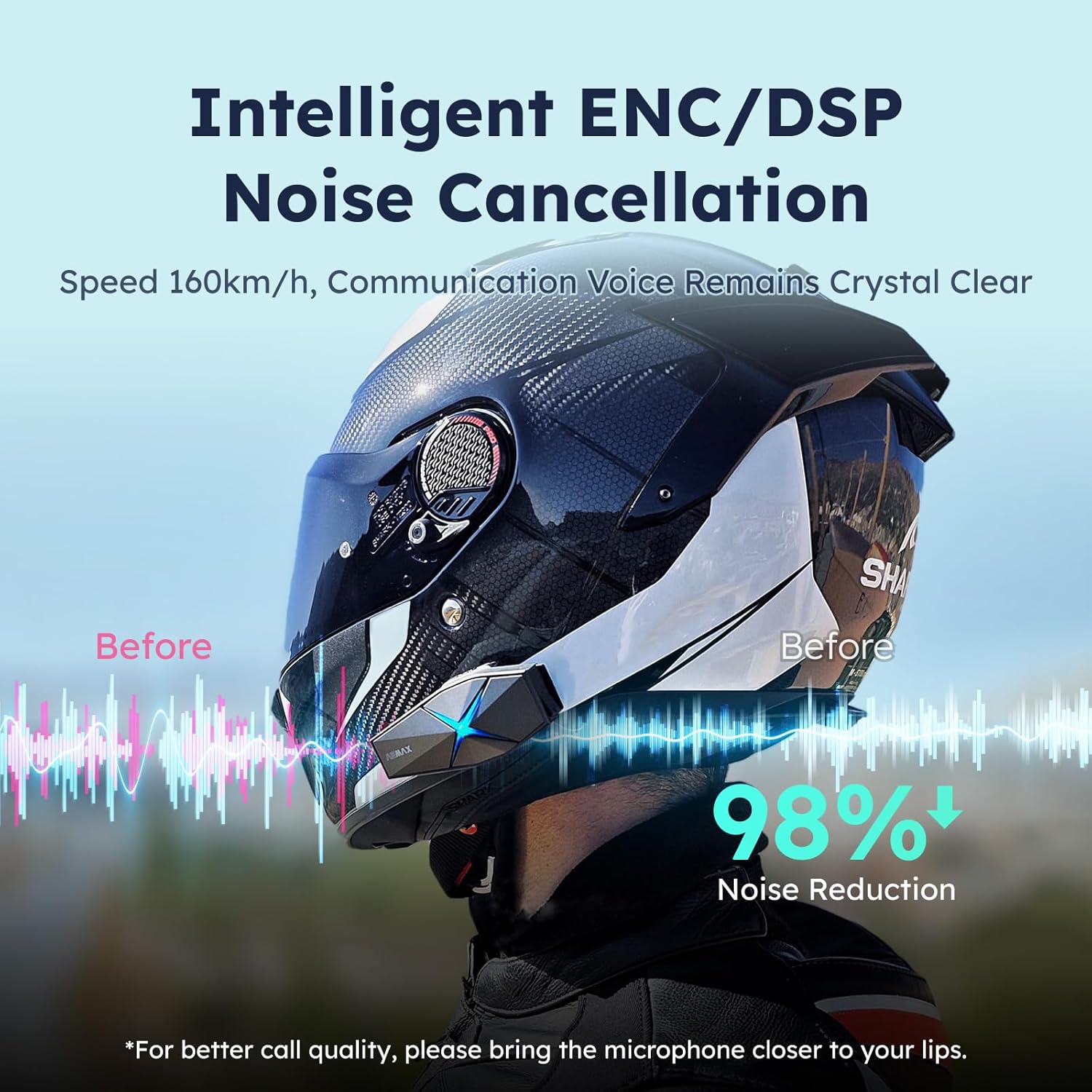
Image: ASMAX F1 Noise Cancellation technology.
9. Especificaciones
| Característica | Detalle |
|---|---|
| Nombre del modelo | ASMAX F1 (F1 DP) |
| Versión de Bluetooth | 5.3 |
| Rango de intercomunicación | Up to 1.8 km (10 riders) |
| Capacidad de la batería | 1250 mAh |
| Cargando | Fast Charging, USB |
| Clasificación de impermeabilidad | IP67 |
| Control de ruido | Active Noise Cancellation (ENC/DSP) |
| Control de voz | "Hi Max" commands |
| Funciones de audio | Audio Multitasking, Superior Sound Quality |
| Dimensiones | Approx. 86mm x 36mm x 23.6mm (unit) |
| Peso | Approx. 50g (unit) |
| Colocación de orejas | En el oído |
| Impedancia | 32 ohmios |
| Sensibilidad | 105 dB |
| Respuesta de frecuencia | 20 Hz (mínimo) |

Image: ASMAX F1 Dual-Chip Octa-Core technology.
10. Garantía y soporte
ASMAX products come with a standard manufacturer's warranty. For specific warranty terms and conditions, please refer to the warranty card included in your product packaging or visit the official ASMAX websitio.
For technical support, troubleshooting assistance, or any inquiries regarding your ASMAX F1 headset, please contact ASMAX customer service through their official channels. Contact information can typically be found on the ASMAX websitio o en el embalaje del producto.
Regularly check the ASMAX website or app for firmware updates to ensure optimal performance and access to new features, such as CloudTalk Mode.


