Introducción
This manual provides detailed instructions for the setup, operation, maintenance, and troubleshooting of your Makeid L1 Portable Wireless Sticker Label Maker Machine. Please read this manual thoroughly before using the device to ensure proper function and longevity.
¿Qué hay en la caja?
Verifique que todos los componentes estén presentes en el paquete:
- Makeid L1 Label Maker Machine
- 4-meter roll of label tape
- Cable de carga USB
- Manual de usuario (este documento)
Producto terminadoview
Familiarize yourself with the key components of your Makeid L1 Label Maker.

Imagen: Encimaview of the Makeid L1 Label Maker, highlighting the power button, the lid for tape replacement, and the integrated cutter for crisp labels.
- Botón de encendido: Ubicado en el lateral, se utiliza para encender/apagar el dispositivo.
- Tapa: Opens to access the tape compartment for loading and replacing label rolls.
- Cortador incorporado: Ensures clean and precise cuts of printed labels.
- Ranura de salida de etiqueta: Donde surgen las etiquetas impresas.
- Puerto de carga: USB port for recharging the device.
Configuración
1. Carga del dispositivo
Before first use, ensure the label maker is fully charged. Connect the provided USB charging cable to the device's charging port and a compatible USB power source (e.g., computer USB port, USB wall adapter). The indicator light will show charging status (refer to device specific light indicators for full/charging status).
2. Carga de la cinta de etiquetas
The Makeid L1 supports various label tape widths (9mm, 12mm, 16mm) and types (continuous, die-cut, transparent, white, colored, pattern). Ensure the tape is correctly oriented.
- Open the lid of the label maker.
- Insert the label roll into the compartment, ensuring the tape feeds out from the bottom and through the output slot.
- Cierre bien la tapa.
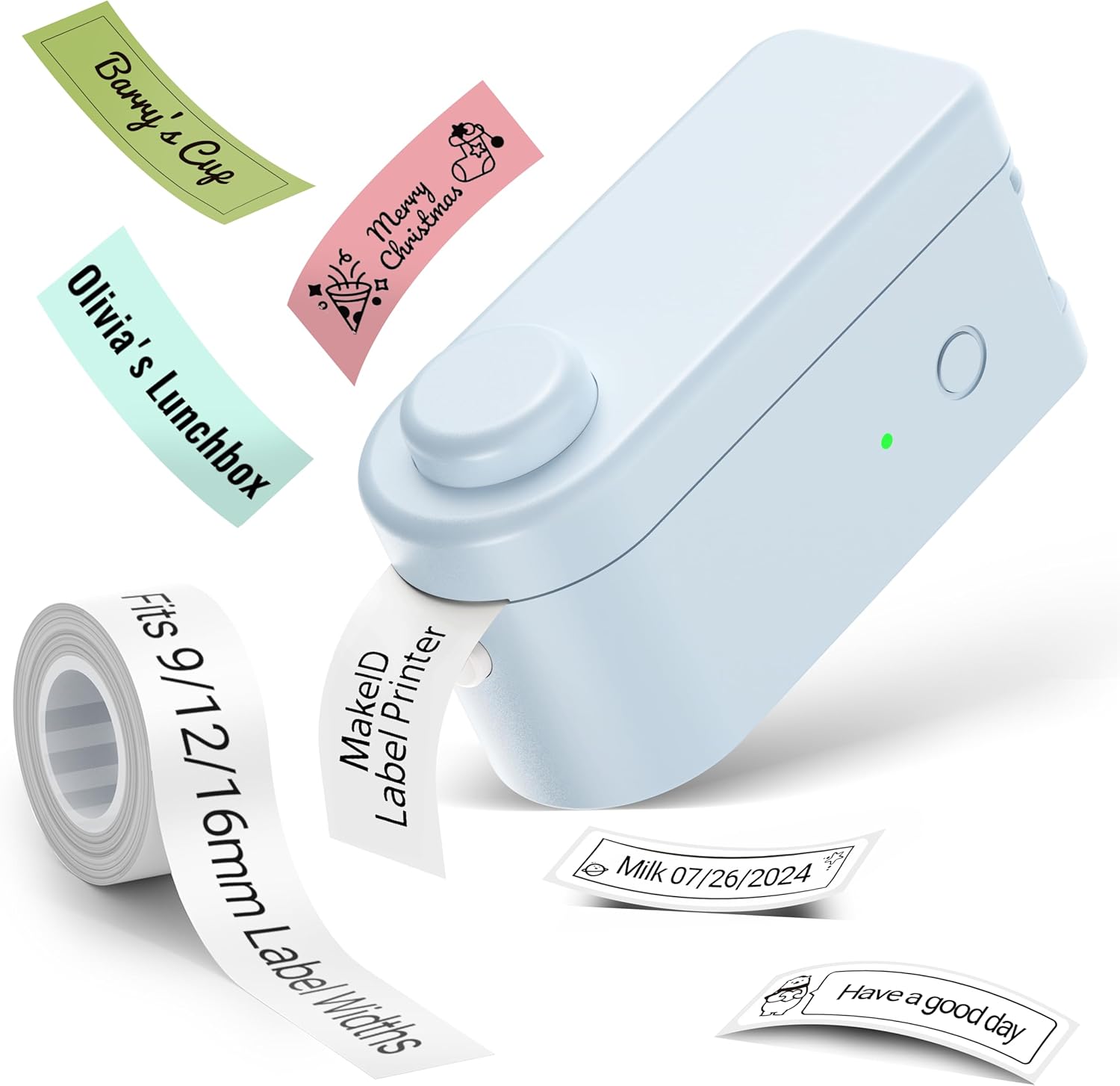
Imagen: The Makeid L1 Label Maker demonstrating the label tape roll and examples of printed labels, including continuous and die-cut types.
3. Descargar e instalar la aplicación
The Makeid L1 operates via a dedicated mobile application. Buscar "MakeID-Life" on your device's app store.

Imagen: Screenshots showing the "Get it on Google Play" and "Download on the App Store" buttons, indicating where to find the MakeID-Life application.
4. Emparejamiento Bluetooth
The label maker connects to your smartphone via Bluetooth.
- Asegúrese de que Bluetooth esté habilitado en su teléfono inteligente.
- Turn on the Makeid L1 Label Maker by pressing the power button. The indicator light will flash, indicating it's ready for pairing.
- Open the "MakeID-Life" app. The app will automatically search for nearby devices.
- Select "L1" from the list of available devices to connect. Once connected, the indicator light on the label maker will become solid.

Imagen: A visual guide demonstrating the three steps for Bluetooth connection: turning on Bluetooth, selecting the L1 model within the app, and confirming the device connection.
Instrucciones de funcionamiento
1. Diseño de su etiqueta
The "MakeID-Life" app offers extensive customization options:
- Entrada de texto: Escriba el texto deseado.
- Fuentes: Choose from 88 different font styles.
- Iconos y símbolos: Access over 600 icons and various symbols.
- Plantillas: Utilize over 400 pre-designed templates for various purposes (e.g., kitchen, office, school).
- Bordes y marcos: Add decorative borders.
- Otras funciones: Create barcodes, QR codes, tables, dates, and patterns.
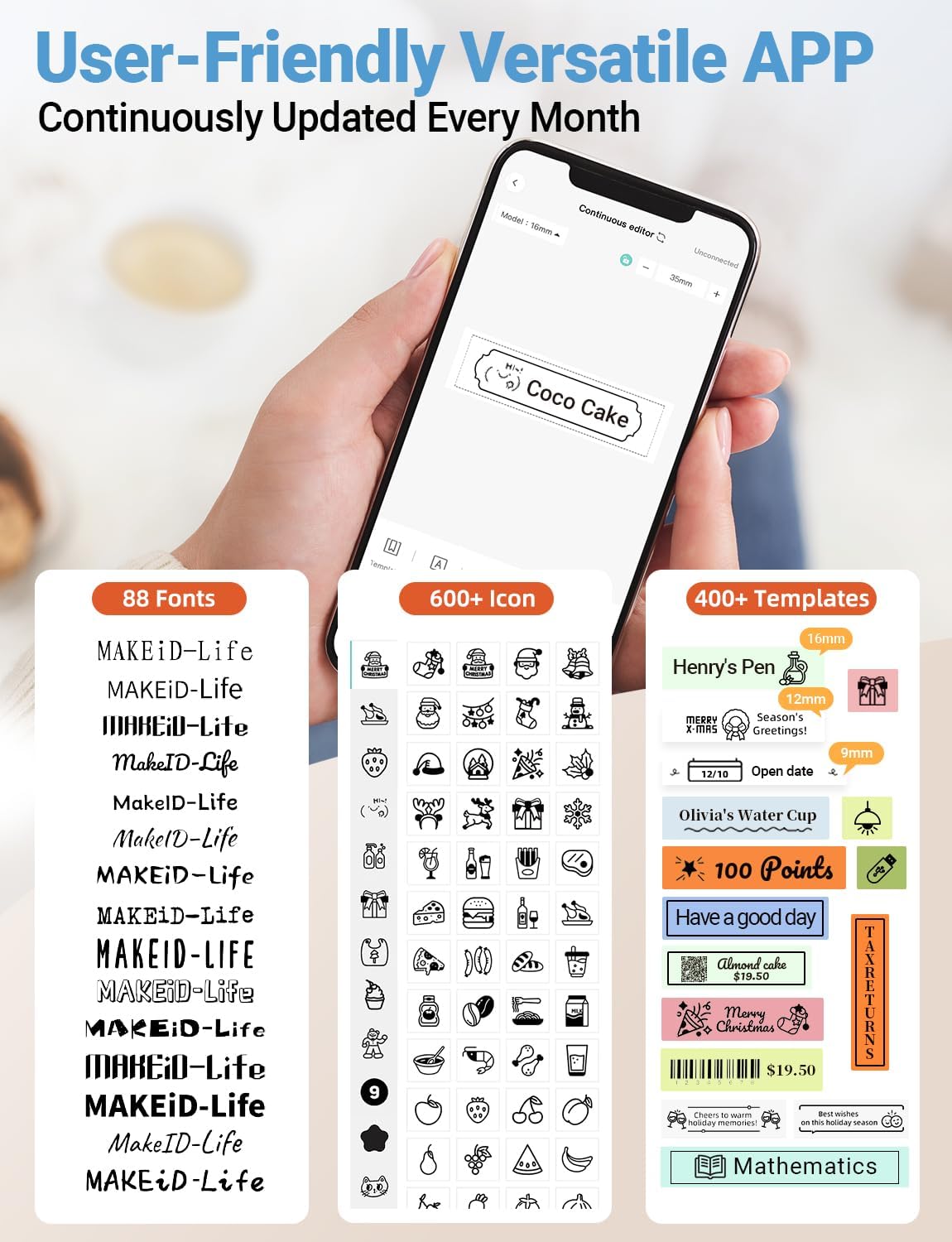
Imagen: Un detallado view of the MakeID-Life app interface, showcasing the wide selection of 88 fonts, over 600 icons, and more than 400 templates available for label customization.
2. Impresión de etiquetas
Once your design is complete in the app:
- Review el diseño de su etiqueta en la pantalla de la aplicación.
- Toque el botón "Imprimir" dentro de la aplicación.
- The label will be thermally printed and emerge from the output slot.
3. Cortar etiquetas
The Makeid L1 features a built-in cutter for clean edges.
- After printing, gently pull the label forward slightly.
- Press the cutting button (refer to the Product Overview image for location) to cleanly cut the label.

Imagen: Illustration of the Makeid L1's built-in cutter, demonstrating how it provides professional and safe cutting of labels, eliminating messy torn edges.
4. Types of Label Printing
The L1 supports two primary types of label printing:
- Etiquetas continuas: Ideal for custom lengths, allowing you to print text of any length and cut it precisely.
- Etiquetas troqueladas: Pre-sized labels with specific shapes, perfect for consistent labeling of items like jars or files.

Imagen: Visual representation of continuous labels, which can be cut to any length, and die-cut labels, which are pre-shaped for specific applications.
Mantenimiento
Limpieza del cabezal de impresión
Para garantizar una calidad de impresión óptima, limpie periódicamente el cabezal de impresión térmica.
- Turn off the label maker and disconnect it from the power source.
- Open the lid and remove the label tape.
- Limpie suavemente el cabezal de impresión con un paño suave y sin pelusa.ampLimpie con alcohol isopropílico. No utilice agua ni limpiadores abrasivos.
- Allow the print head to dry completely before reinserting the tape and closing the lid.
Almacenamiento
Store the label maker in a cool, dry place away from direct sunlight and extreme temperatures. Remove the label tape if storing for extended periods.
Solución de problemas
Consulte la siguiente tabla para conocer los problemas más comunes y sus soluciones.
| Problema | Posible causa | Solución |
|---|---|---|
| El dispositivo no se enciende. | Batería baja. | Cargue el dispositivo con el cable USB proporcionado. |
| No se puede conectar a través de Bluetooth. | El Bluetooth está desactivado en el teléfono; el dispositivo no está en modo de emparejamiento; problema con la aplicación. | Ensure Bluetooth is enabled on your phone. Turn the label maker off and on again to re-enter pairing mode. Restart the "MakeID-Life" app. |
| Mala calidad de impresión / Impresiones descoloridas. | Cabezal de impresión sucio; cinta de etiqueta incorrecta; batería baja. | Clean the print head. Ensure you are using Makeid compatible thermal label tape. Charge the device. |
| Label tape not feeding. | Tape incorrectly loaded; tape jammed. | Open the lid and re-insert the label tape correctly, ensuring it's not jammed. |
| Labels are not cutting cleanly. | Cutter blade dull or obstructed. | Ensure no debris is obstructing the cutter. If issues persist, contact customer support. |
Presupuesto
Detailed technical specifications for the Makeid L1 Label Maker Machine:
| Característica | Detalle |
|---|---|
| Marca | Makeid |
| Nombre del modelo | L1 |
| Tecnología de conectividad | Bluetooth |
| Tecnología de impresión | Térmico |
| Salida de impresora | Monocromo |
| Resolución | 203 x 203 DPI (also 300 x 300 DPI for other variants) |
| Tamaño máximo de medios | 0.63 pulgadas (16 mm) |
| Dispositivos compatibles | Teléfonos inteligentes (Android e iOS) |
| Método de control | Aplicación |
| Interfaz de hardware | USB |
| Fuente de poder | 1 batería de iones de litio (incluida) |
| Dimensiones del producto | 10 x 4.06 x 4.98 cm (3.93" de profundidad x 1.6" de ancho x 1.96" de alto) |
| Peso del artículo | 4.4 onzas (126 gramos) |
| Características especiales | Continuous & Pre-cut Label Tapes, Waterproof, Oil-proof, Friction Resistant, Light Resistant, No Fading, Rich Font Icon Pattern, Portable, Inkless, Wireless, Rechargeable, Creative Print Functions (Barcode, Text, Picture, QR 2D Code, Table, Date, Border, Icon, Shape, Pattern, Template) |
Garantía y soporte
The Makeid L1 Label Maker comes with a Garantía de por vida. For technical support, warranty claims, or further assistance, please contact Makeid customer service through the official Makeid websitio o la información de contacto proporcionada en el embalaje de su producto.
Para obtener recursos adicionales y preguntas frecuentes, visite Makeid Store on Amazon.
Información de seguridad
- No desmonte ni intente reparar el dispositivo usted mismo.
- Mantenga el dispositivo alejado del agua y de la humedad elevada.
- Use only original or certified compatible label tapes and charging cables.
- Mantener fuera del alcance de los niños.
- Evite exponer el dispositivo a temperaturas extremas o a la luz solar directa.


