1. Introducción
Thank you for choosing Tayogo Bone Conduction Headphones, Model S2-0530. These innovative open-ear wireless earphones are designed to provide high-fidelity sound through bone conduction technology, allowing you to enjoy audio while remaining aware of your surroundings. They are ideal for activities such as running, sports, fitness, and general daily use.
This manual provides detailed instructions on how to set up, operate, and maintain your headphones to ensure optimal performance and longevity.
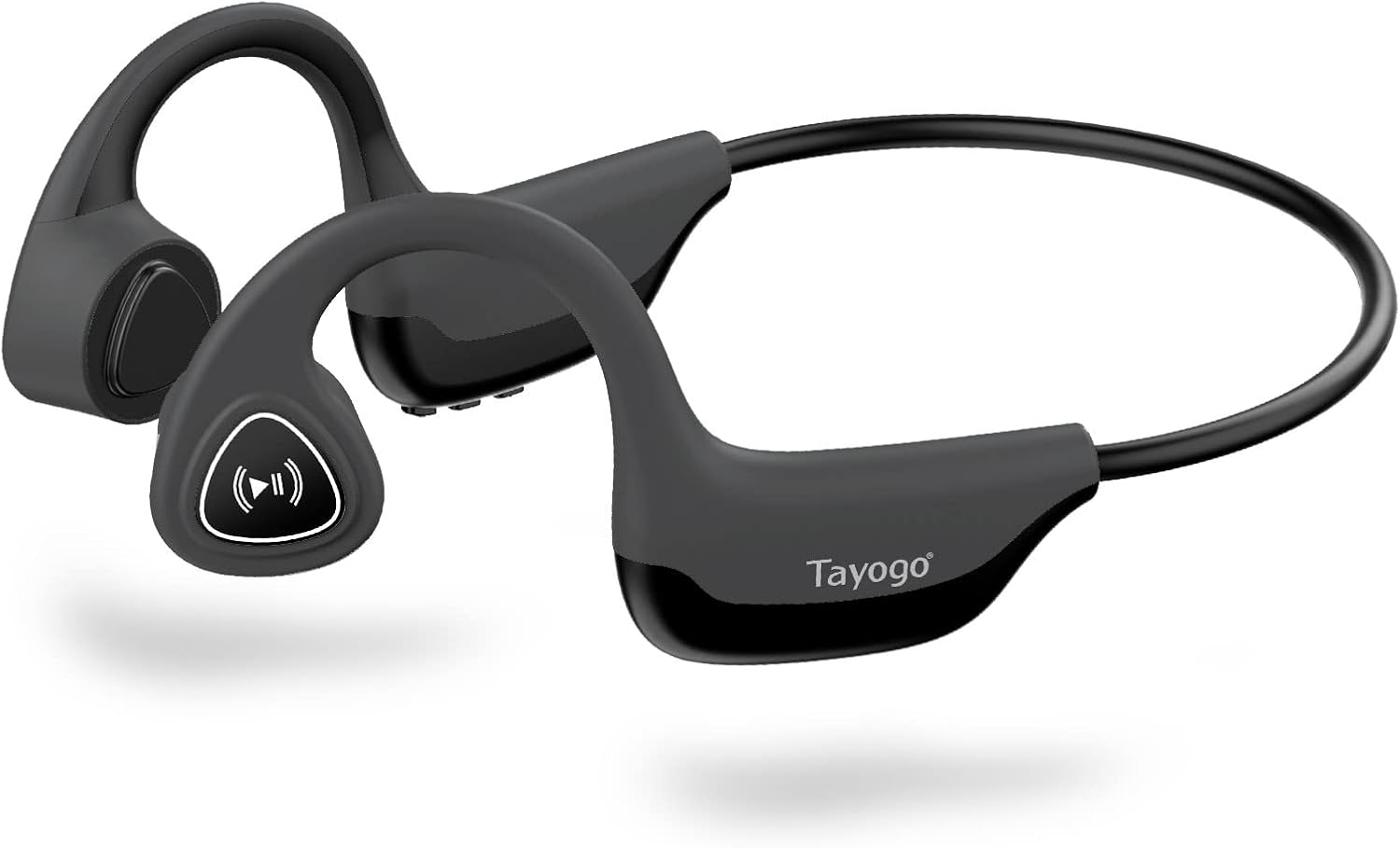
Figure 1: Tayogo Bone Conduction Headphones S2-0530
2. Características del producto
- Tecnología innovadora de conducción ósea: Delivers sound through vibrations to your cheekbones, bypassing the eardrum. This allows for open-ear listening, enhancing situational awareness and comfort.
- Conectividad Bluetooth 5.0 avanzada: Ensures stable and efficient wireless connection with various Bluetooth-compatible devices, including smartphones, tablets, and smartwatches.
- Comfortable, Lightweight Design: Features a full wrap-around design that fits securely behind the ears, providing a stable and comfortable experience during extended wear and physical activities.
- High-Fidelity Sound and Built-in Microphone: Offers dynamic range and deep bass for a rich audio experience, along with an integrated microphone for clear, hands-free calls.
- Batería de larga duración: Equipped with a rechargeable battery providing up to six hours of continuous use on a single charge.
- Diseño a prueba de sudor: Built to withstand sweat and light splashes, making them suitable for workouts and outdoor activities.

Figure 2: Bone Conduction Design Principle

Figure 3: Sweatproof Feature and HIFI Sound Quality
3. Primeros pasos: Configuración
3.1 Carga de los auriculares
Before first use, fully charge your Tayogo headphones. A charging cable is included in the box.
- Locate the USB charging port on the control module of the headphones.
- Connect the charging cable to the headphones' USB port.
- Conecte el otro extremo del cable de carga a una fuente de alimentación USB (por ejemplo, puerto USB de computadora, adaptador de pared).
- The LED indicator light will illuminate during charging and change color or turn off when fully charged. Refer to the "Physical Buttons and Indicators" section for LED behavior.
3.2 Encendido / Apagado
- Para encender: Press and hold the ON/OFF button (Power button) for approximately 3 seconds until the LED indicator flashes and you hear an audible prompt.
- Para apagar: Press and hold the ON/OFF button (Power button) for approximately 3 seconds until the LED indicator turns off and you hear an audible prompt.
3.3 Emparejamiento Bluetooth
Pair your headphones with your Bluetooth-enabled device for wireless audio streaming.
- Asegúrese de que los auriculares estén apagados.
- Press and hold the ON/OFF button for approximately 5-7 seconds until the LED indicator flashes red and blue alternately, indicating pairing mode.
- En su dispositivo (teléfono inteligente, tableta, etc.), habilite Bluetooth y busque nuevos dispositivos.
- Select "Tayogo S2-0530" or a similar name from the list of available devices.
- Once paired, the LED indicator will typically flash blue slowly, and you will hear a confirmation sound.
- Si se le solicita una contraseña, ingrese "0000".
Los auriculares intentarán reconectarse automáticamente al último dispositivo emparejado cuando se enciendan.
4. Instrucciones de funcionamiento
4.1 Uso de los auriculares
Coloque los auriculares con los transductores sobre los pómulos, justo delante de las orejas. La banda debe rodear la parte posterior de la cabeza.

Figura 4: Posición correcta de uso
4.2 Physical Buttons and Functions
The control module on the right side of the headphones houses the physical buttons for various functions.

Figura 5: Disposición del módulo de control

Figura 6: Funciones de los botonesview
| Botón / indicador | Acción | Función |
|---|---|---|
| ON/OFF Button (Power) | Mantenga pulsado durante 3 segundos | Encendido/apagado |
| Press and hold for 5-7 seconds (from off) | Ingrese al modo de emparejamiento de Bluetooth | |
| Volumen + / Siguiente | Pulsación corta | Aumentar el volumen |
| Pulsación larga | Pista siguiente | |
| Volume - / Previous | Pulsación corta | Bajar volumen |
| Pulsación larga | Pista anterior | |
| Multi-functional Button (Play/Pause/Assistant/Answer/Hang-up) | Single Press (during music) | Reproducir/Pausar música |
| Single Press (incoming call) | Responder llamada | |
| Pulsación única (durante la llamada) | Colgar la llamada | |
| Long Press (incoming call) | Rechazar llamada | |
| Pulse dos veces | Activar Asistente de voz (Siri, Asistente de Google) | |
| Indicador LED | Rojo sólido | Cargando |
| Azul (parpadeo lento) | Connected/Operating Normally | |
| Red & Blue (alternating flash) | Modo de emparejamiento | |
| Apagado | Fully Charged / Powered Off |
5. Mantenimiento
Un mantenimiento adecuado garantiza la longevidad y el rendimiento óptimo de sus auriculares.
- Limpieza: Limpie los auriculares con un paño suave yamp Paño. No utilice productos químicos agresivos ni limpiadores abrasivos. Asegúrese de que el puerto de carga esté seco antes de cargar.
- Almacenamiento: Guarde los auriculares en un lugar fresco y seco, alejado de la luz solar directa y de temperaturas extremas.
- Cuidado de la batería: To preserve battery life, avoid fully discharging the headphones frequently. If storing for an extended period, charge them to about 50% every few months.
- Resistencia al agua: While sweatproof, these headphones are not designed for submersion in water. Avoid exposing them to heavy rain or swimming.
6. Solución de problemas
If you encounter issues with your Tayogo headphones, refer to the following common problems and solutions:
| Problema | Posible causa | Solución |
|---|---|---|
| Los auriculares no se encienden. | Batería baja. | Cargue completamente los auriculares. |
| El botón de encendido no se presionó el tiempo suficiente. | Mantenga presionado el botón de ENCENDIDO/APAGADO durante 3 segundos. | |
| No se puede emparejar con el dispositivo. | Los auriculares no están en modo de emparejamiento. | Ensure headphones are off, then press and hold ON/OFF button for 5-7 seconds until LED flashes red/blue. |
| El Bluetooth está desactivado en su dispositivo. | Habilite Bluetooth en su dispositivo. | |
| Device is too far from headphones. | Keep devices within 10 meters (33 feet) range. | |
| No hay sonido o volumen bajo. | El volumen es demasiado bajo en los auriculares o en el dispositivo. | Ajuste el volumen tanto en los auriculares como en el dispositivo conectado. |
| Los auriculares no están conectados correctamente. | Vuelva a emparejar los auriculares con su dispositivo. | |
| La calidad del sonido es pobre. | Interferencia o señal débil. | Move closer to your device or away from sources of interference. |
| Improper wearing position. | Ensure transducers are firmly on cheekbones. |
7. Especificaciones
| Característica | Detalle |
|---|---|
| Nombre del modelo | S2-0530 |
| Marca | Tayogo |
| Tecnología de conectividad | Bluetooth 5.0 |
| Tecnología de comunicación inalámbrica | Bluetooth |
| Colocación de orejas | Oído abierto |
| Factor de forma | Sobre la oreja |
| Impedancia | 8 ohmios |
| Características especiales | Microphone Included, Wireless, Sweatproof |
| Componentes incluidos | Cable de carga |
| Color | Gris |
| Duración de la batería (aprox.) | Hasta 6 horas de uso continuo |
8. Garantía y soporte
For detailed warranty information, please refer to the warranty card included with your purchase or visit the official Tayogo webSitio. Conserve su comprobante de compra para reclamaciones de garantía.
If you require further assistance or have questions not covered in this manual, please contact Tayogo customer support through their official channels.
A menudo puede encontrar información de soporte en el sitio web del fabricante. websitio: Tienda Tayogo en Amazon


