1. Introducción
Thank you for choosing the boAt Airdopes 641 Truly Wireless Earbuds. This manual provides essential information for setting up, operating, and maintaining your earbuds to ensure optimal performance and longevity. Please read this guide carefully before using the product.
2. Producto terminadoview
The boAt Airdopes 641 are designed for a seamless audio experience, featuring advanced connectivity and intuitive controls.

Imagen: Key features of the Airdopes 641, highlighting RGB LEDs, Instant Wake N' Pair (IWP) technology, Bluetooth 5.0 connectivity, 6mm Dual Drivers for audio, and a Capacitive Touch Panel for controls.
2.1 Componentes
- Auriculares: Left and Right truly wireless earbuds with in-ear design.
- Estuche de carga: Estuche portátil para cargar y guardar los auriculares.
- Cable USB tipo C: Para cargar el estuche.
- Manual de usuario: Este documento.
2.2 Características
- Bluetooth 5.0: Para una conectividad inalámbrica estable y eficiente.
- IWP (Instant Wake N' Pair): Enables quick pairing with your device once the case lid is opened.
- Panel táctil capacitivo: For easy control of music, calls, and voice assistant.
- 6mm Dual Drivers: Delivers immersive audio experience.
- LED RGB: Luces indicadoras de estado.
- Modo bestia: Modo de baja latencia para juegos.
- IPX5 Water & Sweat Shield: Proporciona protección contra salpicaduras y sudor.
- Hasta 30 horas de reproducción total: Combined battery life of earbuds and charging case.
- Carga USB tipo C: Puerto de carga moderno y cómodo.
3. Configuración
3.1 Carga de los auriculares y el estuche
Antes del primer uso, asegúrese de que tanto los auriculares como el estuche de carga estén completamente cargados.
- Place both earbuds into the charging case, ensuring they are correctly seated. The earbuds will automatically begin charging.
- Conecte el cable de carga USB tipo C al puerto de carga del estuche y conecte el otro extremo a un adaptador de corriente USB compatible (no incluido).
- The LED indicators on the case will show the charging status. Once fully charged, the indicators may change or turn off.
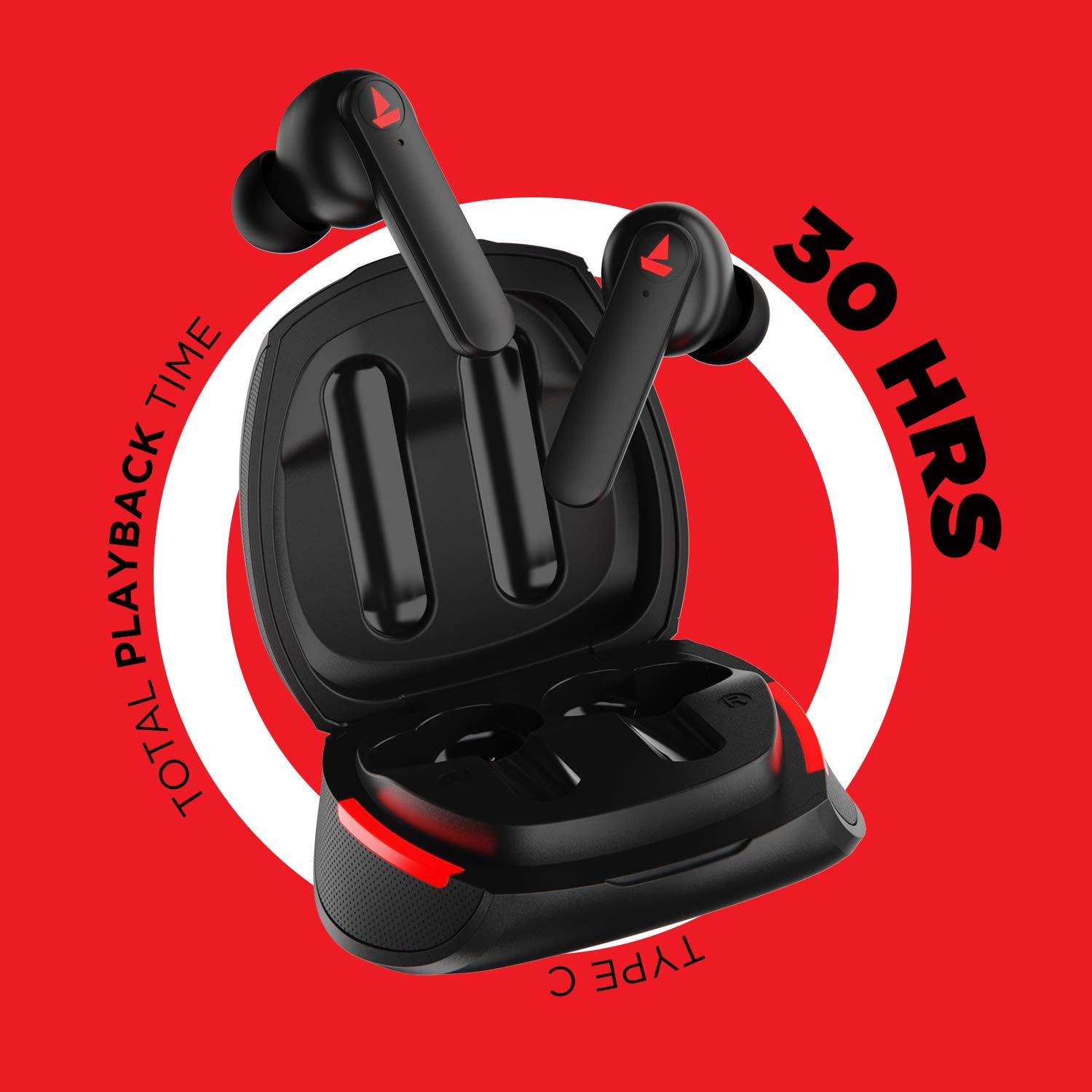
Imagen: The Airdopes 641 earbuds resting in their charging case, illustrating the Type-C charging capability and the impressive 30 hours of total playback time.
3.2 Initial Pairing (IWP Technology)
The Airdopes 641 feature Instant Wake N' Pair (IWP) technology for quick and effortless connection.
- Abra la tapa del estuche de carga. Los auriculares se encenderán automáticamente y entrarán en modo de emparejamiento.
- En su teléfono inteligente o dispositivo con Bluetooth, habilite Bluetooth.
- Buscar "Airdopes 641" in the list of available devices and select it to pair.
- Una vez emparejados, escuchará un aviso de audio y los auriculares estarán listos para usar.
- The earbuds will automatically connect to the last paired device when the case lid is opened, provided Bluetooth is enabled on the device.
4. Instrucciones de funcionamiento
4.1 Encendido y apagado
- Encendido: Open the charging case lid. The earbuds will power on automatically. Alternatively, long-press the Capacitive Touch Control (CTC) on both earbuds for 3 seconds.
- Apagado: Place the earbuds back into the charging case and close the lid. They will power off automatically. Alternatively, long-press the CTC on both earbuds for 5 seconds.
4.2 Capacitive Touch Controls (CTC)
The Airdopes 641 feature intuitive touch controls on each earbud.
- Reproducir/Pausa: Single tap on either earbud's CTC.
- Pista siguiente: Double tap on the right earbud's CTC.
- Pista anterior: Double tap on the left earbud's CTC.
- Responder/Finalizar llamada: Single tap on either earbud's CTC.
- Rechazar llamada: Long press on either earbud's CTC for 2 seconds.
- Activar asistente de voz: Triple tap on either earbud's CTC.
- Sube el volumen: Long press the right earbud's CTC.
- Bajar volumen: Long press the left earbud's CTC.
4.3 Modo BESTIA (Juegos de baja latencia)
Activate BEAST Mode for a low-latency audio experience, ideal for gaming.

Imagen: The Airdopes 641 earbuds and their sleek charging case, emphasizing the "BEAST Mode" feature designed to provide a low-latency audio experience for gamers.
- Activate BEAST Mode: Triple tap on the right earbud's CTC.
- Deactivate BEAST Mode: Triple tap on the right earbud's CTC again.
5. Mantenimiento
Proper care ensures the longevity and performance of your Airdopes 641.
5.1 Limpieza
- Limpie suavemente los auriculares y el estuche de carga con un paño suave, seco y sin pelusa.
- No utilice limpiadores abrasivos, alcohol ni disolventes químicos.
- Limpie periódicamente las puntas de los oídos y la malla para evitar la acumulación de cera, que puede afectar la calidad del sonido.
5.2 Resistencia al agua y al sudor (IPX5)

Imagen: The Airdopes 641 earbuds and their charging case surrounded by water splashes, illustrating their IPX5 rating for water and sweat resistance.
The Airdopes 641 are rated IPX5, meaning they are protected against low-pressure water jets from any direction. This makes them suitable for workouts and light rain.
- No sumerja los auriculares en agua.
- Do not expose them to high-pressure water or steam.
- Asegúrese de que los auriculares estén secos antes de volver a colocarlos en el estuche de carga para evitar daños.
5.3 Almacenamiento
Guarde los auriculares en su estuche de carga cuando no los use para protegerlos y mantenerlos cargados.
6. Solución de problemas
If you encounter issues with your Airdopes 641, try the following solutions.
6.1 Los auriculares no se emparejan ni se conectan
- Asegúrese de que ambos auriculares estén cargados.
- Make sure Bluetooth is enabled on your device and the earbuds are within range.
- Try forgetting "Airdopes 641" from your device's Bluetooth list and re-pairing.
- Perform a factory reset as described below.
6.2 Restablecimiento de fábrica
A factory reset can resolve many common issues by restoring the earbuds to their original settings.

Imagen: A visual guide detailing the steps for a factory reset of the Airdopes 641. It emphasizes clearing the device from pairing history first, then long-pressing the Capacitive Touch Control (CTC) on both earbuds inside the case for 10 seconds until a green LED flashes three times, followed by closing and reopening the case.
- Paso 1: Before performing the reset, clear "Airdopes 641" from your pairing device history by forgetting the device on your phone/tablet.
- Paso 2: Place both earbuds back inside the charging case in the correct orientation.
- Paso 3: Long press the Capacitive Touch Control (CTC) on both earbuds inside the case for up to 10 seconds. The successful reset will be indicated by the flashing of a green LED three times.
- Paso 4: Cierra la tapa del estuche de carga y luego vuelve a abrirla.
- Paso 5: Once you take the earbuds out from the charging case, they automatically restart and are ready for a new pairing.
Note: Please make sure the case is charged before performing a factory reset.
6.3 Sin sonido/volumen bajo
- Verifique los niveles de volumen tanto en su dispositivo como en los auriculares.
- Asegúrese de que los auriculares estén correctamente colocados en sus oídos.
- Limpie cualquier residuo de la malla del auricular.
- Intente volver a emparejar los auriculares.
7. Especificaciones
| Nombre del modelo | Airdopes 641 |
| Tecnología de conectividad | Inalámbrico (Bluetooth) |
| Tecnología de comunicación inalámbrica | Bluetooth 5.0 |
| Tipo de control | Control táctil y por voz |
| Tipo de controlador de audio | Controlador dinámico (6 mm) |
| Colocación de orejas | En el oído |
| Factor de forma | En el oído |
| Material | Plástico |
| Clasificación de resistencia al agua | IPX5 |
| Puerto de carga | USB tipo C |
| Dispositivos compatibles | Tablets, Cellphones, Laptops, Desktops, Smart Speaker, Television |
8. Garantía y soporte
For warranty information and customer support, please refer to the warranty card included with your product or visit the official boAt websitio. Guarde su recibo de compra para reclamos de garantía.
Fabricante: Imagine Marketing Pvt Ltd


