Introducción
This manual provides essential instructions for the safe and correct operation of your Classic Phono by Lenco TT-110 turntable. Please read this manual thoroughly before using the device and retain it for future reference. The TT-110 combines a retro design with modern features, allowing playback of vinyl records at multiple speeds and wireless audio streaming via Bluetooth.
Información importante de seguridad
- No exponga la unidad a la lluvia ni a la humedad.
- No bloquee ninguna abertura de ventilación.
- Asegúrese de que el cable de alimentación no quede pellizcado ni pisado.
- Utilice únicamente accesorios especificados por el fabricante.
- Deje todo servicio a personal de servicio calificado.
Contenido del paquete
Verifique que todos los artículos estén presentes y en buen estado:
- Classic Phono by Lenco TT-110 Turntable Unit
- Adaptador de corriente
- Manual de usuario (este documento)
Producto terminadoview
The Classic Phono TT-110 is a portable turntable designed for playing vinyl records and streaming audio via Bluetooth. It features a belt-drive system, built-in speakers, and multiple connectivity options.

Image: The Classic Phono by Lenco TT-110 turntable shown open, revealing the platter, tonearm, and controls. The interior is red, and the exterior is black with red accents.

Image: The Classic Phono by Lenco TT-110 turntable shown closed, resembling a briefcase. It features a black faux leather finish with a prominent red stripe and the Lenco logo.
Configuración
1. Desembalaje y colocación
- Retire con cuidado el plato giratorio de su embalaje.
- Coloque la unidad sobre una superficie estable y nivelada, alejada de la luz solar directa, fuentes de calor y polvo o vibraciones excesivas.
- Abra la tapa del tocadiscos.
2. Identificación de componentes
Familiarícese con los componentes principales:
- Plato: Dónde reposa el récord.
- brazo: Sujeta la aguja y sigue los surcos del disco.
- Aguja: The part that reads the record. It comes with a protective cap.
- Selector de velocidad: Switch for 33, 45, or 78 RPM.
- Perilla de encendido/volumen: Enciende/apaga la unidad y ajusta el volumen.
- Interruptor de función: Selects between Phono (vinyl), Bluetooth, or Aux-in.
- Conector de entrada auxiliar: Para conectar dispositivos de audio externos.
- Conectores de salida RCA: Para conectar a dispositivos externos ampLifiers o altavoces autoamplificados.
- Entrada de CC: Para conectar el adaptador de corriente.
- Toma de auriculares: Para escucha privada.

Image: The rear panel of the Classic Phono by Lenco TT-110, displaying the Aux-in, RCA output (L/R), and DC In power connection ports.
3. Preparación inicial
- Remove the white protective cap from the stylus. Be careful not to damage the stylus.
- Suelte el bloqueo del brazo.
- Ensure the drive belt is correctly positioned around the motor pulley and the platter. This unit uses a belt-drive system.
4. Conexión de alimentación
- Connect the power adapter to the DC In jack on the back of the turntable.
- Conecte el adaptador de corriente a una toma de pared.
Instrucciones de funcionamiento
1. Reproducir un disco de vinilo
- Gire la perilla de Encendido/Volumen en el sentido de las agujas del reloj para encender la unidad.
- Set the Function Switch to "PHONO".
- Coloque un disco en el plato.
- Seleccione la velocidad adecuada (33, 45 o 78 RPM) con el selector de velocidad. Para discos de 45 RPM, coloque el adaptador de 45 RPM incluido en el eje.
- Levante suavemente el brazo fonocaptor utilizando la palanca de señalización y colóquelo sobre la pista deseada del disco.
- Baje lentamente el brazo sobre el disco usando la palanca de preamplificación. El disco comenzará a reproducirse.
- Ajuste el volumen utilizando la perilla de Encendido/Volumen.
- Al finalizar el disco, la función de parada automática detendrá automáticamente la rotación del plato. Levante el brazo y colóquelo en su lugar.

Image: The Classic Phono by Lenco TT-110 turntable with a red vinyl record playing on the platter, demonstrating its primary function.
2. Operación Bluetooth
The TT-110 can receive audio wirelessly from Bluetooth-enabled devices.
- Turn on the unit and set the Function Switch to "BT" (Bluetooth). The Bluetooth indicator light will flash, indicating it's in pairing mode.
- Habilite Bluetooth en su teléfono inteligente, tableta u otro dispositivo de audio.
- Buscar "TT-110" in your device's Bluetooth list and select it to pair.
- Once paired, the Bluetooth indicator light will stop flashing and remain solid. You can now stream audio from your device to the TT-110's built-in speakers.
- Adjust the volume using the Power/Volume knob on the turntable and/or your connected device.
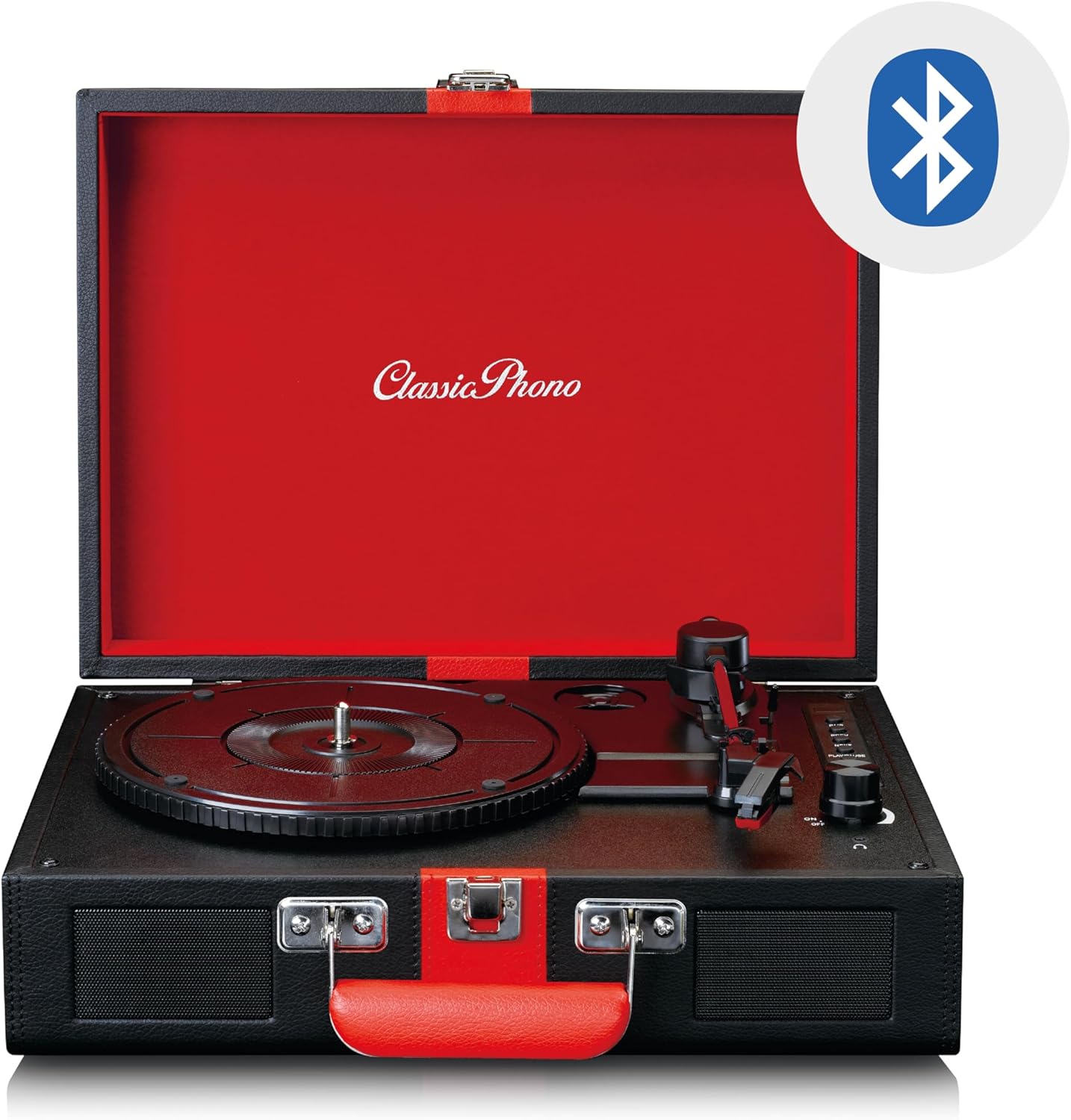
Image: The Classic Phono by Lenco TT-110 turntable shown open, with a Bluetooth logo superimposed, indicating its wireless connectivity feature.
3. Conexión auxiliar
Conecte fuentes de audio externas mediante un cable de audio de 3.5 mm.
- Turn on the unit and set the Function Switch to "AUX".
- Connect one end of a 3.5mm audio cable (not included) to the Aux-in jack on the turntable.
- Conecte el otro extremo del cable al conector de auriculares o a la salida de audio de su dispositivo externo (por ejemplo, reproductor de MP3, teléfono inteligente).
- Play audio from your external device. The sound will be output through the TT-110's speakers.
- Adjust the volume using the Power/Volume knob on the turntable and/or your external device.
4. Uso de auriculares
For private listening, connect headphones to the headphone jack.
- Plug a 3.5mm stereo headphone jack into the headphone port on the unit.
- Los altavoces incorporados se silenciarán automáticamente.
- Ajuste el volumen utilizando la perilla de Encendido/Volumen.
5. Salida RCA
Para conectar el plato giratorio a un dispositivo externo amplifier or powered speakers, use the RCA output jacks.
- Connect an RCA cable (not included) to the L/R RCA output jacks on the back of the turntable.
- Connect the other end of the RCA cable to the corresponding audio input on your ampAltavoces amplificados o amplificados.
- Asegúrese de que ampEl amplificador/los altavoces están configurados en la entrada correcta.
- Adjust the volume via the connected amplificador/altavoces.
Mantenimiento
1. Limpieza del lápiz óptico
- Utilice un cepillo suave, diseñado específicamente para limpiar la aguja, para cepillarla suavemente de atrás hacia adelante.
- Do not brush from side to side or front to back, as this can damage the stylus.
- Clean the stylus regularly to ensure optimal sound quality and prevent damage to your records.
2. Limpieza de registros
- Manipule siempre los discos por los bordes o por la etiqueta.
- Use a record cleaning brush or cloth to remove dust and debris before each play.
- For deeper cleaning, use a specialized record cleaning solution and cloth, following the product's instructions.
3. General Unit Cleaning
- Limpie el exterior de la unidad con un paño suave y seco.
- No utilice limpiadores abrasivos, ceras o disolventes ya que pueden dañar el acabado.
- Asegúrese de que la unidad esté desenchufada antes de limpiarla.
4. Reemplazo de la aguja
The stylus is a consumable part and will wear out over time (typically after 300-500 hours of playback). A worn stylus can damage records and degrade sound quality. Refer to the manufacturer's website or your retailer for information on purchasing a replacement stylus for the TT-110.
- Retire con cuidado la aguja vieja tirando de ella hacia abajo y hacia adelante.
- Inserte el nuevo lápiz empujándolo hacia arriba y hacia atrás hasta que encaje en su lugar.
- Always handle the stylus assembly with care to avoid bending the cantilever or damaging the tip.
Solución de problemas
| Problema | Posible causa | Solución |
|---|---|---|
| Sin poder | Adaptador de corriente no conectado; toma de corriente no funciona. | Ensure power adapter is securely connected to the unit and a working outlet. |
| No hay sonido de los altavoces | Volume too low; Function switch incorrect; Headphones connected. | Increase volume; Set Function switch to PHONO/BT/AUX; Disconnect headphones. |
| Salto de récord | Record dirty or scratched; Stylus dirty or worn; Turntable not level. | Clean record; Clean/replace stylus; Place turntable on a level surface. |
| Bluetooth no emparejado | La unidad no está en modo BT; el dispositivo está demasiado lejos; ya está emparejado con otro dispositivo. | Set Function switch to BT; Move device closer; Disconnect from other devices. |
| Velocidad de reproducción incorrecta | Velocidad incorrecta seleccionada. | Adjust the speed selector switch to match the record's speed (33, 45, or 78 RPM). |
Si el problema persiste después de probar estas soluciones, comuníquese con el servicio de atención al cliente.
Presupuesto
| Característica | Detalle |
|---|---|
| Marca | Lenco (Classic Phono) |
| Número de modelo | TT-110BKRD |
| Velocidades de reproducción | 33, 45, 78 RPM |
| Tipo de unidad | Cinturón de conducir |
| Conectividad | Bluetooth 5.0, Aux-in (3.5mm), RCA Out, Headphone Jack (3.5mm) |
| Altavoces incorporados | Sí (2 altavoces) |
| Tipo de lápiz | Ceramic cartridge with needle |
| Función de parada automática | Sí |
| Material | Wood cabinet with synthetic leather surface |
| Color | Negro/Rojo |
| Peso | 2.35 kilogramos |
Garantía y soporte
Información de garantía
This product is covered by a manufacturer's warranty. Please refer to the warranty card included with your purchase or the retailer's terms and conditions for specific details regarding warranty duration and coverage. Retain your proof of purchase for warranty claims.
Atención al cliente
For technical assistance, troubleshooting beyond this manual, or warranty inquiries, please contact your retailer or the manufacturer's customer support. Contact details can typically be found on the manufacturer's official websitio o en su documentación de compra.
Nota: No intente reparar la unidad usted mismo. Las reparaciones no autorizadas anularán la garantía.


