1. Introducción
This user manual provides essential information for the safe and efficient installation, operation, and maintenance of your TOA Electronics PC-1860 5-Inch Ceiling Mount Speaker. Please read this manual thoroughly before using the product and retain it for future reference.
The PC-1860 is designed for clear audio reproduction in various indoor environments, featuring a compact design suitable for ceiling installation.
2. Precauciones de seguridad
ADVERTENCIA:
- Asegúrese de que todas las conexiones eléctricas sean realizadas por personal calificado y cumplan con los códigos eléctricos locales.
- Do not install the speaker in locations exposed to direct water spray or excessive humidity, as the product is not waterproof.
- Desconecte siempre la alimentación antes de realizar cualquier instalación, mantenimiento o solución de problemas.
- Use appropriate mounting hardware and ensure the ceiling structure can support the speaker's weight (approximately 10 pounds).
- Avoid placing heavy objects on the speaker or subjecting it to strong impacts.
PRECAUCIÓN:
- No intente modificar ni reparar el altavoz usted mismo. Encargue cualquier reparación a personal técnico cualificado.
- Keep the speaker away from heat sources and direct sunlight to prevent damage.
- Asegúrese de que haya una ventilación adecuada alrededor del altavoz para evitar el sobrecalentamiento.
3. Contenido del paquete
Verifique que todos los artículos enumerados a continuación estén incluidos en su paquete:
- 1 x TOA Electronics PC-1860 5-Inch Ceiling Mount Speaker
- 1 x Mesh Filter
- Este manual de usuario
4. Configuración e instalación
Una instalación correcta es crucial para un rendimiento óptimo y la seguridad. Se recomienda que la instalación la realice un técnico cualificado.
4.1 Desembalaje
Carefully remove the speaker and all accessories from the packaging. Inspect for any signs of damage during transit. If damage is found, contact your supplier immediately.
4.2 Selección de la ubicación de montaje
Choose a suitable location in the ceiling that can structurally support the speaker's weight. Ensure there are no obstructions such as electrical conduits, water pipes, or structural beams in the chosen area. Maintain adequate clearance for wiring and ventilation.
4.3 pasos de instalación
- Prepare la abertura del techo: Cut a circular hole in the ceiling at the selected location, ensuring the diameter matches the speaker's mounting requirements. Refer to the speaker's physical dimensions for precise measurements.
- Conectar el cableado: Route the speaker wire from your amplifier or audio source to the ceiling opening. Connect the wires to the speaker terminals, observing correct polarity (+ to + and - to -). Ensure connections are secure.
- Insert Speaker into Opening: Carefully insert the speaker into the prepared ceiling opening. The mounting clips (visible in the image) are designed to secure the speaker in place.
- Asegure el altavoz: Engage the mounting clips by tightening the screws (if applicable) or by pushing them outwards until they firmly grip the ceiling material. Ensure the speaker is flush with the ceiling surface and securely held.
- Attach Mesh Filter: If not pre-installed, attach the included mesh filter to the speaker grille. This helps protect the speaker from dust and debris.
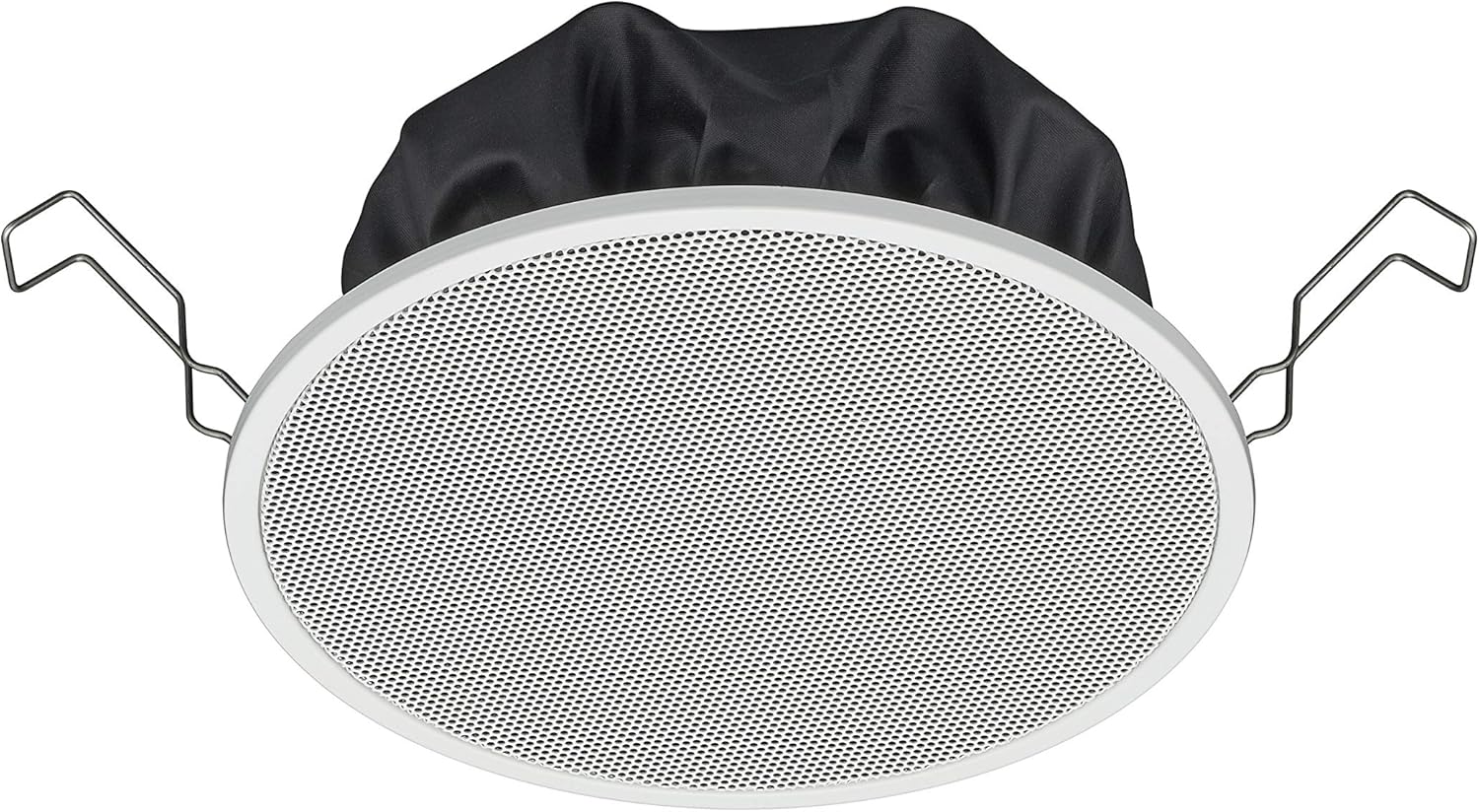
Figure 1: TOA Electronics PC-1860 5-Inch Ceiling Mount Speaker, showing the white grille, black rear enclosure, and metal mounting clips. This image illustrates the speaker's design for flush ceiling installation.
5. Instrucciones de funcionamiento
The TOA Electronics PC-1860 is a passive speaker designed to reproduce audio from an external amplifier or audio source. It does not require direct power or complex controls.
5.1 Reproducción de audio básica
- Encender Ampmás duradero: Asegura tu audio amplifier or receiver is powered on and connected to your audio source (e.g., MP3 player, desktop, projector, television).
- Ajustar el volumen: Use the volume controls on your amplifier or audio source to set the desired listening level.
- Control por voz (si corresponde): If your connected audio system supports voice control, you may be able to manage playback and volume through voice commands directed at your audio source device. The speaker itself does not have integrated voice control functionality but can reproduce audio from devices that do.
- Radio Functionality (if applicable): If your connected audio source is a radio receiver, the speaker will reproduce the radio broadcast. The speaker itself does not contain a radio tuner.
The PC-1860 is designed for straightforward audio output. All primary controls for audio source selection, volume, and equalization will be managed through your connected ampamplificador o sistema de audio.
6. Mantenimiento
El mantenimiento regular garantiza la longevidad y el rendimiento óptimo de su altavoz.
- Limpieza: Gently wipe the speaker grille and frame with a soft, dry cloth. For stubborn dirt, a slightly damp Se puede usar un paño limpio y luego un paño seco. Evite usar productos químicos agresivos, disolventes o limpiadores abrasivos.
- Eliminación de polvo: Periodically use a soft brush or a vacuum cleaner with a brush attachment to remove dust from the grille, especially the mesh filter.
- Inspección: Occasionally inspect the speaker for any visible damage or loose connections. If any issues are found, refer to the troubleshooting section or contact support.
- Ambiente: Ensure the installation environment remains within recommended temperature and humidity levels.
7. Solución de problemas
If you encounter issues with your PC-1860 speaker, refer to the following common problems and solutions:
| Problema | Posible causa | Solución |
|---|---|---|
| No hay sonido del altavoz |
|
|
| Sonido distorsionado o poco claro |
|
|
| El altavoz no está montado de forma segura |
|
|
If the problem persists after attempting these solutions, please contact TOA Electronics customer support.
8. Especificaciones
Below are the key technical specifications for the TOA Electronics PC-1860 5-Inch Ceiling Mount Speaker:
| Característica | Detalle |
|---|---|
| Nombre del modelo | PC-1860 |
| Marca | Electrónica TOA |
| Tipo de altavoz | en techo |
| Tipo de montaje | Montaje en el techo |
| Tamaño del altavoz | 5 pulgadas |
| Tipo de controlador de audio | Controlador dinámico |
| Modo de salida de audio | Stereo (when paired with another speaker) |
| Color | Blanco |
| Componentes incluidos | 1 x Mesh Filter |
| es resistente al agua | FALSO |
| Peso del artículo | 10 libras (aproximadamente) |
| Fuente de poder | Eléctrico con cable (vía ampmás vivo) |
| Método de control | Voice (via compatible external devices) |
| Usos recomendados | Construction, Industrial |
| Dispositivos compatibles | Desktop, MP3 Player, Projector, Television (via ampmás vivo) |
9. Información de garantía
The TOA Electronics PC-1860 speaker comes with a Limited Warranty. Specific terms and conditions of the warranty, including coverage period and claim procedures, are subject to the policies of TOA Electronics.
For detailed warranty information, please refer to the official TOA Electronics webSitio web o contacte directamente con el servicio de atención al cliente. Conserve su comprobante de compra para reclamaciones de garantía.
10. Atención al cliente
If you require further assistance, have questions not covered in this manual, or need technical support, please contact TOA Electronics customer service.
- Soporte en línea: Visit the official TOA Electronics webSitio para preguntas frecuentes, documentación de productos y formularios de contacto.
- Información del contacto: Refer to the TOA Electronics website for current phone numbers and email addresses for your region.
When contacting support, please have your product model (PC-1860) and purchase information readily available.


