1. Introducción
The Samsung FIT Plus 64GB USB 3.1 Flash Drive is designed for convenient and reliable data storage and transfer. Its compact form factor allows for seamless integration with various devices, providing expanded storage without protrusion. This drive offers fast read speeds up to 300MB/s, making file transfers efficient. It is engineered with robust durability features, including water, shock, magnet, temperature, and X-ray resistance, ensuring the safety of your data.

Imagen 1: Frente view of the Samsung FIT Plus 64GB USB 3.1 Flash Drive.
2. Configuración
- Inserte la unidad: Carefully insert the Samsung FIT Plus USB 3.1 Flash Drive into an available USB Type-A port on your computer, laptop, smart TV, car audio system, or other compatible device. Ensure the drive is fully seated in the port.
- Reconocimiento automático: Most operating systems will automatically detect and install the necessary drivers for the flash drive. A notification may appear indicating that the device is ready for use.
- Accediendo a la unidad: Once recognized, the drive will appear as a removable storage device (e.g., 'USB Drive' or 'Removable Disk') in your computer's file explorador (Windows) o Finder (macOS).

Image 2: The Samsung FIT Plus USB drive seamlessly inserted into a laptop's USB port.
3. Instrucciones de funcionamiento
3.1. Transferencia Files
- Proceso de copiar Files a la unidad: Localizar el files or folders you wish to transfer on your device. Drag and drop them into the Samsung FIT Plus drive folder, or right-click and select 'Copy', then navigate to the drive and select 'Paste'.
- Proceso de copiar Files de la unidad: Open the Samsung FIT Plus drive folder. Locate the files or folders you wish to transfer. Drag and drop them to your desired location on your device, or right-click and select 'Copy', then navigate to your desired location and select 'Paste'.
- Velocidad de transferencia: The drive supports USB 3.1 for fast data transfer, with read speeds up to 300MB/s. Actual speeds may vary depending on the host device, file attributes, and other factors. The drive is also backward compatible with USB 3.0 and USB 2.0 ports, though speeds will be limited by the slower interface.
3.2. Safely Removing the Drive
To prevent data corruption, always safely remove the USB flash drive before physically disconnecting it from your device.
- Ventanas: Click the 'Safely Remove Hardware and Eject Media' icon in the system tray, then select the Samsung FIT Plus drive.
- Mac OS: Drag the drive icon from the desktop or Finder sidebar to the Trash, or right-click the drive icon and select 'Eject'.
4. Mantenimiento
The Samsung FIT Plus is designed for durability. To ensure optimal performance and longevity, consider the following:
- Protección física: The drive features a robust design that is waterproof, shock-proof, magnet-proof, temperature-proof, and X-ray proof. While durable, avoid unnecessary exposure to extreme conditions or physical impact.
- Limpieza: Keep the USB connector free from dust and debris. Use a soft, dry cloth to gently clean the exterior if needed.
- Almacenamiento: When not in use, store the drive in a clean, dry environment. The integrated key ring allows for secure attachment to prevent loss.
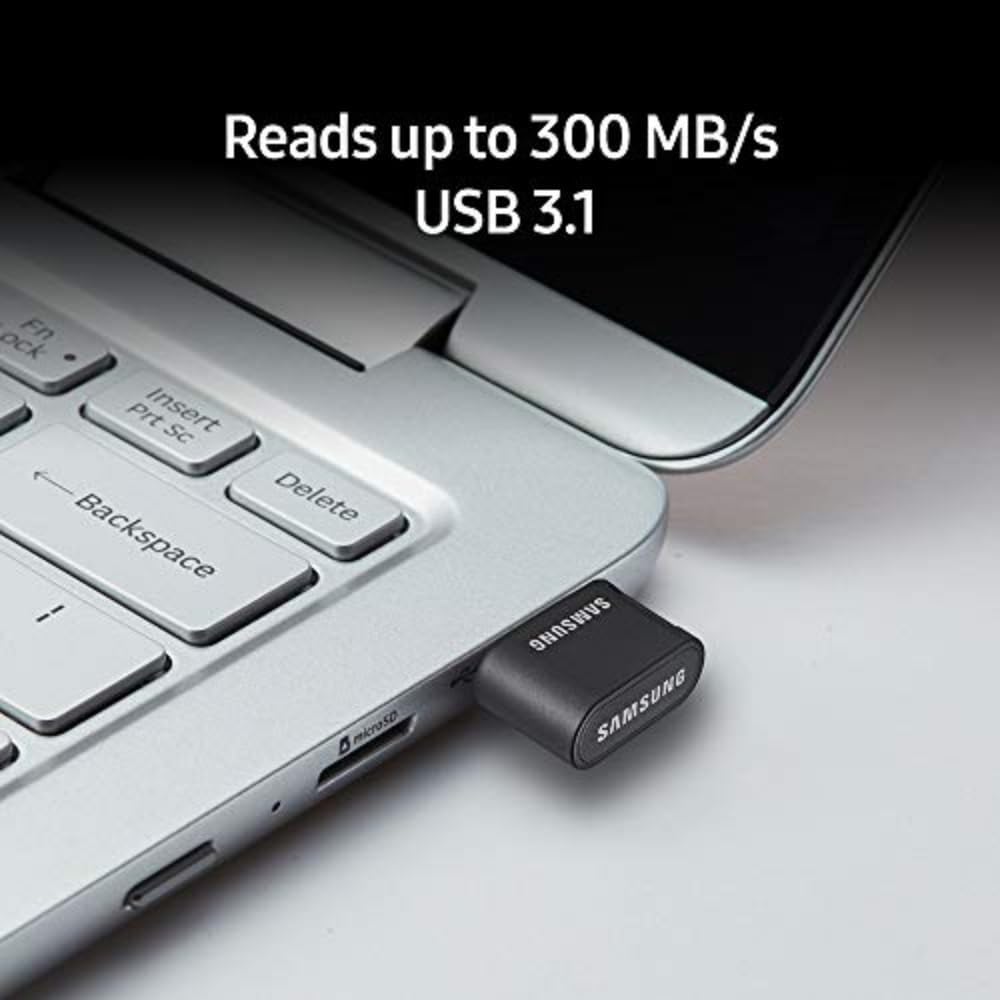
Image 3: Visual representation of the 5-proof durability features: waterproof, shock-proof, magnet-proof, temperature-proof, and X-ray proof.
5. Solución de problemas
- Unidad no reconocida:
- Asegúrese de que la unidad esté completamente insertada en el puerto USB.
- Pruebe un puerto USB diferente en su dispositivo.
- Test the drive on another computer to rule out a device-specific issue.
- Check your device's 'Disk Management' (Windows) or 'Disk Utility' (macOS) to see if the drive is detected but not assigned a drive letter or mounted.
- Velocidades de transferencia lentas:
- Ensure you are using a USB 3.0 or USB 3.1 compatible port for optimal speeds. USB 2.0 ports will operate at slower speeds.
- Transferencia de muchos pequeños files puede ser más lento que transferir unos pocos archivos grandes files.
- Cierre otras aplicaciones que puedan estar utilizando recursos del sistema o accediendo a la unidad.
- Corrupción de datos:
- Always safely eject the drive before removing it.
- Evite desconectar la unidad durante la actividad. file transferencias.
- If data corruption occurs, you may need to reformat the drive (this will erase all data).
6. Especificaciones
| Característica | Detalle |
|---|---|
| Nombre del modelo | MUF-64AB/AM FIT Plus |
| Capacidad de almacenamiento de memoria | 64 GB |
| Interfaz de hardware | USB 3.0 (compatible con versiones anteriores USB 2.0) |
| Tecnología de conectividad | USB tipo A |
| Velocidad de lectura | Hasta 300 MB/s |
| Característica especial | Water Resistant, Shock-proof, Magnet-proof, Temperature-proof, X-ray proof |
| Peso del artículo | 0.112 onzas |
| Dimensiones del producto (LxAnxAl) | 0.9 x 0.7 x 0.3 pulgadas |
| Color | Negro/plata |
7. Garantía
The Samsung MUF-64AB/AM FIT Plus 64GB USB 3.1 Flash Drive is backed by a Garantía limitada de 5 años. This warranty covers defects in materials and workmanship under normal use. For detailed terms and conditions, please refer to the official Samsung warranty documentation or contact Samsung customer support.
8. Soporte
Para obtener más ayuda, soporte técnico o reclamos de garantía, visite el soporte oficial de Samsung. website or contact their customer service department. Keep your product's model number (MUF-64AB/AM) and proof of purchase readily available when seeking support.
Soporte en línea: www.samsung.com/us/support/


