1. Producto terminadoview
The TP-Link Archer CR1900 is an all-in-one cable modem and Wi-Fi router designed to provide high-speed internet access and robust wireless connectivity. It supports DOCSIS 3.0 technology with 24x8 channel bonding, enabling download speeds up to 1000 Mbps. The device features AC1900 Wi-Fi speeds, combining 2.4GHz (up to 600 Mbps) and 5GHz (up to 1300 Mbps) bands for seamless streaming and gaming. A 1 GHz dual-core processor ensures smooth Wi-Fi connections even with multiple devices connected. This modem router is certified for major cable internet providers such as XFINITY from Comcast and Spectrum, offering reliable coverage for up to 2,500 square feet.
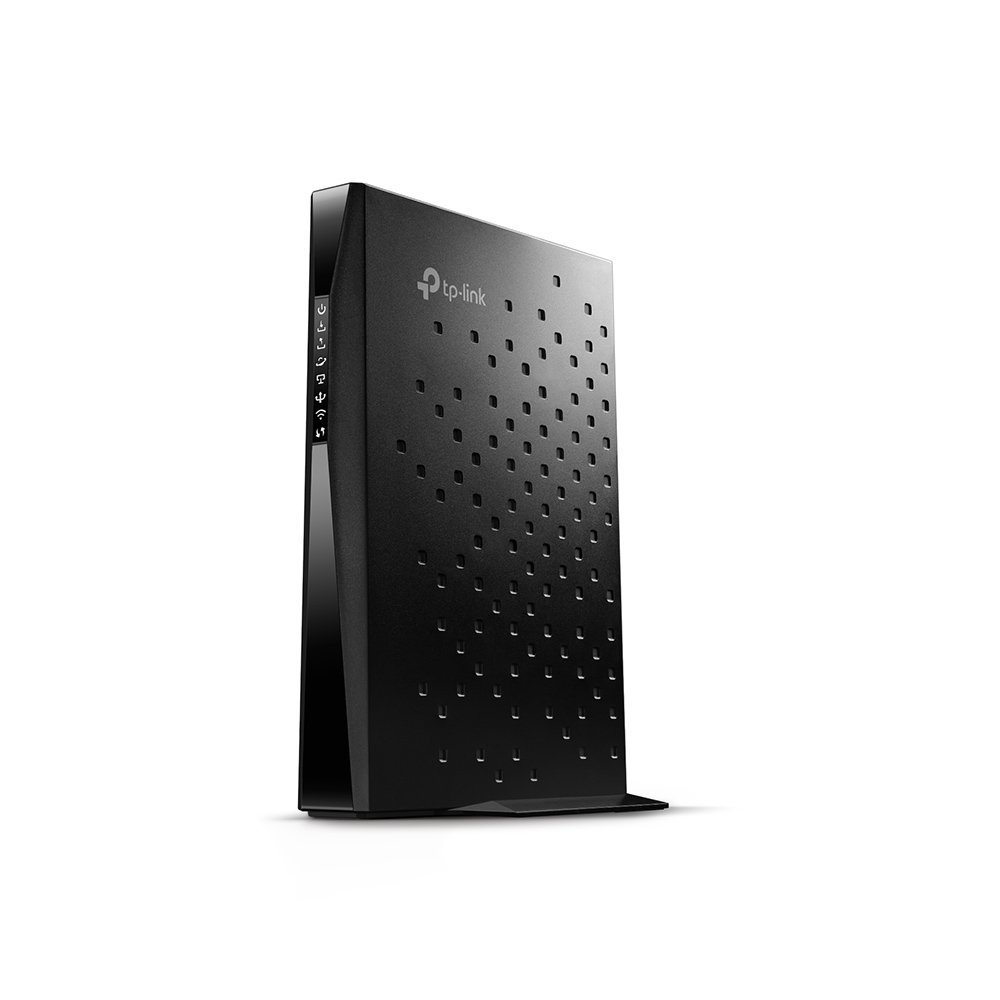
Imagen 1: Frente view of the TP-Link Archer CR1900 Cable Modem Router.

Imagen 2: Trasera view of the TP-Link Archer CR1900, showing the coaxial, Ethernet, and power ports.
2. Configuración e instalación
Setting up your Archer CR1900 is designed to be straightforward. Follow these general steps for installation:
- Conecte el cable coaxial: Connect one end of a coaxial cable to the cable wall outlet and the other end to the 'Cable' port on the back of your Archer CR1900.
- Conecte la electricidad: Plug the power adapter into the 'Power' port on the modem router and then into a standard electrical outlet. Wait for the device to power on and the indicator lights to stabilize.
- Connect to a Computer/Router:
- For a single computer: Connect an Ethernet cable from one of the LAN ports on the Archer CR1900 to the Ethernet port on your computer.
- For a separate Wi-Fi router: Connect an Ethernet cable from one of the LAN ports on the Archer CR1900 to the WAN/Internet port on your Wi-Fi router.
- Activate with Your Internet Service Provider (ISP): The Archer CR1900 requires activation with your cable internet provider. This can typically be done through a hassle-free online activation process or by calling your ISP's customer support. Provide them with the modem's MAC address, usually found on a sticker on the device.
- Configure Wi-Fi (if using as a router): Once activated, you can manage your Wi-Fi settings using the TP-Link Tether app on your mobile device. The app allows for easy configuration of network names (SSIDs) and passwords.
Vídeo 1: Un producto oficial terminadoview video from the seller, demonstrating the features and setup of a similar cable modem router. This video provides a visual guide to the device's capabilities and initial connection steps.
3. Instrucciones de funcionamiento
The Archer CR1900 is designed for optimal performance and ease of use:
- Conectividad de alta velocidad: Enjoy Wi-Fi speeds up to 1900 Mbps, with 600 Mbps on the 2.4 GHz band and 1300 Mbps on the 5 GHz band. This dual-band capability allows for efficient traffic distribution, ensuring smooth performance for all your devices.
- DOCSIS 3.0 Channel Bonding: The 24 downstream and 8 upstream channels provide robust and fast internet, supporting download speeds up to 1000 Mbps, ideal for 4K streaming and online gaming.
- Procesador potente: The integrated 1 GHz dual-core processor manages multiple connections simultaneously, preventing slowdowns when many devices are active on the network.
- Extended Wi-Fi Range: Three internal antennas combined with high-powered amplifiers enhance signal strength and reduce interference, providing reliable Wi-Fi coverage across up to 2,500 square feet.
- Tether App Management: Use the TP-Link Tether app to easily manage your network from your smartphone. This includes setting up parental controls, guest networks, and monitoring connected devices.
4. Mantenimiento
To ensure the longevity and optimal performance of your Archer CR1900, consider the following maintenance tips:
- Colocación: Position the modem router in a central location, away from obstructions and other electronic devices that may cause interference. Ensure it has adequate ventilation to prevent overheating.
- Reinicios regulares: Periodically reboot your modem router (unplug from power for 30 seconds, then plug back in) to clear its memory and refresh network connections. This can resolve minor performance issues.
- Actualizaciones de firmware: Comprueba el TP-Link website or the Tether app for available firmware updates. Keeping your device's firmware up-to-date ensures you have the latest features, security patches, and performance improvements.
- Limpieza: Keep the device clean and free from dust buildup, especially around ventilation areas, to maintain proper airflow.
5. Solución de problemas
If you encounter issues with your Archer CR1900, try the following troubleshooting steps:
- Sin conexión a Internet:
- Verifique que todos los cables (coaxial, Ethernet, alimentación) estén conectados de forma segura.
- Check the indicator lights on the modem router. Refer to the user manual for light status definitions.
- Reboot the modem router and any connected devices.
- Comuníquese con su proveedor de servicios de Internet (ISP) para confirmar el estado del servicio y la activación del módem.
- Velocidades lentas de Wi-Fi:
- Ensure your device is connected to the appropriate Wi-Fi band (5GHz for faster speeds, 2.4GHz for wider coverage).
- Reduce interference by moving the modem router away from other electronics or large metal objects.
- Limite la cantidad de dispositivos activos o actividades que consumen mucho ancho de banda en su red.
- Compruebe si hay actualizaciones de firmware.
- Conexión intermitente:
- Compruebe si hay conexiones de cables sueltas.
- Monitor for environmental interference.
- Perform a factory reset (refer to the full manual for instructions, as this will erase all custom settings).
6. Especificaciones
| Característica | Detalle |
|---|---|
| Marca | TP-Link |
| Nombre del modelo | Archer CR1900 (Cable Modem Router(AC1900 Gateway)) |
| Tipo inalámbrico | 802.11ac |
| Clase de banda de frecuencia | Doble banda (2.4 GHz y 5 GHz) |
| Velocidades de Wi-Fi | Hasta 1900 Mbps (2.4 GHz: 600 Mbps, 5 GHz: 1300 Mbps) |
| Estándar DOCSIS | DOCSIS 3.0 (enlace de canales 24x8) |
| Max Velocidad de descarga | Hasta 1000 Mbps |
| Procesador | 1 GHz de doble núcleo |
| Tipo de antena | 3x Internal Antennas |
| Área de cobertura | Hasta 2,500 pies cuadrados |
| Tecnología de conectividad | Wifi |
| Dispositivos compatibles | Ordenador personal |
| Compatibilidad del sistema operativo | Windows 8/7/Vista/XP; Mac OS; Linux |
| Peso del artículo | 3.7 libras |
| Dimensiones del producto | 9 x 6.3 x 1.5 pulgadas |
| Color | Negro |
7. Garantía y soporte
The TP-Link Archer CR1900 comes with a 2 año de garantíaPara cualquier asistencia o soporte técnico, TP-Link ofrece soporte técnico gratuito 24/7. You can also find additional resources and manage your device through the TP-Link Tether app or by visiting the official TP-Link support websitio.