Introducción
Welcome to the timeless world of imaginative play with your new Fisher-Price Retro Cash Register. Inspired by the classic 1975 design, this durable toy provides hours of engaging fun while helping children develop essential skills.
This manual provides detailed instructions for setting up, operating, and maintaining your cash register to ensure a long-lasting and enjoyable play experience.
Qué incluye
- Fisher-Price Retro Cash Register Unit
- 6 Plastic Play Coins (Red, Green, Blue - 2 of each)
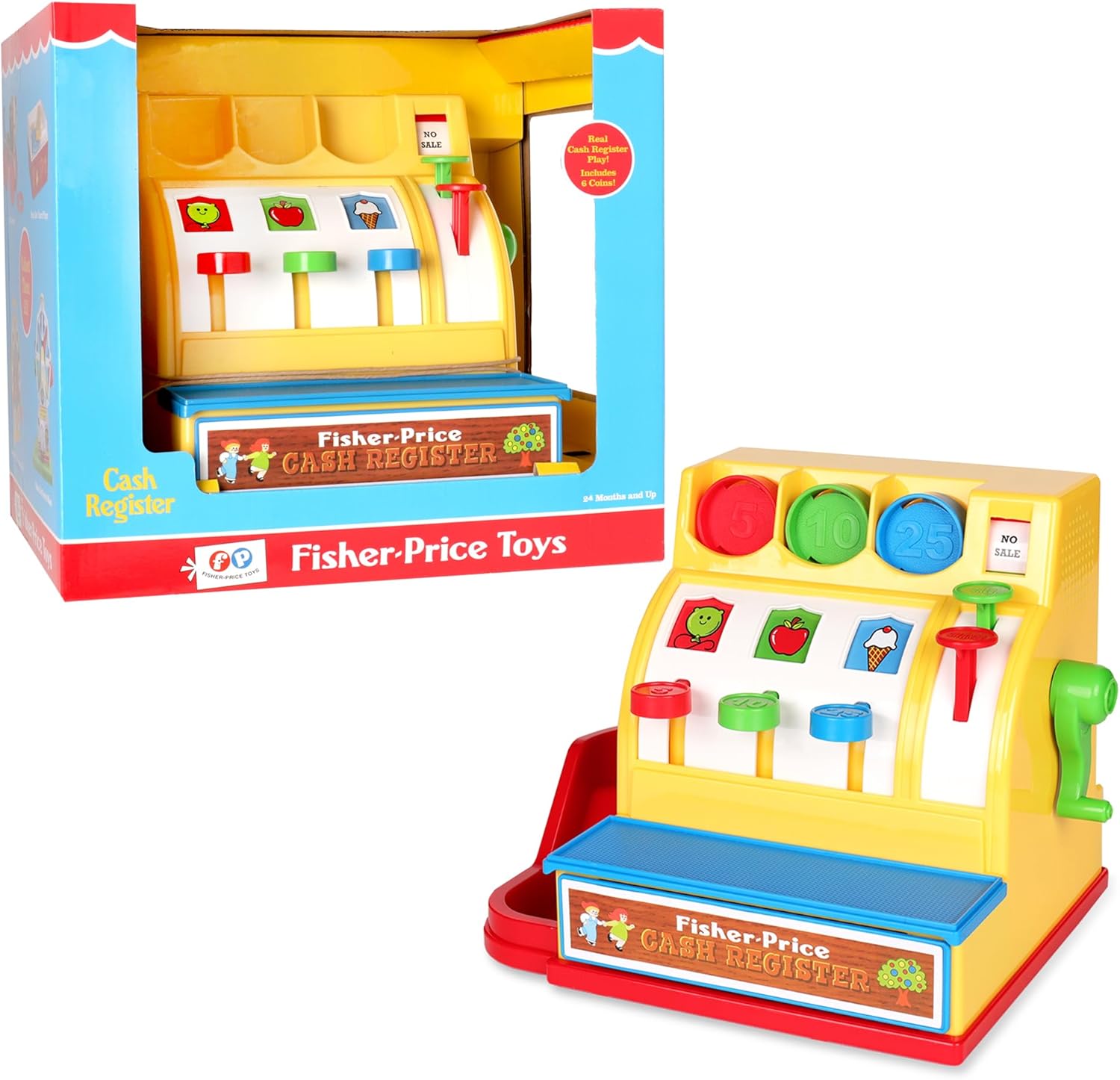
Image: The Fisher-Price Retro Cash Register with its colorful play coins.
Configuración
The Fisher-Price Retro Cash Register requires no assembly or batteries. It is ready for play directly out of the box.
- Remove the cash register and all play coins from the packaging.
- Asegúrese de que todos los materiales de embalaje se deseche de forma segura.
- Place the cash register on a flat, stable surface.

Image: The cash register as it appears in its retail box, ready for unboxing.
Instrucciones de funcionamiento
Inserting Play Coins
The cash register comes with six brightly colored plastic coins. Each coin is designed to fit into a specific slot based on its color and value (5, 10, or 25).
- Identify the coin's color and corresponding value (e.g., Red for 5, Green for 10, Blue for 25).
- Locate the matching slot at the top of the cash register.
- Insert the coin into its designated slot. Press down firmly on the coin to make it disappear into the register.

Imagen: Un detalle view of the coin slots on the cash register, showing the different colors and values.
Vídeo: Producto oficial terminadoview video demonstrating the key features and functions of the Fisher-Price Retro Cash Register, including coin insertion, drawer operation, and button interactions.
Funcionamiento de la caja registradora
The cash register features a working cash drawer that opens with a classic "ding" sound.
- To open the cash drawer, turn the green crank located on the right side of the register. This action will produce a bell sound and cause the drawer to spring open, revealing the stored coins.
- To close the cash drawer, simply push the drawer back into the unit until it clicks securely into place.

Image: A child enthusiastically turning the green crank on the side of the cash register to open the drawer.
"Change" and "Sale" Buttons
The cash register includes two special buttons: "Change" and "Sale."
"Change" Button
Pressing the red "Change" button (located near the crank) will cause a coin to slide out from the side chute of the cash register. This simulates giving change to a customer.
"Sale" Button
Pressing the green "Sale" button (located above the "Change" button) will cause all coins currently in the top slots to drop down into the cash drawer. This simulates completing a transaction.

Image: A child pressing the colorful buttons on the cash register, demonstrating the interactive features.
Cuidado y mantenimiento
To ensure the longevity of your Fisher-Price Retro Cash Register, follow these simple care instructions:
- Limpieza: Wipe the cash register and play coins with a damp Paño y jabón suave. No sumerja la unidad en agua.
- Almacenamiento: Guarde el juguete en un lugar seco, alejado de la luz solar directa y de temperaturas extremas.
- Manejo: Avoid dropping the cash register or applying excessive force to its moving parts to prevent damage.
Solución de problemas
| Problema | Solución |
|---|---|
| Coins not dropping into slots. | Ensure the correct coin is being inserted into its matching slot. The coins are designed to only fit their designated openings. |
| El cajón de efectivo no se abre. | Make sure the green crank is turned fully. If coins are jammed, gently shake the unit or try to dislodge them. |
| Coins not coming out of the side chute. | Ensure there are coins inside the register. Press the red "Change" button firmly. |
Presupuesto
- Número de modelo: 02073
- Dimensiones del producto: 7.7 x 10.25 x 7.75 pulgadas
- Peso del artículo: 2.03 libras
- Edad recomendada: 24 meses - 15 años
- Material: Plástico duradero
- País natal: Porcelana
Garantía y soporte
Basic Fun stands behind the quality of its products. For warranty information, product support, or to inquire about replacement parts, please visit the official Basic Fun websitio o comuníquese con su departamento de servicio al cliente.
Basic Fun Official Websitio: www.basicfun.com
Servicio al cliente: Refer to the product packaging or Basic Fun's webSitio para obtener la información de contacto más actualizada.


