Enkonduko
Welcome to your RCA Wave-68 True Wireless Earbuds. This manual provides detailed instructions on how to set up, operate, maintain, and troubleshoot your earbuds to ensure optimal performance and a seamless audio experience. Please read this manual thoroughly before using your device.
Enhavo de Pako
- RCA Wave-68 True Wireless Earbuds (Left and Right)
- Ŝarga Kazo
- USB-Ŝarga Kablo
- Uzanto Manlibro
Produkto Finisview
Familiarize yourself with the components of your RCA Wave-68 earbuds and charging case.

Bildo: The RCA Wave-68 earbuds are shown inside their open charging case. The case features a digital display indicating the battery levels of both the case and individual earbuds.
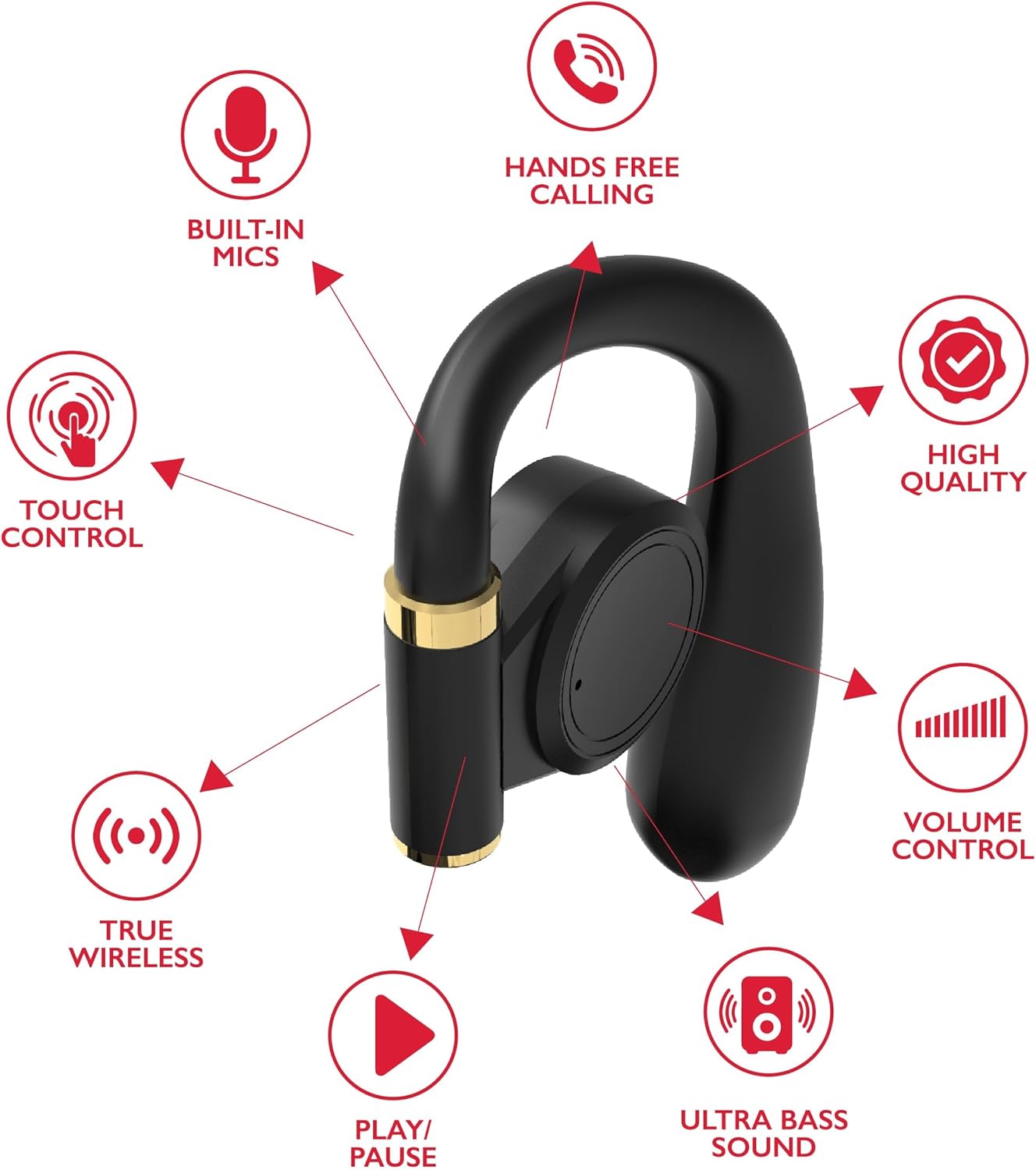
Bildo: A diagram highlights key features of a single RCA Wave-68 earbud, including built-in mics, hands-free calling, touch control, true wireless connectivity, play/pause function, ultra bass sound, volume control, and high-quality audio.
Agordi
1. Ŝargado de la aŭdiloj kaj ujo
Before first use, fully charge the earbuds and charging case. Place the earbuds into the charging case. Connect the USB charging cable to the charging port on the case and to a power source. The digital display on the case will show the charging status. A full charge provides approximately 20 hours of total playtime with the charging case.
2. Bluetooth-Parigo
- Ŝalti: Open the charging case. The earbuds will automatically power on and enter pairing mode. You may see a blinking light indicator on the earbuds.
- Aktivigu Bluetooth: Sur via aparato (poŝtelefono, tabulkomputilo, ktp.), aktivigu Bluetooth.
- Elektu Aparato: Serĉu "RCA Wave-68" in the list of available Bluetooth devices and select it to connect.
- Konfirmo: Once connected, the earbuds will indicate successful pairing, and the light indicator may stop blinking or turn off.
If pairing fails, ensure the earbuds are charged and within range of your device. Turn off Bluetooth on other nearby devices to avoid interference.
Funkciaj Instrukcioj
Ŝalti/Malŝalti
- Ŝalti: Malfermu la ŝargilon, kaj la aŭdiloj aŭtomate ŝaltiĝos. Alternative, premu kaj tenu la tuŝkontrolan areon sur ambaŭ aŭdiloj dum 3 sekundoj.
- Malŝalti: Place the earbuds back into the charging case and close the lid. They will automatically power off. Alternatively, press and hold the touch control area on both earbuds for 5 seconds.
Tuŝaj Kontroloj
The RCA Wave-68 earbuds feature intuitive touch controls for managing audio playback, calls, and voice assistant functions.
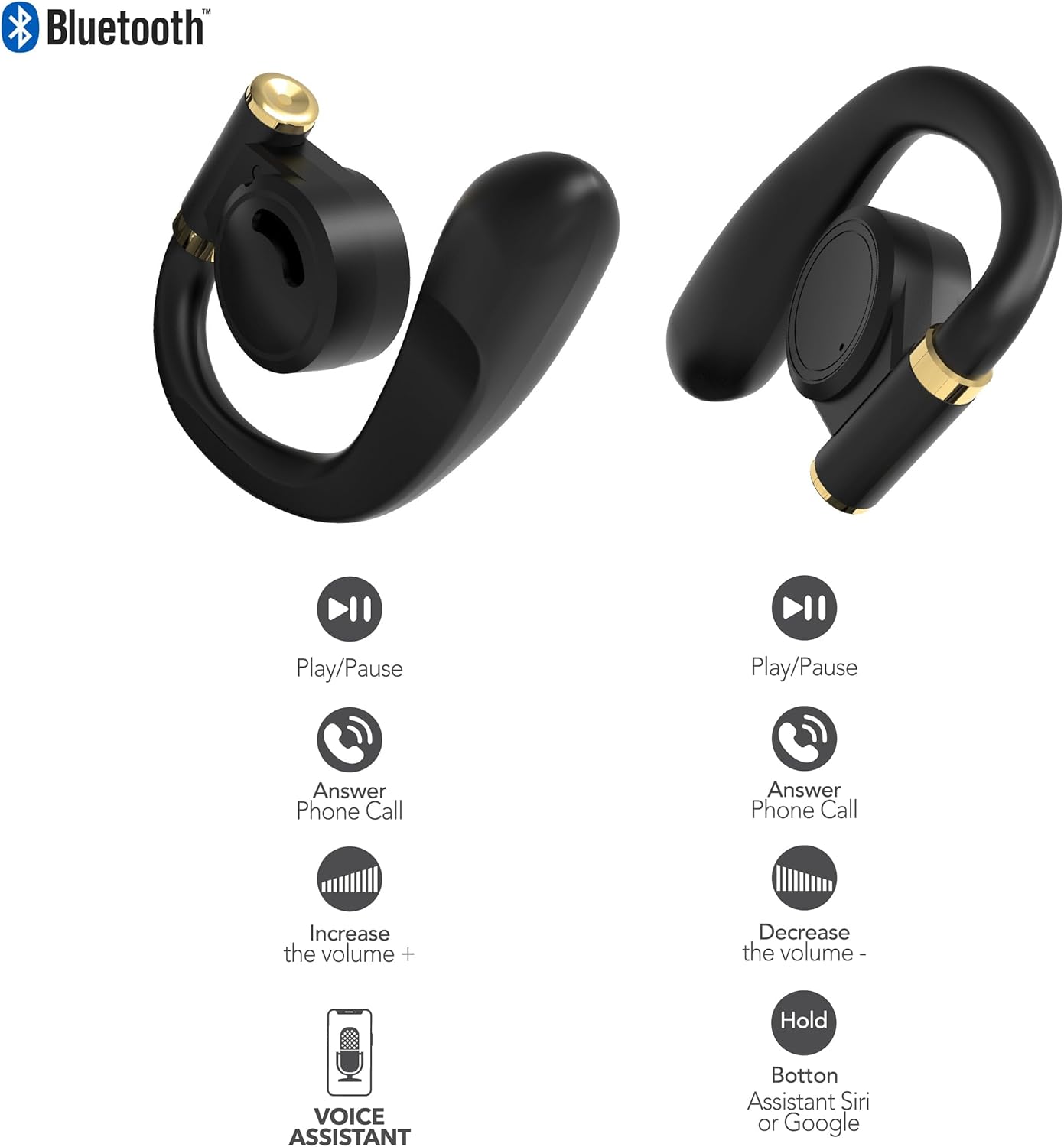
Bildo: This diagram illustrates the touch control functions for both the left and right RCA Wave-68 earbuds, including play/pause, answer phone call, volume increase/decrease, and activating the voice assistant.
- Ludo/Paŭzo: Unuopa frapeto sur ambaŭ aŭdiloj.
- Sekva Trako: Duoble frapu la dekstran aŭdilon.
- Antaŭa Trako: Duoble frapu la maldekstran aŭdilon.
- Laŭvolumo: Trioble frapeti la dekstran aŭdilon.
- Volumeno Malsupren: Trioble frapeti la maldekstran aŭdilon.
- Respondo/Finvoko: Unuopa frapeto sur ambaŭ aŭdiloj dum alvenanta aŭ aktiva voko.
- Malakcepti Vokon: Premu kaj tenu ambaŭ aŭdilojn dum 2 sekundoj dum alvenanta voko.
- Aktivigi Voĉan Asistanton (Siri/Google Assistant): Premu kaj tenu ambaŭ aŭdilojn dum 3 sekundoj.
Travidebleco Reĝimo
The Transparency Mode allows you to hear your surroundings while still enjoying your audio. This feature is useful for awareness in environments like busy streets or public transport.
- Activate/Deactivate Transparency Mode: Consult your device's Bluetooth settings or specific app if available, or refer to the product's quick start guide for a specific touch control gesture if not listed above.
Prizorgado
Purigado
Regula purigado helpas konservi sonkvaliton kaj higienon.
- Uzu molan, sekan, senlanugan tukon por viŝi la aŭdilojn kaj ŝargujon.
- Ne uzu abraziajn purigilojn, alkoholon aŭ kemiajn solvilojn.
- Gently remove any earwax or debris from the earbud tips and speaker mesh using a small, clean brush or cotton swab.
Stokado
Kiam ne uzataj, konservu la aŭdilojn en ilia ŝargujo por protekti ilin kontraŭ polvo kaj difekto.
- Konservu en malvarmeta, seka loko for de ekstremaj temperaturoj.
- Avoid prolonged exposure to direct sunlight or moisture.
Solvado de problemoj
If you encounter issues with your RCA Wave-68 earbuds, refer to the following common solutions:
- Earbuds not powering on automatically: Ensure the charging case is charged. Place earbuds back in the case, close the lid, then open it again. If issues persist, manually power on by pressing and holding the touch control area for 3 seconds.
- Aŭdiloj ne pariĝas: Make sure both earbuds are fully charged. Turn off Bluetooth on your device, then turn it back on. Forget "RCA Wave-68" from your device's Bluetooth list and attempt to pair again. Ensure no other devices are actively connected to the earbuds.
- Neniu sono el unu aŭdilo: Place both earbuds back into the charging case, close the lid, and then take them out again. This often re-syncs them. Check your device's audio balance settings.
- Charging case not displaying battery info/not charging: Ensure the USB cable is securely connected to both the case and the power source. Try a different USB cable or power adapter. Clean the charging port on the case for any debris.
- Malalta volumo aŭ malbona sonkvalito: Adjust the volume on both your device and the earbuds. Ensure the earbuds are properly seated in your ears for a good seal. Clean any debris from the earbud speaker mesh.
- Aŭdiloj elfalantaj: Ensure you are using the correct ear tip size for a secure and comfortable fit.
Specifoj
| Karakterizaĵo | Detalo |
|---|---|
| Modela Nomo | Ondo-68 |
| Marko | RCA |
| Konekteca Teknologio | Sendrata (Bluetooth) |
| Bluetooth Versio | 5.3 |
| Bateria Vivo | Ĝis 20 horoj (kun ŝargujo) |
| Kontrola Metodo | Tuŝu |
| Orellokigo | En Orelo |
| Formfaktoro | En Orelo |
| Materialo | Plasto, silikono |
| Specialaj Trajtoj | Built-In Voice Assistant, Transparency Mode |
| UPC | 850068964468 |
Sekurecaj Informoj
- Ne malmuntu aŭ modifu la aŭdilojn aŭ ŝargujon.
- Avoid exposing the device to extreme temperatures, humidity, or liquids.
- Ne uzu la aŭdilojn je alta laŭteco dum plilongigitaj periodoj por eviti aŭddamaĝon.
- Konservu ekster la atingo de infanoj kaj dorlotbestoj.
- Forĵetu la aparaton respondece laŭ lokaj regularoj.
Garantio kaj Subteno
RCA products are designed for reliability and performance. For warranty information or technical support, please refer to the warranty card included in your package or visit the official RCA support webretejo. Bonvolu konservi vian pruvon de aĉeto por garantiaj reklamoj.


