1. Enkonduko
Dankon pro la aĉetoasing the RCA DHT235A 3.5-Inch LED-lit 720p 60Hz TV. This portable television is designed to provide digital television viewing on a compact screen. This manual provides instructions for the proper setup, operation, and maintenance of your device.
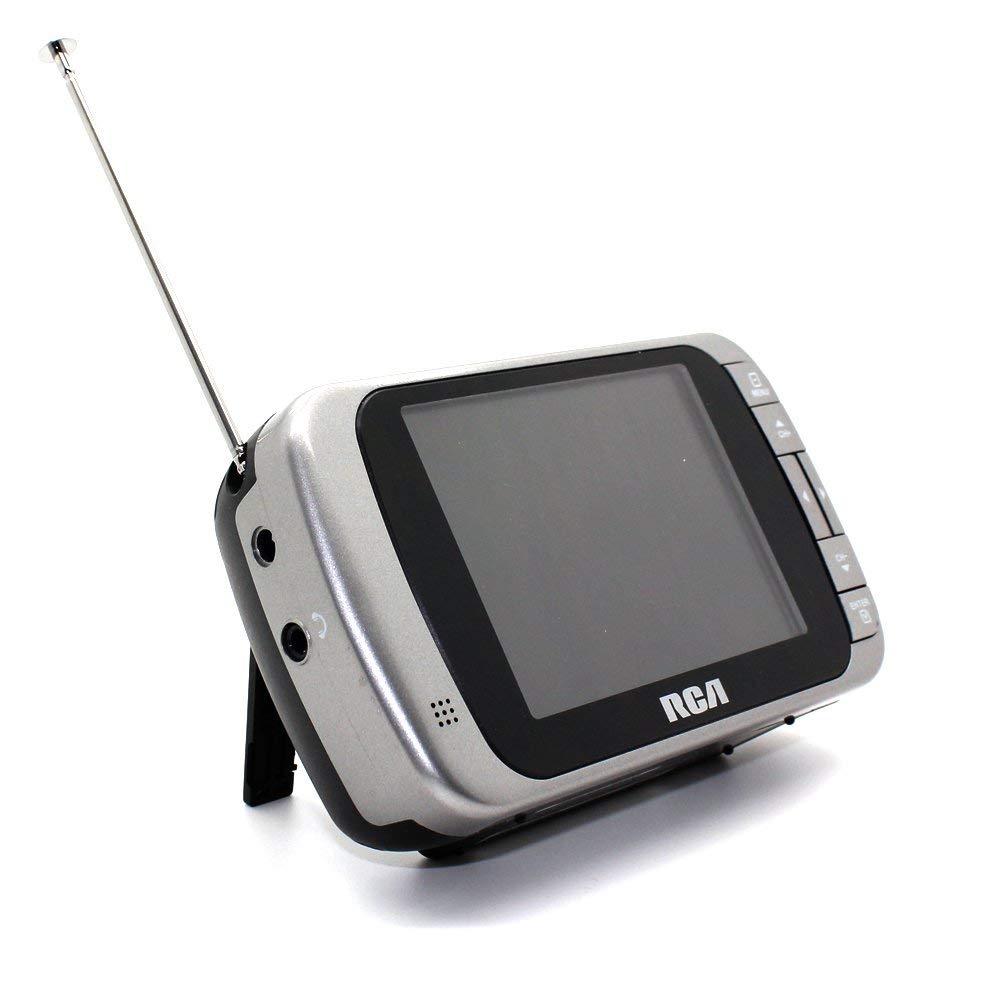
Image 1.1: The RCA DHT235A portable television, featuring its 3.5-inch screen and compact design.
2. Sekurecaj Informoj
- Legu ĉiujn instrukciojn antaŭ ol funkcii la aparaton.
- Ne elmetu la aparaton al pluvo aŭ humideco por eviti fajron aŭ elektran ŝokon.
- Ne bloku ventolajn aperturojn. Certigu sufiĉan spacon ĉirkaŭ la aparato por ĝusta aerfluo.
- Use only specified power sources (4 AA batteries or compatible AC adapter).
- Evitu faligi aŭ submeti la aparaton al fortaj batoj.
- Ne provu mem servi ĉi tiun produkton. Rekomendu ĉiujn servojn al kvalifikita servistaro.
- Forĵetu bateriojn ĝuste laŭ lokaj regularoj.
3. Pako Enhavo
Kontrolu, ke ĉiuj eroj ĉeestas en la pakaĵo:
- RCA DHT235A Portable TV Unit
- Staru
- Quick Guide (refer to this manual for detailed instructions)
- Manlibro de la posedanto (ĉi tiu dokumento)
4. Produkto Finitaview
The RCA DHT235A features a 3.5-inch LED-lit display, designed for portable digital television reception. Key components include:
- 3.5-Inch LED Backlit LCD Display: Provides clear visual output.
- Enkonstruita Parolanto: Por aŭda eligo.
- Aŭdilo Jack Por privata aŭskultado.
- Embedded Monopole Antenna: For receiving terrestrial ATSC and NTSC signals.
- Bateria Kupeo: Por 4 AA-kuirilaroj.
- AC Adapter Input (9-24VDC): For external power.
- Kontrolaj Butonoj: For power, channel, volume, and menu navigation.
5. Instalado
5.1 Powering the TV
The TV can be powered by 4 AA batteries or an optional AC adapter.
Uzante pilojn:
- Locate the battery compartment on the back of the TV.
- Malfermu la kovrilon de la kuirilaro.
- Enmetu 4 AA-kuirilarojn, certigante ĝustan polusecon (+/-).
- Fermu sekure la kovrilon de la kuirilaro.
Using AC Adapter (Optional):
- Connect a compatible 9-24VDC AC adapter (not included) to the DC input jack on the TV.
- Konektu la AC-adaptilon en norman murelejon.
5.2 Agordo de Antenoj
Extend the embedded monopole antenna fully for optimal signal reception. For improved reception, especially in areas with weak signals, an external antenna may be connected to the dedicated RCA connector input.
6. Funkciaj Instrukcioj
6.1 Ŝalti/Malŝalti
Premu la POTENCO button to turn the TV on or off.
6.2 Initial Channel Scan
Upon first use or after moving to a new location, perform an auto channel scan to find available digital and analog channels.
- Premu la MENUO butonon.
- Navigate to the "Channel" or "Setup" menu using the arrow buttons.
- Select "Auto Scan" or "Auto Program" and confirm.
- The TV will scan for available channels. This process may take several minutes.
6.3 Kanala Elekto
- Uzu la CH+ kaj CH- buttons to cycle through available channels.
- For direct channel input, use the numeric keypad (if available on your model) or the "Direct Channel Changing" option in the menu.
6.4 Volumo-Alĝustigo
Uzu la VOL+ kaj VOL- butonojn por ĝustigi la sonvolumenon.
6.5 Menuo-Navigado
Premu la MENUO button to access settings. Use the arrow buttons to navigate and the OK or ENTER butonon por konfirmi elektojn. Premu MENUO again or an ELIREJO button to leave the menu.
Available menu options include:
- Bildaj Agordoj: Adjust brightness, contrast, color.
- Sonaj Agordoj: Adjust audio mode, balance.
- Kanalaj Agordoj: Auto scan, manual scan, channel editing.
- Tempo-Agordoj: Auto time setting, time zone.
- Lingvo: Select menu language (English, Spanish).
- Subtitolado: Enable/disable digital closed captioning (E1A-708B compliant).
7. Prizorgado
7.1 Purigado
- Before cleaning, ensure the TV is powered off and disconnected from any external power source.
- Uzu molan, sekan tukon por viŝi la ekranon kaj eksterajn surfacojn.
- Por obstinaj markoj, malpeze tuŝuampLavu la tukon per akvo. Ne uzu abraziajn purigilojn, vaksojn aŭ solvilojn.
- Evitu ŝpruci likvaĵojn rekte sur la ekranon aŭ en iujn ajn aperturojn.
7.2 Stokado
When storing the TV for an extended period, remove the batteries to prevent leakage. Store the unit in a cool, dry place away from direct sunlight and extreme temperatures.
8. Respondecaj problemoj
| Problemo | Ebla Solvo |
|---|---|
| Neniu Potenco | Ensure batteries are correctly inserted and not depleted. If using AC adapter, verify it is properly connected and the outlet is functional. |
| No Picture/Weak Signal | Extend the antenna fully. Perform an auto channel scan. Try repositioning the TV or antenna. Consider using an external antenna for better reception. Check signal strength display in the menu. |
| Neniu Sono | Increase the volume. Check if headphones are plugged in. Ensure the Mute function is not active. |
| Butonoj Ne Respondas | Turn the TV off and then on again. If the issue persists, remove and reinsert batteries or disconnect/reconnect the AC adapter. |
| Screen Scratches Easily | Handle the screen with care. Use a screen protector if desired (not included). |
| Mallonga Bateria Vivo | Use fresh, high-quality alkaline or rechargeable batteries. Consider using the AC adapter for extended viewing. |
| Low Audio Volume | Ensure volume is set to maximum. For better audio, consider connecting external speakers to the headphone jack. |
9. Specifoj
- Modelo: DHT235A
- Montra Grandeco: 3.5 coloj (diagonalo)
- Montra Tipo: LED Retroluma LCD
- Rezolucio: 320 x 240 digital RGB (720p compatible)
- Refreŝiga indico: 60Hz
- Video Malkodado: MPEG-2 (MP at ML, MP at HL)
- Sona Malkodado: Dolby Digital Audio, Digital multi-lingual
- Agordilo: Terrestrial ATSC 8VSB, Terrestrial NTSC CH2 - CH69
- Elektrofonto: 4 AA Batteries or 9-24VDC AC Adapter (optional)
- Bateria Daŭro: Approximately 2+ hours of DTV playback on 4 AA batteries
- Aŭdio-Eligo: Headphone jack, Built-in speaker
- Pliaj Trajtoj: Real-time signal strength display, On-screen program information, Direct channel changing, Channel editing, Time zone setting, Auto channel scan, Digital Closed Captioning (E1A-708B compliant), Menu languages (English, Spanish).
- Dimensioj: Proksimume 4.84 x 1.34 x 2.83 coloj
- Pezo: Proksimume 5.6 uncoj
10. Garantiaj Informoj
This product is covered by a limited warranty. For detailed warranty terms and conditions, please refer to the warranty card included with your purchase or visit the official RCA webretejo. Konservu vian pruvon de aĉeto por garantiaj reklamoj.
11. Klienta Subteno
If you encounter any issues or have questions not covered in this manual, please contact RCA customer support. You can find contact information on the official RCA webretejo aŭ per la dokumentaro provizita kun via produkto.
Interreta Subteno: Visit the official RCA webretejo por Oftaj Demandoj kaj subtenaj rimedoj.
Telefona Subteno: Refer to your product packaging or the RCA webretejo por aktualaj kontaktnumeroj.


