1. Εισαγωγή
This manual provides essential information for setting up, operating, maintaining, and troubleshooting your new HP OmniDesk Desktop PC M02-0224. Please read this manual thoroughly before using your computer to ensure proper functionality and to maximize its lifespan. This desktop is designed for seamless performance and enhanced productivity, suitable for both business and student use.
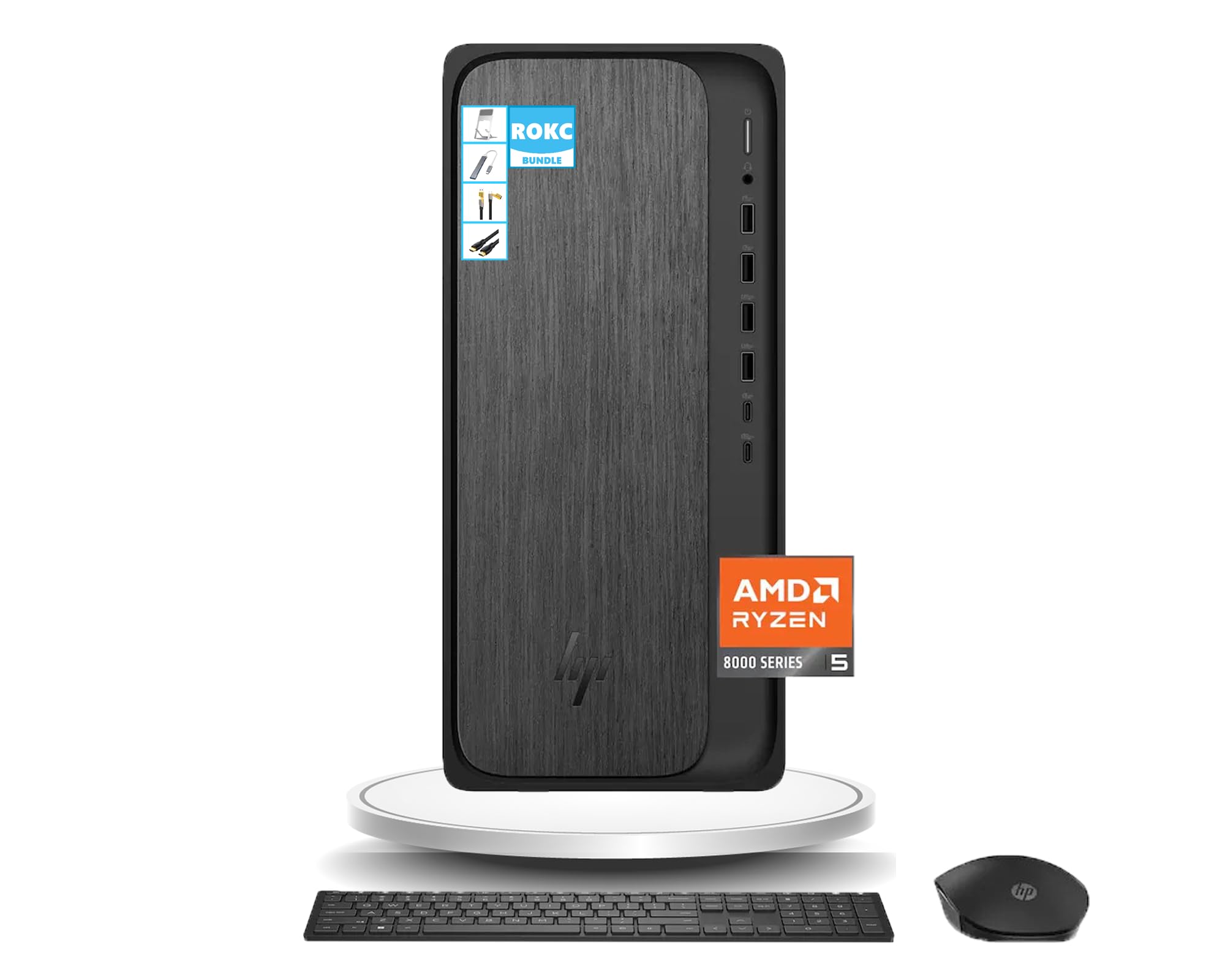
Figure 1: HP OmniDesk Desktop PC M02-0224
The HP OmniDesk Desktop PC M02-0224 is equipped with an AMD Ryzen 5 8500G processor, 16GB DDR5 RAM, and a 1TB SSD, providing robust performance for various tasks. Integrated AMD Radeon 740M Graphics ensure smooth visual experiences. Connectivity options include Wi-Fi 6, Bluetooth, and a comprehensive selection of USB, HDMI, and DisplayPort connections.
2. Τι υπάρχει στο κουτί
Αποσυσκευάστε προσεκτικά όλα τα εξαρτήματα και βεβαιωθείτε ότι υπάρχουν τα ακόλουθα:
- HP OmniDesk Desktop PC M02-0224
- HP Black Wireless Keyboard
- HP Black Wireless Mouse
- 280W 80 Plus Platinum Certified Power Supply
- Οδηγίες εγκατάστασης
- ROKC Multifunctional Folding Universal Holder
- ROKC 65W Mecha 4-IN-1 Data Cable
- ROKC USB/Type-C 4-IN-1 HUB
- ROKC HDMI Cable

Figure 2: Main components included in the box.

Figure 3: ROKC Exclusive Accessories Bundle.
3. Οδηγίες εγκατάστασης
- Τοποθέτηση: Place the HP OmniDesk Desktop PC on a stable, flat surface with adequate ventilation. Ensure no vents are blocked.
- Σύνδεση οθόνης: Connect your monitor to the desktop using the provided HDMI cable or a DisplayPort cable (not included). The desktop supports 1 x HDMI and 1 x DisplayPort.
- Σύνδεση περιφερειακών: Connect the wireless keyboard and mouse using their respective USB receivers to any available USB-A ports. Connect any other desired peripherals (e.g., printer, external storage) to the appropriate ports.
- Σύνδεση ρεύματος: Connect the power supply cable to the desktop's power input and then to a grounded electrical outlet.
- Σύνδεση δικτύου: For wired internet, connect an Ethernet cable to the RJ-45 port. For wireless internet, the desktop features built-in Wi-Fi 6.
- Ενεργοποίηση: Press the power button on the front of the desktop. The system will boot up, and Windows 11 will guide you through the initial setup process.
4. Οδηγίες λειτουργίας
4.1 Ενεργοποίηση/Απενεργοποίηση
- Για ενεργοποίηση: Πατήστε το κουμπί λειτουργίας που βρίσκεται στον μπροστινό πίνακα.
- Για να κλείσετε: Κάντε κλικ στο κουμπί Έναρξη στα Windows 11 και, στη συνέχεια, επιλέξτε Παροχή ενέργειας > Τερματισμός λειτουργίας.
- Για να επανεκκινήσεις: Κάντε κλικ στο κουμπί Έναρξη και, στη συνέχεια, επιλέξτε Παροχή ενέργειας > Επανεκκίνηση.
- Για να κοιμηθείτε: Κάντε κλικ στο κουμπί Έναρξη και, στη συνέχεια, επιλέξτε Παροχή ενέργειας > Αναστολή λειτουργίας.
4.2 Windows 11 Basics
Your HP OmniDesk PC comes with Windows 11 pre-installed. Familiarize yourself with the new interface, including the centered Start menu, redesigned taskbar, and Snap Layouts for efficient multitasking.
4.3 Using the ROKC Accessories
- Multifunctional Folding Universal Holder: Adjust the holder to your desired angle for optimal viewing of tablets or smartphones.
- 65W Mecha 4-IN-1 Data Cable & USB/Type-C 4-IN-1 HUB: Use these for versatile connectivity and charging of various devices. Refer to the accessory's specific instructions for detailed usage.
- ROKC HDMI Cable: Connect this cable between your desktop and a compatible display for high-definition video and audio output.
5. Connectivity & Ports
The HP OmniDesk Desktop PC offers a wide range of ports for connecting peripherals and external devices:

Figure 4: Front and Rear Port Layout.
5.1 Μπροστινές θύρες
- 1 x Συνδυαστική υποδοχή ακουστικών/μικροφώνου
- 2 x USB Type-A 5Gbps ports
- 2 x USB Type-A 10Gbps ports
- 1 x USB Type-C 5Gbps port
- 1 x USB Type-C 10Gbps port
5.2 Πίσω θύρες
- 4 x θύρες USB 2.0 Type-A
- 1 x RJ-45 Ethernet port
- 1 x θύρα εξόδου HDMI
- 1 x DisplayPort 1.4
5.3 Ασύρματη συνδεσιμότητα
- Wi-Fi 6: Για ασύρματη σύνδεση στο διαδίκτυο υψηλής ταχύτητας.
- Bluetooth: Για τη σύνδεση ασύρματων περιφερειακών όπως ακουστικά ή ηχεία.
6. Προδιαγραφές
Detailed technical specifications for your HP OmniDesk Desktop PC M02-0224:

Σχήμα 5: Διαστάσεις προϊόντος.
| Χαρακτηριστικό | Προσδιορισμός |
|---|---|
| Επεξεργαστής | AMD Ryzen 5 8500G (Up to 5 GHz) |
| ΕΜΒΟΛΟ | 16 GB DDR5 SDRAM |
| Αποθήκευση | 1TB SSD |
| Γραφικά | Γραφικά AMD Radeon 740M (Ενσωματωμένα) |
| Λειτουργικό σύστημα | Windows 11 |
| Ασύρματη Συνδεσιμότητα | Wi-Fi 6, Bluetooth |
| Διαστάσεις (Υ x Π x Β) | 13.27 x 6.1 x 12.4 ίντσες |
| Βάρος | 12.72 λίβρες |
| Χρώμα | Γκρι Ξύλο |
| Τροφοδοτικό | 280W 80 Plus Platinum Certified |
7. Συντήρηση
Regular maintenance helps ensure the longevity and optimal performance of your HP OmniDesk Desktop PC:
- Διατηρήστε το καθαρό: Καθαρίζετε τακτικά το εξωτερικό της επιφάνειας εργασίας με ένα μαλακό, στεγνό πανί. Χρησιμοποιήστε πεπιεσμένο αέρα για να απομακρύνετε τη σκόνη από τις οπές εξαερισμού και τις θύρες, ώστε να αποτρέψετε την υπερθέρμανση.
- Ενημερώσεις λογισμικού: Keep your Windows 11 operating system and all drivers updated to the latest versions. This ensures security and performance improvements.
- Προστασία από ιούς: Εγκαθιστάτε και ενημερώνετε τακτικά λογισμικό προστασίας από ιούς για προστασία από κακόβουλο λογισμικό και ιούς.
- Δημιουργία αντιγράφων ασφαλείας δεδομένων: Δημιουργείτε περιοδικά αντίγραφα ασφαλείας των σημαντικών files σε μια εξωτερική μονάδα δίσκου ή σε χώρο αποθήκευσης στο cloud για να αποτρέψετε την απώλεια δεδομένων.
- Σωστός τερματισμός λειτουργίας: Να κλείνετε πάντα τον υπολογιστή σωστά μέσω του λειτουργικού συστήματος αντί να τον αποσυνδέετε απλώς από την πρίζα.
8. Αντιμετώπιση Προβλημάτων
If you encounter issues with your HP OmniDesk Desktop PC, try the following troubleshooting steps:
- Χωρίς ισχύ: Ensure the power cable is securely connected to both the desktop and the electrical outlet. Check if the outlet is functional.
- Χωρίς εμφάνιση: Verify that the monitor is powered on and correctly connected to the desktop. Try a different video cable or monitor if available.
- Περιφερειακό Δεν Λειτουργεί: Ensure USB devices are properly plugged into the correct ports. Try connecting them to a different USB port. For wireless devices, check battery levels and ensure receivers are correctly installed.
- Αργή απόδοση: Close unnecessary applications. Check for background updates or scans. Ensure sufficient free space on the SSD.
- Προβλήματα σύνδεσης στο Διαδίκτυο: For Wi-Fi, check your router and modem. For wired connection, ensure the Ethernet cable is securely connected and your network is active.
- Το σύστημα παγώνει: If the system becomes unresponsive, press and hold the power button for 10 seconds to force a shutdown, then restart the PC.
If these steps do not resolve the issue, please refer to the HP support webιστότοπο ή επικοινωνήστε με την εξυπηρέτηση πελατών για περαιτέρω βοήθεια.
9. Εγγύηση και υποστήριξη
Your HP OmniDesk Desktop PC M02-0224 comes with a standard manufacturer's warranty. For specific warranty terms and conditions, please refer to the documentation included with your product or visit the official HP support webτοποθεσία. Κρατήστε την απόδειξη αγοράς για τυχόν αξιώσεις εγγύησης.
Για τεχνική υποστήριξη, λήψεις προγραμμάτων οδήγησης και πρόσθετους πόρους, επισκεφθείτε την επίσημη ιστοσελίδα υποστήριξης της HP. website. You can typically find contact information for customer service on the HP webστον ιστότοπο ή στην τεκμηρίωση του προϊόντος σας.