1. Πάνωview
This manual provides essential information for setting up, operating, maintaining, and troubleshooting your HP 14-dq5009nr laptop. Designed for productivity and entertainment, this thin and light laptop offers reliable performance for everyday tasks.

Figure 1: HP 14-dq5009nr Laptop in Natural Silver.
Βασικά Χαρακτηριστικά:
- Micro-Edge HD Display: Enjoy an ultra-wide viewing experience with minimal bezel.
- Intel Core i3-1215U Processor: 12th Generation Intel Core processor with 6 cores for multitasking.
- Γραφικά Intel UHD: Smooth streaming of 4K content and casual gaming.
- Αποθήκευση και Μνήμη: 256 GB PCIe NVMe M.2 SSD for fast performance and 8 GB DDR4 RAM for enhanced multitasking.
- Windows 11 Home σε λειτουργία S: Secure operating system with fast boot times and protection against malware.

Εικόνα 2: Τέλοςview of the HP 14-dq5009nr Laptop's main features including display, processor, graphics, storage, and memory.
2. Ρύθμιση
2.1 Αρχική ενεργοποίηση
- Αφαιρέστε τον φορητό υπολογιστή και όλα τα αξεσουάρ από τη συσκευασία.
- Συνδέστε το τροφοδοτικό στη θύρα φόρτισης του φορητού υπολογιστή και στη συνέχεια σε μια πρίζα.
- Ανοίξτε το καπάκι του φορητού υπολογιστή. Ο φορητός υπολογιστής μπορεί να ενεργοποιηθεί αυτόματα ή μπορεί να χρειαστεί να πατήσετε το κουμπί λειτουργίας που βρίσκεται επάνω δεξιά στο πληκτρολόγιο.
- Follow the on-screen instructions to complete the Windows 11 Home in S Mode setup, including selecting your region, language, and connecting to a Wi-Fi network.

Figure 3: The HP laptop screen showing the Windows 11 Start Menu, indicating successful initial setup.
2.2 Σύνδεση σε Wi-Fi
During the initial setup, you will be prompted to connect to a wireless network. If you need to connect later or change networks:
- Κάντε κλικ στο Εικονίδιο δικτύου (usually a Wi-Fi symbol) in the bottom-right corner of the taskbar.
- Επιλέξτε το δίκτυο Wi-Fi που επιθυμείτε από τη λίστα.
- Κλικ Συνδέω και εισαγάγετε το κλειδί ασφαλείας δικτύου (κωδικό πρόσβασης), εάν σας ζητηθεί.
3. Λειτουργία του φορητού υπολογιστή HP
3.1 Πληκτρολόγιο και Touchpad
The laptop features a full-sized keyboard and an integrated precision touchpad with multi-touch support. The touchpad supports gestures for smooth scrolling, zooming, and navigation.
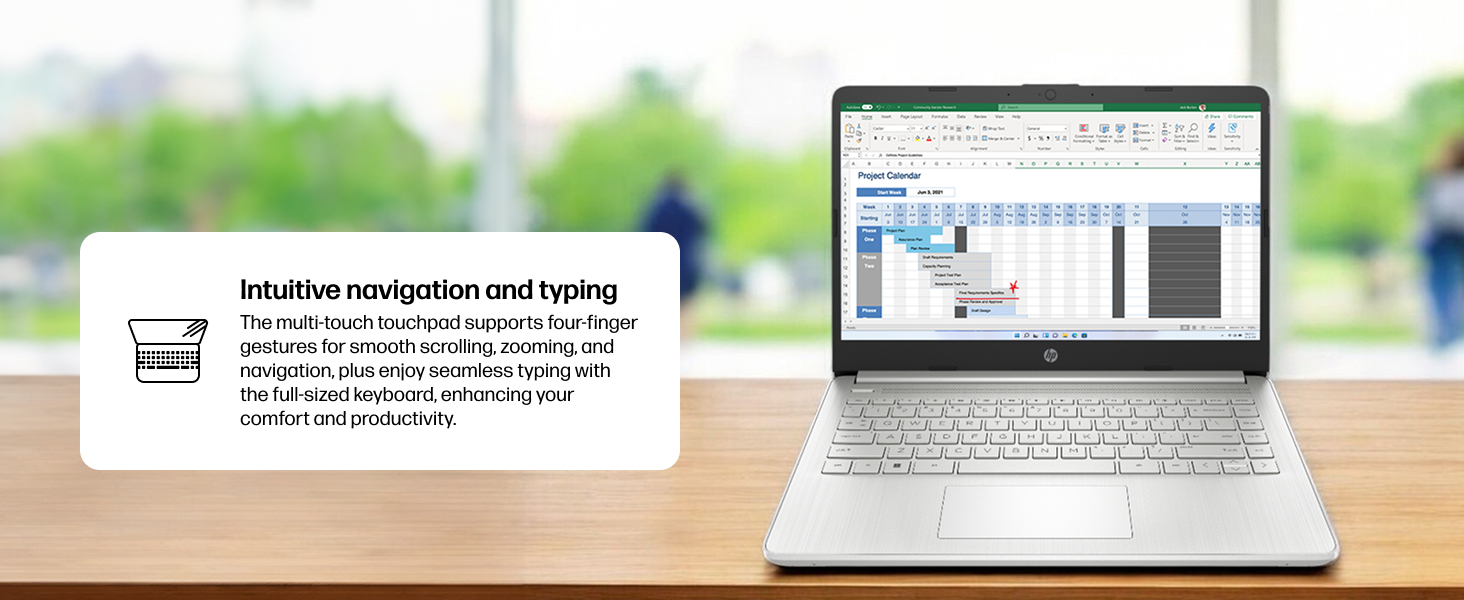
Figure 4: Demonstrating intuitive navigation and typing with the multi-touch touchpad and full-sized keyboard.
3.2 Οθόνη και Γραφικά
Your HP laptop is equipped with a 14-inch HD micro-edge display and Intel UHD Graphics, providing vibrant visuals for various tasks, from web browsing to multimedia consumption.
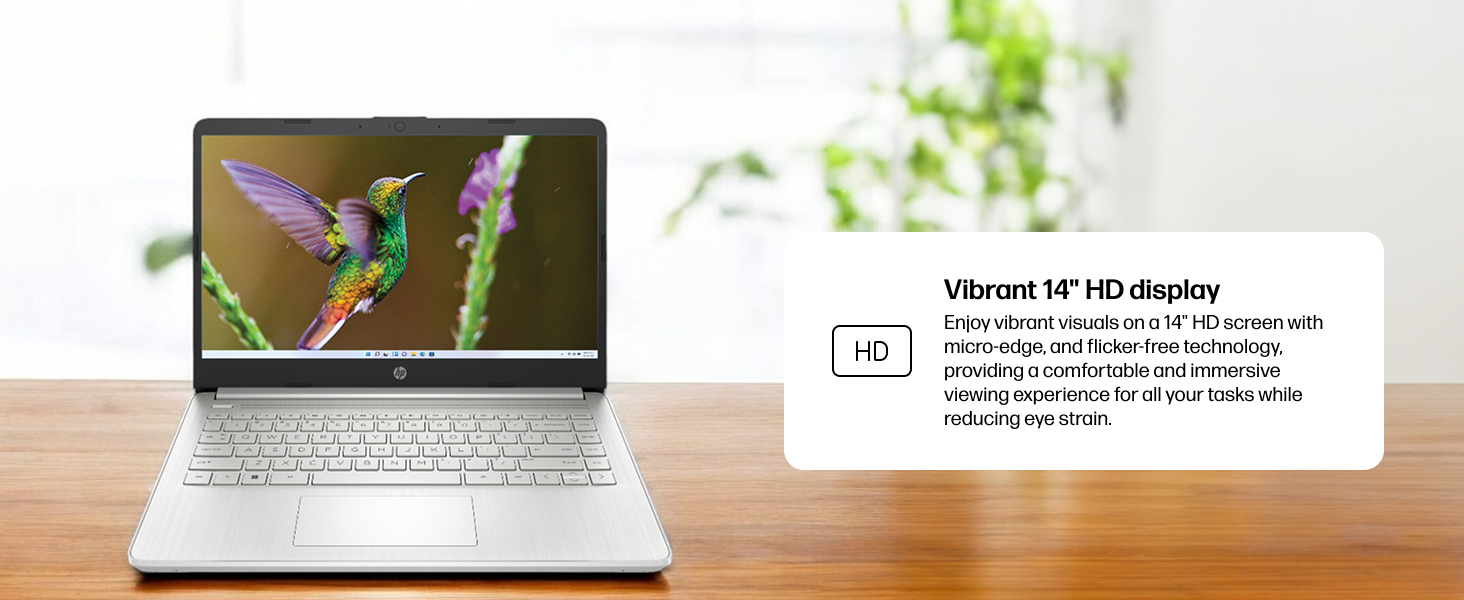
Σχήμα 5: Η οθόνη του φορητού υπολογιστή δείχνειasing vivid visuals powered by Intel UHD graphics.
3.3 Θύρες και Συνδεσιμότητα
The laptop offers a range of ports for connecting peripherals and external devices:
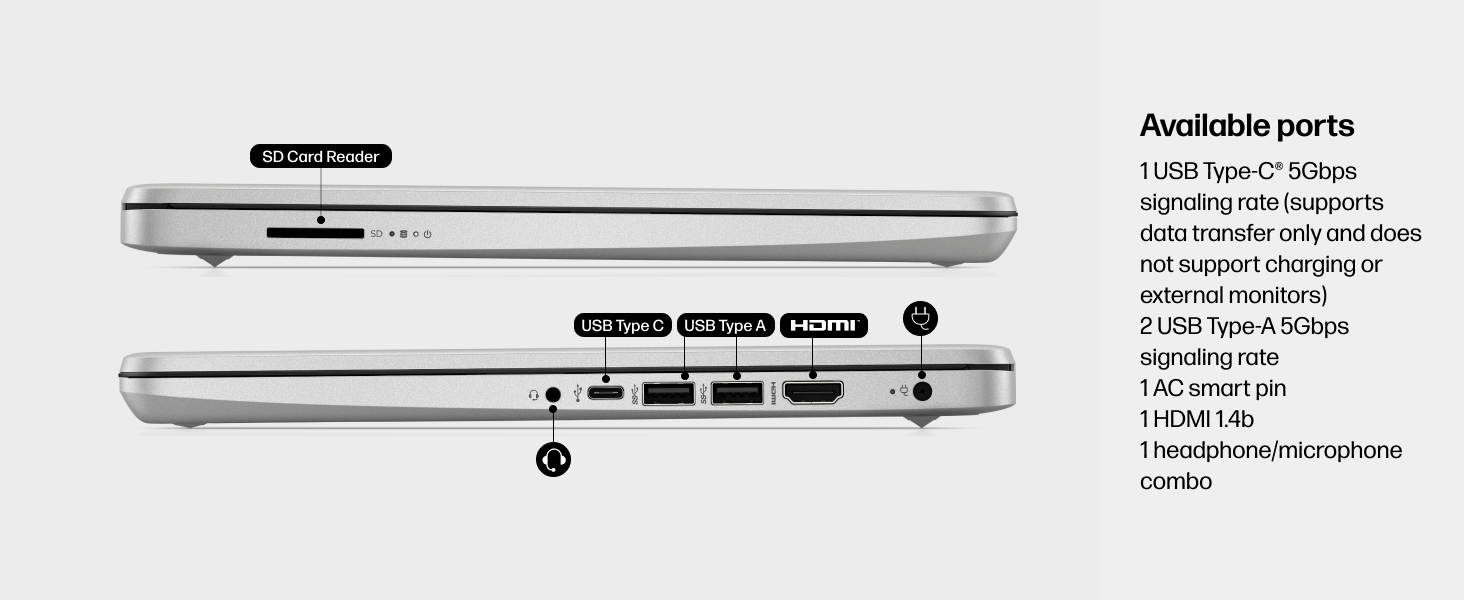
Εικόνα 6: Αναλυτικά view of the available ports on the HP 14-dq5009nr laptop.
- 1 USB Type-C® 5Gbps signaling rate (supports data transfer only, no charging or external monitors)
- Ρυθμός σηματοδότησης 2 USB Type-A 5Gbps
- 1 AC smart pin (for power adapter)
- 1 HDMI 1.4b
- 1 σύνθετη υποδοχή ακουστικών/μικροφώνου
- 1 SD Card Reader
4. Συντήρηση
4.1 Φροντίδα μπαταρίας
The HP 14-dq5009nr features a long-lasting battery and HP Fast Charge technology, allowing you to charge from 0 to 50% in approximately 45 minutes. To maximize battery lifespan:
- Αποφύγετε τις ακραίες θερμοκρασίες.
- Μην αποφορτίζετε πλήρως την μπαταρία τακτικά.
- Store the laptop with a partial charge if not used for extended periods.
4.2 Οδηγίες καθαρισμού
- Χρησιμοποιήστε ένα μαλακό πανί που δεν αφήνει χνούδι ελαφρώς dampξεπλύνετε με νερό ή καθαριστικό οθόνης για να καθαρίσετε την οθόνη.
- Για το πληκτρολόγιο και το πλαίσιο, χρησιμοποιήστε ένα μαλακό πανί. Αποφύγετε τις σκληρές χημικές ουσίες.
4.3 Ενημερώσεις λογισμικού
Ensure your Windows 11 operating system and drivers are regularly updated for optimal performance and security. Windows Update typically handles this automatically.
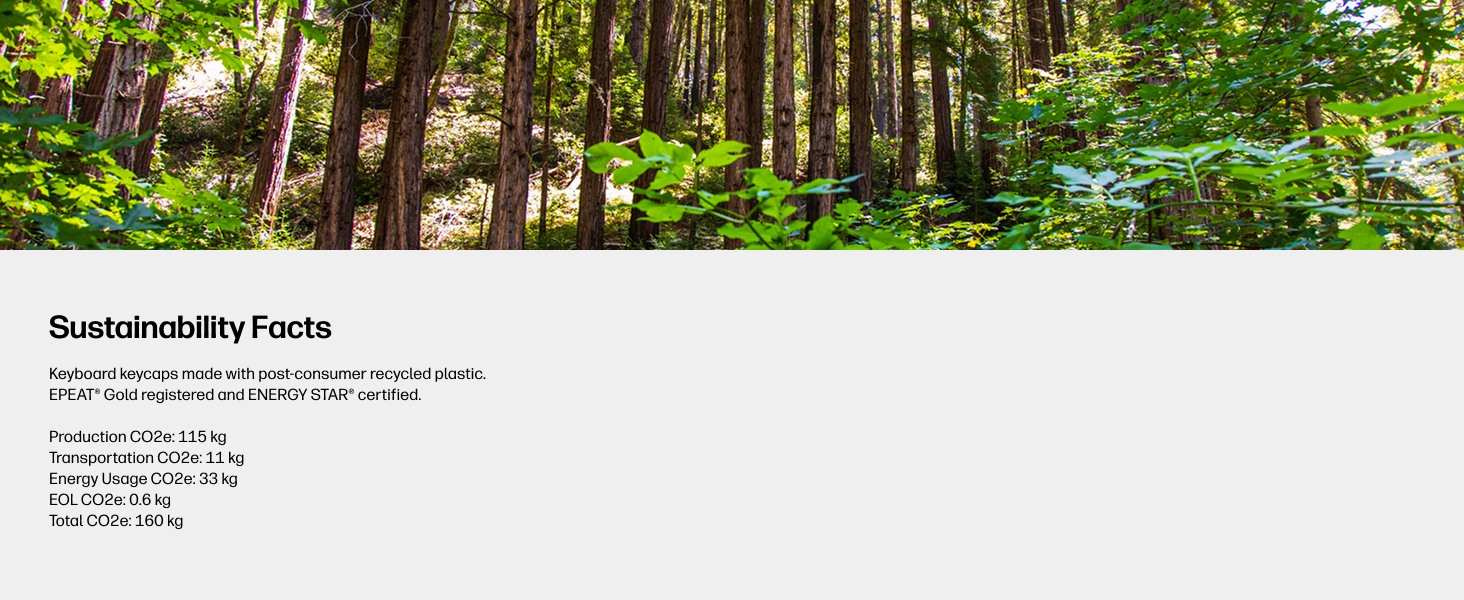
Figure 7: The laptop's keyboard keycaps are made from post-consumer recycled plastic, reflecting HP's commitment to sustainability.
5. Αντιμετώπιση Προβλημάτων
5.1 Προβλήματα τροφοδοσίας
- Ο φορητός υπολογιστής δεν ενεργοποιείται: Ensure the power adapter is securely connected and the battery has sufficient charge. Try pressing and holding the power button for 15 seconds.
- Η μπαταρία δεν φορτίζει: Βεβαιωθείτε ότι ο προσαρμογέας ρεύματος και το καλώδιο δεν έχουν υποστεί ζημιά. Δοκιμάστε μια διαφορετική πρίζα.
5.2 Προβλήματα οθόνης
- Κενή οθόνη: Connect an external monitor to check if the display is the issue. Try adjusting screen brightness using the function keys (F2/F3 or similar, look for sun icons).
- Οθόνη που τρεμοπαίζει: Ενημερώστε τα προγράμματα οδήγησης γραφικών σας.
5.3 Προβλήματα συνδεσιμότητας
- Δεν συνδέεται Wi-Fi: Ensure Wi-Fi is enabled in Windows settings. Restart your router and modem.
- Η συσκευή Bluetooth δεν αντιστοιχίζεται: Βεβαιωθείτε ότι το Bluetooth είναι ενεργοποιημένο και στις δύο συσκευές και ότι βρίσκονται σε λειτουργία σύζευξης.
6. Προδιαγραφές
| Χαρακτηριστικό | Προσδιορισμός |
|---|---|
| Μέγεθος προβολής μόνιμης οθόνης | 14 ίντσες |
| Ανάλυση οθόνης | 1366 x 768 pixel (HD) |
| Επεξεργαστής | Intel Core i3-1215U (4.4 GHz) |
| ΕΜΒΟΛΟ | 8 GB DDR4 (2400 MHz) |
| Σκληρός Δίσκος | 256 GB SSD (PCIe NVMe M.2) |
| Συνεπεξεργαστής γραφικών | Γραφικά Intel UHD |
| Λειτουργικό σύστημα | Windows 11 Home σε λειτουργία S |
| Ασύρματος τύπος | 802.11a/b/g/n/ac, Bluetooth |
| Βάρος αντικειμένου | 3.24 λίρες |
| Διαστάσεις προϊόντος | 12.76 x 0.71 x 8.86 ίντσες |
| Χρώμα | Ασήμι |
7. Εγγύηση και υποστήριξη
7.1 Πληροφορίες εγγύησης
Your HP 14-dq5009nr laptop comes with a 1 χρόνια περιορισμένη εγγύηση υλικούΕπιπλέον, Περιορισμένη τεχνική υποστήριξη 90 ημερών for software and initial setup is provided when the product is shipped from and sold by Amazon.
7.2 Τεχνική Υποστήριξη
For technical assistance, please refer to the official HP support channels. Web support is available 24 hours a day, 7 days a week. You can also visit the Κατάστημα HP στο Amazon για περισσότερες πληροφορίες και πόρους.