1. Εισαγωγή
1.1 Σχετικά με αυτό το εγχειρίδιο
This manual provides essential information for setting up, operating, maintaining, and troubleshooting your Fujitsu LIFEBOOK E546 laptop. Please read it carefully before using your device to ensure proper function and longevity.
1.2 Προϊόν Overview
The Fujitsu LIFEBOOK E546 is a business-class laptop designed for productivity and reliability. This particular unit is a refurbished model, professionally tested and renewed to function like new. It features an Intel Core i5-6200U processor, 8GB of RAM, a 256GB SSD, and a 14-inch Full HD (1920x1080) display. It comes pre-installed with Windows 10 Pro.

Image: Fujitsu LIFEBOOK E546 laptop, closed, showing the top lid with the Fujitsu logo.
2. Ρύθμιση
2.1 Αποσυσκευασία
Αφαιρέστε προσεκτικά όλα τα εξαρτήματα από τη συσκευασία. Βεβαιωθείτε ότι υπάρχουν τα ακόλουθα:
- Φορητός υπολογιστής Fujitsu LIFEBOOK E546
- Μετασχηματιστής AC
- Καλώδιο τροφοδοσίας
Εάν λείπουν ή έχουν καταστραφεί αντικείμενα, επικοινωνήστε αμέσως με την υποστήριξη πελατών.
2.2 Αρχική ενεργοποίηση
Connect the AC adapter to the laptop's power input port and then to a functional power outlet. Open the laptop lid and press the power button, typically located near the keyboard. The system will guide you through the initial Windows 10 setup process, including language selection, network connection, and user account creation.

Image: Fujitsu LIFEBOOK E546 laptop open, viewed from an angle, showing the keyboard and screen. The power button is typically located near the keyboard.
3. Λειτουργία
3.1 Διαχείριση ενέργειας
- Για να ενεργοποιήσετε: Πατήστε το κουμπί λειτουργίας.
- Για να απενεργοποιήσετε: In Windows, click the Start button, then select Power > Shut down.
- Κατάσταση ύπνου: Κλείστε το καπάκι του φορητού υπολογιστή ή κάντε κλικ στο κουμπί Έναρξη και, στη συνέχεια, επιλέξτε Παροχή ενέργειας > Ύπνος.
3.2 Σύνδεση περιφερειακών
The LIFEBOOK E546 offers various ports for connecting external devices:
- Θύρες USB: Connect USB devices such as mice, keyboards, external storage drives, or printers to the three USB-A 3.0 ports.
- Έξοδος βίντεο: Use the VGA or DisplayPort for connecting external monitors or projectors.
- Δίκτυο: Connect to a wired network using the Gigabit LAN (Gb LAN) port for stable internet access.
- Ήχος: Utilize the audio in/out ports for headphones, external speakers, or microphones.
- Συσκευή ανάγνωσης καρτών: Insert compatible memory cards into the card reader slot for data transfer.
- Σταθμός σύνδεσης: A dedicated connector allows for integration with a compatible docking station (sold separately) for expanded connectivity.

Εικόνα: Αριστερή πλευρά view of the Fujitsu LIFEBOOK E546, showing audio jacks and USB ports.
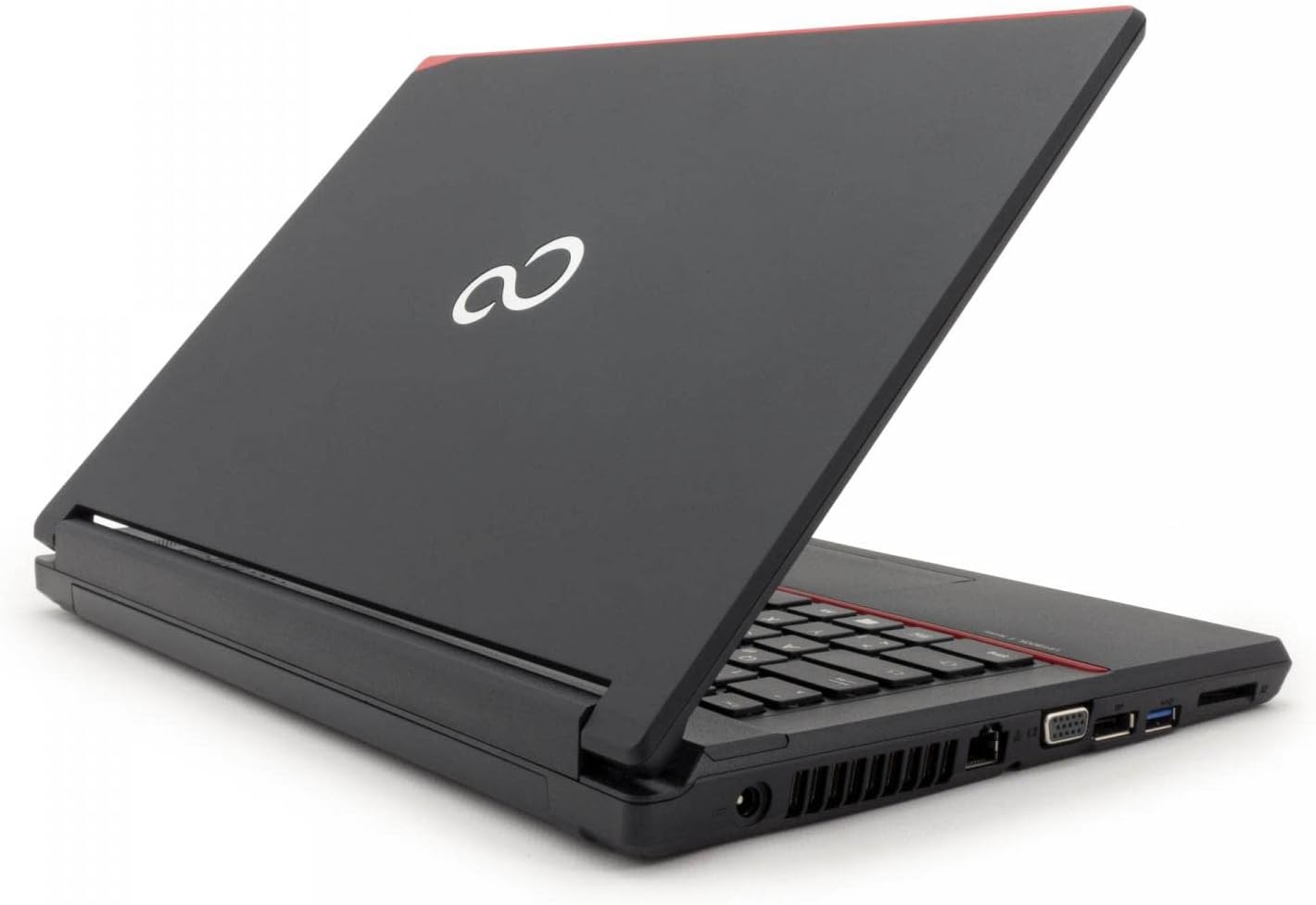
Εικόνα: Δεξιά πλευρά view of the Fujitsu LIFEBOOK E546, showing VGA, DisplayPort, LAN, and other ports.
3.3 Χρήση του πληκτρολογίου και της επιφάνειας αφής
The laptop features a full-sized keyboard for comfortable typing. The integrated touchpad allows for precise cursor control and supports multi-touch gestures such as scrolling and zooming. Refer to Windows settings for touchpad customization options.
4. Συντήρηση
4.1 Καθαρισμός
Για να διατηρήσετε την εμφάνιση και τη λειτουργικότητα του φορητού υπολογιστή σας:
- Χρησιμοποιήστε ένα μαλακό πανί που δεν αφήνει χνούδι, ελαφρώςampened with water or a screen cleaner, to clean the display.
- Wipe exterior surfaces with a soft, dry cloth.
- Avoid using harsh chemicals, abrasive cleaners, or solvents, as these can damage the surfaces.
- Βεβαιωθείτε ότι ο φορητός υπολογιστής είναι απενεργοποιημένος και αποσυνδεδεμένος από την πρίζα πριν τον καθαρισμό.
4.2 Ενημερώσεις λογισμικού
Ενημερώνετε τακτικά το λειτουργικό σύστημα των Windows και τα προγράμματα οδήγησης συσκευών για να διασφαλίσετε βέλτιστη απόδοση, ασφάλεια και συμβατότητα. Η πρόσβαση στο Windows Update είναι δυνατή μέσω του μενού Ρυθμίσεις.
4.3 Φροντίδα μπαταρίας
To prolong the lifespan of your laptop's battery:
- Αποφύγετε την έκθεση του φορητού υπολογιστή σε ακραίες θερμοκρασίες (πολύ ζέστη ή πολύ κρύο).
- Do not frequently fully discharge the battery. It is generally better to keep the charge between 20% and 80%.
- Εάν αποθηκεύετε τον φορητό υπολογιστή για μεγάλο χρονικό διάστημα, βεβαιωθείτε ότι η μπαταρία είναι φορτισμένη περίπου στο 50%.
5. Αντιμετώπιση Προβλημάτων
5.1 Κοινά ζητήματα και λύσεις
- Ο φορητός υπολογιστής δεν ενεργοποιείται:
- Check power connection: Ensure the AC adapter is securely connected to the laptop and a working power outlet.
- Battery charge: If running on battery, ensure it is sufficiently charged.
- Screen is blank or no display:
- Check brightness settings: Increase screen brightness using the function keys.
- External monitor test: Connect an external monitor to the laptop to verify if the issue is with the laptop's internal display or the graphics output.
- Αργή απόδοση:
- Close unnecessary applications: Reduce the number of programs running simultaneously.
- Check for background processes: Use Task Manager (Ctrl+Shift+Esc) to identify and close resource-intensive background processes.
- Ensure sufficient free space: Verify that your 256GB SSD has adequate free space for optimal operation.
- Περιφερειακό που δεν αναγνωρίζεται:
- Reconnect the device: Unplug and re-plug the peripheral.
- Try a different port: Test the device in another USB or relevant port.
- Update or reinstall drivers: Ensure the latest drivers for the peripheral are installed.
For more complex issues or persistent problems, refer to the official Fujitsu support webιστότοπο ή επικοινωνήστε με την τεχνική τους υποστήριξη για περαιτέρω βοήθεια.
6. Προδιαγραφές
| Χαρακτηριστικό | Λεπτομέρεια |
|---|---|
| Μοντέλο | Fujitsu LIFEBOOK E546 |
| Επεξεργαστής | Intel Core i5-6200U (6th Generation) |
| ΕΜΒΟΛΟ | 8 GB |
| Αποθήκευση | 256 GB SSD |
| Επίδειξη | 14 inches, 1920 x 1080 pixels (Full HD) |
| Λειτουργικό σύστημα | Windows 10 Pro |
| Γραφικά | Intel HD Graphics 520 |
| Βάρος | 1.9 κιλά |
| λιμάνια | 3x USB-A 3.0, Gb LAN, VGA, DisplayPort, Audio in/out, Card Reader, Docking Station connector |
| Είσοδος ανθρώπινης διεπαφής | Μικρόφωνο |
| Σύνθεση μπαταρίας | Ιόν λιθίου |
*Note: Specifications may vary slightly based on specific configuration or regional models.
7. Εγγύηση και υποστήριξη
7.1 Πληροφορίες εγγύησης
This Fujitsu LIFEBOOK E546 comes with a 1-year warranty. Please retain your proof of purchase for any warranty claims. The warranty covers manufacturing defects and ensures the product functions as described. It does not cover damage caused by misuse, accidents, unauthorized modifications, or normal wear and tear.
7.2 Τεχνική Υποστήριξη
For technical assistance, troubleshooting beyond this manual, or service requests, please visit the official Fujitsu support website or contact their customer service department. A "Recovery" shortcut is pre-installed on the desktop for system recovery options, which can help resolve software issues.


