Εισαγωγή
This manual provides instructions for the setup, operation, and maintenance of your LG 32QN600-B QHD 32-inch IPS monitor. Please read this manual thoroughly before operating your device to ensure safe and optimal performance. Keep this manual for future reference.
Σημαντικές πληροφορίες για την ασφάλεια
Να ακολουθείτε πάντα τις βασικές προφυλάξεις ασφαλείας κατά τη χρήση αυτού του προϊόντος για να μειώσετε τον κίνδυνο πυρκαγιάς, ηλεκτροπληξίας και τραυματισμού ατόμων. Αυτό περιλαμβάνει, ενδεικτικά:
- Μην φράζετε τα ανοίγματα εξαερισμού.
- Μην τοποθετείτε κοντά σε πηγές θερμότητας.
- Προστατέψτε το καλώδιο τροφοδοσίας από το να πατηθεί ή να τσιμπήσει.
- Χρησιμοποιείτε μόνο προσαρτήματα/αξεσουάρ που καθορίζονται από τον κατασκευαστή.
- Αναφέρετε όλα τα σέρβις σε εξειδικευμένο προσωπικό σέρβις.
Ρύθμιση
1. Αποσυσκευασία
Carefully remove all components from the packaging. Ensure all parts listed in the packing list are present and undamaged. Keep packaging materials for future transport or return.
2. Stand Assembly / Wall Mounting
The monitor can be set up using its adjustable Edge-ArcLine stand or mounted to a wall using a VESA compatible mount (100 x 100 mm). Follow the instructions provided with the stand or wall mount kit for proper assembly.

Εικόνα: Πίσω view of the LG 32QN600-B monitor with its Edge-ArcLine stand attached. The stand provides stability and allows for tilt and height adjustments.
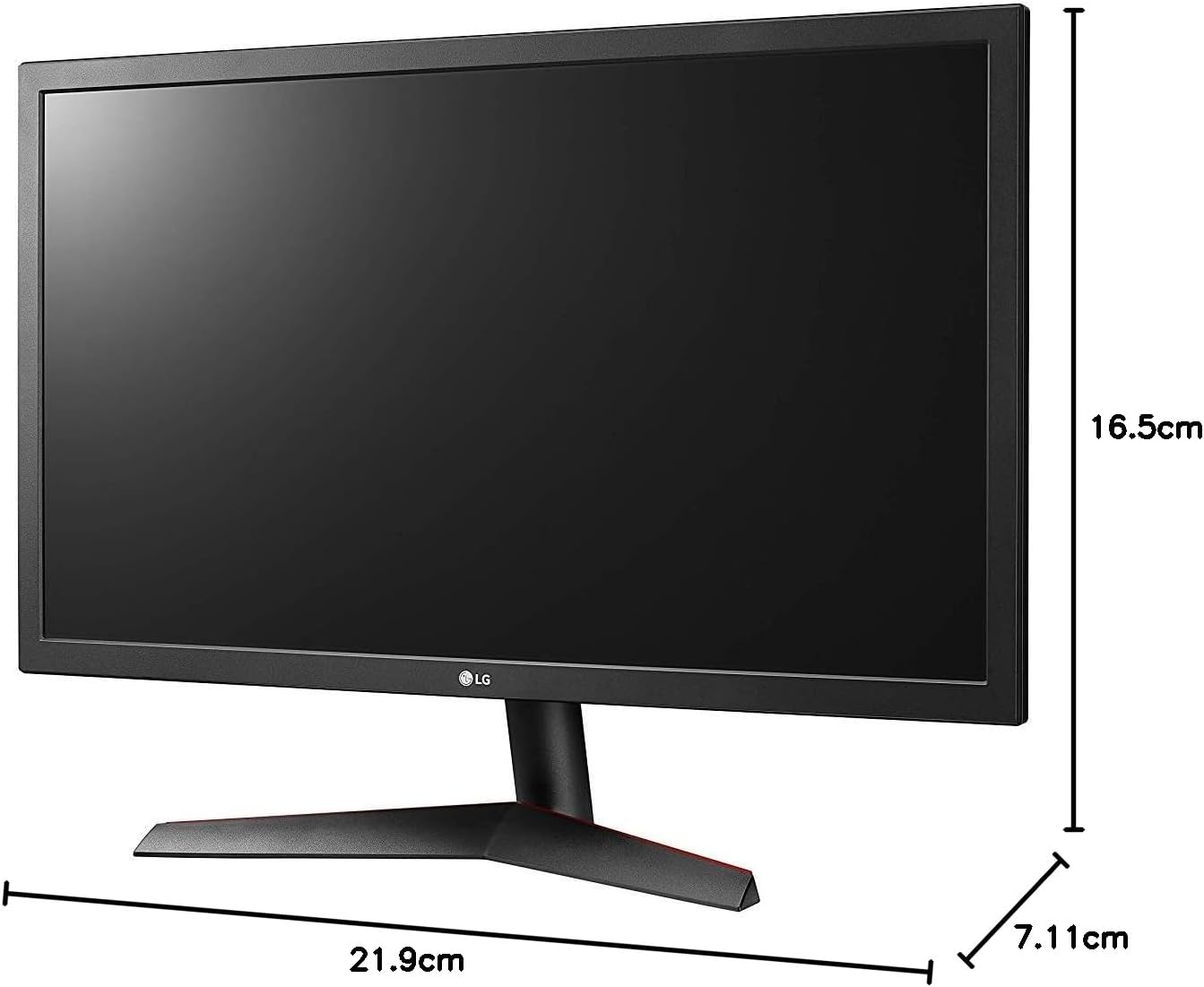
Image: Diagram illustrating the approximate dimensions of a similar LG monitor, showing width, height, and depth. Note: Specific dimensions for the 32QN600-B model are not provided in the available data.
3. Σύνδεση σε υπολογιστή
Connect the monitor to your computer using one of the following cable types. Ensure the monitor and computer are powered off before making connections.
- Σύνδεση HDMI: Use an HDMI cable to connect the monitor's HDMI port to the HDMI port on your computer's graphics card. This monitor supports 2 HDMI inputs.
- Σύνδεση DisplayPort: Use a DisplayPort cable to connect the monitor's DisplayPort to the DisplayPort on your computer's graphics card. This monitor supports 1 DisplayPort input.

Image: Close-up of the rear panel of the LG 32QN600-B monitor, displaying the available input ports including HDMI and DisplayPort connections.
4. Σύνδεση ρεύματος
Συνδέστε τον προσαρμογέα ρεύματος στην είσοδο τροφοδοσίας της οθόνης και, στη συνέχεια, συνδέστε το καλώδιο ρεύματος σε μια πρίζα.
Λειτουργία της οθόνης
1. Ενεργοποίηση/Απενεργοποίηση

Εικόνα: Μπροστά view of the LG 32QN600-B QHD 32-inch IPS monitor, showing the display and stand.
Press the power button (usually a joystick-style button located on the bottom center of the monitor) to turn the monitor on or off.
2. Πλοήγηση στο μενού οθόνης (OSD)
Το μενού OSD σάς επιτρέπει να προσαρμόσετε διάφορες ρυθμίσεις οθόνης. Χρησιμοποιήστε το κουμπί joystick για να πλοηγηθείτε στο μενού:
- Πατήστε το κουμπί του joystick για να ανοίξετε το κύριο μενού OSD.
- Μετακινήστε το joystick πάνω/κάτω/αριστερά/δεξιά για να περιηγηθείτε στις επιλογές του μενού.
- Πατήστε το κουμπί του joystick για να επιλέξετε μια επιλογή ή να επιβεβαιώσετε μια ρύθμιση.
- Μετακινήστε το joystick προς τα αριστερά για να βγείτε από ένα υπομενού ή από το OSD.
3. Ρυθμίσεις εικόνας
Προσαρμόστε τις ρυθμίσεις οθόνης για βέλτιστη viewεμπειρία:
- Λάμψη: Ελέγχει τη συνολική φωτεινότητα της οθόνης.
- Αντίθεση: Προσαρμόζει τη διαφορά μεταξύ φωτεινών και σκοτεινών περιοχών.
- Θερμοκρασία χρώματος: Changes the color warmth or coolness.
- Gamma: Adjusts the mid-tone luminance.
4. Ειδικά χαρακτηριστικά
The LG 32QN600-B monitor includes several features to enhance your viewεμπειρία παιχνιδιού και ψυχαγωγίας:
- Συμβατότητα HDR 10: Supports High Dynamic Range content for enhanced contrast and color detail.
- Λειτουργία ανάγνωσης: Μειώνει τις εκπομπές μπλε φωτός για να ελαχιστοποιήσει την καταπόνηση των ματιών κατά τη διάρκεια πολύωρης ανάγνωσης.
- Flicker Safe: Virtually eliminates screen flicker to reduce eye fatigue.
- AMD FreeSync: Synchronizes the monitor's refresh rate with compatible AMD graphics cards to reduce screen tearing and stuttering for smoother gameplay.
- Δυναμικός συγχρονισμός δράσης (DAS): Minimizes input lag, allowing for quicker responses in fast-paced games.
- Μαύρος σταθεροποιητής: Automatically brightens dark areas in games, making it easier to spot objects or enemies hidden in shadows.
Συντήρηση
Καθαρισμός της οθόνης
To clean the monitor, ensure it is powered off and unplugged from the power outlet. Use a soft, lint-free cloth lightly dampened with water or a mild, non-abrasive screen cleaner. Do not spray cleaner directly onto the screen. Avoid using harsh chemicals, abrasives, or solvents.
Γενική Φροντίδα
Avoid placing heavy objects on the monitor or its cables. Do not expose the monitor to direct sunlight, high humidity, or extreme temperatures. Ensure adequate ventilation around the monitor.
Αντιμετώπιση προβλημάτων
If you experience issues with your monitor, refer to the following common problems and solutions:
| Πρόβλημα | Πιθανή αιτία / Λύση |
|---|---|
| Καμία δύναμη | Ensure the power cord is securely connected to the monitor and a working power outlet. Check if the power adapter is functioning. |
| Δεν υπάρχει σήμα / Κενή οθόνη | Verify that the video cable (HDMI or DisplayPort) is securely connected to both the monitor and the computer. Ensure the correct input source is selected in the OSD menu. Check if the computer is powered on and not in sleep mode. |
| Η εικόνα είναι θολή ή παραμορφωμένη | Adjust the resolution settings on your computer to match the monitor's native resolution (2560 x 1440). Check the video cable for damage. Perform an auto-adjustment or reset picture settings in the OSD menu. |
| Τα χρώματα είναι λανθασμένα | Adjust color settings (color temperature, gamma) in the OSD menu. Ensure your graphics card drivers are up to date. |
| Screen tearing or stuttering (during gaming) | Ensure AMD FreeSync is enabled on both the monitor (via OSD) and your compatible AMD graphics card settings. |
Εάν το πρόβλημα επιμένει αφού δοκιμάσετε αυτές τις λύσεις, επικοινωνήστε με την υποστήριξη πελατών της LG.
Προδιαγραφές
| Όνομα μοντέλου | LG 32QN600-B |
| Μέγεθος οθόνης | 32 ίντσες |
| Τύπος πίνακα | IPS |
| Ψήφισμα | QHD (2560 x 1440) |
| Αναλογία διαστάσεων | 16:9 |
| Υποστήριξη HDR | Συμβατό με HDR 10 |
| Φωτεινότητα (Τυπικό) | 350 nits |
| Χρωματική γκάμα | DCI-P3 90% (Τυπικό) |
| Τεχνολογία Adaptive Sync | AMD FreeSync |
| Συνδεσιμότητα | 2 x HDMI, 1 x DisplayPort |
| Βάση τοίχου VESA | 100 x 100 χλστ |
| Ειδικά Χαρακτηριστικά | Reader Mode, Flicker Safe, Dynamic Action Sync, Black Stabilizer |
| Είσοδος ισχύος | 100-240 βολτ |
| Διαστάσεις (Π x Υ x Β) | Specific dimensions for the 32-inch model are not available in the provided data. |
| Βάρος | Specific weight for the 32-inch model is not available in the provided data. |
Πληροφορίες εγγύησης
LG monitors typically come with a limited manufacturer's warranty. For detailed information regarding your product's warranty period, coverage, and terms and conditions, please refer to the warranty card included with your product or visit the official LG webτοποθεσία. Κρατήστε την απόδειξη αγοράς για τυχόν αξιώσεις εγγύησης.
Υποστήριξη Πελατών
Για τεχνική βοήθεια, αντιμετώπιση προβλημάτων πέραν αυτού του εγχειριδίου ή ερωτήσεις σχετικά με την υπηρεσία, επικοινωνήστε με την Υποστήριξη Πελατών της LG:
- Webτοποθεσία: Επισκεφθείτε την επίσημη LG website for support resources, FAQs, and driver downloads.
- Τηλέφωνο: Ανατρέξτε στην τεκμηρίωση του προϊόντος σας ή στην LG webτοποθεσία για τοπικούς αριθμούς επικοινωνίας.