

DELL R770 Rack Server
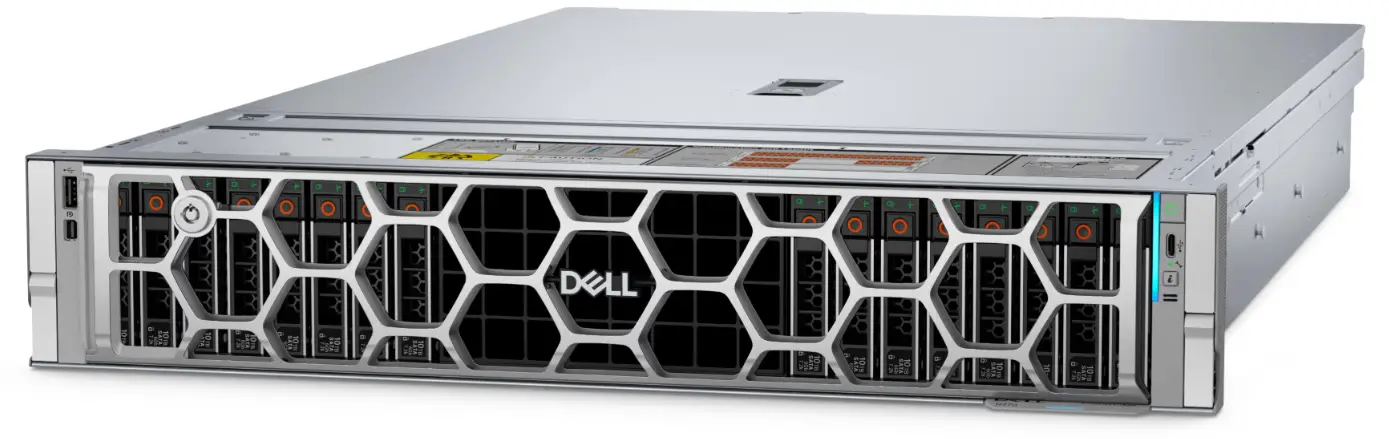
Getting Started
Verify your shipment
Before racking the system, verify the shipment using Secured Component Verification (SCV). It is a supply chain assurance offering that enables customers to verify the PowerEdge server received matches with the manufactured configuration. SCV requires a license to be purchased (point of sale only). In order to validate components, a certificate containing the unique system component IDs is generated during the factory assembly process. This certificate is signed in the Dell factory and is stored in the system, later used by the SCV application. The SCV application validates the system inventory against the SCV certificate.
To validate, download the SCV application from the Dell Support page. Enter the Service Tag, go to the Drivers and Downloads section, and search for the keyword ‘SCV’ to find the download link. For more information, see Secured Component Verification.
Rack the system
Your system may support static, sliding, or combo rails for racks along with Cable Management Arm (CMA) or Strain Relief Bar (SRB). See the Rail Sizing and Rack Compatibility Matrix for your system supported rail information.
Set up the system for Rear I/O configuration
Steps
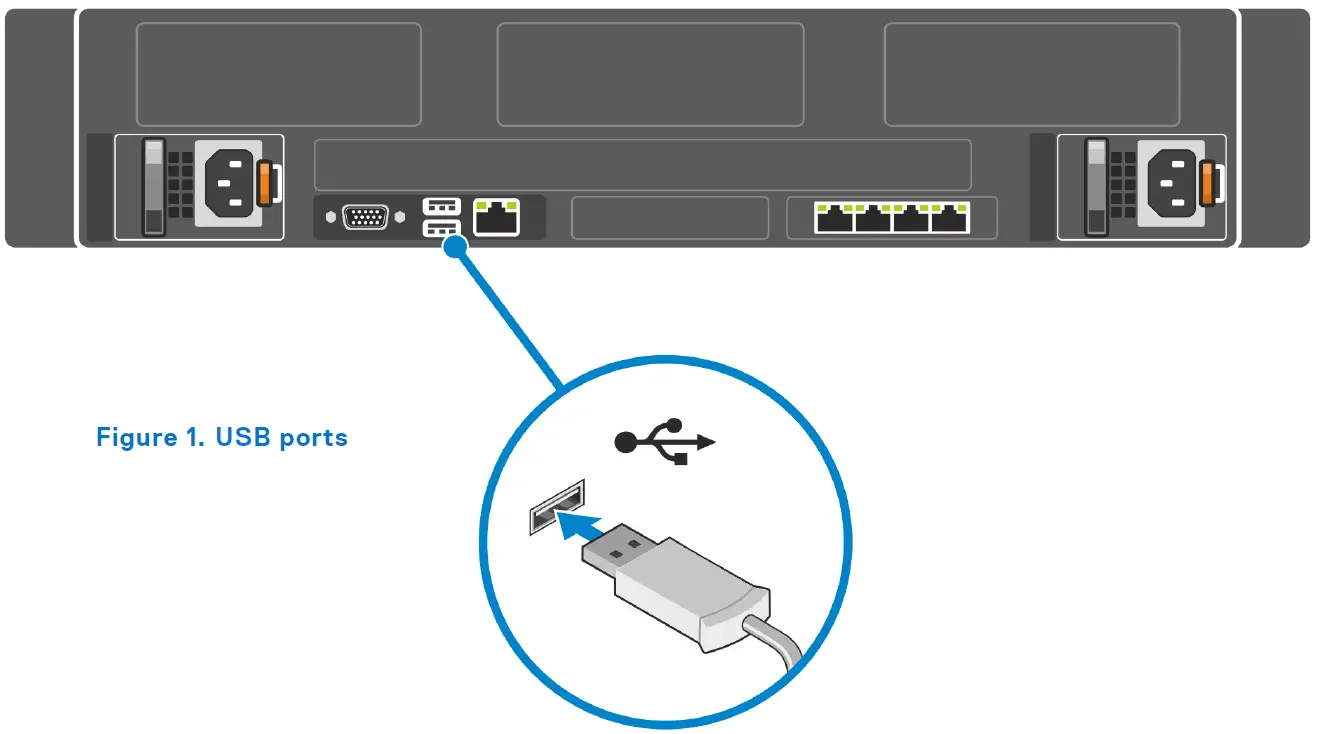
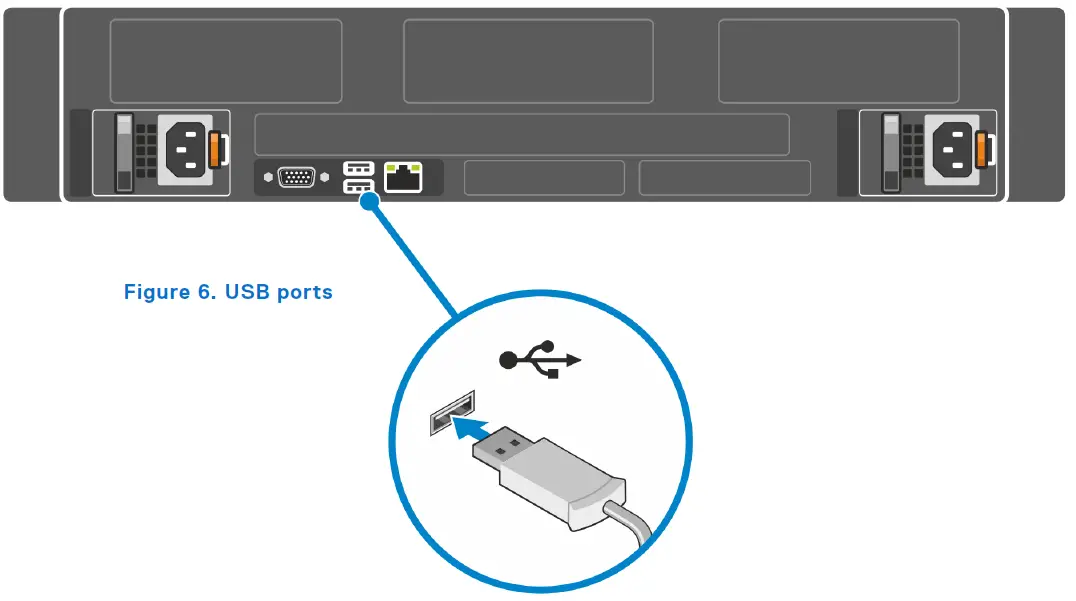
- Connect the optional USB devices to the USB ports.
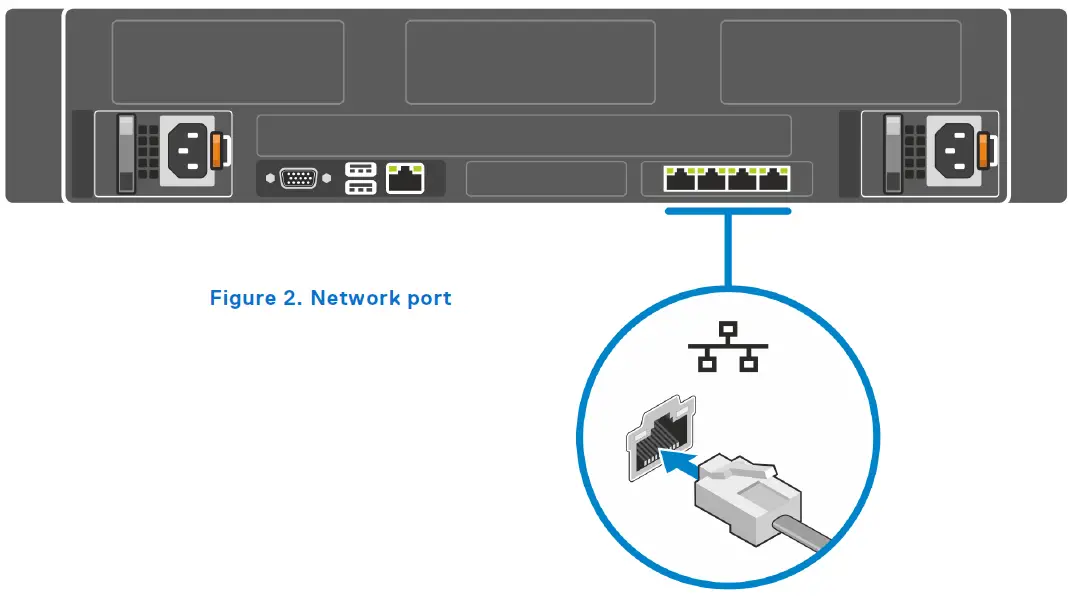
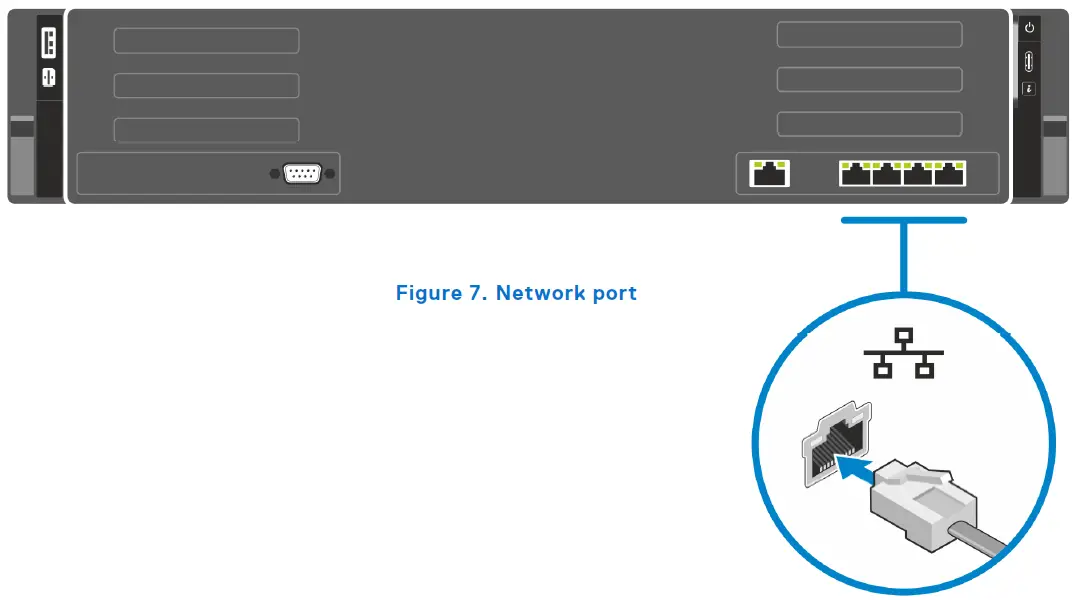
- Connect the optional network cable to the network port.
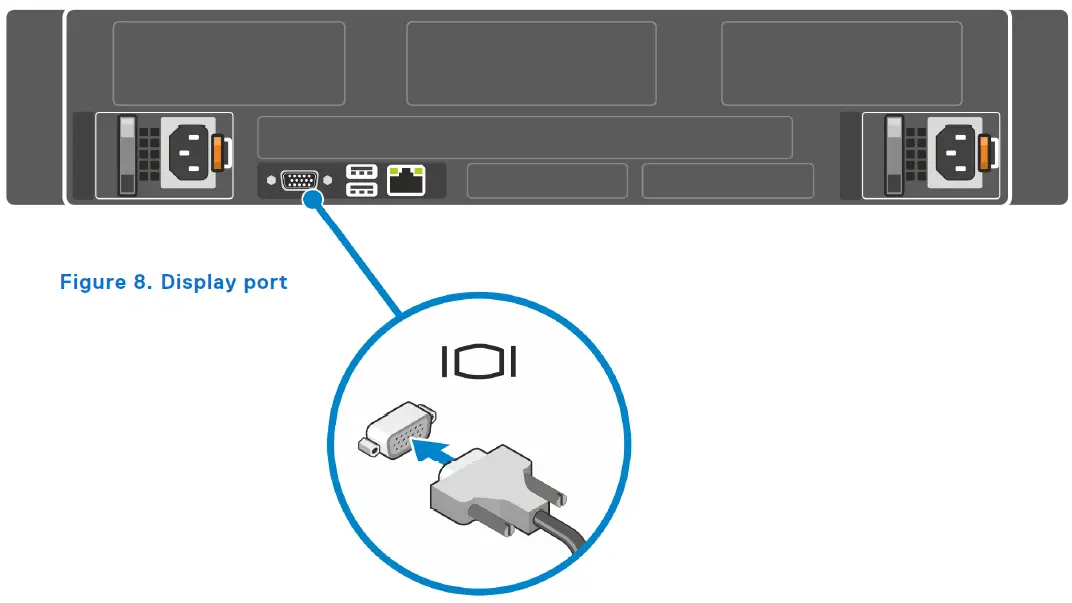
- Connect the optional display device to the display port.

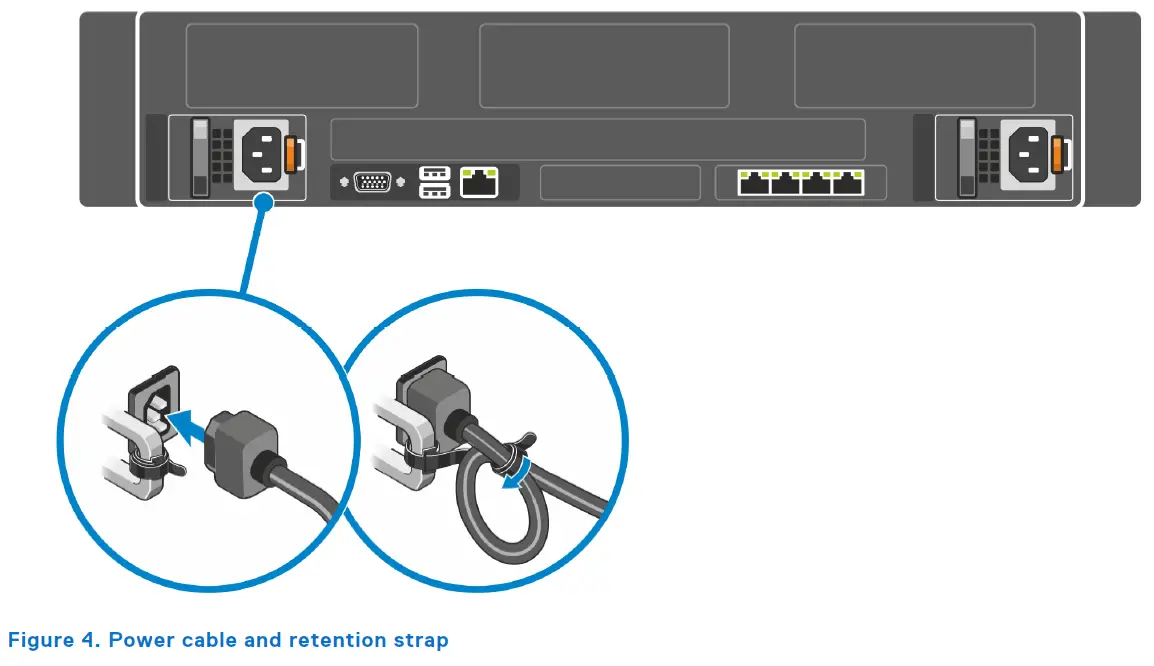
- Connect and secure the power cable using the retention strap.
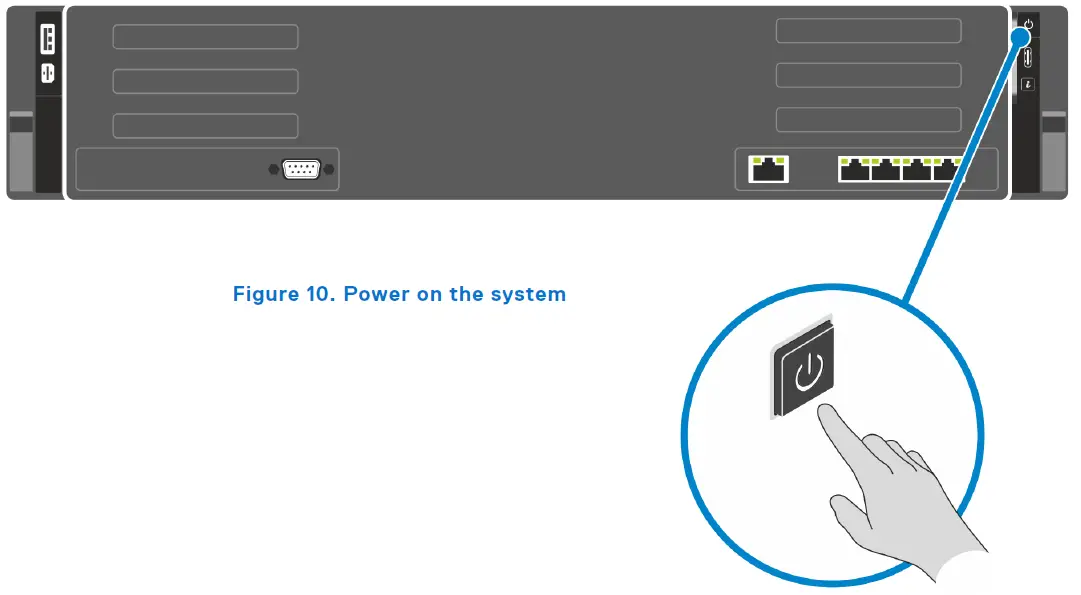
- Power on the system.
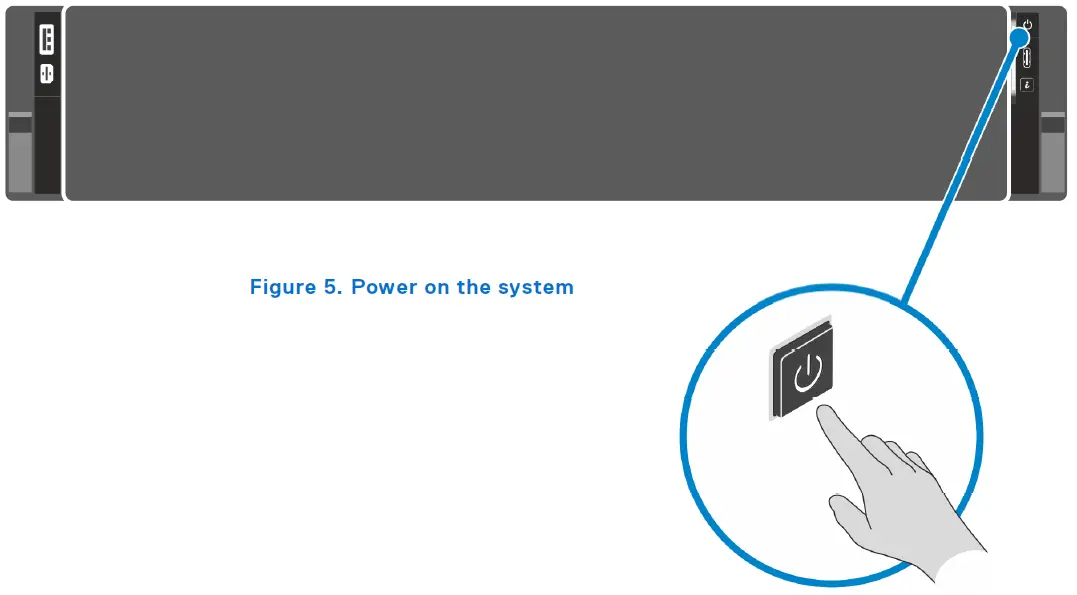
Steps
- Connect the optional USB devices to the USB ports.
- Connect the optional network cable to the network port.
- Connect the optional display device to the display port.
- Connect and secure the power cable using the retention strap.
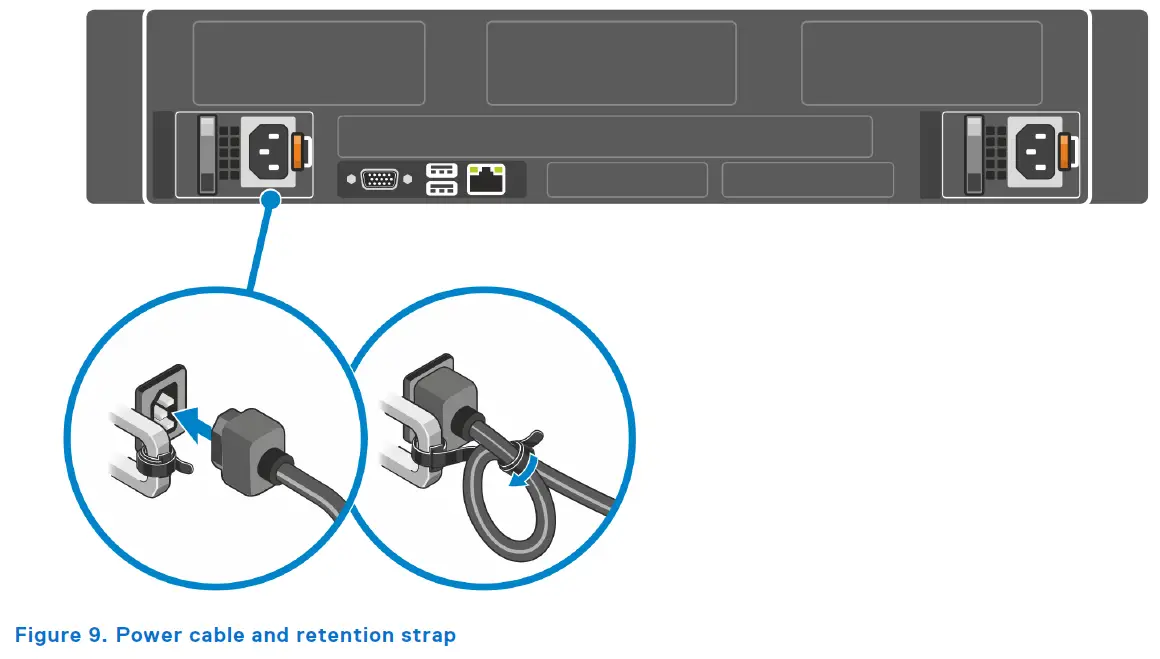
- Power on the system.
Configuration, Data Security, and Service Management
Configure and Manage
Dell provides out-of-band management capabilities through a system-integrated Dell Remote Access Controller (iDRAC), to manage your systems along with partner console Integrations and Connections for third-party consoles. See the System Management Overview Guide to learn more about the systems management portfolio.
Secure your data
Dell PowerEdge servers have featured robust security for several generations, including the innovation of using silicon-based data security. iDRAC provides security features that can be configured to the recommended settings to maximize the security posture of the system. See the Security Configuration for guidance provided based on a diverse set of installed systems.
NOTE: The guidance may not represent the actual risk or guidance to your local installation and individual environment. It is recommended that all users determine the applicability of this information to their individual environments and take appropriate actions.
Getting Help
Topics:
- Service and troubleshoot
- Contacting Dell Technologies
- Accessing system information by using MyDell
- Receiving automated support with Secure Connect Gateway (SCG)
Service and troubleshoot
To install/remove parts or troubleshoot the system, go to the product support page at PowerEdge Manuals.
Alternatively, you can also generate service part removal instructions at SolVe.
Contacting Dell Technologies
Dell provides online and telephone based support and service options. If you do not have an active internet connection, you can find Dell contact information on your purchase invoice, packing slip, bill or Dell product catalog. The availability of services varies depending on the country and product, and some services may not be available in your area. To contact Dell for sales, technical assistance, or customer service issues follow these steps:
Steps
- Go to Dell Support.
- Select your country from the drop-down menu on the lower right corner of the page.
- For customized support:
a. Enter the system Service Tag in the Enter a Service Tag, Serial Number, Service Request, Model, or Keyword field.
b. Click Search.
The support page that lists the various support categories is displayed. - For general support:
a. Select your product category.
b. Select your product segment.
c. Select your product.
The support page that lists the various support categories is displayed. - For contact details of Dell Global Technical Support:
a. Click Contact Technical Support.
b. The Contact Technical Support page is displayed with details to call, chat, or e-mail the Dell Global Technical Support team.
Accessing system information by using MyDell
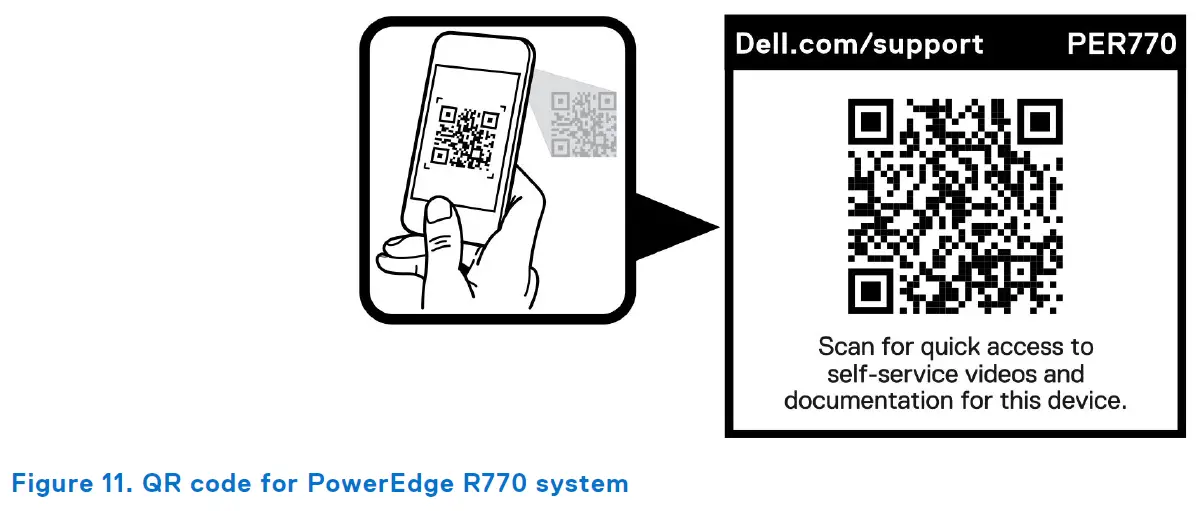
You can use the MyDell label located on the Express service tag in the front of the PowerEdge system, to access information about PowerEdge R770 system.
Prerequisites
Ensure that your smartphone or tablet has a QR code scanner installed.
The MyDell includes the following information about your system:
- How-to videos
- Reference materials, including the Installation and Service Manual, and mechanical overview.
- The system service tag to quickly access the specific hardware configuration and warranty information.
- A direct link to Dell to contact technical support and sales teams.
Steps
- Go to PowerEdge Manuals, and navigate to your specific product or
- Use your smart phone or tablet to scan the model-specific MyDell Quick Resource (QR) code on your system.
QR code for PowerEdge R770 system resources
Receiving automated support with Secure Connect Gateway (SCG)
Dell Secure Connect Gateway (SCG) is an optional Dell Services offering that automates technical support for your Dell server, storage, and networking devices. By installing and setting up a Secure Connect Gateway (SCG) application in your IT environment, you can receive the following benefits:
- Automated issue detection — Secure Connect Gateway (SCG) monitors your Dell devices and automatically detects hardware issues, both proactively and predictively.
- Automated case creation — When an issue is detected, Secure Connect Gateway (SCG) automatically opens a support case with Dell Technical Support.
- Automated diagnostic collection — Secure Connect Gateway (SCG) automatically collects system state information from your devices and uploads it securely to Dell. This information is used by Dell Technical Support to troubleshoot the issue.
- Proactive contact — A Dell Technical Support agent contacts you about the support case and helps you resolve the issue.
The available benefits vary depending on the Dell Service entitlement purchased for your device.
Documents / Resources
 | R770 Rack Server |
References
- Support for Secured Component Verification (SCV) | Documentation | Dell USdell.com
- Support Home | Dell USwww.dell.com
- User Manualmanual.tools