1. Einleitung
The darkFlash C280 is an E-ATX full-tower PC gaming case designed for high-performance builds. It features a 270° panoramic tempered glass display, offering an unobstructed view of internal components. This case supports a wide range of motherboard formats, including reverse/back-connect motherboards, and provides extensive cooling flexibility with support for up to 10 fans and 360mm radiator configurations. Its builder-friendly design includes tool-free access and efficient cable management options.
2. Packungsinhalt
Please verify all components are present upon unboxing:
- darkFlash C280 PC Case (Black)
- Zubehörset (Schrauben, Abstandshalter, Kabelbinder)
- Bedienungsanleitung
- ARGB Fan Controller & Remote (if included with specific model variant)
- Magnetic Dust Filters (pre-installed)
Video: Overview of the darkFlash C280 E-ATX PC Gaming Case, demonstrating its features and design.
3. Spezifikationen
| Besonderheit | Detail |
|---|---|
| Modellname | Schwarz C280 |
| Gehäusetyp | Voller Turm |
| Motherboard-Kompatibilität | E-ATX, ATX, Micro ATX, Mini ITX (including reverse/back-connect motherboards) |
| Abmessungen (LxBxH) | 443 x 277 x 426M (17.44 x 10.91 x 16.77 Zoll) |
| Material | 0.7mm SPCC Steel, Plastic, Tempered Glass |
| GPU-Längenunterstützung | Bis zu 420 mm |
| Unterstützung für die CPU-Kühlerhöhe | Bis zu 155 mm |
| Unterstützung für Netzteillänge | Bis zu 240 mm |
| Fan-Unterstützung | Up to 10x 120mm or 4x 140mm fans |
| Kühlerhalterung | Up to 360mm configurations |
| Laufwerksschächte | 3x SSD + 2x HDD |
| E/A-Anschlüsse | USB 3.0 x1, USB 2.0 x2, HD Audio/Mic, Power/Reset (Optional USB-C) |

Image: Internal layout diagram illustrating motherboard, CPU cooler, and GPU length compatibility.
4. Einrichtung und Installation
4.1. Ausbau der Verkleidung
The darkFlash C280 features tool-free side panels for easy access. Gently pull the tempered glass side panel from the top edge to detach it. Repeat for the steel side panel if necessary. Exercise caution when handling tempered glass.

Image: Illustration of removing the tempered glass side panel for internal access.
4.2. Motherboard-Installation
Install your E-ATX, ATX, Micro ATX, or Mini ITX motherboard onto the pre-installed standoffs. Secure the motherboard with the provided screws. Ensure proper alignment with the I/O shield.
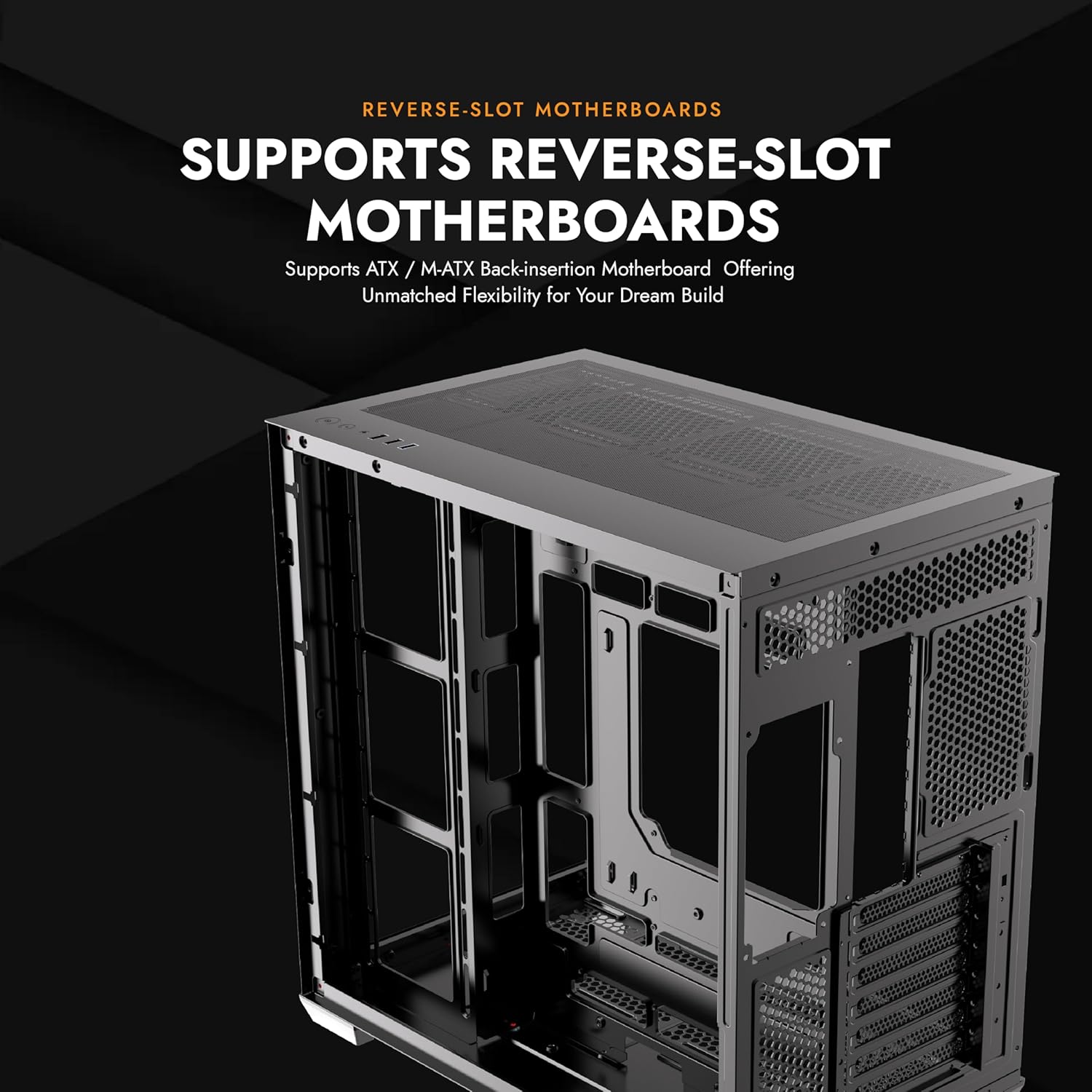
Image: Motherboard installation area within the C280 chassis.
4.3. Komponenteninstallation
- Grafikkarte (GPU): Install your GPU into the appropriate PCIe slot. The case supports GPUs up to 420mm in length. Vertical GPU mounting is supported, but may require a separate bracket (not included).
- CPU-Kühler: Installieren Sie Ihren CPU-Kühler. Das Gehäuse bietet Platz für CPU-Kühler mit einer Höhe von bis zu 155 mm.
- Netzteil (PSU): Install the PSU in the designated bottom mount area. The case supports PSUs up to 240mm.
- Speicherlaufwerke: Utilize the 3x SSD and 2x HDD drive mounts.

Image: Vertical GPU mounting option in the C280 case.
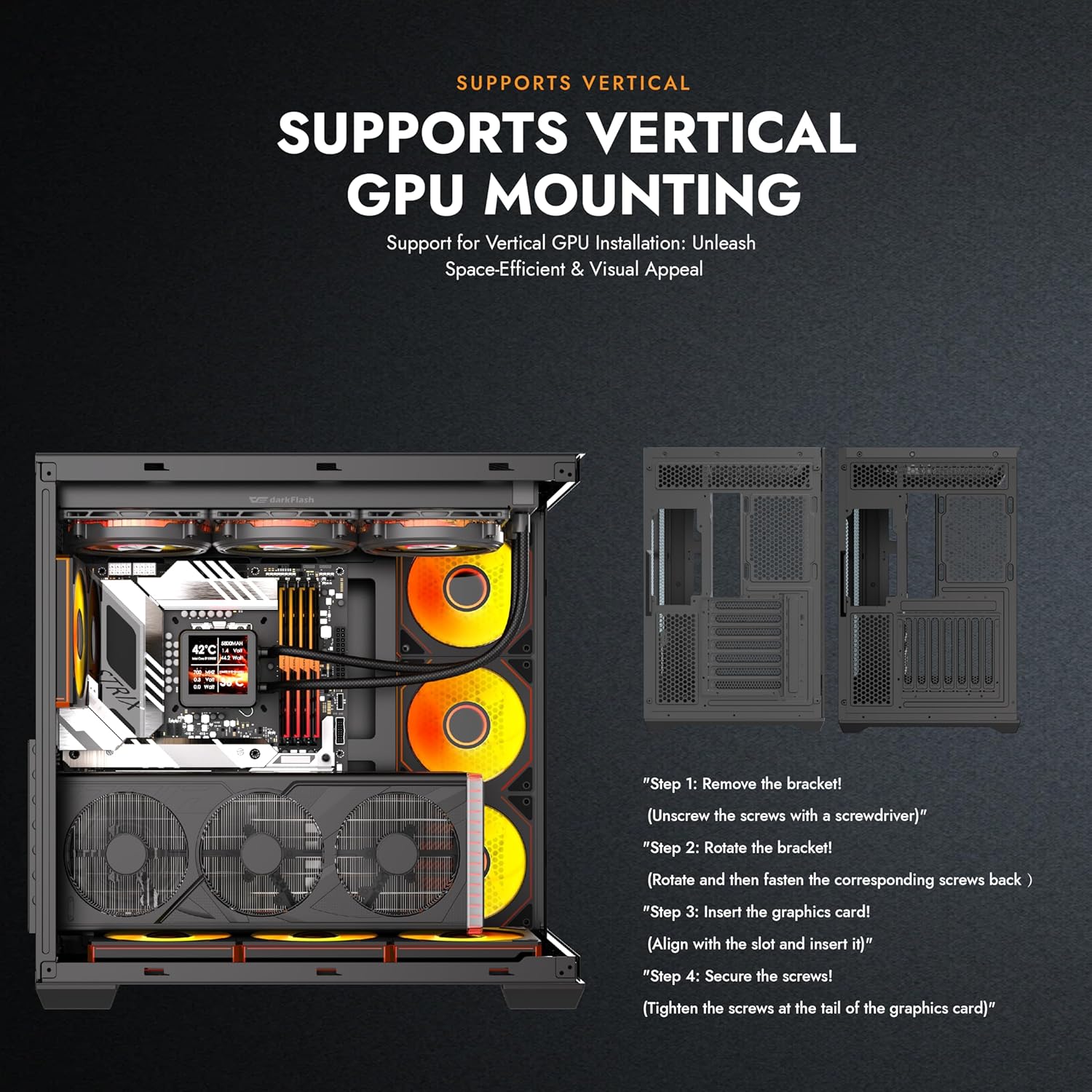
Image: Multifunction bracket for SSD and HDD installation.
4.4. Installation des Kühlsystems
The C280 offers extensive cooling options:
- Fans: Supports up to 10x 120mm or 4x 140mm fans.
- Heizkörper: Compatible with 360mm radiator configurations.

Abbildung: Explosionszeichnung view demonstrating the modular cooling architecture and airflow paths.
4.5. Kabelmanagement
Nutzen Sie die ample space behind the motherboard tray and the provided cable ties to route and secure cables for a clean build and optimized airflow. The reverse connection motherboard compatibility further aids in cable routing by moving I/O and power connections to the rear.
5. Bedienungsanleitung
Once all components are installed and connected, close the side panels. Connect your peripherals, monitor, and power cable to the PSU. Press the power button on the top I/O panel to start your system.
5.1. Front-I/O-Panel
- Netzschalter: Schaltet das System ein/aus.
- Reset-Taste: Startet das System neu.
- HD Audio/Mic Jacks: Zum Anschließen von Kopfhörern und Mikrofonen.
- USB 3.0-Anschlüsse (x1): Hochgeschwindigkeits-Datenübertragung.
- USB 2.0-Anschlüsse (x2): Standard data transfer.
- USB-C Port (Optional): For compatible devices, offering convenient connectivity.

Image: Top I/O panel with power, reset, audio, and USB ports.
6. Wartung
6.1. Reinigung des Staubfilters
The darkFlash C280 is equipped with dual quick-release dust filters located on the top and bottom of the case. Regularly clean these filters to maintain optimal airflow and prevent dust buildup inside your system.
- Gently remove the magnetic dust filters.
- Clean the filters using compressed air or by rinsing with water (ensure they are completely dry before re-installation).
- Bringen Sie die Magnetfilter wieder an ihren jeweiligen Positionen an.
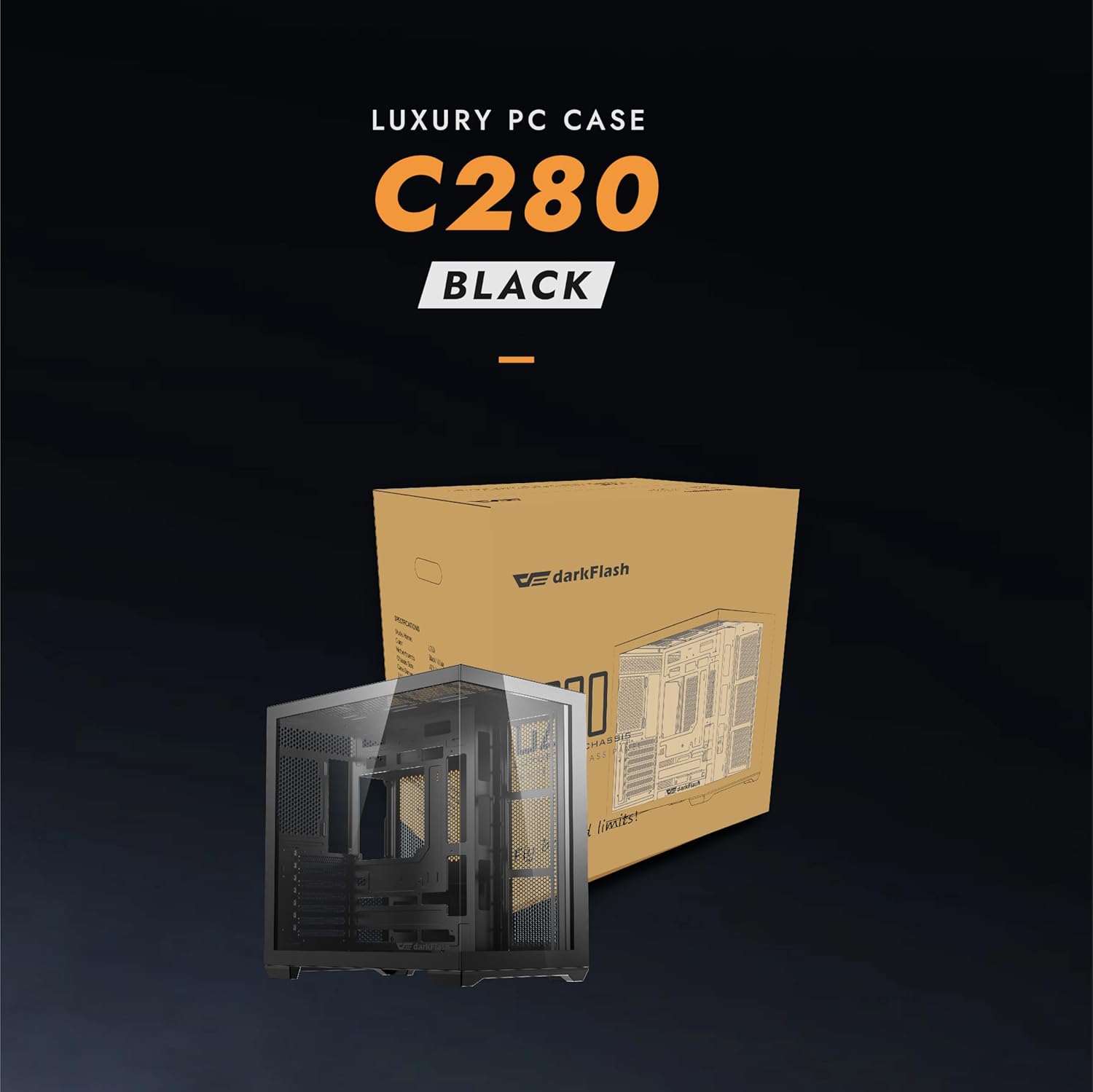
Image: Magnetic dust filter for easy removal and cleaning.
7. Fehlerbehebung
- System schaltet sich nicht ein:
- Stellen Sie sicher, dass das Netzteil ordnungsgemäß an die Wandsteckdose angeschlossen ist und sich der Netzschalter am Netzteil in der Position „EIN“ befindet.
- Prüfen Sie, ob alle Stromkabel (24-Pin ATX, CPU, GPU) fest mit dem Motherboard und den Komponenten verbunden sind.
- Check that the front panel power switch cable is correctly connected to the motherboard's header.
- Poor airflow/High temperatures:
- Ensure all installed fans are spinning correctly.
- Clean the dust filters regularly (refer to Section 6.1).
- Verify proper fan orientation for optimal intake and exhaust.
- Check for any obstructions to airflow within the case.
- Tempered glass panel difficult to remove/install:
- Apply gentle, even pressure when removing or installing. Avoid excessive force.
- Ensure the case is on a flat, stable surface when handling glass panels.
8. Garantie und Support
darkFlash products are manufactured to the highest quality standards. For specific warranty details, please refer to the warranty card included with your product or visit the official darkFlash website. For technical support or inquiries, please contact darkFlash customer service through their official channels.
Offiziell WebWebsite: www.darkflash.com
Amazon Store: Offizieller DarkFlash-Shop


