1. Einleitung
This manual provides essential information for the safe and efficient operation of your iSinbox AC311 Projector. Please read it thoroughly before using the device and keep it for future reference.
2. Sicherheitshinweise
Beachten Sie bei der Verwendung dieses Produkts stets die grundlegenden Sicherheitsvorkehrungen, um das Risiko von Bränden, Stromschlägen und Verletzungen zu verringern.
- Belüftungsöffnungen nicht blockieren.
- Setzen Sie den Projektor weder Regen noch Feuchtigkeit aus.
- Vermeiden Sie, direkt in die Projektorlinse zu blicken, wenn das lamp ist eingeschaltet.
- Verwenden Sie nur vom Hersteller angegebene Anbaugeräte/Zubehör.
- Bei Gewittern oder längerer Nichtbenutzung sollte das Gerät vom Stromnetz getrennt werden.
3. Packungsinhalt
Überprüfen Sie, ob alle Artikel im Paket vorhanden sind:
- iSinbox AC311 Projektor
- Fernbedienung
- HDMI-Kabel
- AV-Kabel
- Stromkabel
- Benutzerhandbuch (dieses Dokument)
4. Produktüberschreitungview
Machen Sie sich mit den Komponenten und Schnittstellen des Projektors vertraut.

Bild: Vorderseite view of the iSinbox AC311 Projector, showcasing dank seiner kompakten Bauweise und Linse.
Schnittstellen:
- HDMI-Anschluss: Connect to HDMI-enabled devices like laptops, game consoles, or streaming sticks.
- USB-Anschluss: Schließen Sie USB-Speichergeräte zur Medienwiedergabe an.
- 3.5-mm-Audiobuchse: Schließen Sie externe Lautsprecher oder Kopfhörer an.
- Leistungsaufnahme: Schließen Sie das Netzkabel an.
5. Einrichtung
- Platzierung: Place the projector on a stable, flat surface or mount it according to your preference (floor, ceiling, tripod, wall). Ensure adequate ventilation around the device. The projector supports short-throw projection, allowing a 100-inch screen from approximately 2.4 meters away.

Image: Diagram illustrating optimal projection distances for various screen sizes with the iSinbox AC311 Projector.
- Stromanschluss: Schließen Sie das Netzkabel an den Stromeingang des Projektors und anschließend an eine Steckdose an.
- Erstes Einschalten: Drücken Sie den Netzschalter am Projektor oder auf der Fernbedienung, um das Gerät einzuschalten.
- Fokus- und Trapezkorrektur: The iSinbox AC311 features automatic focus and 6D keystone correction. The projector will automatically adjust the image for clarity and correct distortion. Manual adjustments can also be made if needed.

Image: Visual representation of the automatic focus and 6D keystone correction capabilities of the iSinbox AC311 Projector.
- Netzwerkverbindung: Connect the projector to your Wi-Fi network using the settings menu. The projector supports ultra-fast WiFi 6 for stable streaming.
6. Bedienungsanleitung
6.1-Fernbedienung
The included remote control allows you to navigate the projector's interface and control playback.

Image: The iSinbox AC311 Projector remote control, showing dedicated buttons for popular streaming services like Netflix and YouTube.
6.2 Quellenauswahl
Use the remote control to select your desired input source (HDMI, USB, or built-in streaming apps).
6.3 Streaming-Anwendungen
The iSinbox AC311 Projector comes with a Movin Smart operating system and is compatible with popular streaming services such as Netflix, Prime Video, YouTube, Disney, and Apple TV. Access these directly from the home screen.
6.4 Bildqualität
The projector supports 4K resolution with HDR10+ and features AI Image Enhance technology, delivering vibrant and detailed visuals. It boasts 1200 ANSI lumens for bright images.
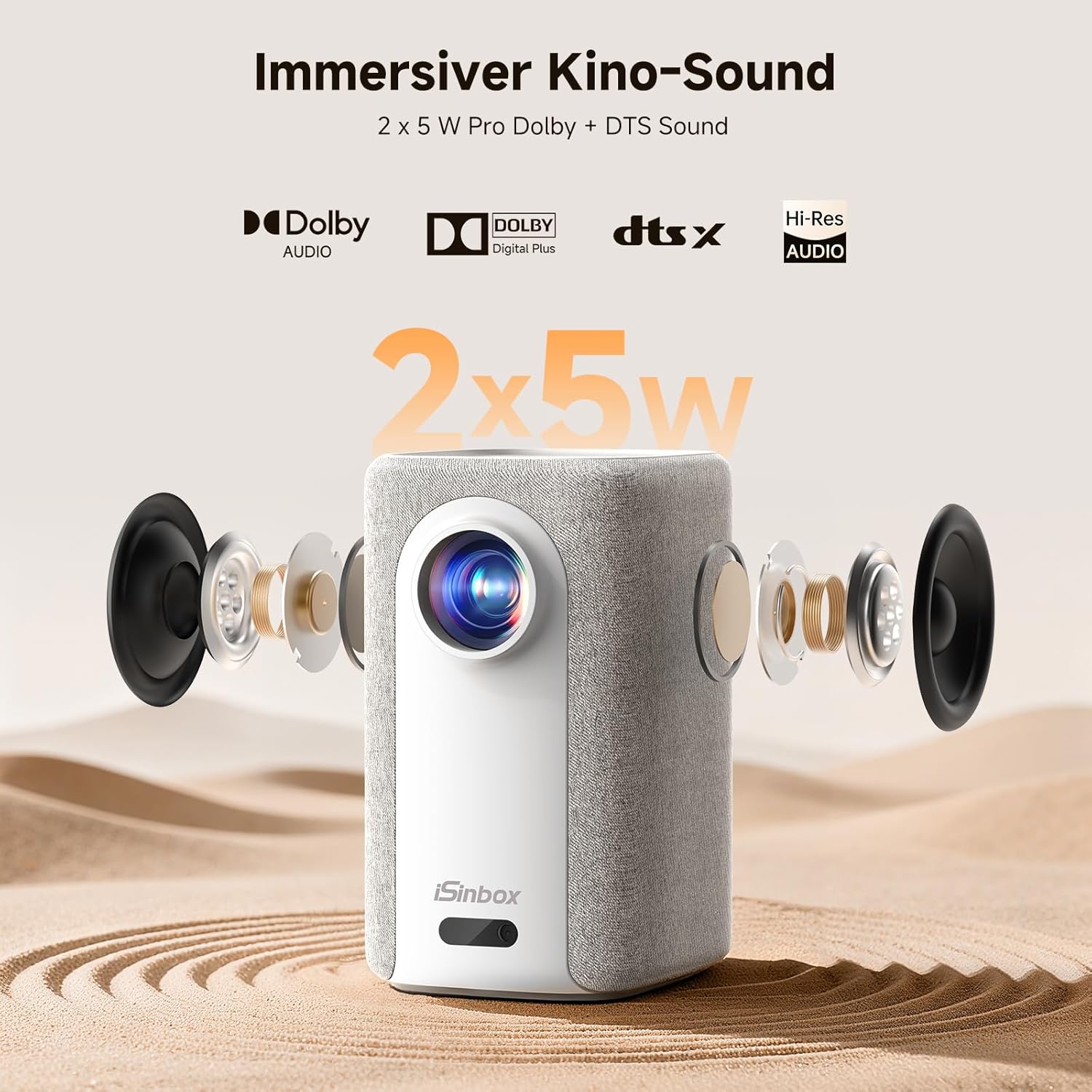
Image: A split-screen comparison demonstrating the superior image quality, vibrant colors, and detail of the iSinbox AC311 Projector (AC311) compared to other projectors.
6.5 Bluetooth-Konnektivität
The projector features bidirectional Bluetooth 5.4, allowing you to connect external speakers or headphones for enhanced audio, or use the projector as a Bluetooth speaker.

Image: Illustration of the iSinbox AC311 Projector's advanced WiFi 6 and Bluetooth 5.4 capabilities, highlighting smooth and low-latency connections.
6.6 Audioausgang
The projector is equipped with 2 x 5W speakers and supports Dolby Audio and DTS Sound for an immersive audio experience.

Abbildung: Explosionszeichnung view of the iSinbox AC311 Projector, detailing its 2x5W speakers and support for Dolby Audio and DTS Sound.
6.7 360-Degree Projection
The projector's design, including a dual-mode stand and integrated handle, allows for flexible placement and 360-degree projection, enabling you to project onto ceilings or walls from various angles.
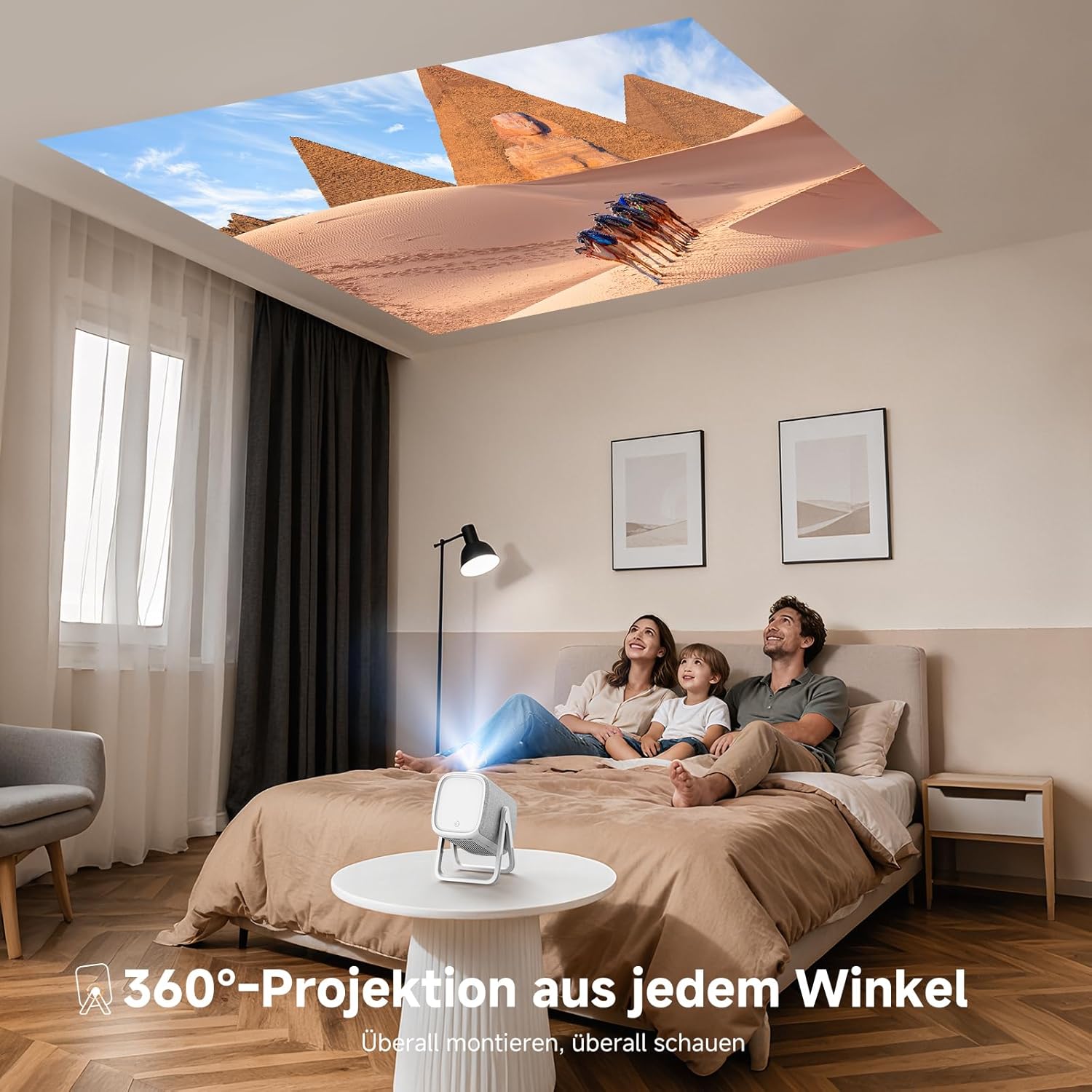
Image: The iSinbox AC311 Projector projecting an image onto a ceiling, illustrating its 360-degree projection feature and portable design.
7. Wartung
- Reinigung der Linse: Verwenden Sie ein weiches, fusselfreies Tuch, das speziell für optische Linsen entwickelt wurde. Verwenden Sie keine Scheuermittel oder Lösungsmittel.
- Reinigung des Casing: Wischen Sie das Gehäuse des Projektors mit einem weichen, trockenen Tuch ab. Bei hartnäckigen Flecken verwenden Sie ein leicht dämpfendes Tuch.amp Tuch ab und trocknen Sie es anschließend gründlich ab.
- Belüftung: Um eine Überhitzung zu vermeiden, muss sichergestellt werden, dass die Lüftungsöffnungen frei von Staub und Verstopfungen sind.
- Lagerung: Wenn Sie den Projektor längere Zeit nicht verwenden, lagern Sie ihn an einem kühlen, trockenen Ort, geschützt vor direkter Sonneneinstrahlung und extremen Temperaturen.
8. Fehlerbehebung
| Problem | Mögliche Ursache | Lösung |
|---|---|---|
| Kein Bild angezeigt | Power cable disconnected; incorrect input source; device not powered on. | Überprüfen Sie die Stromverbindung; wählen Sie die richtige Eingangsquelle; stellen Sie sicher, dass das angeschlossene Gerät eingeschaltet ist. |
| Unscharfes Bild | Out of focus; projector not perpendicular to screen. | Allow auto-focus to adjust or manually adjust focus; use keystone correction. |
| Kein Ton | Volume too low; external audio device not connected properly; mute enabled. | Increase volume; check audio cable/Bluetooth connection; disable mute. |
| Fernbedienung funktioniert nicht | Batterien leer; Blockade zwischen Fernbedienung und Projektor. | Batterien austauschen; freie Sichtlinie zum Infrarotempfänger sicherstellen. |
9. Spezifikationen
| Besonderheit | Detail |
|---|---|
| Modell | AC311 |
| Marke | iSinbox |
| Display-Technologie | LCD |
| Native Auflösung | 1920 x 1080 (Full HD) |
| Maximale Auflösung | 3840 x 2160 (4K-Unterstützung) |
| Seitenverhältnis | 4:3 |
| Kontrastverhältnis | Hoch |
| Energieaufnahme | 65 Watt |
| Bildwiederholrate | 60 Hz |
| Konnektivität | Bluetooth 5.4 (Bidirectional), WiFi 6, HDMI, USB, 3.5mm Audio Jack, IR |
| Kompatible Geräte | Speakers, Game Consoles, Laptops, Smartphones, Tablets |
| Besondere Merkmale | Automatic Focus, 6D Keystone Correction, Dual-mode Stand, Movin Smart OS, Built-in Streaming Apps (Netflix, Prime Video, YouTube, Disney, Apple TV), Dolby Audio, DTS Sound, 360-degree Projection |
| Abmessungen (L x B x H) | 27.6 x 20.5 x 16.3 cm |
| Gewicht | 1.92 kg |
| Montageoptionen | Floor, Ceiling, Tripod, Table, Wall |
10. Garantie und Support
For warranty information and technical support, please refer to the official iSinbox webSie können die Website besuchen oder sich direkt an den Kundenservice wenden. Einzelheiten finden Sie in der Regel auf der Produktverpackung oder einer separaten Garantiekarte.
The product was first available on Amazon.es from October 23, 2025.


