1. Einführung und Endeview
The NEXPEAK 15A Battery Charger (Model: bc02-1a) is an advanced 9-stage smart battery charger and maintainer designed for a wide range of 12V and 24V batteries. It is compatible with both LiFePO4 and lead-acid battery types, including AGM, GEL, SLA, and Flooded batteries. This charger provides efficient and safe charging for vehicles such as cars, trucks, SUVs, motorcycles, lawnmowers, and marine vessels. Its intelligent design incorporates multiple protection features and a pulse repair function to optimize battery performance and extend lifespan.
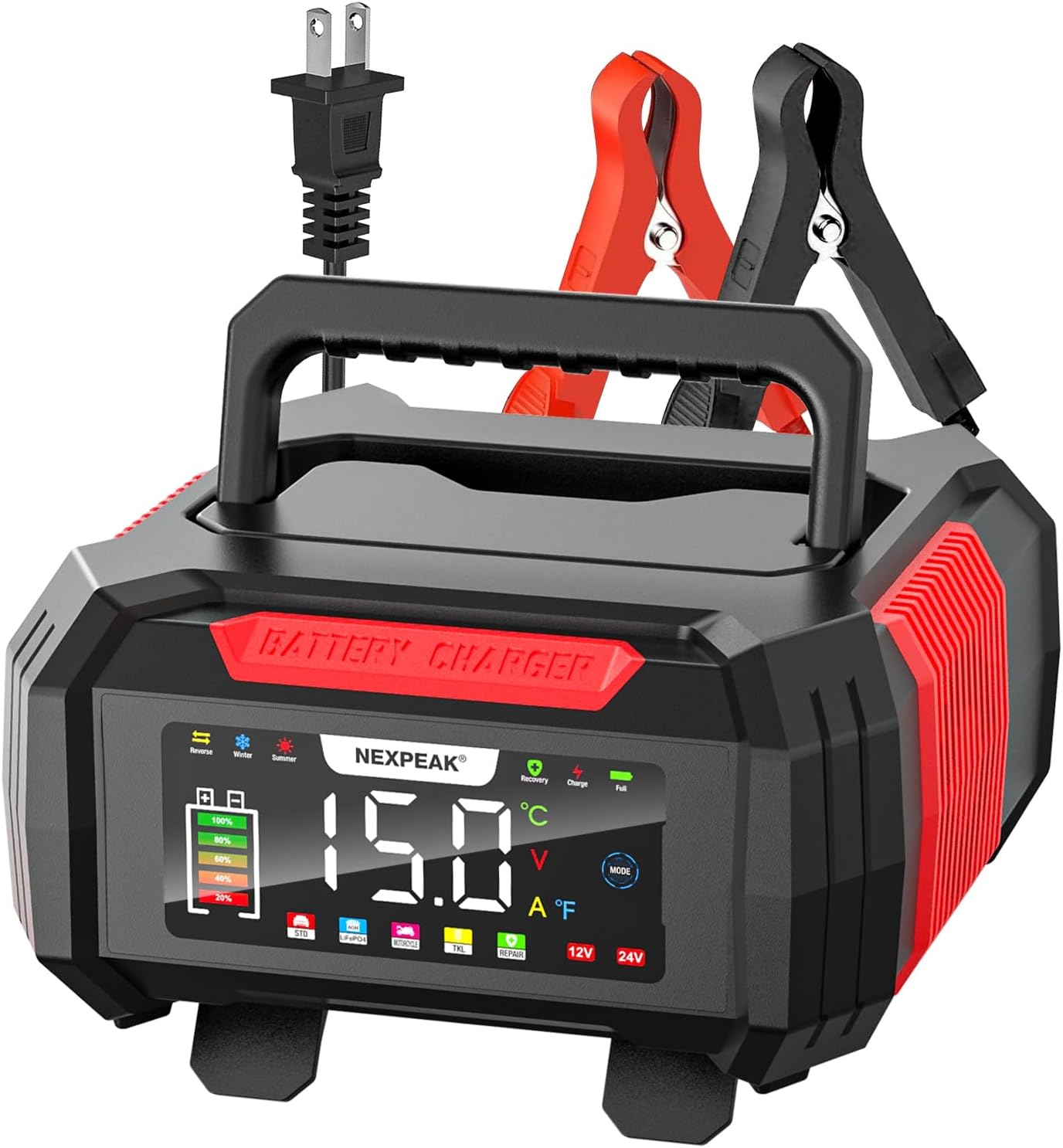
Figure 1: NEXPEAK 15A Battery Charger, front view with display and clamps.
2. Sicherheitshinweise
Always prioritize safety when operating electrical equipment and handling batteries.
- Lesen Sie das Handbuch: Vor Gebrauch alle Anweisungen und Sicherheitshinweise in dieser Bedienungsanleitung sorgfältig lesen und verstehen.
- Belüftung: Ensure adequate ventilation when charging batteries, as they can produce explosive gases. Do not charge in an enclosed area.
- Augen- und Hautschutz: Always wear appropriate eye protection (safety glasses) and protective gloves when working with batteries. Battery acid is corrosive.
- Rauchen/Funken verboten: Do not smoke or allow sparks or flames in the vicinity of the battery or charger during operation.
- Richtiger Anschluss: Schließen Sie die Batterie clamps to the battery terminals correctly before plugging the charger into an AC power outlet. Ensure the charger is unplugged from the AC outlet before disconnecting the clamps.
- Kurzschlüsse vermeiden: Prevent the positive and negative clamps from touching each other or touching the same metal surface simultaneously.
- Beschädigte Ausrüstung: Betreiben Sie das Ladegerät nicht, wenn es heruntergefallen oder beschädigt ist oder wenn die Kabel oder der Stecker beschädigt sind.ampDie Daten sind kompromittiert. Wenden Sie sich an den Kundendienst, um Unterstützung zu erhalten.
- Kinder und Haustiere: Bewahren Sie Ladegerät und Batterien außerhalb der Reichweite von Kindern und Haustieren auf.
- Verwendungszweck: Use the charger only for its intended purpose as described in this manual.
3. Produktmerkmale
The NEXPEAK 15A Battery Charger offers a range of features designed for efficient and safe battery maintenance:
- Vielseitige Akkukompatibilität: Supports both 12V and 24V LiFePO4 and lead-acid batteries (AGM, GEL, SLA, Flooded).
- Hochgeschwindigkeits-Schnellladung: Provides 15-Amp (12V) and 8-Amp (24V) charging, significantly faster than lower-ampeRage-Ladegeräte.
- 9-Stage Intelligentes Laden: An advanced charging process that optimizes battery health and extends cycle life. This includes stages like Battery Detection, Desulphation, Soft Start, Bulk Charging, Absorption Charging, Battery Test, Recondition Charging, Float & Maintenance Charging, and Monitoring.
- 1.75A Trickle Charger Mode (TKL): Automatically enters a trickle/float charging mode after full charge, maintaining battery levels over extended periods without overcharging. Ideal for stored vehicles or seasonal equipment.
- Heller LCD-Farbbildschirm: An extra-large display provides clear visibility of charging status, voltage, current, temperature (℉), charge percentage und ausgewählte Modi (Sommer/Winter).
- Pulsreparaturfunktion: Automatically detects battery sulfation and acid stratification, utilizing pulse technology to restore lost battery performance and improve starting power. Note: This function cannot activate or charge completely dead batteries (below 1V).
- Umfassende Sicherheitsmaßnahmen: Features smart control, temperature compensation, reverse polarity protection, cooling system, overcurrent protection, fireproof material, overcharge protection, and short circuit protection.
- Temperaturkompensation: Automatically adjusts charging parameters based on ambient temperature, ensuring optimal charging in both hot (Summer Mode, above 82°F) and cold (Winter Mode, below 50°F) climates.
- Praktisches Design: Features a removable cover for cable storage and a lengthened 10ft charging cable for ease of use.

Figure 2: High-speed quick charge capability for Lead-Acid and LiFePO4 batteries.

Abbildung 3: Die 1.75Amp trickle charger mode for maintaining stored batteries.
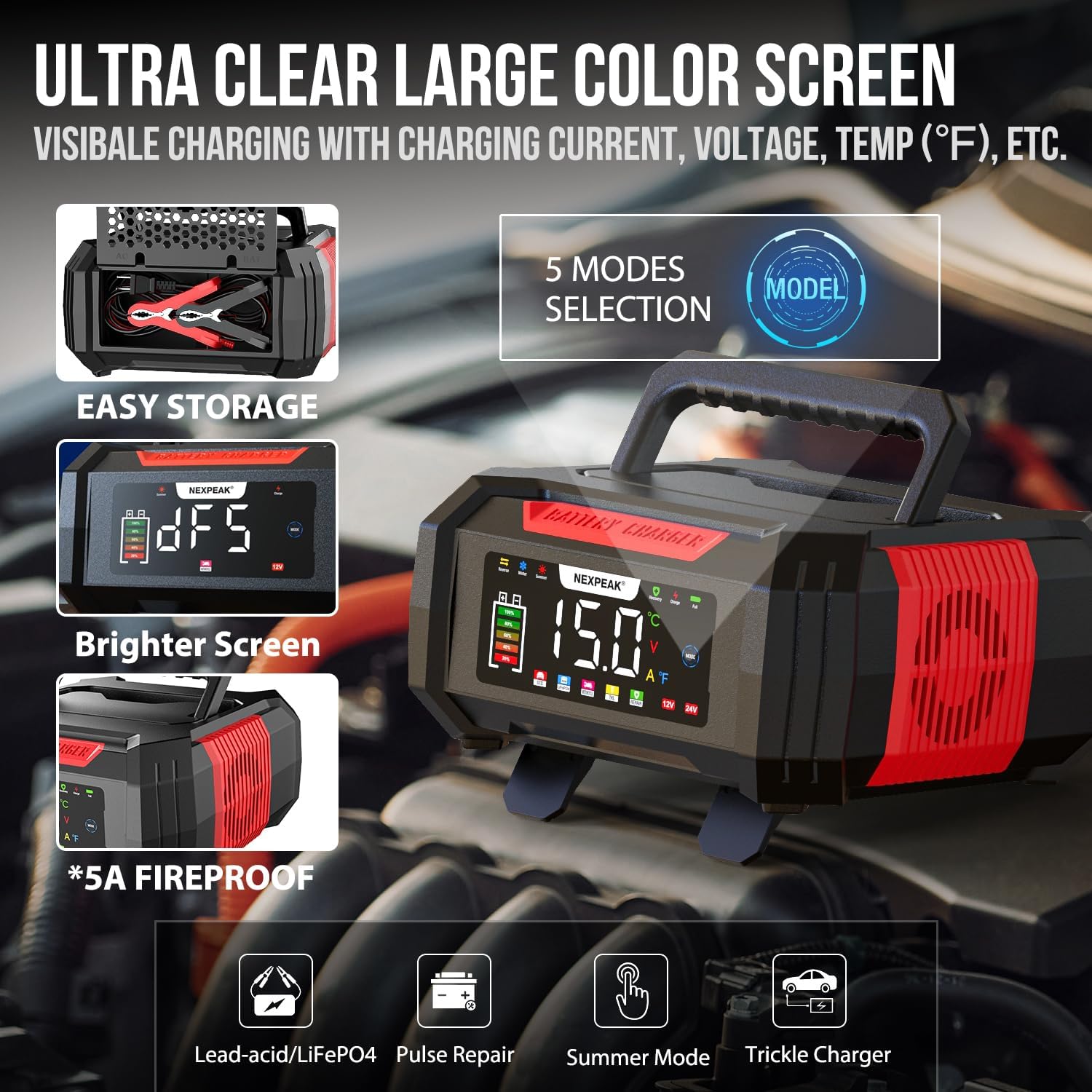
Figure 4: Ultra-clear large color screen and mode selection.
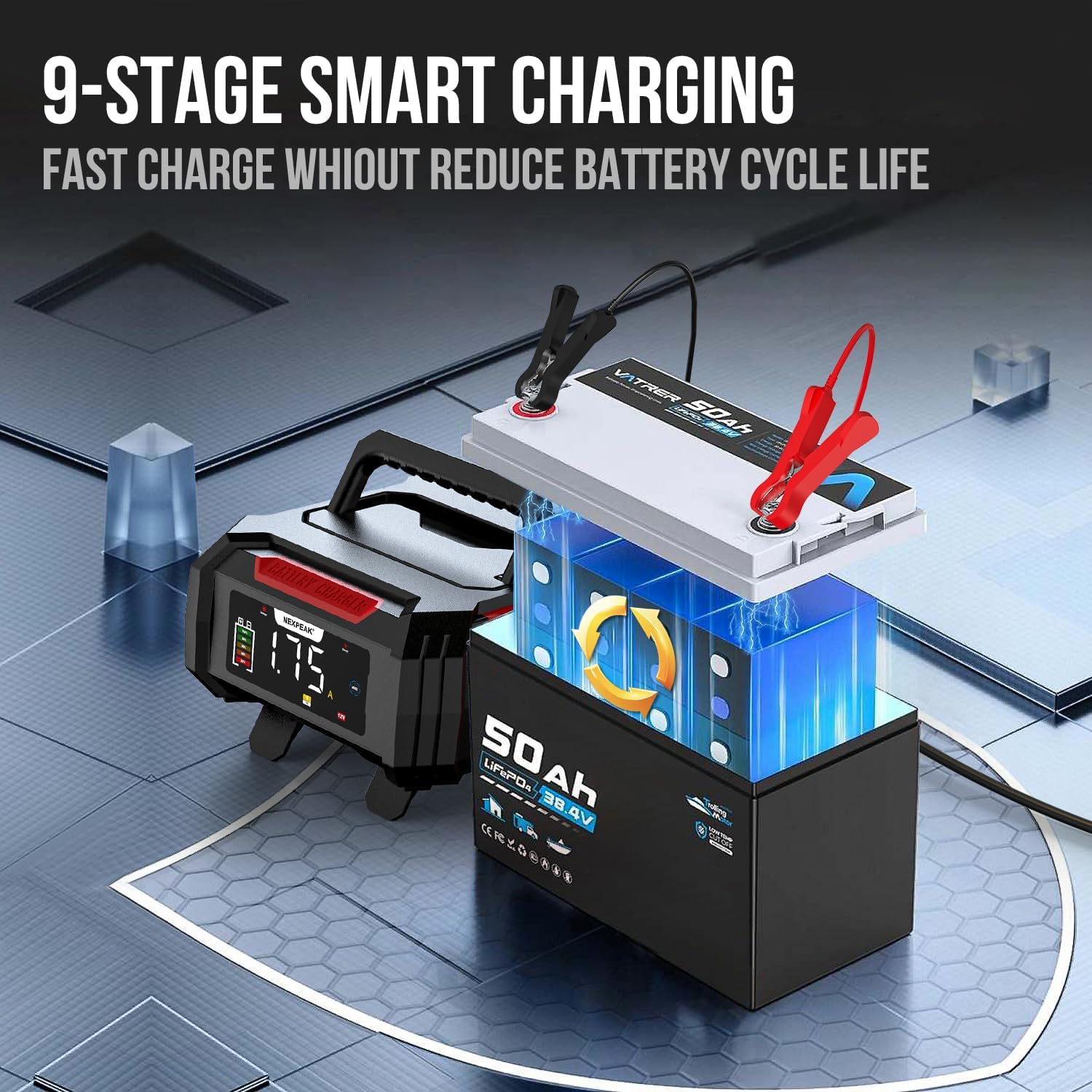
Abbildung 5: Illustration des 9-stage intelligenter Ladevorgang.

Figure 6: The pulse repair function for restoring battery performance.
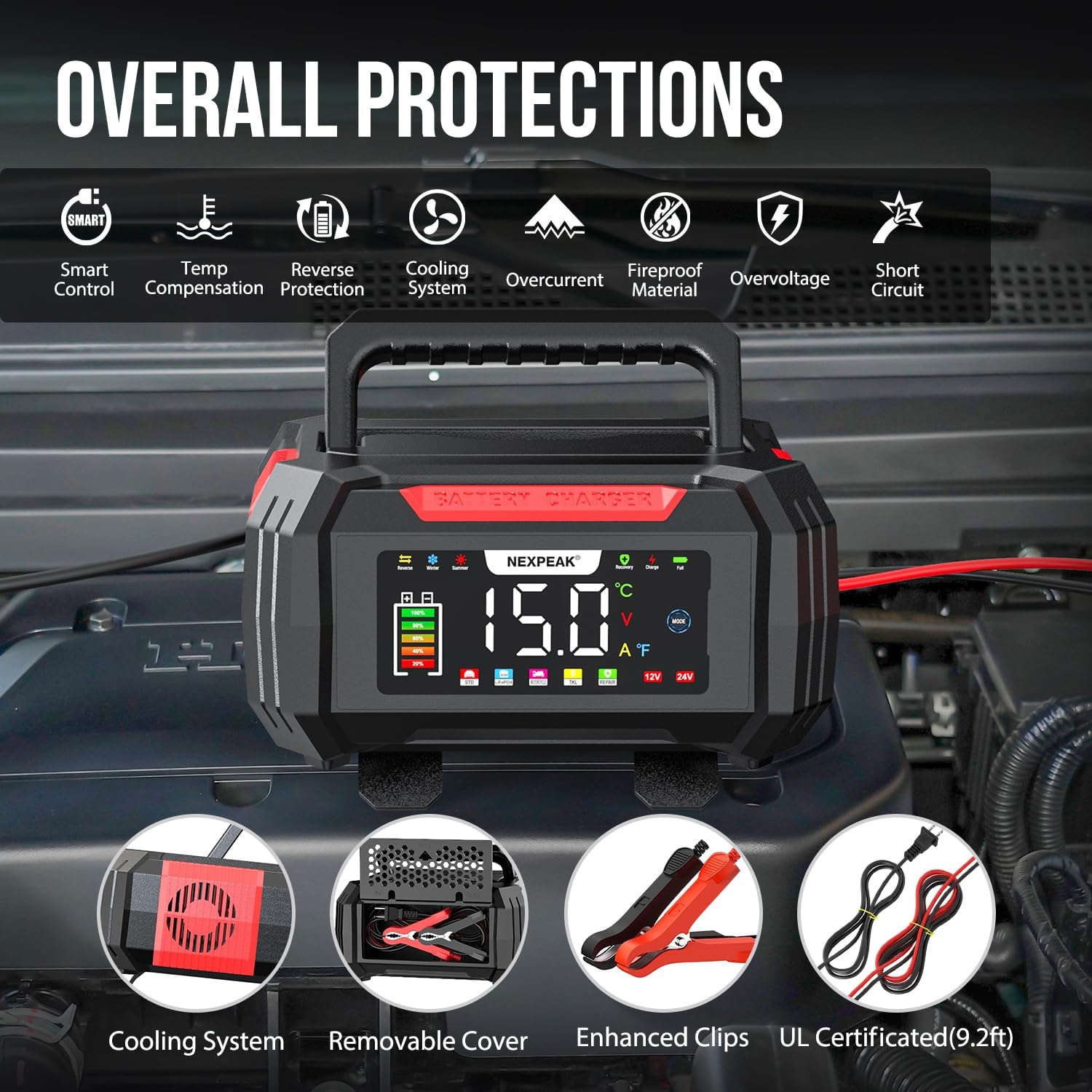
Abbildung 7: Überview of the comprehensive safety protections.

Figure 8: Temperature compensation for optimized charging in different climates.
4. Einrichtung
Follow these steps to set up your NEXPEAK battery charger:
- Bereiten Sie die Batterie vor: Stellen Sie sicher, dass die Batteriepole sauber und frei von Korrosion sind. Reinigen Sie sie gegebenenfalls mit einer Drahtbürste.
- Verbinden Clamps:
- Verbinden Sie rot positiv (+) clamp zur positiv (+) Pol der Batterie.
- Verbinden Sie schwarzes Negativ (-) clamp zur negativ (-) Pol der Batterie.
Important: Ensure the charger is NOT plugged into an AC power outlet before connecting the clamps zur Batterie.
- Ladegerät anschließen: Sobald die clamps are securely connected to the battery, plug the charger's AC power cord into a standard 120V AC wall outlet.
- Erste Anzeige: The charger's LCD screen will illuminate and display the current battery voltage und weitere Informationen.
5. Bedienungsanleitung
The NEXPEAK charger operates largely automatically, but you can select specific modes as needed.
5.1 Automatisches Laden
After connecting the charger to the battery and power outlet, the charger will automatically detect the battery type (12V or 24V) and begin the appropriate 9-stage charging process. The LCD screen will show real-time charging voltage, current, temperature, and charge percentage.
5.2 Modusauswahl
Drücken Sie die MODUS button on the charger's display to cycle through available charging modes. The charger offers 5 modes:
- Normaltarif: Default mode for general charging.
- LiFePO4: Specific mode for Lithium Iron Phosphate batteries.
- Pulse Repair (PUL): For desulfation and repair of lead-acid batteries. Select this mode if your battery is showing signs of sulfation or reduced performance. The charger will attempt to restore the battery.
- Sommermodus: Automatically activated when ambient temperature is above 82°F (28°C). Adjusts charging parameters for hot climates.
- Wintermodus: Automatically activated when ambient temperature is below 50°F (10°C). Adjusts charging parameters for cold climates.
- Trickle Charge (TKL): Automatically engaged after a full charge to maintain the battery. This mode is ideal for long-term storage.
5.3 Trennen des Ladegeräts
- Unplug the charger's AC power cord from the wall outlet.
- Den schwarzen Minuspol (-) abklemmenamp vom Minuspol (-) der Batterie.
- Den roten Pluspol (+) vom Stecker abtrennenamp vom Pluspol (+) der Batterie.
6. Wartung
Proper maintenance ensures the longevity and optimal performance of your NEXPEAK battery charger.
- Reinigung: Trennen Sie das Ladegerät vor der Reinigung von allen Stromquellen und Akkus. Wischen Sie die Außenseite mit einem weichen, feuchten Tuch ab.amp Tuch. Verwenden Sie keine scharfen Chemikalien oder Scheuermittel.
- Kabel und Clamp Inspektion: Überprüfen Sie regelmäßig die Ladekabel und den Stecker.ampPrüfen Sie auf Anzeichen von Beschädigung, Ausfransungen oder Korrosion. Ersetzen Sie beschädigte Teile.
- Lagerung: Store the charger in a cool, dry place when not in use. Utilize the removable cover to neatly store the cables and clamps within the unit.
- Belüftung: Ensure the cooling vents on the charger are not blocked during operation to prevent overheating.
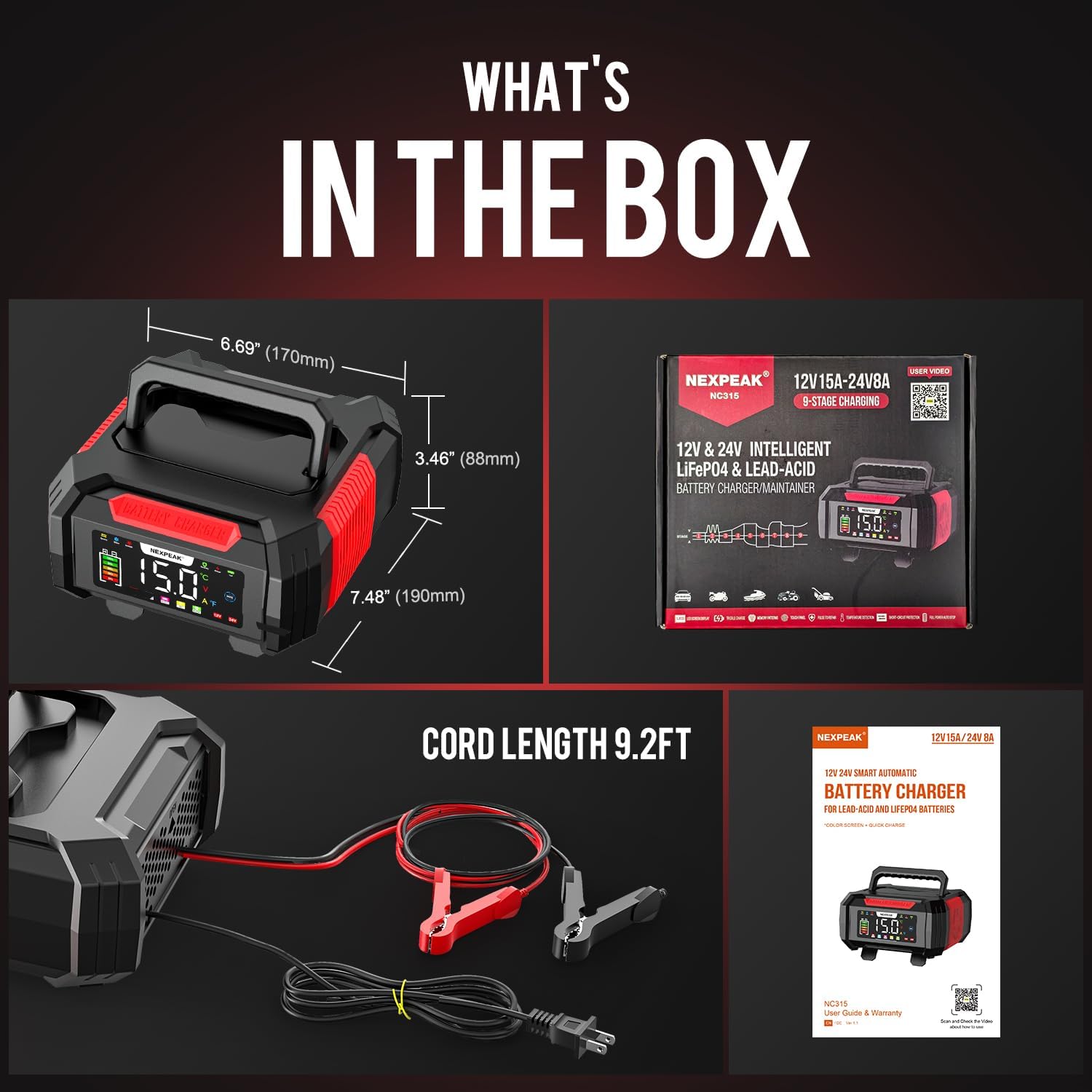
Figure 9: What's in the box, showing the charger and its accessories.
7. Fehlerbehebung
If you encounter issues with your NEXPEAK battery charger, refer to the following common problems and solutions:
| Problem | Mögliche Ursache | Lösung |
|---|---|---|
| Das Ladegerät lässt sich nicht einschalten. | Kein Strom aus der Steckdose; Wackelkontakt; Ladegerät defekt. | Check the wall outlet with another device. Ensure the power cord is securely plugged into the charger and the outlet. |
| Das Ladegerät zeigt einen Fehler oder eine Warnung an. | Reverse polarity; short circuit; overcharge; battery fault. | Disconnect the charger immediately. Check clamp connections for correct polarity (+ to + and - to -). Inspect cables for damage. If the error persists, the battery may be faulty or the charger requires service. |
| Der Akku lädt nicht oder nur langsam. | Poor connection; battery sulfation; battery is completely dead (below 1V); incorrect mode selected. | Stellen Sie sicher, dass clamps have good contact with battery terminals. Try the Pulse Repair (PUL) mode for sulfated lead-acid batteries. Note that the charger cannot activate or charge batteries with voltage below 1V. Verify the correct battery type mode is selected. |
| Das Ladegerät erwärmt sich während des Betriebs. | Normalbetrieb; Belüftung blockiert. | It is normal for the charger to get warm during charging. Ensure the cooling vents are not obstructed and there is adequate airflow around the unit. If it becomes excessively hot, disconnect and allow it to cool. |
8. Spezifikationen
| Besonderheit | Detail |
|---|---|
| Modellnummer | bc02-1a |
| Eingangslautstärketage | 100-240 V Wechselstrom, 50/60 Hz |
| Ausgangsvolumentage | 12 V Gleichstrom, 24 V Gleichstrom |
| Ausgangsstrom | 12 V: 15 A; 24 V: 8 A |
| Erhaltungsladestrom | 1.75 A |
| Batterietypen | LiFePO4, Blei-Säure (AGM, GEL, SLA, geflutet) |
| Aufladen Stages | 9-Stage Intelligentes Laden |
| Pulse Repair Function | Yes (for lead-acid batteries, not for batteries below 1V) |
| Temperaturkompensation | Yes (Summer Mode >82°F, Winter Mode <50°F) |
| Anzeige | Großer LCD-Farbbildschirm |
| Technische Daten | 8.46"T x 7.16"B x 4.13"H (21.5 cm x 18.2 cm x 10.5 cm) |
| Artikelgewicht | 2.1 Pfund (0.95 kg) |
| Kabellänge | 9.2 Fuß (2.8 m) |
9. Garantie und Support
NEXPEAK stands behind the quality of its products. A replacement is available for any quality issue. For technical support, warranty claims, or any questions regarding your NEXPEAK 15A Battery Charger, please contact NEXPEAK customer service.
Please refer to the contact information provided on the product packaging or the official NEXPEAK webBesuchen Sie die Website für die aktuellsten Supportinformationen.


