1. Einleitung
This manual provides essential information for setting up, operating, and maintaining your new realme 14 Pro+ 5G Smartphone. Please read it carefully to ensure optimal performance and longevity of your device.
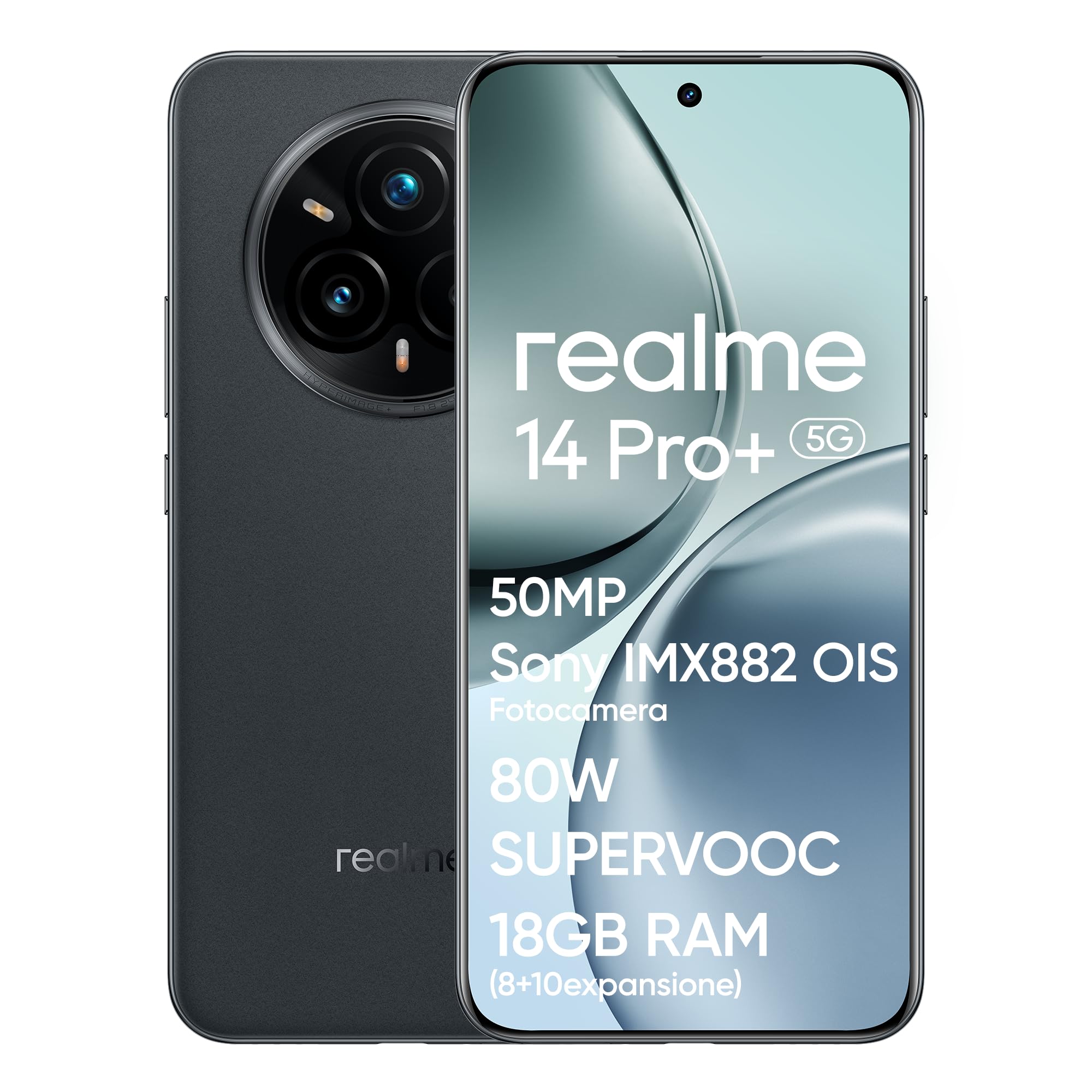
Bild 1.1: Vorderseite view of the realme 14 Pro+ 5G Smartphone.
2. Gerät überview
The realme 14 Pro+ 5G is a high-performance smartphone featuring a Snapdragon 7s Gen 3 5G chipset, a 50MP Sony IMX896 OIS camera, and a Quad-Curve display. It is designed for robust daily use with IP69, IP68, and IP66 water and dust resistance.
Hauptmerkmale:
- Prozessor: Snapdragon 7s Gen 3 5G Chipset for fast and efficient performance.
- Kamerasystem: 50MP Sony IMX896 OIS Main Camera, 3X Periscope Sony OIS Camera, 32MP Selfie Camera, 112° Ultra-Wide Camera, MagicGlow Triple Flash.
- Anzeige: Immersive Quad-Curve AMOLED display with 120Hz refresh rate and AI Visual Protection.
- Batterie: 5260mAh capacity with 80W SUPERVOOC fast charging.
- Haltbarkeit: IP69, IP68, and IP66 water and dust resistance.
- Design: Unique Pearl White (color-changing) or Suede Grey finish.

Bild 2.1: Überview of key features including processor, camera, display, battery, and water resistance.
3. Installationsanleitung
3.1 Auspacken und erste Inspektion
Carefully remove all components from the box. Verify that the smartphone and all accessories are present and undamaged. The box should contain the smartphone and a charger.
3.2 Einlegen von SIM-Karten
- Suchen Sie das SIM-Kartenfach an der Seite des Geräts.
- Führen Sie das SIM-Auswurfwerkzeug in die kleine Öffnung neben dem Fach ein und drücken Sie vorsichtig, bis das Fach herausspringt.
- Legen Sie Ihre Nano-SIM-Karten in die dafür vorgesehenen Schlitze des Kartenfachs ein. Achten Sie darauf, dass die goldenen Kontakte nach unten zeigen.
- Setzen Sie den SIM-Kartenhalter vorsichtig wieder in das Telefon ein.
3.3 Einschalten und Erstkonfiguration
- Halten Sie den Ein-/Ausschalter (auf der rechten Seite) gedrückt, bis das realme-Logo erscheint.
- Folgen Sie den Anweisungen auf dem Bildschirm, um Ihre Sprache auszuwählen, eine WLAN-Verbindung herzustellen und Ihr Google-Konto einzurichten.
- Sie werden bei der Einrichtung von Sicherheitsfunktionen wie Fingerabdruckentsperrung und Gesichtserkennung angeleitet.

Abbildung 3.1: Seitenansichtfile of the realme 14 Pro+ 5G, illustrating button placement.
4. Bedienung Ihres Smartphones
4.1 Anzeigefunktionen
The realme 14 Pro+ 5G features an advanced Quad-Curve AMOLED display. This display offers a 120Hz refresh rate for smooth scrolling, a 1.5K resolution (1080x2400), 1.07 Billion True Colors, and a peak brightness of 1500 nits. AI Visual Protection with 3840Hz PWM dimming helps reduce eye strain.

Image 4.1: The Quad-Curve display of the realme 14 Pro+ 5G.
4.2-Kamerasystem
Your device is equipped with a versatile camera system for capturing high-quality photos and videos:
- Hauptkamera: 50MP Sony IMX896 OIS sensor (f/1.8 aperture, 1/1.56" sensor size) for ultra-sharp portraits and 4K video recording.
- Periscope Telephoto Camera: 3X Sony OIS (IMX882, f/2.65 aperture) with up to 120X SuperZoom.
- Ultraweite Kamera: 112° Sichtfeld view.
- Selfie-Kamera: 32MP with AI Beauty algorithms.
- MagicGlow Triple Flash: Provides adjustable luminosity and color temperature for realistic portraits in various lighting conditions.
Advanced AI features include AI Ultra Clarity 2.0 for enhanced image sharpness, AI Snap for capturing fast-moving subjects, and AI Eraser 2.0 for removing unwanted objects from photos.

Abbildung 4.2: Detailansicht view of the realme 14 Pro+ 5G camera system.
Video 4.1: Offizielles Produktvideoasing the realme 14 Pro+ 5G smartphone's features and capabilities, including camera and durability.
4.3 Leistung und Gaming
Powered by the Snapdragon 7s Gen 3 5G chipset, the realme 14 Pro+ 5G delivers fast and fluid performance. It supports 120 FPS gaming for an enhanced mobile gaming experience. The dedicated GT Mode further optimizes performance for demanding applications.
4.4 Akku und Aufladen
The device is equipped with a 5260mAh battery, providing extended usage. The 80W SUPERVOOC fast charging technology allows for rapid recharging, minimizing downtime.
5. Wartung
5.1 Reinigung Ihres Geräts
- Verwenden Sie ein weiches, fusselfreies Tuch, um den Bildschirm und das Gehäuse des Telefons zu reinigen.
- Vermeiden Sie die Verwendung von aggressiven Chemikalien oder Scheuermitteln, da diese die Oberfläche beschädigen können.
- For ports, use a soft brush or compressed air to gently remove dust and debris.
5.2 Softwareaktualisierungen
Prüfen Sie regelmäßig, ob Software-Updates verfügbar sind, und installieren Sie diese, um sicherzustellen, dass Ihr Gerät über die neuesten Funktionen, Sicherheitspatches und Leistungsverbesserungen verfügt. Diese Option finden Sie in der Regel in Einstellungen > Über das Telefon > Software-Update.
5.3 Batteriepflege
- Setzen Sie das Telefon keinen extremen Temperaturen aus.
- Use only the official 80W SUPERVOOC charger and cable for optimal charging performance and battery health.
- Für die Langzeitlagerung laden Sie den Akku auf etwa 50 % auf und schalten Sie das Gerät aus.
6. Fehlerbehebung
6.1 Häufige Probleme und Lösungen
- Gerät lässt sich nicht einschalten: Stellen Sie sicher, dass der Akku geladen ist. Schließen Sie das Ladegerät an und warten Sie einige Minuten, bevor Sie versuchen, das Gerät erneut einzuschalten.
- Probleme beim Aufladen: Check if the charger and cable are securely connected. Try a different power outlet or charger.
- Connectivity problems (Wi-Fi/Bluetooth/5G): Toggle airplane mode on and off. Restart the device. Check network settings.
- Kamera funktioniert nicht: Restart the camera app or the device. Ensure no other app is using the camera.
- Apps stürzen ab: Clear the cache of the problematic app (Settings > Apps > [App Name] > Storage > Clear cache). If the issue persists, reinstall the app.
6.2 Werksreset
Sollten anhaltende Softwareprobleme auftreten, kann ein Zurücksetzen auf die Werkseinstellungen diese möglicherweise beheben. Warnung: Dadurch werden alle Daten auf Ihrem Telefon gelöscht. Sichern Sie wichtige Daten, bevor Sie fortfahren. Gehen Sie zu Einstellungen > System > Reset-Optionen > Alle Daten löschen (Werksreset).
7. Spezifikationen
| Besonderheit | Spezifikation |
|---|---|
| Marke | realme |
| Modellname | realme 14 Pro+ 5G |
| Modellnummer | 6941764439740 |
| Prozessor | Snapdragon 7s Gen 3, 2.4 GHz |
| RAM | 8 GB |
| Interner Speicher | 256 GB |
| Betriebssystem | Android (realme UI 6.0) |
| Anzeigetyp | AMOLED Quad-Curve |
| Bildschirmauflösung | 1080 x 2400 |
| Hauptkamera | 50MP Sony IMX896 OIS |
| Videoauflösung | 4K (3840 x 2160) |
| Batteriekapazität | 5260 mAh (Lithium-Polymer) |
| Konnektivität | 5G, Bluetooth, WLAN |
| Wasser-/Staubbeständigkeit | IP69, IP68, IP66 |
| Gewicht | 500 g |
| Im Lieferumfang enthaltene Komponenten | Box (Smartphone and Charger) |
8. Garantie und Support
8.1 Produktgarantie
Your realme 14 Pro+ 5G Smartphone is covered by a limited warranty. The terms and conditions of this warranty may vary based on your region and point of purchase. Please refer to the warranty card included with your product or contact your retailer for specific details regarding warranty duration and coverage.
8.2 Kundendienst
For technical assistance, troubleshooting, or service inquiries, please visit the official realme support website or contact their customer service hotline. Contact information can typically be found on the realme official webauf der Website oder in der mit Ihrem Gerät gelieferten Dokumentation.


