1. Einleitung
Thank you for choosing the soyes Mini Phone 4G Unlocked Smartphone. This compact and feature-rich device is designed for portability and essential communication, offering a balance of functionality and convenience. This manual provides detailed instructions to help you set up, operate, and maintain your new smartphone.
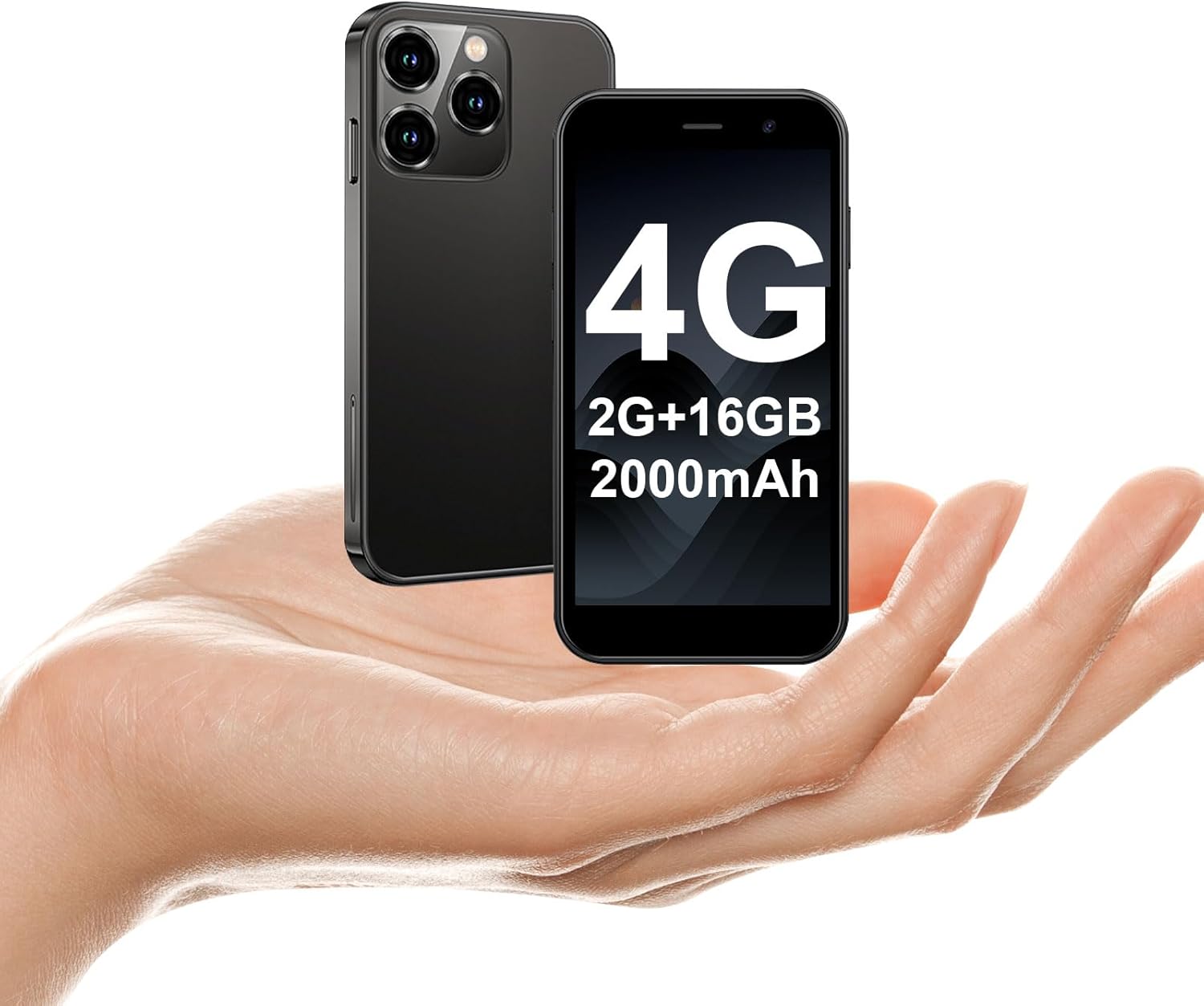
The soyes Mini Phone 4G Unlocked Smartphone, designed for portability and essential communication.
2. Lieferumfang
Bitte überprüfen Sie, ob alle Artikel in Ihrem Paket vorhanden sind:
- 1 x soyes Mini Smartphone
- 1 x Displayschutzfolie (Displayschutzfolie)
- 1 x Typ-C-Kabel.
- 1 x Handyhülle
- 1 x SIM Ejector Pin
3. Einrichtung
3.1. Installation der SIM-Karte und Speicherkarte
The soyes Mini Phone supports dual SIM cards and a memory card for expanded storage. Ensure your SIM card is compatible with the following frequency bands: WCDMA B2/B4, B5; FDD B2/B4/B5/B7/B17/B28/B28A/B41/B66.
- Suchen Sie den SIM-Karten-Einschub an der Seite des Telefons.
- Führen Sie den mitgelieferten SIM-Auswurfstift in das kleine Loch neben dem Fach ein und drücken Sie vorsichtig, bis das Fach herausspringt.
- Ziehen Sie die Schale vorsichtig heraus.
- Place your Nano-SIM cards into the designated slots (SIM1, SIM2) and the TF (microSD) card into its slot, ensuring the gold contacts face downwards.
- Drücken Sie die Ablage vorsichtig wieder in das Telefon, bis sie einrastet.

Insert your SIM and memory cards into the tray.
3.2. Erstes Einschalten
Press and hold the Power button (located on the right side of the phone) until the screen lights up. Follow the on-screen prompts to complete the initial setup, including language selection, Wi-Fi connection, and Google account setup.
3.3. Aufladen des Geräts
Before first use, it is recommended to fully charge the phone. Connect the provided Type-C cable to the phone's charging port and the other end to a compatible USB power adapter (not included) or a computer's USB port.

Connect the Type-C cable to charge your device.
4. Bedienungsanleitung
4.1. Grundlegende Navigation
The soyes Mini Phone features a 3.0-inch HD touchscreen. Navigate the interface by tapping, swiping, and pinching. The Android 8.1 operating system provides an intuitive user experience.

Experience clear visuals on the 3.0-inch HD touchscreen.
4.2. Anrufe und Nachrichten
Utilize the Phone app for making and receiving calls. The Messaging app allows you to send and receive SMS/MMS messages. With dual SIM support, you can manage two different phone numbers simultaneously.
4.3. Kameranutzung
The phone is equipped with a 2MP front camera and a 5MP rear camera. Open the Camera app to capture photos and videos. Tap the screen to focus and press the shutter button to take a picture.

Capture moments with the HD Dual Camera.
4.4. App-Installation und -Nutzung
Running on Android 8.1, the soyes Mini Phone is fully compatible with the Google Play Store. You can download and install a wide range of applications, including social media, entertainment, and productivity tools.
- Ensure you are connected to Wi-Fi or have mobile data enabled.
- Open the 'Play Store' app from your home screen or app drawer.
- Suchen nach Ihre gewünschte Anwendung.
- Tippe auf „Installieren“, um die App herunterzuladen und einzurichten.

Download and enjoy a wide variety of applications from the Google Play Store.
4.5. Gesichtserkennung
The device features advanced facial recognition technology for faster and secure unlocking. To set up Face ID, go to Settings > Security > Face Unlock and follow the on-screen instructions.

Unlock your phone quickly and securely with Face ID.
4.6. Speicherverwaltung
The soyes Mini Phone comes with 2GB RAM and 16GB ROM. You can expand the storage capacity up to 256GB using a TF (microSD) card, allowing you to store more photos, videos, and applications.

Manage your storage with 2GB RAM, 16GB ROM, and expandable memory.
5. Wartung
5.1. Batteriepflege
The phone is equipped with a 2000mAh battery. To maximize battery life:
- Vermeiden Sie extreme Temperaturen.
- Charge the phone regularly, but avoid leaving it fully charged or fully depleted for extended periods.
- Verwenden Sie zum Aufladen das mitgelieferte Typ-C-Kabel.

Der 2000-mAh-Akku ermöglicht eine verlängerte Nutzungsdauer.
5.2. Reinigung
Reinigen Sie Bildschirm und Gehäuse des Telefons mit einem weichen, fusselfreien Tuch. Vermeiden Sie aggressive Chemikalien oder Scheuermittel.
5.3. Software-Updates
Periodically check for software updates in Settings > System > System update to ensure your device has the latest features and security patches.
6. Fehlerbehebung
If you encounter issues with your soyes Mini Phone, please refer to the following common solutions:
| Problem | Mögliche Lösung |
|---|---|
| Das Telefon reagiert nicht oder ist eingefroren. | Um einen Neustart zu erzwingen, halten Sie den Netzschalter etwa 10-15 Sekunden lang gedrückt. |
| Der Akku entlädt sich schnell | Close unused apps, reduce screen brightness, disable Wi-Fi/Bluetooth when not in use, or check for background app activity. |
| Verbindung zu WLAN/Mobilfunkdaten nicht möglich | Toggle Wi-Fi/Mobile Data off and on. Restart the phone. Ensure correct SIM card installation and network settings. |
| Apps stürzen ab oder lassen sich nicht installieren | Clear cache for the app or Play Store. Ensure sufficient storage space. Check app compatibility with Android 8.1. |
| Face ID funktioniert nicht | Ensure good lighting and that your face is clearly visible to the front camera. Re-register your face in settings if necessary. |
If the problem persists, consider performing a factory reset (backup your data first) or contact customer support.
7. Spezifikationen
The soyes Mini Phone 4G Unlocked Smartphone offers the following technical specifications:

Kompaktes und leichtes Design für einfachen Transport.

Designed to fit comfortably in the palm of your hand.
| Besonderheit | Detail |
|---|---|
| Modellname | soyes-15mini-bk |
| Betriebssystem | Android 8.1 |
| Prozessor | Quad-Core-Prozessoren |
| RAM | 2 GB |
| Interner Speicher (ROM) | 16 GB |
| Erweiterbarer Speicher | TF Card Slot (up to 256GB) |
| Bildschirmgröße | 3.0 Zoll |
| Bildschirmauflösung | 480 x 854 HD |
| Rückfahrkamera | 5 Megapixel |
| Frontkamera | 2 Megapixel |
| Batteriekapazität | 2000 mAh Lithium-Ionen |
| SIM-Karten-Unterstützung | Dual-SIM (Nano-SIM) |
| Zellulartechnologie | 4G (SIM-Lock-frei) |
| Unterstützte Frequenzbänder | WCDMA B2/B4, B5; FDD B2/B4/B5/B7/B17/B28/B28A/B41/B66 |
| Konnektivität | WLAN, Bluetooth, GPS |
| Besondere Merkmale | Face ID, Stereo Speakers, Fast Charging Support |
| Dimensions (Phone) | Ca. 3.7 Zoll (L) x 1.87 Zoll (B) |
| Gewicht | 3.35 Unzen (95 Gramm) |
| Ladeanschluss | Typ C |
8. Garantie und Support
For warranty information and customer support, please refer to the documentation included with your product packaging or visit the official soyes webBewahren Sie Ihren Kaufbeleg als Kaufnachweis auf.


