1. Einleitung
Thank you for choosing the Cuifati Wearable Headlamp Camera. This device combines a high-definition 1080P video recorder with a powerful LED headlamp, designed for various outdoor activities such as cycling, running, hiking, and travel. It features a wave sensing function for the light and supports video recording with a 2.0M CMOS sensor. Please read this manual thoroughly before using the product to ensure proper operation and to maximize its lifespan.
2. Sicherheitshinweise
- Do not expose the device to extreme temperatures, direct sunlight, or corrosive liquids.
- Keep the device away from water and moisture unless specifically designed for waterproof use (this model is not specified as waterproof).
- Versuchen Sie nicht, das Gerät zu zerlegen oder zu verändern. Dies kann zum Erlöschen der Garantie und zu Schäden führen.
- Use only the provided charging cable or a certified Type-C cable for charging to prevent damage to the battery and device.
- Stellen Sie sicher, dass das Gerät vor dem ersten Gebrauch vollständig aufgeladen ist.
- Avoid pointing the LED light directly into eyes, as it can cause temporary vision impairment.
3. Packungsinhalt
Bitte prüfen Sie das Paket auf folgende Artikel:
- Cuifati Wearable Headlamp Kamera
- Verstellbares Kopfband
- USB-Kabel Typ C.
- Benutzerhandbuch (dieses Dokument)
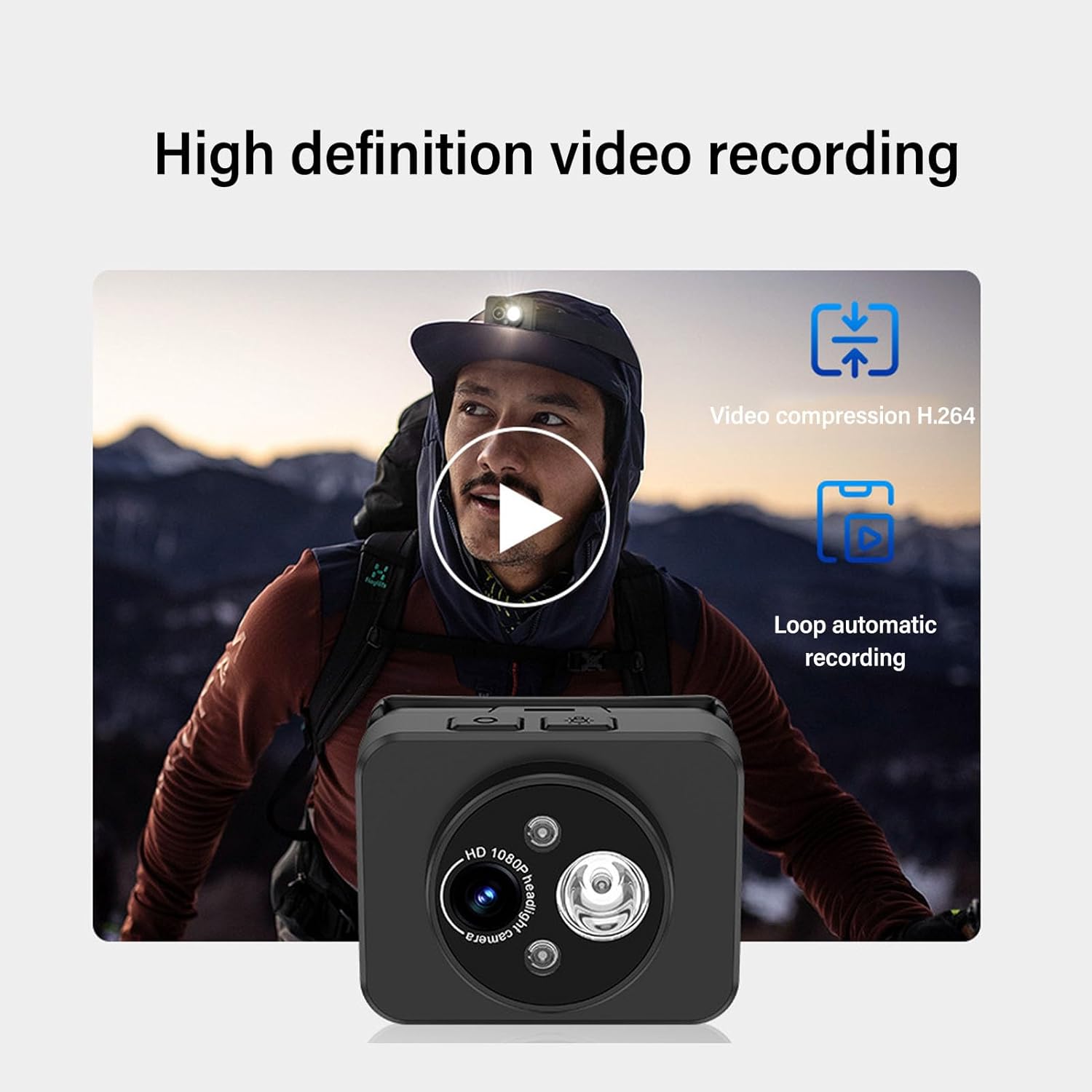
Image: Contents of the product package, including the headlamp camera unit, an adjustable head strap, and a USB Type-C charging cable.
4. Produktüberschreitungview
Familiarize yourself with the components of your Cuifati Wearable Headlamp Kamera:

Bild: Vorderseite view des Kopfesamp camera, highlighting the HD 1080P camera lens and the integrated LED flashlight.
- Kameraobjektiv: Nimmt Videos in 1080p auf.
- LED-Taschenlampe: Provides illumination, adjustable up to 45 degrees.
- Netzschalter: Used for turning the device on/off and taking photos.
- Wave Sensor: Detects hand gestures for controlling the LED light.
- Typ-C-Ladeanschluss: Zum Anschließen des Ladekabels.
- Speicherkartensteckplatz: Supports up to 128GB memory expansion (memory card not included).

Image: A composite image illustrating key features: 45-degree vertical adjustment of the camera/light unit, the first-person perspective recording capability, a battery charge indicator, and the memory card expansion slot.
5. Einrichtung
5.1 Laden des Akkus
- Schließen Sie das mitgelieferte USB-Typ-C-Ladekabel an den Ladeanschluss des Geräts an.
- Stecken Sie das andere Ende des Kabels in ein Standard-USB-Netzteil (nicht im Lieferumfang enthalten) oder in einen USB-Anschluss Ihres Computers.
- The device features a guard function to prevent overcharging, over-discharging, and short circuits.
- Allow the device to charge fully before its first use.
5.2 Einlegen einer Speicherkarte
The device supports memory expansion up to 128GB (memory card not included).
- Locate the memory card slot on the device.
- Carefully insert a compatible memory card into the slot until it clicks into place. Ensure the card is inserted in the correct orientation.
- Zum Herausnehmen die Karte vorsichtig nach innen drücken, bis sie herausspringt.
5.3 Anbringen des Kopfbandes
- Thread the adjustable head strap through the designated loops on the camera unit.
- Adjust the strap to fit comfortably and securely around your head.
6. Bedienungsanleitung
6.1 Ein-/Ausschalten
- So schalten Sie das Gerät ein: Halten Sie den Ein-/Ausschalter einige Sekunden lang gedrückt, bis die Kontrollleuchte aufleuchtet.
- So schalten Sie das Gerät aus: Drücken und halten Sie den Netzschalter erneut einige Sekunden lang, bis die Kontrollleuchte erlischt.
6.2 Videoaufzeichnung
The device is designed to automatically enter recording mode upon startup, generating a new video file. It supports video compression and 5-minute segmented storage for convenient playback and viewing.

Image: Visual representation of the high-definition video recording capabilities, including H.264 video compression and automatic loop recording functionality.
6.3 Fotos aufnehmen
Im Aufnahmemodus:
- Short press the Power button once to capture a photo.
- After the photo is captured, video recording will automatically resume, and a new video file wird generiert.
6.4 Adjusting Headlight Angle
The headlight can be manually adjusted up to 45 degrees to suit various close-range lighting needs.

Image: A man wearing the headlamp camera, demonstrating the 45-degree upward and downward rotation capability of the camera and light unit.
6.5 Wave Sensing Function for LED Light
This feature allows you to control the LED light with a simple hand gesture.
- Zum Aktivieren/Deaktivieren: Refer to the device's specific button combination or setting for turning the wave sensor function on or off.
- Anwendung: Once activated, wave your hand approximately 5-10 cm (2-4 inches) away from the headlamp lens to turn the LED light on or off.

Image: A man hiking outdoors, wearing the headlamp camera, demonstrating the wave sensing feature for controlling the super bright, energy-saving headlight.
7. Wartung
- Reinigung: Use a soft, dry cloth to clean the device. For the lens, use a specialized lens cleaning cloth. Do not use harsh chemicals or abrasive materials.
- Lagerung: Bewahren Sie das Gerät bei Nichtgebrauch an einem kühlen, trockenen Ort fern von direkter Sonneneinstrahlung und extremen Temperaturen auf.
- Batteriepflege: Für eine optimale Akkulaufzeit laden Sie das Gerät regelmäßig auf, auch wenn Sie es nicht häufig benutzen. Vermeiden Sie es, den Akku über längere Zeiträume vollständig zu entladen.
8. Fehlerbehebung
- Gerät lässt sich nicht einschalten: Stellen Sie sicher, dass der Akku geladen ist. Schließen Sie das Gerät an eine Stromquelle an und versuchen Sie es erneut.
- Video not recording: Check if a memory card is inserted correctly and has sufficient free space. The card may need to be formatted (refer to device settings if available).
- LED-Licht funktioniert nicht: Check if the wave sensing function is enabled or if the light was manually turned off. Ensure the battery is charged.
- Probleme beim Aufladen: Vergewissern Sie sich, dass das USB-C-Kabel fest mit dem Gerät und der Stromquelle verbunden ist. Versuchen Sie es mit einem anderen Kabel oder Netzteil.
9. Spezifikationen
| Besonderheit | Spezifikation |
|---|---|
| Videoauflösung | 1080P |
| Sensor | 2.0M CMOS |
| Videodekodierung | H.264 |
| Videospeicherformat | MP4 |
| Scheinwerfereinstellung | Bis zu 45° |
| Ladeanschluss | Typ C |
| Speichererweiterung | Supports up to 128GB (Memory Stick PRO) |
| Stromquelle | Batteriebetrieben |
| Artikelgewicht | 4.2 Unzen |
| Artikelmodellnummer | CUIFATIepznkoc5td |
| Marke | Cuifati |
10. Garantie und Support
This product comes with a standard manufacturer's warranty. For detailed warranty information, please refer to the warranty card included in your package or contact Cuifati customer support.
If you encounter any issues or have questions not covered in this manual, please contact Cuifati customer support through the retailer's platform or the official Cuifati webWebsite für Unterstützung.