1. Wichtige Sicherheitshinweise
Please read and understand all safety instructions before installing or operating the darkFlash DNA240A AIO CPU Liquid Cooler. Failure to follow these instructions may result in product damage, property damage, or personal injury.
- Elektrische Sicherheit: Ensure your power supply is disconnected from the wall outlet before beginning installation. Only connect the cooler to compatible power sources as specified.
- Handhabung: Handle the cooler and its components with care. Avoid bending or kinking the liquid tubes. Do not apply excessive force to the radiator fins or pump head.
- Liquid Coolant: The cooler contains a sealed liquid coolant. Do not attempt to open or modify the sealed unit. In case of a leak, immediately disconnect power and contact support.
- Statische Elektrizität: Always ground yourself before handling internal PC components to prevent electrostatic discharge (ESD) damage.
- Belüftung: Ensure adequate airflow within your PC case to facilitate proper heat dissipation from the radiator.
- Kompatibilität: Verify compatibility with your CPU socket (Intel LGA 1200/115X/1700/1851, AMD AM4/AM5/AM2/AM2+/AM3/AM3+/FM1/FM2) and PC case dimensions before installation.
2. Packungsinhalt
Carefully unpack the darkFlash DNA240A AIO CPU Liquid Cooler and verify that all components are present and undamaged. If any items are missing or damaged, please contact darkFlash customer support.
- darkFlash DNA240A AIO Liquid Cooler (Radiator, Pump, and Tubes pre-assembled)
- 2 x 120-mm-PWM-ARGB-Lüfter
- Intel Mounting Bracket Kit (LGA 1200/115X/1700/1851)
- AMD Mounting Bracket Kit (AM4/AM5/AM2/AM2+/AM3/AM3+/FM1/FM2)
- Lüfterschrauben
- Kühler-Befestigungsschrauben
- Wärmeleitpaste (voraufgetragen oder in einer Tube)
- Benutzerhandbuch (dieses Dokument)
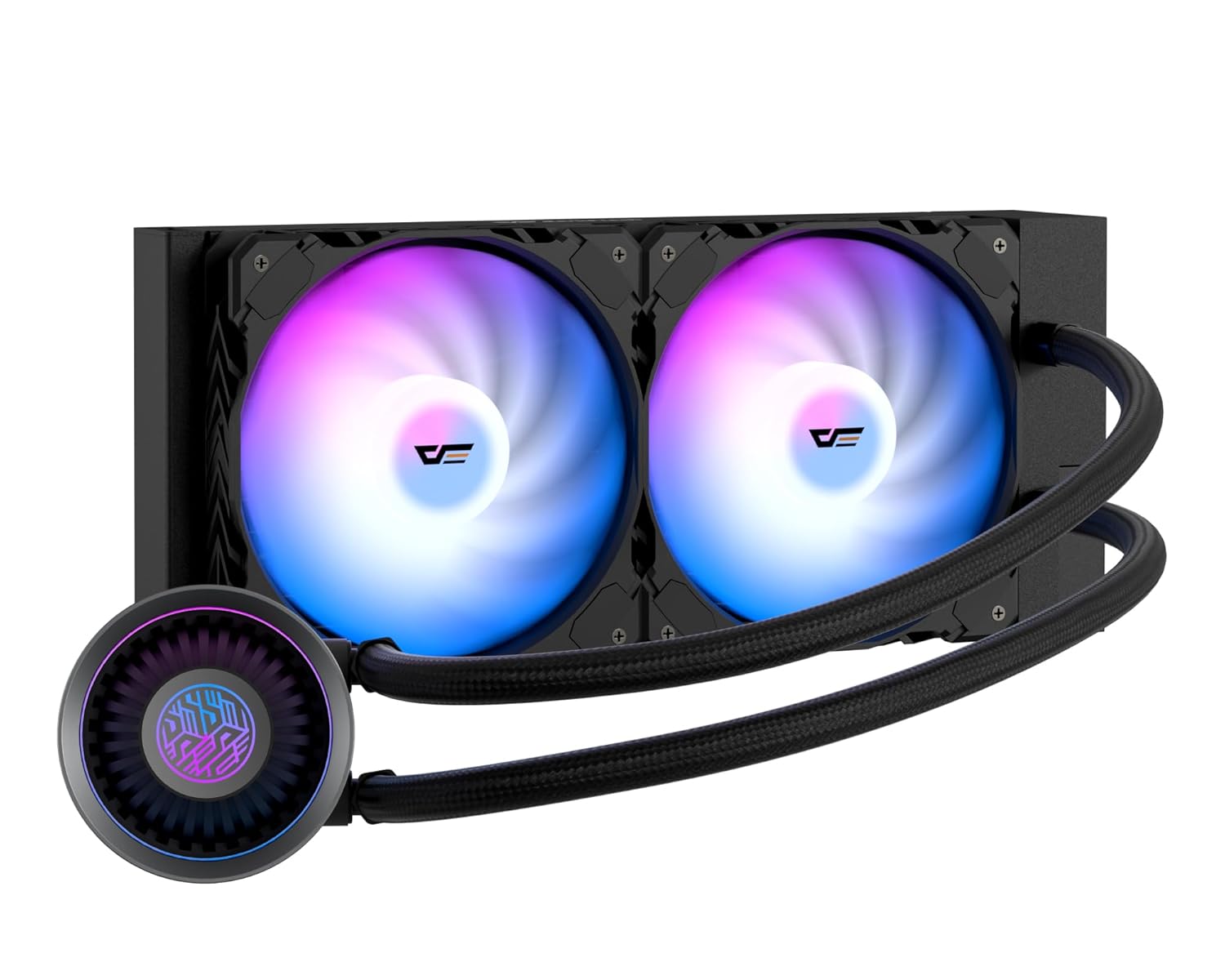
Image: The darkFlash DNA240A AIO CPU Liquid Cooler, showcasing the radiator, two ARGB fans, and the pump head with its integrated tubing.
3. Einrichtung und Installation
This section provides general guidelines for installing your darkFlash DNA240A AIO CPU Liquid Cooler. Specific steps may vary slightly depending on your motherboard and PC case. Refer to your motherboard and case manuals for detailed instructions.
3.1 Bereiten Sie Ihr System vor
- Ausschalten: Schalten Sie Ihren Computer vollständig aus und trennen Sie das Netzkabel von der Steckdose.
- Fall eröffnen: Open your PC case to access the motherboard and CPU area.
- Remove Old Cooler: If an existing CPU cooler is installed, carefully remove it and clean any old thermal paste from the CPU surface using isopropyl alcohol.
3.2 Montagehalterung installieren
Select the appropriate mounting bracket for your CPU socket (Intel or AMD).

Image: Separate mounting brackets for Intel and AMD CPU sockets, ensuring broad compatibility.
- For Intel Sockets (LGA 1200/115X/1700/1851): Attach the Intel backplate to the rear of your motherboard, aligning the holes. Secure the standoffs through the motherboard from the front.
- For AMD Sockets (AM4/AM5/AM2/AM2+/AM3/AM3+/FM1/FM2): Use the existing AMD backplate (if present) or install the provided AMD backplate. Secure the AMD mounting clips to the pump head, then attach the pump to the CPU socket retention module.
3.3 Mount Radiator and Fans
- Lüfter am Kühler befestigen: Secure the two 120mm PWM ARGB fans to the radiator using the provided fan screws. Ensure the fan airflow direction is appropriate for your case's ventilation (typically exhausting air out of the case).
- Kühler montieren: Install the radiator assembly into your PC case. Common mounting locations include the top, front, or rear of the case, depending on available space and radiator size (240mm). Use the longer radiator mounting screws to secure it.

Image: Diagram illustrating the dimensions of the 240mm and 360mm radiators, important for case compatibility.
3.4 Install Pump Head
- Wärmeleitpaste auftragen: If the thermal paste is not pre-applied to the cold plate, apply a small pea-sized amount to the center of your CPU's integrated heat spreader (IHS).
- Position Pumpe: Carefully place the pump head onto the CPU, aligning it with the mounting standoffs or clips.
- Sichere Pumpe: Tighten the retention screws in a diagonal pattern until the pump head is firmly seated. Do not overtighten.

Bild: Eine explodierte view of the pump's internal structure, highlighting the optimized flow rate design for efficient cooling.
3.5 Kabel anschließen
The darkFlash DNA240A features an embedded single-line design for simplified connections.

Image: Illustration of the simplified cable management, featuring a pre-connected 7-pin cable ready for 4-pin (PWM) and 5V 3-pin (ARGB) connections.
- Pumpenleistung: Connect the pump's 3-pin or 4-pin connector to the CPU_FAN or AIO_PUMP header on your motherboard.
- Fan Power (PWM): Connect the fan's 4-pin PWM connector to an available fan header on your motherboard (e.g., SYS_FAN or CPU_OPT).
- ARGB-Beleuchtung: Connect the 5V 3-pin ARGB connector to a compatible 5V addressable RGB header on your motherboard. (Note: Do NOT connect to a 12V RGB header, as this will damage the LEDs.)
- Kabelmanagement: Verlegen Sie die Kabel ordentlich, um eine optimale Luftzirkulation und ein sauberes Erscheinungsbild zu gewährleisten.

Image: The darkFlash AIO cooler installed in a PC, demonstrating the vibrant RGB animations from both the fans and the pump head, compatible with ASUS Aura Sync and other motherboard RGB software.
4. Bedienungsanleitung
Once installed, the darkFlash DNA240A AIO CPU Liquid Cooler operates automatically to maintain optimal CPU temperatures.
- Automatische Lüftersteuerung (PWM): The PWM (Pulse Width Modulation) fans automatically adjust their speed based on the CPU temperature, providing an optimal balance between cooling performance and noise levels. This is managed by your motherboard's fan control settings, which can often be configured in the BIOS/UEFI or through motherboard software.
- ARGB-Beleuchtungssynchronisierung: The ARGB fans and pump head feature customizable lighting effects. These can be synchronized with most addressable RGB motherboards, including those supporting Aura Sync, Mystic Light, and Polychrome Sync. Use your motherboard's RGB software to control lighting modes, colors, and brightness.
- Hochleistungspumpe: The advanced pump operates at up to 4,000 RPM, ensuring efficient and quiet circulation of the coolant for superior heat dissipation.

Image: Visual representation of the optimized PWM ARGB fans, highlighting their performance metrics such as fan speed (up to 2200 RPM), air capacity (up to 61.7 CFM), fan pressure (up to 1.26 MMH2O), and low noise level (up to 30 dBA).
5. Wartung
Regular maintenance helps ensure the longevity and optimal performance of your darkFlash DNA240A AIO CPU Liquid Cooler.
- Staubentfernung: Reinigen Sie die Kühlrippen und Lüfterflügel des Kühlers regelmäßig mit Druckluft oder einer weichen Bürste von Staub. Staubablagerungen können den Luftstrom behindern und die Kühlleistung verringern.
- Schläuche prüfen: Visually inspect the liquid tubes for any signs of kinks, cracks, or leaks. While the high polymer rubber hose is designed for durability, regular checks are recommended.
- Verbindungen prüfen: Stellen Sie sicher, dass alle Strom- und ARGB-Kabel fest mit dem Motherboard und den Komponenten verbunden sind.
- No Coolant Refill: The AIO cooler is a sealed unit and does not require coolant refills or maintenance. Do not attempt to open the unit.
6. Fehlerbehebung
If you encounter issues with your darkFlash DNA240A AIO CPU Liquid Cooler, refer to the following common problems and solutions.
| Problem | Mögliche Ursache | Lösung |
|---|---|---|
| Hohe CPU-Temperaturen |
|
|
| Fans Not Spinning / No RGB |
|
|
| Ungewöhnliche Geräusche von Pumpe/Lüftern |
|
|
7. Spezifikationen
| Besonderheit | Detail |
|---|---|
| Modellnummer | DN360A (Note: This model is the 240mm variant, despite the model number DN360A) |
| Kühlermaterial | Aluminium |
| Kühlplattenmaterial | Kupfer, mikrogeschälte Lamellen |
| Kühlmethode | Wasserkühlung |
| Lüftertyp | PWM ARGB Fans |
| Lüftergeschwindigkeit | Up to 1800 RPM ±10% (as per feature bullets, 2200 RPM in image) |
| Luftstromkapazität | 61.7 Kubikfuß pro Minute (CFM) |
| Geräuschpegel | ≤30 dBA |
| Pumpendrehzahl | 4000 U / min ± 10% |
| Typ des Stromanschlusses | 5-Pin (for integrated cable) |
| Bandtage | 12 Volt |
| Wastage | 1.8 Watt |
| Kompatible CPU-Sockel | Intel: LGA 1200/115X/1700/1851 AMD: AM4/AM5/AM2/AM2+/AM3/AM3+/FM1/FM2 |
| Verpackungsabmessungen | 15.12 x 8.94 x 5.51 Zoll |
| Artikelgewicht | 3.42 Pfund |
8. Garantie und Support
darkFlash stands behind the quality of its products.
- Garantie: The darkFlash DNA240A AIO CPU Liquid Cooler comes with an exceptional 3-year assurance. Please retain your proof of purchase for warranty claims.
- Kundendienst: For technical assistance, troubleshooting, or warranty inquiries, please visit the official darkFlash webWebsite oder wenden Sie sich an das Kundensupport-Team.
- Online-Ressourcen: Weitere Informationen und häufig gestellte Fragen finden Sie möglicherweise auf der Website. darkFlash Store on Amazon.