1. Einleitung
This manual provides essential information for the setup, operation, maintenance, and troubleshooting of your JVC IPS Display Ultra Thin Monitor, Model B0CM6W2CHB. Please read this manual thoroughly before using the product to ensure proper and safe operation.
The JVC IPS Display Ultra Thin Monitor features a 23.8-inch IPS panel with a 1920 x 1080 resolution, offering clear and vibrant images. Its ultra-thin design and wide 178-degree viewing angle enhance the visual experience. Key features include an energy-efficient LED backlight, blue light filter, and flicker-free technology designed to reduce eye strain.
2. Packungsinhalt
Überprüfen Sie, ob alle Artikel im Paket vorhanden sind:
- JVC IPS Display Ultra Thin Monitor (23.8-Inch)
- Monitorständer (Fuß und Hals)
- Netzteil
- HDMI-Kabel
- Benutzerhandbuch (dieses Dokument)
3. Einrichtungsanweisungen
3.1 Zusammenbau des Monitorständers
- Nehmen Sie die Monitor- und Standfußkomponenten vorsichtig aus der Verpackung.
- Befestigen Sie den Standfuß am Monitor. Achten Sie darauf, dass er sicher einrastet oder, falls vorhanden, mit den mitgelieferten Schrauben fixiert wird.
- Connect the stand base to the stand neck. Tighten any screws to secure the assembly.
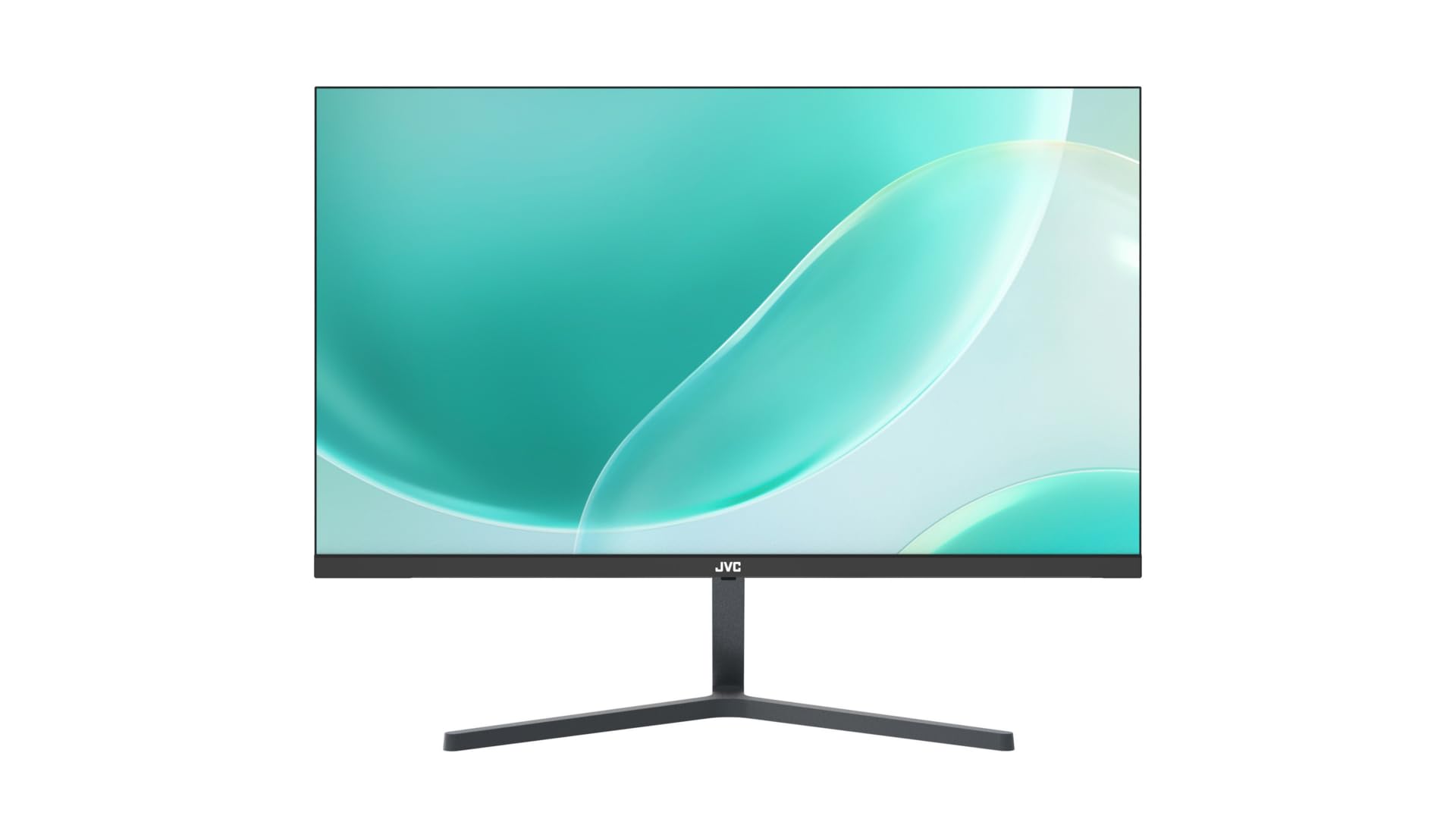
Abbildung 3.1: Vorderseite view of the JVC monitor with its stand assembled, showcasing sein ultradünnes Profile.
3.2 Anschlusskabel
Suchen Sie die Eingangsanschlüsse auf der Rückseite des Monitors.
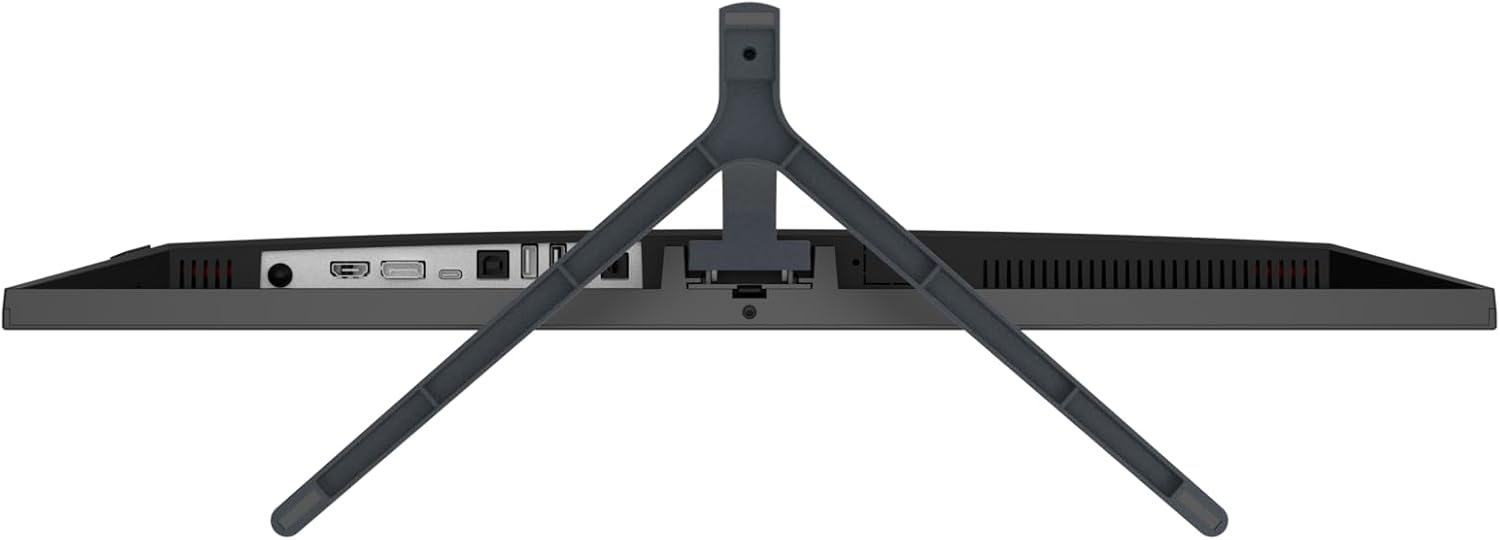
Abbildung 3.2: Rückseite view of the JVC monitor, highlighting the HDMI, DisplayPort, and power input ports.
- Stromanschluss: Schließen Sie das Netzteil an den Stromeingang des Monitors an und stecken Sie das Netzteil anschließend in eine Steckdose.
- Videoverbindung: Connect one end of the HDMI cable to the HDMI port on your computer or video source, and the other end to the HDMI port on the monitor. The monitor also supports DisplayPort connectivity.
3.3 Erstes Einschalten
Press the power button, typically located on the rear or bottom edge of the monitor, to turn it on. The monitor will automatically detect the active input source.
4. Bedienung des Monitors
4.1 Ein-/Ausschalten
Press the power button to turn the monitor on or off. A power indicator light will typically illuminate when the monitor is active.
4.2 Bildschirmmenü (OSD)
The OSD menu allows you to adjust various monitor settings. Access the OSD menu by pressing the designated OSD button (refer to the physical buttons on your monitor). Navigate through the menu using the directional buttons and confirm selections with the enter button.
4.3 Einstellungen anpassen
Zu den üblicherweise einstellbaren Parametern gehören:
- Helligkeit Kontrast: Passen Sie die Gesamthelligkeit und den Kontrast an.
- Farbeinstellungen: Farbtemperatur, Farbton und Sättigung anpassen.
- Eingabequelle: Manually select between HDMI or DisplayPort inputs if auto-detection fails.
- Blaulichtfilter: Activate this feature to reduce blue light emissions, which can help minimize eye strain during prolonged use.
- Flimmerfreie Technologie: This monitor is designed with flicker-free technology to provide a more comfortable viewVerbesserung des Nutzererlebnisses durch Beseitigung von Bildschirmflimmern.
- Seitenverhältnis: Adjust the display aspect ratio (e.g., 16:9).
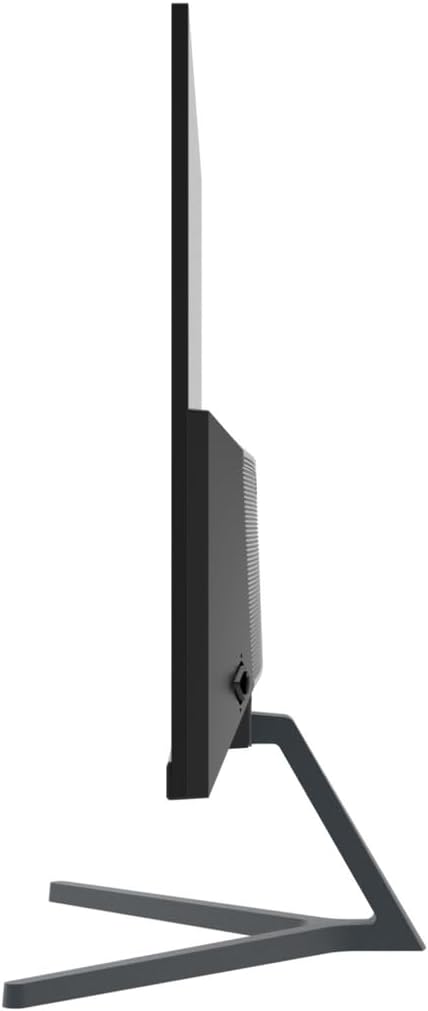
Abbildung 4.1: Seitenansichtfile of the JVC monitor, demonstrating its ultra-thin design.
5. Wartung
5.1 Reinigung des Monitors
- Vor der Reinigung immer den Monitor ausschalten und das Netzkabel abziehen.
- Benutzen Sie ein weiches, fusselfreies Tuch, dampmit Wasser oder einem speziellen Bildschirmreiniger abspülen.
- Sprühen Sie den Reiniger nicht direkt auf den Bildschirm.
- Vermeiden Sie die Verwendung von Scheuermitteln, Wachsen oder Lösungsmitteln.
5.2 Allgemeine Pflege
- Vermeiden Sie es, den Monitor direktem Sonnenlicht oder in der Nähe von Wärmequellen auszusetzen.
- Sorgen Sie für ausreichende Belüftung rund um den Monitor.
- Belüftungsöffnungen nicht blockieren.
6. Fehlerbehebung
Sollten Sie Probleme mit Ihrem Monitor haben, beachten Sie bitte die folgenden gängigen Schritte zur Fehlerbehebung:
- Kein Strom: Stellen Sie sicher, dass das Netzkabel fest mit dem Monitor und der Steckdose verbunden ist. Prüfen Sie, ob die Steckdose funktioniert.
- Kein Signal: Check that the video cable (HDMI or DisplayPort) is firmly connected to both the monitor and your computer. Ensure the correct input source is selected in the OSD menu. Try restarting your computer.
- Flackernder Bildschirm: Verify that the video cable is properly connected. Adjust the refresh rate in your computer's display settings. The monitor features flicker-free technology, so persistent flickering may indicate an external issue.
- Bildverzerrung/Schlechte Qualität: Ensure the monitor's resolution is set to its native 1920 x 1080. Adjust brightness, contrast, and color settings via the OSD menu.
- Schaltflächen reagieren nicht: Unplug the monitor's power cable, wait 30 seconds, then plug it back in and try again.
7. Spezifikationen
| Besonderheit | Spezifikation |
|---|---|
| Marke | JVC |
| Modellnummer | B0CM6W2CHB |
| Bildschirmgröße | 23.8 Zoll |
| Anzeigetyp | IPS |
| Auflösung | FHD 1080p (1920 x 1080) |
| Seitenverhältnis | 16:9 |
| Bildwiederholrate | 60 Hz |
| Bildkontrastverhältnis | 1000:1 |
| Viewing-Winkel | 178 Grad |
| Beschreibung der Bildschirmoberfläche | Glänzend |
| Konnektivitätstechnologie | HDMI, DisplayPort |
| Besondere Merkmale | Blue light filter, Flicker-free, Wide viewWinkel |
| Hersteller | JVC |
| Ursprungsland | China |
8. Garantie und Support
8.1 Garantieinformationen
This JVC monitor comes with a 1 Jahr Garantie from the date of purchase. This warranty covers manufacturing defects and workmanship under normal use. It does not cover damage caused by misuse, accidents, unauthorized modifications, or external factors.
8.2 Kundendienst
For technical assistance, warranty claims, or further inquiries, please contact JVC customer support through their official website or the contact information provided with your purchase documentation. Please have your model number (B0CM6W2CHB) and proof of purchase ready when contacting support.


