1. Einleitung
This manual provides detailed instructions for the installation, setup, and operation of your SONOFF Matter Smart Light Switch M5-3C-120W 3-Gang. This smart wall switch integrates with Matter, allowing seamless control through various smart home ecosystems including Alexa, Google Home, and SmartThings. It features 2.4GHz WiFi connectivity, requiring a neutral wire for installation. Please read this manual thoroughly before installation and use to ensure proper function and safety.

Bild 1.1: Vorderseite view of the SONOFF Matter Smart Light Switch M5-3C-120W 3-Gang.

Bild 1.2: Überview of Matter compatibility with various smart home platforms.
2. Sicherheitshinweise
WARNUNG: Risk of electric shock. Installation should be performed by a qualified electrician. Always turn off power at the circuit breaker before installing or servicing the switch. Ensure all wiring is compliant with local electrical codes.
- Dieses Gerät ist nur für den Gebrauch in Innenräumen vorgesehen.
- Nicht mit nassen Händen oder auf nassem oder trockenem Untergrund montieren.amp Oberflächen.
- Ensure the power supply is disconnected before any installation, maintenance, or removal procedures.
- A neutral wire is required for the operation of this smart switch. Verify its presence in your electrical box before proceeding.
- The device is FCC certified, ensuring safety and reliability.

Image 2.1: Illustration of the switch's internal design, highlighting high temperature resistance and safe disassembly features.
3. Packungsinhalt
Prüfen Sie nach dem Öffnen der Verpackung, ob alle Artikel vorhanden und unbeschädigt sind:
- SONOFF Matter Smart Light Switch (M5-3C-120W) x 1
- Kurzanleitung x 1
- Schrauben x 2

Bild 3.1: Vorderseite view der Produktverpackung.

Abbildung 3.2: Rückseite view of the product packaging, detailing specifications and features.
4. Installation
Wichtig: Installation requires working with electrical wiring. If you are not comfortable with electrical work, consult a qualified electrician.
4.1 Prüfung vor der Installation
- Neutralleiter prüfen: This smart switch requires a neutral wire (typically white or gray) in your electrical box. Without a neutral wire, the switch cannot be installed.
- Ausschalten: Locate your circuit breaker panel and turn off the power to the switch you are replacing. Confirm the power is off using a voltage Tester.
- Existing Switch Removal: Carefully remove the faceplate and unscrew the existing switch from the wall box. Disconnect the wires, noting their connections.
4.2 Verdrahtungsanweisungen
The SONOFF M5-3C-120W switch has terminals for Line (Live), Load, and Neutral wires. Refer to the diagram below for typical wiring connections.
- Linie (L): Connect the incoming live wire from your electrical supply.
- Load (L1, L2, L3): Connect the wires going to your light fixtures. Each gang corresponds to a load terminal.
- Neutral (N): Connect the neutral wire from your electrical supply.
- Masse (GND): Connect the ground wire (if present in your wall box) to the switch's ground terminal.
4.3 Physische Installation
- After wiring, carefully push the switch into the wall box.
- Befestigen Sie den Schalter mit den mitgelieferten Schrauben an der Wanddose.
- Bringen Sie die Frontplatte am Schalter an.
- Restore power at the circuit breaker. The switch's indicator light should illuminate.

Image 4.1: Compatibility with standard US wall boxes and detailed product dimensions.
5. Einrichtung und Kopplung
The SONOFF M5-3C-120W supports Matter protocol for broad compatibility.
5.1 Initial Setup with eWeLink App (Optional)
While Matter allows direct integration, you can also use the eWeLink app for initial setup or additional features.
- eWeLink-App herunterladen: Suchen nach Laden Sie „eWeLink“ in den App Store Ihres Smartphones (Google Play Store oder Apple App Store) herunter und installieren Sie die App.
- Registrieren/Anmelden: Öffnen Sie die App und erstellen Sie ein Konto oder melden Sie sich an, falls Sie bereits eines haben.
- Gerät hinzufügen: Follow the in-app instructions to add a new device. The switch should enter pairing mode automatically after power-up.
5.2 Pairing with Matter Ecosystems
To integrate with Matter-compatible hubs (e.g., Apple Home, Google Home, Alexa, SmartThings), follow these general steps:
- Ensure your Matter-compatible hub (e.g., HomePod, Apple TV 4K, Google Nest Hub, Amazon Echo device) is set up and online.
- Open the respective smart home app (Apple Home, Google Home, Alexa, SmartThings).
- Initiate the "Add Device" or "Add Accessory" process within the app.
- Scan the Matter QR code located on the device or its packaging, or manually enter the pairing code.
- Folgen Sie den Anweisungen auf dem Bildschirm, um den Kopplungsvorgang abzuschließen.
6. Bedienungsanleitung
6.1 Manuelle Steuerung
Press the physical buttons on the switch to manually turn connected lights on or off.
6.2 App-Fernsteuerung
Use the eWeLink app or your preferred Matter-compatible smart home app to control the switch remotely.
- Ein/Aus-Steuerung: Tap the respective button in the app to toggle the light on or off.
- Terminplanung: Set custom schedules and timers for automatic light control.
- Schleifentimer: Configure lights to cycle on and off at specified intervals.
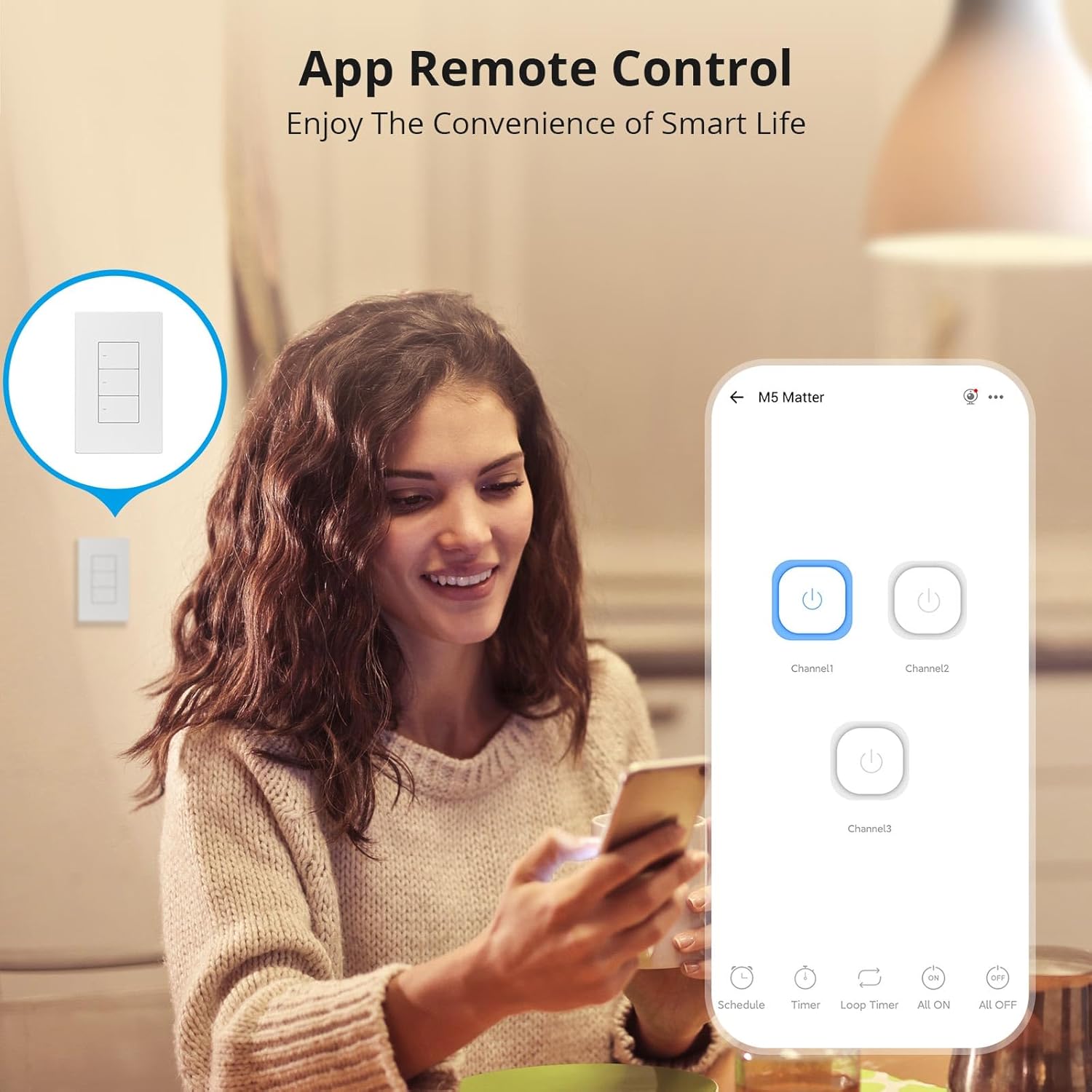
Image 6.1: Remote control via the eWeLink app interface.

Abbildung 6.2: Beispielample of setting scheduled on/off times for automated lighting.
6.3 Sprachsteuerung
Once integrated with Alexa, Google Home, or other voice assistants, you can control your lights using voice commands.
- Example: "Alexa, turn off the living room light."
- Example: "Hey Google, turn on the kitchen lights."

Image 6.3: Voice control in action with a smart speaker.
6.4 Intelligente Szenen
Create smart scenes to automate actions based on specific conditions or other smart devices.
- Example: Link with a door sensor (e.g., SONOFF DW2-WiFi) to automatically turn on lights when a door opens.

Image 6.4: Smart scene example: lights activate upon door opening.
6.5 Two-Way Control (with SONOFF R5)
The SONOFF M5 switch can be paired with a SONOFF R5 Scene Controller for two-way or multi-way control without complex wiring.

Image 6.5: Two-way control setup using an M5 switch and an R5 scene controller.
6.6 LED Indicator Adjustment
The LED indicator on the switch buttons can be adjusted for brightness via the eWeLink app to suit your preference, especially for locating the switch in the dark or minimizing disturbance during sleep.

Image 6.6: App interface for adjusting LED indicator brightness.
7. Wartung
To maintain the performance and appearance of your smart switch:
- Reinigen Sie die Oberfläche mit einem weichen, trockenen Tuch. Verwenden Sie keine Scheuermittel oder Lösungsmittel.
- Ensure the switch is kept free from dust and moisture.
- Do not attempt to disassemble the switch beyond what is described in the safety section, as this may void the warranty and pose a safety risk.
8. Fehlerbehebung
If you encounter issues with your SONOFF Matter Smart Light Switch, refer to the following common problems and solutions:
- Switch is unresponsive / No power:
- Check the circuit breaker to ensure power is restored to the switch.
- Prüfen Sie, ob der Neutralleiter korrekt angeschlossen ist.
- Stellen Sie sicher, dass alle Kabelverbindungen sicher sind.
- Cannot connect to WiFi / Drops connection frequently:
- Ensure your WiFi network is 2.4GHz. This device does not support 5GHz WiFi.
- Check the distance between the switch and your WiFi router. Obstructions can weaken the signal.
- Starten Sie Ihren WLAN-Router neu.
- Perform a factory reset on the switch (refer to the quick guide for specific steps) and attempt pairing again.
- Cannot pair with Matter / Smart Home App:
- Ensure your Matter-compatible hub is online and within range.
- Verify that the Matter QR code or pairing code is entered correctly.
- Check for any firmware updates for your Matter hub or the smart switch.
- Try resetting the switch and initiating the pairing process again.
- Lights flicker or do not turn off completely:
- Dies kann gelegentlich bei niedrigem Wasserverbrauch auftreten.tage LED bulbs. Ensure your bulbs are compatible with smart switches.
- Verify the load connected does not exceed the maximum wattage in den Spezifikationen angegeben.
9. Spezifikationen
| Besonderheit | Detail |
|---|---|
| Modell | M5-3C-120W |
| Technische Daten | 4.72 x 2.91 x 1.63 Zoll |
| Artikelgewicht | 8.08 Unzen |
| Betriebsmodus | EIN-AUS |
| Aktuelle Bewertung | 6 Amps |
| Betriebslautstärketage | 100-240 Volt Wechselstrom |
| Kontakttyp | Normalerweise geschlossen |
| Steckertyp | Clamp |
| Terminal | Schrauben |
| Schaltungsart | 1-Wege |
| Antriebstyp | Druckknopf |
| W-lan | IEEE 802.11 b / g / n 2.4GHz |
| Casing Material | PC V0 + CRS |
| Arbeitstemperatur | -10°C bis 40°C |
| Zertifizierung | CE/FCC/ISED |
| Maximale Belastung (pro Gang) | 3-Gang: 1320W (440W/Gang) |
10. Garantie und Support
SONOFF-Produkte werden nach höchsten Qualitätsstandards entwickelt und gefertigt. Informationen zu Garantie und technischem Support finden Sie auf der offiziellen SONOFF-Website. webBesuchen Sie die Website oder kontaktieren Sie direkt den Kundenservice. Bewahren Sie Ihren Kaufbeleg als Kaufnachweis für Garantieansprüche auf.
Hersteller: SONOFF
WebWebsite: sonoff.tech
Service-E-Mail: support@itead.cc


