1. Einleitung
Vielen Dank für Ihren Einkauf.asing the Sharp CP-SS30(BK) Active Bookshelf Speakers. These speakers are designed to provide superior sound reproduction with versatile connectivity options. Please read this manual carefully before using the product to ensure proper operation and to maximize your listening experience.
The CP-SS30(BK) features a robust plywood cabinet, 60W RMS (2 x 30W) two-way active sound, and multiple input options including Bluetooth v5.0, USB, Optical, Auxiliary, and RCA. It also includes an equalizer with preset and custom bass/treble adjustments, and a full-function remote control for convenience.
2. Sicherheitshinweise
Please observe the following safety precautions to prevent damage to the product and to ensure your safety:
- Setzen Sie die Lautsprecher weder Regen noch Feuchtigkeit aus.
- Blockieren Sie keine Belüftungsöffnungen.
- Installieren Sie das Gerät nicht in der Nähe von Wärmequellen wie Heizkörpern, Heizregistern, Öfen oder anderen Geräten (einschließlich ampKonverter (Lüfter), die Wärme erzeugen.
- Schützen Sie das Netzkabel vor Beschädigungen oder Beschädigungen durch Fußgänger, insbesondere an den Steckern, Steckdosen und an der Stelle, an der es aus dem Gerät austritt.
- Verwenden Sie nur vom Hersteller angegebene Zusatzgeräte/Zubehör.
- Trennen Sie das Gerät bei Gewitter oder längerer Nichtbenutzung vom Stromnetz.
- Überlassen Sie alle Wartungsarbeiten qualifiziertem Servicepersonal. Eine Wartung ist erforderlich, wenn das Gerät auf irgendeine Weise beschädigt wurde, z. B. wenn das Netzkabel oder der Stecker beschädigt sind, Flüssigkeit in das Gerät verschüttet wurde oder Gegenstände hineingefallen sind, das Gerät Regen oder Feuchtigkeit ausgesetzt war, nicht normal funktioniert oder fallengelassen wurde.
3. Packungsinhalt
Bitte prüfen Sie, ob alle Artikel vorhanden und in gutem Zustand sind:
- 2 x Sharp CP-SS30(BK) Bookshelf Speakers
- 1 x Fernbedienung (Batterien enthalten)
- 1 x RCA Audio Cable (3 meters)
- 1 x AUX Audio Cable (1.2 meters)
- 1 x Stromkabel (1.2 Meter)
- 1 x Speaker Connection Cable
- Benutzerdokumentation

Image: All components included in the Sharp CP-SS30(BK) package, including two speakers, remote control, and various cables.
4. Produktmerkmale
The Sharp CP-SS30(BK) speakers offer a range of features for an enhanced audio experience:
- Leistungsstarker Audioausgang: 60W RMS (2 x 30W) two-way active speakers for clear and dynamic sound.
- Premium-Konstruktion: Plywood cabinet design ensures superior sound reproduction and durability.
- Kabellose Verbindung: Seamless audio streaming with Bluetooth v5.0.
- Mehrere Eingänge: Connect various devices via Bluetooth, USB, Optical, Auxiliary (AUX), and RCA inputs.
- Anpassbarer Sound: Built-in equalizer with five preset settings and independent bass and treble adjustment.
- Modernes Design: Removable speaker grilles allow for a contemporary aesthetic.
- Bequeme Steuerung: Full-function remote control for easy operation from a distance.

Bild: Vorderseite view of the Sharp CP-SS30(BK) speakers with the remote control, showcasing ihr Design und ihre kompakte Größe.

Bild: Eine Nahaufnahme view of the front panel of one Sharp CP-SS30(BK) speaker with the grille removed, highlighting the tweeter, woofer, indicator light, and volume/input knob.
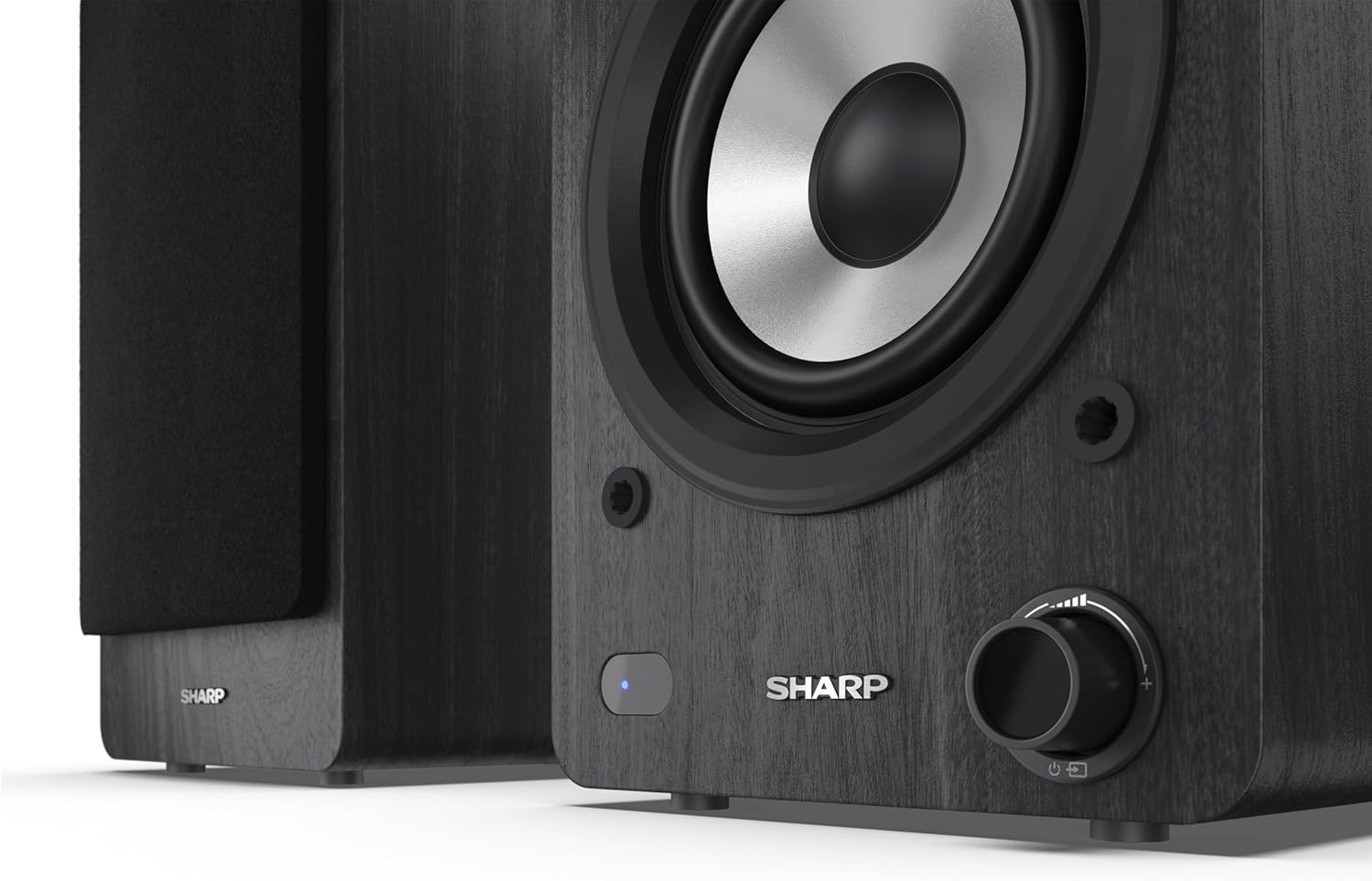
Image: A detailed shot of the control knob and the blue indicator light on the Sharp CP-SS30(BK) speaker, showing the subtle branding.
5. Einrichtung
5.1 Lautsprecherplatzierung
For optimal sound quality, place the speakers on a stable, flat surface. Position them at an equal distance from your listening position, forming an equilateral triangle for the best stereo imaging. Ensure there is adequate space behind the speakers for ventilation and cable connections.
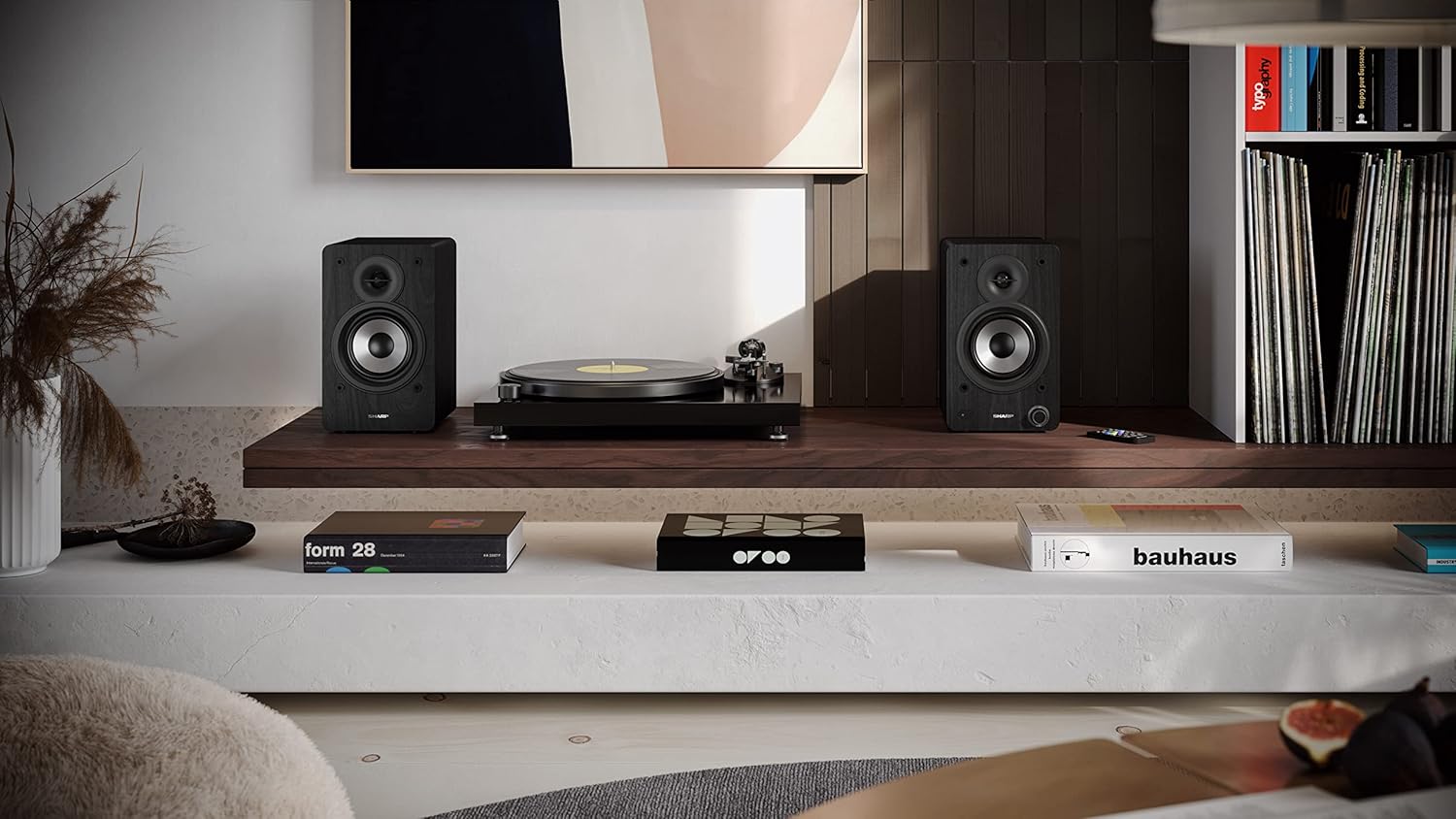
Image: The Sharp CP-SS30(BK) speakers positioned on a shelf in a living room setting, demonstrating a typical setup with a turntable.
5.2 Anschließen der Lautsprecher
The CP-SS30(BK) consists of one active (main) speaker and one passive (secondary) speaker. Connect them using the provided speaker connection cable.
- Identify the active speaker (with controls and input ports) and the passive speaker.
- Connect one end of the speaker connection cable to the speaker terminals on the active speaker, ensuring correct polarity (+ to + and - to -).
- Connect the other end of the speaker connection cable to the speaker terminals on the passive speaker, maintaining correct polarity.

Image: The rear panel of the Sharp CP-SS30(BK) speakers, illustrating the various input ports (USB, Optical, RCA, AUX) and the speaker connection terminals.
5.3 Stromanschluss
- Stellen Sie sicher, dass sich der Netzschalter am Aktivlautsprecher in der Position AUS befindet.
- Connect the provided power cable to the AC input on the active speaker.
- Stecken Sie das andere Ende des Stromkabels in eine geeignete Wandsteckdose.
6. Bedienungsanleitung
6.1 Ein-/Ausschalten
To power on the speakers, flip the power switch on the active speaker to the ON position. The indicator light on the front will illuminate. To power off, flip the switch back to OFF.
6.2 Eingangsauswahl
You can select the input source using the remote control or the knob on the front of the active speaker. Available inputs include Bluetooth, USB, Optical, Auxiliary (AUX), and RCA.
- Bluetooth: Select Bluetooth input. The indicator light will flash, indicating pairing mode. Suchen nach "SHARP CP-SS30(BK)" on your device and connect. The light will become solid once paired.
- USB: Stecken Sie ein USB-Laufwerk mit Audio ein files an den USB-Anschluss des Aktivlautsprechers anschließen.
- Optisch: Connect an optical cable from your audio source (e.g., TV, game console) to the Optical input.
- AUX: Connect an AUX cable from your audio source (e.g., smartphone, tablet) to the AUX input.
- Cinch: Connect RCA cables from your audio source (e.g., turntable, CD player) to the RCA inputs.
6.3 Lautstärkeregelung
Adjust the volume using the remote control's volume buttons or by rotating the knob on the front of the active speaker.
6.4 Equalizer-Einstellungen
The speakers feature an equalizer to tailor the sound to your preference. Use the remote control to:
- Select from five preset equalizer modes (e.g., Flat, Rock, Pop, Classical, Jazz).
- Adjust bass and treble levels independently for a customized sound profile.
7. Wartung
To ensure the longevity and optimal performance of your Sharp CP-SS30(BK) speakers, follow these maintenance guidelines:
- Reinigung: Reinigen Sie die Lautsprechergehäuse mit einem weichen, trockenen Tuch. Verwenden Sie keine flüssigen Reiniger oder Sprays, da diese die Oberfläche oder die internen Bauteile beschädigen können.
- Gitter: The speaker grilles are removable for cleaning. Gently pull them off to clean any dust accumulation on the drivers. Reattach them carefully.
- Belüftung: Ensure that the ventilation openings on the back of the active speaker are not obstructed to prevent overheating.
- Lagerung: If storing the speakers for an extended period, disconnect them from power and store them in a cool, dry place away from direct sunlight and extreme temperatures.
8. Fehlerbehebung
If you encounter any issues with your speakers, please refer to the following common problems and solutions:
| Problem | Mögliche Ursache | Lösung |
|---|---|---|
| Kein Strom | Power cable not connected; Power outlet not active; Power switch off. | Ensure power cable is securely connected. Check power outlet with another device. Flip power switch to ON. |
| Kein Ton | Incorrect input selected; Volume too low; Cables not connected properly; Source device issue. | Select the correct input source. Increase volume. Check all audio cables (RCA, AUX, Optical, USB) and speaker connection cable for secure fit and correct polarity. Test with a different audio source. |
| Bluetooth-Kopplung fehlgeschlagen | Lautsprecher nicht im Kopplungsmodus; Gerät zu weit entfernt; Störungen. | Ensure Bluetooth input is selected and indicator light is flashing. Move device closer to speakers. Avoid strong electromagnetic interference. Try unpairing and re-pairing. |
| Verzerrter Ton | Volume too high; Source audio quality is poor; Speaker placement. | Reduce volume. Check the audio source quality. Adjust speaker placement to avoid reflections or resonance. |
| Fernbedienung funktioniert nicht | Batteries depleted; Obstruction between remote and speaker; Remote not pointed correctly. | Replace remote control batteries. Remove any obstructions. Point the remote directly at the active speaker's sensor. |
9. Spezifikationen
| Besonderheit | Detail |
|---|---|
| Modellnummer | CP-SS30(BK) |
| Ausgangsleistung | 60 Watts RMS (2 x 30W) |
| Lautsprechertyp | Active Bookshelf, 2-Way |
| Gehäusematerial | Wood (Plywood) |
| Konnektivitätstechnologie | Bluetooth v5.0, USB, Optical, Auxiliary (AUX), RCA |
| Bluetooth-Version | Version 5.0 |
| Audioausgabemodus | Stereo (2.0-Kanal) |
| Frequenzgang | 60 Hz |
| Controllertyp | Taste, Fernbedienung |
| Produktabmessungen (pro Lautsprecher) | 19 cm (T) x 15.8 cm (B) x 24.8 cm (H) (7.5 Zoll (T) x 6.2 Zoll (B) x 9.8 Zoll (H)) |
| Artikelgewicht | 4.3 Kilogramm (9.5 Pfund) |
| Farbe | Schwarz |
| Empfohlene Verwendung | Gaming console, Music player, Smartphone/Tablet, Ambient sound system, Television |
| Kompatible Geräte | Laptop, Smartphone, Tablet |

Image: Diagram showing the dimensions of one Sharp CP-SS30(BK) speaker (Height: 248mm, Width: 158mm, Depth: 190mm).
10. Garantie und Support
Garantie: This product comes with a 1-year warranty for spare parts availability from the date of purchase. Please retain your proof of purchase for warranty claims.
For technical support, troubleshooting assistance beyond this manual, or warranty inquiries, please contact Sharp customer service. Refer to the contact information provided in the user documentation included in your package or visit the official Sharp webWebsite.
Note: Software updates guaranteed until information is not available.


