1. Zu Endeview
The FIFINE K669PRO2 is a USB condenser microphone designed for various applications including podcasting, gaming, streaming, voice-overs, and online meetings. It features RGB lighting, a tap-to-mute function, a gain control knob, and a cardioid pickup pattern for clear audio capture. This manual provides instructions for setting up, operating, and maintaining your microphone.
2. Packungsinhalt
Bitte überprüfen Sie den Packungsinhalt, um sicherzustellen, dass alle Artikel vorhanden sind:
- FIFINE K669PRO2 USB Condenser Microphone with Pop Filter
- USB-C to USB-A Cable (6.5ft / 2m)
- Stativ
- Benutzerhandbuch

Figure 2.1: Package Contents. Includes the microphone with pop filter, USB cable, tripod stand, and user manual.
3. Installationsanleitung
Follow these steps to set up your FIFINE K669PRO2 microphone:
3.1 Physische Montage
- Bringen Sie das Stativ an: Screw the microphone onto the included tripod stand. Ensure it is firmly attached and stable on your desk.
- Installieren Sie den Popfilter: Attach the pop filter to the microphone's shock mount. This helps reduce plosive sounds for clearer audio.

Figure 3.1: Plug and Play setup. The microphone connects directly to your computer via the provided USB cable.
3.2 Verbindung zu Ihrem Gerät herstellen
- Schließen Sie das USB-Kabel an: Plug the USB-C end of the cable into the microphone and the USB-A end into an available USB port on your computer (PC/Mac) or gaming console (PS4/PS5).
- Systemerkennung: Your operating system should automatically detect and install the necessary drivers. The microphone is plug-and-play, requiring no additional software installation.
- Als Eingabegerät auswählen:
- Windows: Navigieren Sie zu Toneinstellungen > Eingang and select "FIFINE K669PRO2" as your input device.
- macOS: Navigieren Sie zu Systemeinstellungen > Klang > Eingang and select "FIFINE K669PRO2".
- PS4/PS5: Navigieren Sie zu Einstellungen > Geräte > Audiogeräte and select "FIFINE K669PRO2" as your input device.
4. Bedienungsanleitung
4.1 Verstärkungsregelung
The microphone features a gain control knob on the front. Rotate the knob to adjust the microphone's input sensitivity. Turn clockwise to increase gain and counter-clockwise to decrease it. Adjust the gain to achieve optimal audio levels without distortion.

Figure 4.1: Front panel controls, including the gain knob for volume adjustment.
4.2 Mute-Funktion
Tap the mute button on the front of the microphone to instantly mute or unmute your audio. The LED indicator will change color to show the mute status (e.g., green for active, red for muted), providing a visual reminder.
Figure 4.2: Front panel controls, highlighting the tap-to-mute button.
4.3 RGB-Beleuchtungssteuerung
The microphone features customizable RGB lighting. Use the RGB control key on the back of the microphone to cycle through different lighting modes and colors. There are three lighting modes and over nine color options available.

Figure 4.3: RGB lighting in action, showcasing dynamic solid-color, dynamic multi-color, and static solid color modes.

Abbildung 4.4: Rückseite view of the microphone, indicating the RGB control button.
4.4 Nierenförmiges Aufnahmemuster
The K669PRO2 utilizes a cardioid polar pattern. This means the microphone primarily picks up sound from the front, reducing unwanted noise from the sides and rear. Position the microphone directly towards the sound source (e.g., your mouth) for optimal voice capture.
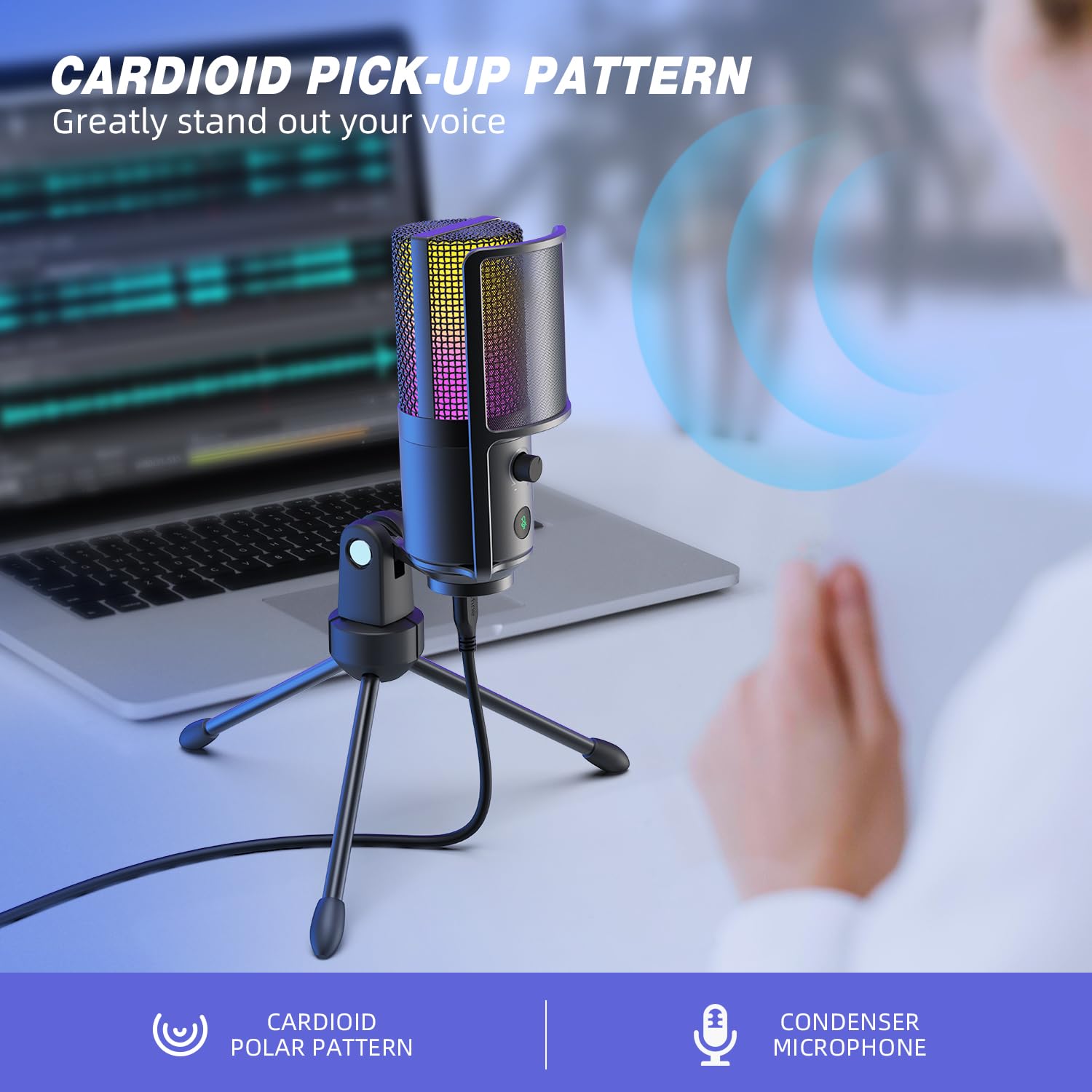
Figure 4.5: Cardioid pickup pattern illustration, demonstrating focused sound capture.
5. Wartung
- Reinigung: Use a soft, dry cloth to clean the microphone's exterior. Avoid using liquid cleaners or solvents, as they may damage the device.
- Lagerung: Bewahren Sie das Mikrofon bei Nichtgebrauch in einer trockenen, staubfreien Umgebung auf.
- Handhabung: Behandeln Sie das Mikrofon mit Sorgfalt. Vermeiden Sie es, es fallen zu lassen oder starken Stößen auszusetzen, da dies seine Leistung beeinträchtigen kann.
6. Fehlerbehebung
| Problem | Mögliche Ursache | Lösung |
|---|---|---|
| Kein Ton vom Mikrofon. |
|
|
| Low volume or weak audio. |
|
|
| Verzerrter oder undeutlicher Ton. |
|
|
| Die RGB-Beleuchtung funktioniert nicht. |
|
|
7. Spezifikationen
| Modell | K669PRO2 |
| Richtcharakteristik | Unidirektional (Niere) |
| Konnektivitätstechnologie | USB |
| Steckertyp | USB-C (on mic), USB-A (on cable) |
| Kompatible Geräte | PC, Mac, PS4, PS5 |
| Material | Metall |
| Frequenzgang | 20 Hz - 20 kHz |
| Signal-Rausch-Verhältnis | 70 dB |
| Stromquelle | Kabelgebunden (Stromversorgung über USB) |
| Artikelgewicht | 508 g |
| Im Lieferumfang enthaltene Komponenten | Microphone, USB Cable, Tripod Stand, Pop Filter |
8. Garantie und Support
For warranty information, technical support, or customer service inquiries, please refer to the official FIFINE webBesuchen Sie die Website oder kontaktieren Sie direkt den Kundendienst. Details finden Sie in der Regel auf der Produktverpackung oder in den offiziellen Online-Kanälen des Herstellers.
You can visit the FIFINE store for more information: FIFINE Offizieller Shop


