1. Einleitung
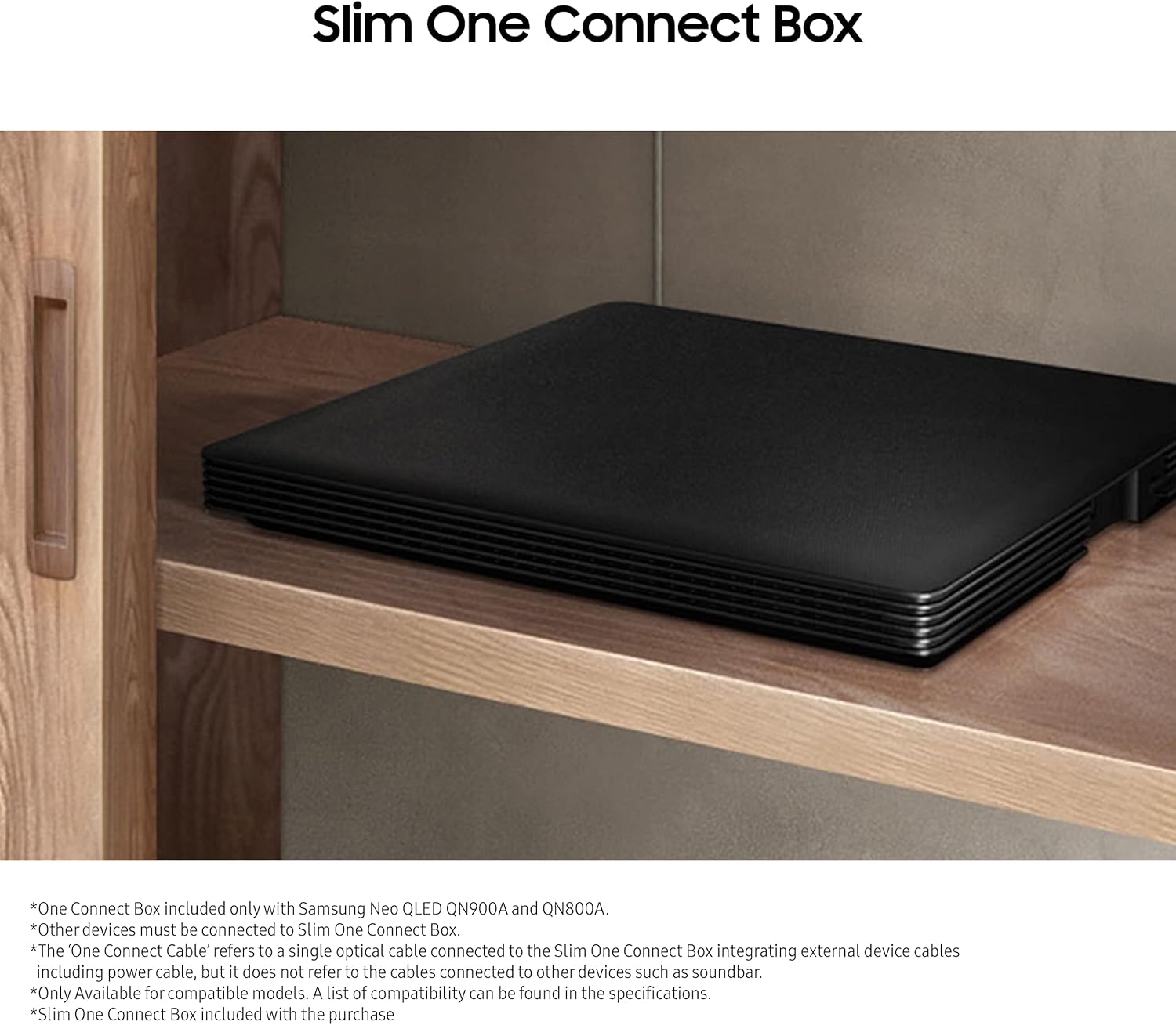
The Samsung 5m One Invisible Connection Cable (Model VG-SOCA05/ZA) is designed to provide a streamlined solution for connecting your compatible Samsung Neo QLED 8K TV to its Slim One Connect Box. This single optical cable transmits both power and high-speed data, minimizing cable clutter and enhancing the aesthetic integration of your television into your living space. This manual provides essential information for the safe and effective use of your One Invisible Connection Cable.

2. Sicherheitshinweise
- Ensure the cable is only used with compatible Samsung Neo QLED 8K TVs and their respective Slim One Connect Boxes as specified in the compatibility section.
- Do not bend, twist, or pinch the cable excessively, as this may damage the internal optical fibers and affect performance.
- Avoid placing heavy objects on the cable.
- Keep the cable away from heat sources, direct sunlight, and moisture.
- Do not attempt to repair the cable yourself. Contact authorized service personnel for assistance.
- Disconnect the cable from the power source before cleaning or when not in use for extended periods.
3. Packungsinhalt
Überprüfen Sie, ob alle Artikel im Paket vorhanden sind:
- Samsung 5m One Invisible Connection Cable (VG-SOCA05/ZA)
- Cable management accessories (if included)
- Bedienungsanleitung (dieses Dokument)

Video: An unboxing video demonstrating the contents of a Samsung One Connect Cable package (model BN39-02688B, similar to VG-SOCA05/ZA).
4. Einrichtung
4.1. Kompatibilität
The One Invisible Connection Cable (VG-SOCA05/ZA) is specifically designed for use with the following Samsung Neo QLED 8K TV models and their Slim One Connect Boxes:
- 2021 TV's: 85’’/75’’/65’’ QN900A, 85’’/75’’/65’’ QN800A
- 2022 TV's: 85’’/75’’/65’’ QN900B, 85’’/75’’/65’’ QN800B, 85’’/75’’/65’’ QN95B
- 2023 TV's: 55”/65”/75”/85” QN800C, 55”/65”/75”/8”5/98” QN900C
Note: This cable is NOT compatible with the Samsung Frame TV Line Up.
4.2. Verbindungsschritte
- Bereiten Sie das Kabel vor: Carefully uncoil the 5m One Invisible Connection Cable. Ensure the connectors are free from dust or debris.
- Anschluss an den Fernseher: Locate the "One Connect" port on the back of your Samsung Neo QLED 8K TV. Gently insert one end of the One Invisible Connection Cable into this port until it clicks securely into place.
- Connect to Slim One Connect Box: Locate the "One Connect" port on your Slim One Connect Box. Insert the other end of the cable into this port.
- Einschalten: Connect the power cord from the Slim One Connect Box to a power outlet. Power on your TV and the Slim One Connect Box.
- Kabelmanagement: Use the provided cable management accessories (if applicable) to route the cable neatly and discreetly.

Video: Demonstration of connecting a One Connect Cable (model BN39-02210A, similar to VG-SOCA05/ZA) to a Samsung One Connect Box and TV.
Video: A detailed look at the One Connect Cable (model BN39-02210A, similar to VG-SOCA05/ZA) and its connection points.
5. Betrieb
Once the One Invisible Connection Cable is properly installed, your Samsung Neo QLED 8K TV will receive both power and data signals from the Slim One Connect Box. All external devices (such as gaming consoles, Blu-ray players, soundbars, etc.) should be connected directly to the Slim One Connect Box, not the TV itself. The cable is designed for high-speed data transmission, ensuring full 8K video quality without interruption.

6. Wartung
- Reinigung: Use a soft, dry, lint-free cloth to gently wipe the cable and connectors. Do not use liquid cleaners or abrasive materials.
- Lagerung: If you need to store the cable, coil it loosely to prevent kinks or damage to the optical fibers. Store in a cool, dry place.
- Inspektion: Periodically inspect the cable for any signs of damage, such as cuts, fraying, or bent connectors. If damage is found, discontinue use and seek professional advice.
7. Fehlerbehebung
| Problem | Mögliche Ursache | Lösung |
|---|---|---|
| Kein Bild und kein Ton im Fernsehen. | Kabel nicht richtig angeschlossen. Slim One Connect Box not powered. Inkompatibles TV-Modell. | Ensure both ends of the One Invisible Connection Cable are firmly seated in their respective ports. Verify the Slim One Connect Box is plugged in and powered on. Check your TV model against the compatibility list in Section 4.1. |
| Intermittent signal or picture quality issues. | Beschädigtes Kabel. Wackelkontakt. | Prüfen Sie das Kabel auf sichtbare Beschädigungen. Im Falle einer Beschädigung muss es möglicherweise ausgetauscht werden. Re-seat the cable connections at both the TV and the Slim One Connect Box. |
| External devices not recognized. | Devices connected directly to TV instead of Slim One Connect Box. | Ensure all external devices are connected to the appropriate ports on the Slim One Connect Box. |
8. Spezifikationen
- Modellname: VG-SOCA05/ZA
- Marke: Samsung
- Kabeltyp: Optisch
- Länge: 5 Meter
- Datenübertragungsrate: 5 Gigabits Per Second (up to 40 Gbps for 8K video)
- Steckertyp: Male-to-Male (Proprietary Samsung One Connect)
- Kompatible Geräte: Samsung Neo QLED 8K Televisions (refer to Section 4.1 for specific models)
- Farbe: Black, White (cable itself is transparent/silver)
- Artikelgewicht: 7.2 Unzen (ca. 0.45 Pfund)
- Produktabmessungen: 1.77 x 3.34 x 0.38 inches (connectors)
- Maximale Lautstärketage: 12 Volt (DC)
- Verwendung im Innen- und Außenbereich: Innenbereich, Außenbereich
- UPC: 887276547565
9. Garantie und Support
For warranty information and technical support, please refer to the documentation included with your Samsung Neo QLED 8K TV or visit the official Samsung support webWebsite. Bewahren Sie Ihren Kaufbeleg für Garantieansprüche auf.
Samsung Kundenservice: www.samsung.com/us/support/


