Produkt überview
The SMARTRO ST49 is a professional-grade digital thermocouple instant-read meat thermometer designed for accurate and rapid temperature measurements in various cooking applications, including grilling, BBQ, kitchen cooking, oil deep frying, and candy making. It features a highly accurate probe, a large backlit display, and a durable, waterproof design.

Image: The SMARTRO ST49 Digital Thermometer in red, with its probe extended, showing the digital display.
Aufstellen
1. Einlegen der Batterie
The SMARTRO ST49 thermometer requires 2 AAA batteries for operation. To install or replace batteries:
- Suchen Sie das Batteriefach auf der Rückseite des Thermometers.
- Öffnen Sie die Batterieabdeckung.
- Legen Sie zwei AAA-Batterien ein und achten Sie dabei auf die richtige Polarität (+/-).
- Schließen Sie die Batterieabdeckung fest.
2. Erstes Einschalten
The thermometer features a motion-activated wake-up mode. Simply pick up the device or unfold the probe to turn it on instantly. The display will illuminate.
Bedienungsanleitung
1. Temperaturmessung
To obtain an accurate temperature reading:
- Klappen Sie die Edelstahlsonde aus dem Thermometergehäuse heraus. Dadurch schaltet sich das Gerät automatisch ein.
- Insert the tip of the probe into the thickest part of the food item, avoiding bones or gristle.
- Wait for 1-2 seconds for the temperature reading to stabilize on the large, backlit LCD display. The thermometer provides pinpoint accuracy of ±0.7°F.
- The temperature range for this device is -22°F to 572°F (-30°C to 300°C).

Image: A hand holding the SMARTRO ST49 thermometer, with its probe inserted into a piece of cooked meat on a grill, displaying a temperature reading.
2. Anzeigefunktionen
- Großer Bildschirm mit Hintergrundbeleuchtung: The display features large digits and backlighting for easy viewbei unterschiedlichen Lichtverhältnissen.
- Automatisch rotierendes Display: The display can detect if the device is upside down and will automatically rotate the temperature reading for convenient use with either hand or from any angle.
- Motion-Activated Wake-up/Sleep Mode: The thermometer turns on instantly when picked up or the probe is unfolded. It enters a battery-saving sleep mode when set down or the probe is folded back.

Image: A hand holding the SMARTRO ST49 thermometer over a grill, demonstrating the auto-rotating display feature.
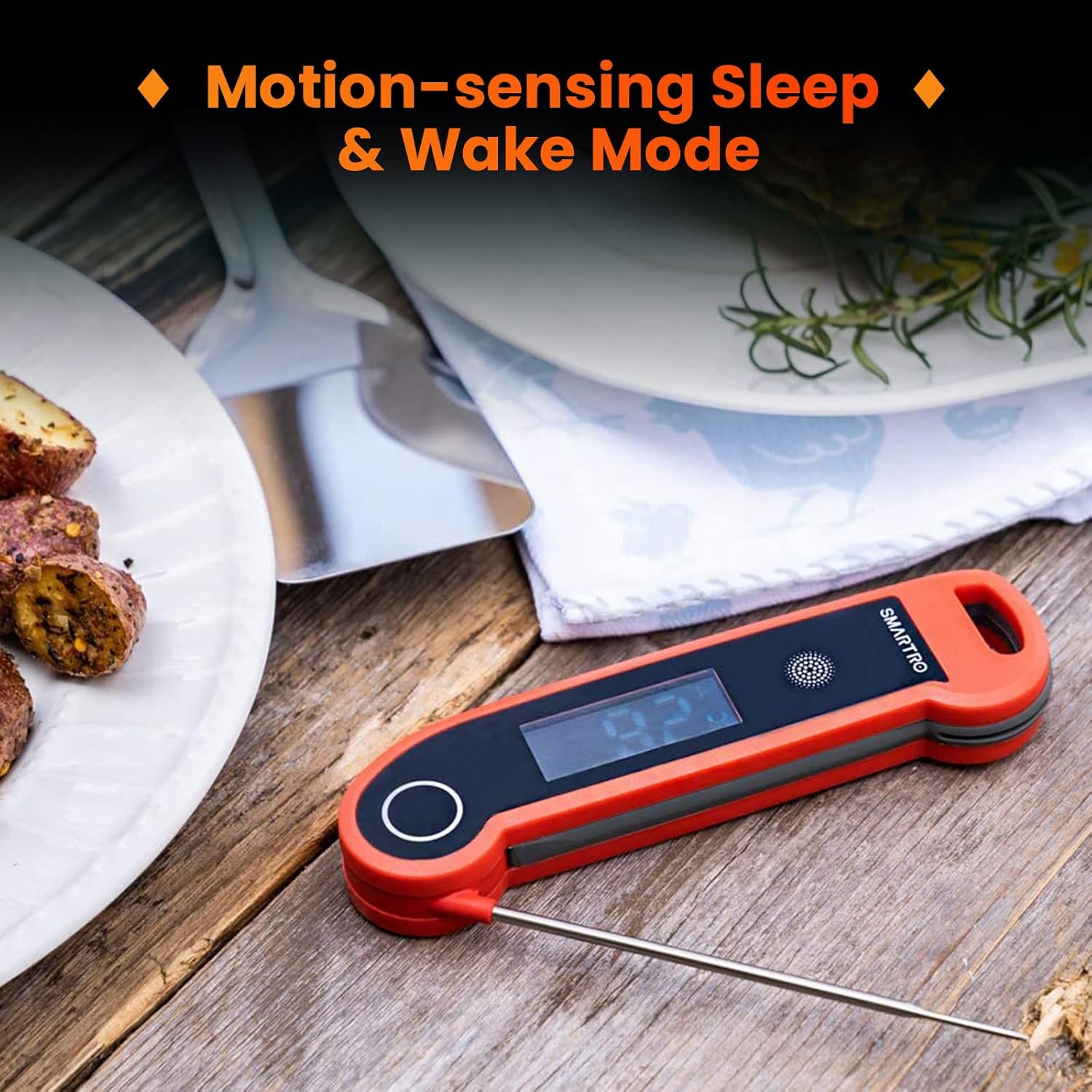
Image: The SMARTRO ST49 thermometer demonstrating its motion-sensing sleep and wake modes, showing the device in a folded (sleep) and unfolded (wake) state.
3. Kalibrierungsfunktion
The ST49 includes a calibration function to ensure long-term accuracy. Refer to the detailed instructions in the full user manual (PDF link below) for the calibration procedure, typically involving an ice-water bath.

Image: The SMARTRO ST49 thermometer with its probe inserted into a glass of ice water, illustrating the calibration function.
4. NSF Certification
The ST49 meat thermometer is NSF certified, indicating it has been rigorously tested and meets high standards for public health protection and safety.

Image: A person using the SMARTRO ST49 thermometer to check the temperature of a roasted chicken, with an NSF certified logo overlay.
Wartung
1. Reinigung
The SMARTRO ST49 has a best-in-class IP67 waterproof rating, meaning it can withstand immersion in up to 1 meter of water for a limited time. This allows for easy cleaning:
- After each use, run the probe under water and rinse with mild soap.
- Wischen Sie das Gehäuse des Thermometers mit Desinfektionsmittel ab.amp Tuch.
- Wichtig: Do not soak the entire thermometer for extended periods.

Image: A split image showing the SMARTRO ST49 thermometer submerged in water and being rinsed under a faucet, highlighting its IP67 waterproof rating.
2. Speicherung
The thermometer offers convenient storage options:
- Magnetische Rückseite: The ST49 can be securely attached to any metal surface, such as a refrigerator or grill, using its built-in magnet.
- Loch zum Aufhängen: A dedicated hole allows the thermometer to be hung on a hook or rope for easy access.

Image: A split image demonstrating the SMARTRO ST49 thermometer's built-in magnet attached to a metal surface and its hanging hole being used to hang it on a hook.
Fehlerbehebung
If you encounter issues with your SMARTRO ST49 thermometer, please refer to the following common troubleshooting steps:
- Gerät lässt sich nicht einschalten:
- Stellen Sie sicher, dass die Batterien korrekt und mit der richtigen Polarität eingelegt sind.
- Replace old or depleted batteries with fresh AAA batteries.
- Confirm the probe is fully unfolded to activate the motion-sensing wake-up mode.
- Ungenaue Messwerte:
- Ensure the probe tip is inserted deeply enough into the food, avoiding bones or fat pockets.
- Perform a calibration using an ice-water bath as described in the full user manual to verify and adjust accuracy.
- Allow sufficient time (1-2 seconds) for the reading to stabilize.
- Display Issues (e.g., flickering, no backlight):
- Prüfen Sie den Batteriestand und tauschen Sie die Batterie gegebenenfalls aus.
- Ensure the thermometer has not been subjected to extreme temperatures outside its operating range.
For further assistance, please contact SMARTRO customer support.
Technische Daten
| Besonderheit | Detail |
|---|---|
| Modellnummer | ST49 |
| Temperaturbereich | -22°F bis 572°F (-30°C bis 300°C) |
| Genauigkeit | ±0.7°F |
| Auslesezeit | 1-2 Sekunden |
| Wasserdichtigkeit | IP67 |
| Stromquelle | 2 x AAA-Batterien |
| Anzeigetyp | LCD mit Hintergrundbeleuchtung |
| Besondere Merkmale | Auto Off, Fast Reading, High Accuracy, Ultra Clear Screen, Waterproof, Auto-Rotating Display, Motion-Sensing Wake/Sleep, Magnetic Backing, Hanging Hole |
| Materialien | Kunststoff, Edelstahl |
| Zertifizierungen | CE, NSF, RoHS |
Garantie und Support
SMARTRO is committed to providing high-quality products and excellent customer service. While specific warranty details may vary, we offer comprehensive after-sales support for our products.
For any questions, technical assistance, or warranty claims, please contact SMARTRO customer support through our official webWebsite oder die Kontaktinformationen, die Sie bei Ihrem Kauf erhalten haben.
You can also refer to the official User Manual in PDF format for more detailed information: Benutzerhandbuch herunterladen (PDF)


