1. Einleitung
Thank you for choosing the ORIA Mini Wireless Bluetooth Temperature and Humidity Sensor. This device is designed to accurately monitor indoor temperature and humidity, providing real-time data and historical records via a dedicated mobile application. Its compact design and Bluetooth connectivity make it suitable for various environments, including homes, offices, and specialized storage areas.
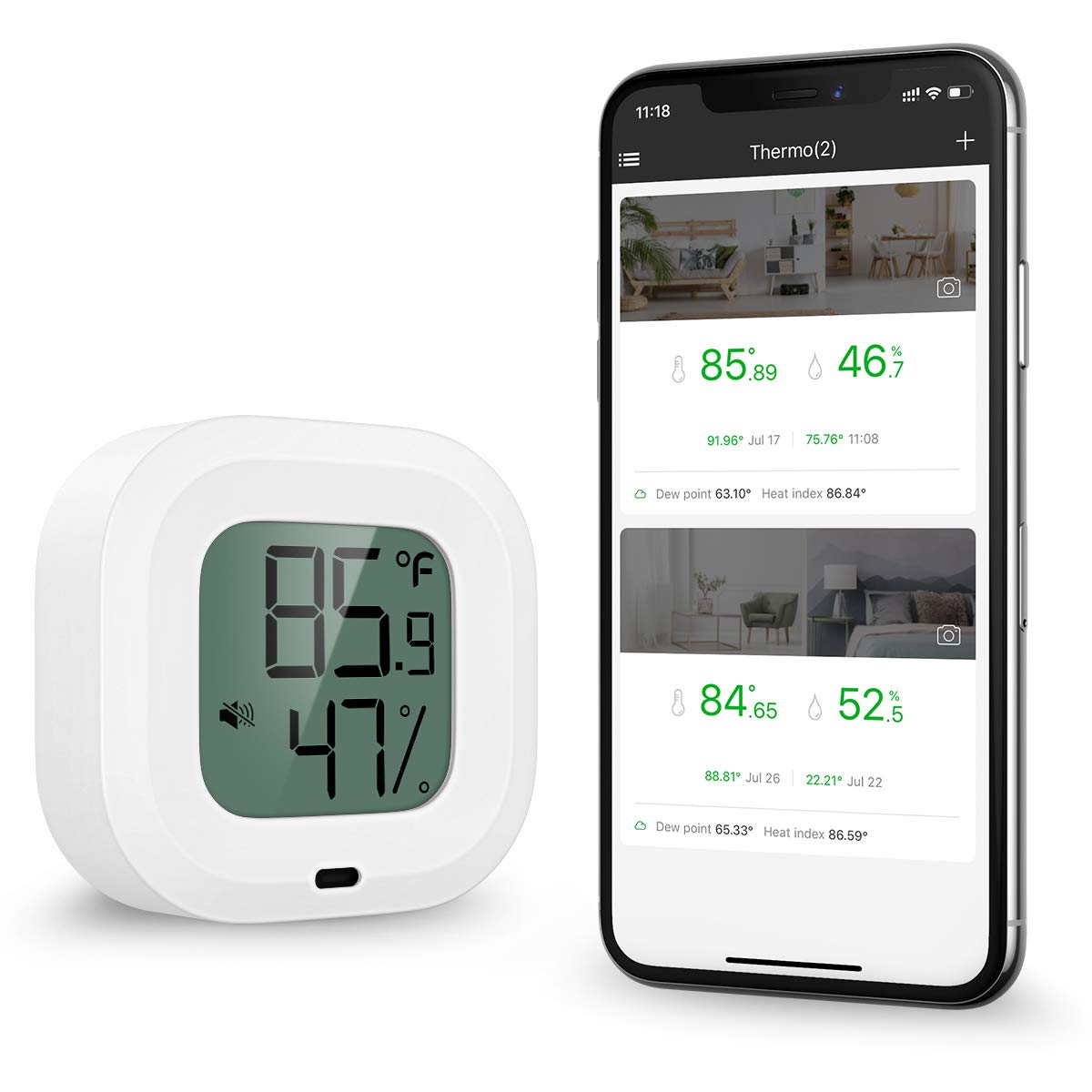
Image: The ORIA Mini Wireless Bluetooth Temperature and Humidity Sensor, a compact white device with a digital display showing temperature and humidity readings.
2. Packungsinhalt
Stellen Sie sicher, dass alle Artikel im Paket vorhanden sind:
- 1 x ORIA Mini Wireless Bluetooth Temperature and Humidity Sensor
- 1 x Benutzerhandbuch

Image: The ORIA sensor, its retail box, and the user manual, laid out to show the package contents.
3. Produktüberschreitungview
The ORIA sensor features a clear LCD display for current temperature and humidity, a button for unit switching and connection, and a built-in MEMS sensor for high accuracy. It also includes a magnetic back for convenient placement and a hanging hole for versatile installation.
Hauptmerkmale:
- Hohe Genauigkeit: Temperature accurate to ±0.5℃ (±1℉), humidity to ±3%RH.
- Datenspeicherung: Stores up to 100 days of data internally (recorded every 10 minutes).
- Bluetooth 5.0-Konnektivität: Connects wirelessly to the 'Sensor Blue' app.
- App Control & Smart Alert: Monitor data, view historical trends, and receive alerts when readings exceed preset ranges.
- Lange Akkulaufzeit: Approximately one year with a replaceable CR2477T battery.
- Vielseitige Platzierung: Features a hanging hole and magnetic back.

Image: Close-up of the sensor's display and details on its high-precision capabilities, showing temperature and humidity detection ranges and accuracy.

Image: Diagram illustrating the sensor's dimensions, MEMS sensor technology, replaceable battery compartment, and magnetic back.
4. Einrichtung
4.1. Einlegen der Batterie
- Suchen Sie das Batteriefach auf der Rückseite des Geräts.
- Pull out the battery insulation sheet to activate the pre-installed battery. If replacing, open the compartment and insert a new CR2477T battery with the positive (+) side facing up.
- Verschließen Sie das Batteriefach fest.
4.2. Download und Installation der App
The 'Sensor Blue' app is required to access all features of your ORIA sensor.
- Scan the QR code provided in the manual or on the product packaging, or search for "Sensor Blue" on the App Store (für iOS) oder Google Play Store (für Android).
- Download and install the 'Sensor Blue' application on your smartphone or tablet.
4.3. Bluetooth-Verbindung
Before connecting, ensure your device's Bluetooth and location services are enabled.
- Open the 'Sensor Blue' app on your mobile device.
- Ensure the ORIA sensor is within Bluetooth range (up to 35 meters/114.8 feet without obstructions).
- In the app, tap the "+" icon or "Add device" to search for new sensors.
- Press the button on the ORIA sensor once to initiate connection. The app should detect and display the sensor.
- Select your sensor from the list in the app to pair.
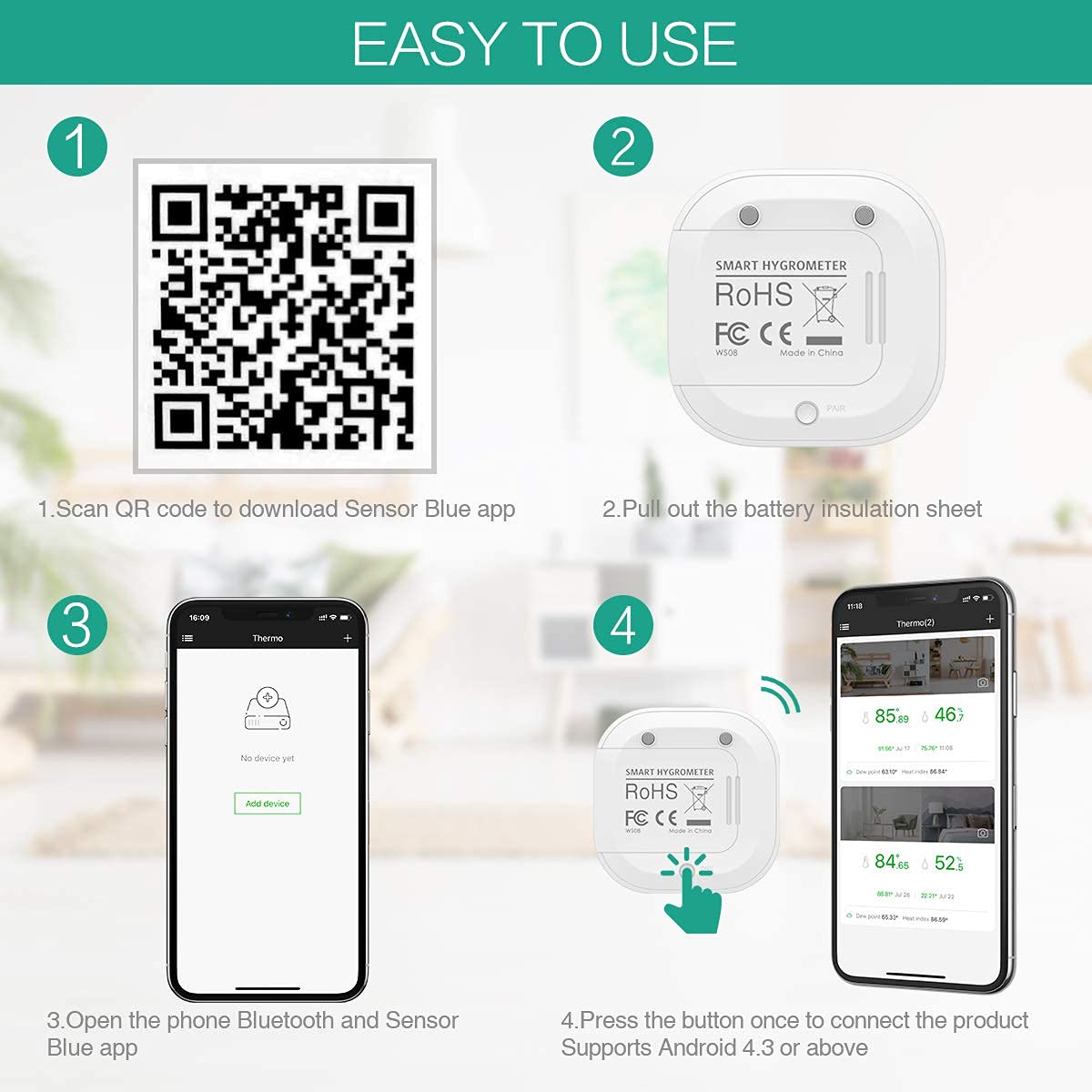
Image: A four-step visual guide showing how to scan the QR code, pull out the battery insulation sheet, open the app, and connect the device via Bluetooth.
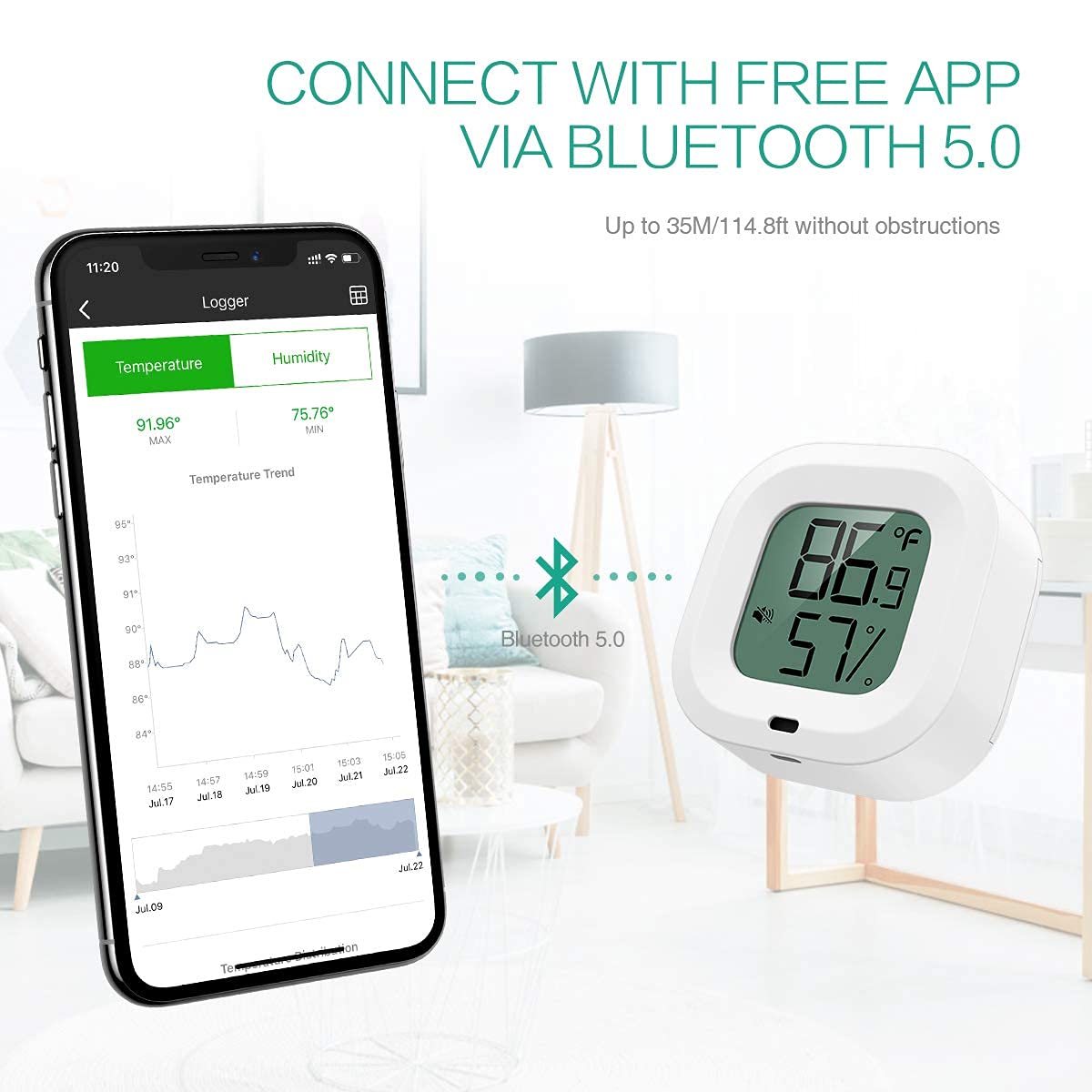
Image: An illustration demonstrating the Bluetooth 5.0 connection between the ORIA sensor and a smartphone running the 'Sensor Blue' app, highlighting the wireless range.
5. Bedienung
5.1. Reading Data on the Device
The sensor's LCD screen continuously displays the current temperature and humidity readings.
5.2. Umschalten der Temperatureinheiten
To switch between Celsius (℃) and Fahrenheit (℉), press and hold the button on the device for a few seconds until the unit changes.
5.3. Using the 'Sensor Blue' App
The app provides advanced monitoring and data management features:
- Echtzeitüberwachung: View live temperature and humidity data.
- Historische Daten: Access graphs and records of past measurements. The device stores data every 10 minutes for up to 100 days.
- Intelligente Warnungen: Set custom temperature and humidity ranges. The app will display readings in red and send alerts if data goes beyond these preset limits.
- Datenexport: Export historical data in CSV format for free after registering an account within the app.
- Unterstützung mehrerer Geräte: One smart device can connect to up to 100 ORIA sensors simultaneously.

Image: A visual representation of the sensor's ability to save data every 10 minutes for up to 100 days, showing historical temperature and humidity trend graphs, and an icon indicating abnormality alarms.
6. Wartung
6.1. Batteriewechsel
When the battery is low, the device display or app may indicate a low battery warning. Replace the CR2477T battery as described in the 'Battery Installation' section (4.1).
6.2. Reinigung
Wipe the device with a clean, dry cloth. Do not use liquid cleaners or immerse the device in water. Ensure the sensor hole on the front is not covered or obstructed, as this can affect accuracy.
7. Fehlerbehebung
- Gerät lässt sich nicht einschalten: Check if the battery insulation sheet has been removed or if the battery needs replacement. Ensure the battery is inserted correctly.
- Verbindung zur App nicht möglich:
- Stellen Sie sicher, dass Bluetooth auf Ihrem Mobilgerät aktiviert ist.
- Ensure location services are enabled for the 'Sensor Blue' app.
- Make sure the sensor is within range (35m/114.8ft) and not obstructed.
- Versuchen Sie, die App und Ihr Mobilgerät neu zu starten.
- Press the button on the sensor once to ensure it is active for connection.
- Ungenaue Messwerte:
- Ensure the sensor hole on the front of the device is not covered or blocked.
- Avoid placing the sensor near heat sources, direct sunlight, or areas with extreme drafts, which can affect readings.
- Allow the device to stabilize for 15-30 minutes after initial setup or relocation.
- App alerts not received: Check app notification settings on your mobile device and within the 'Sensor Blue' app to ensure alerts are enabled and thresholds are set correctly.
8. Spezifikationen
| Modellnummer | OUS-WA59 |
| Marke | ORIA |
| Temperaturbereich | -20 60 bis 4 ℃ (-140 ℉ bis XNUMX ℉) |
| Temperaturgenauigkeit | ±0.5℃ (±1℉) |
| Feuchtigkeitsbereich | 0-99 % relative Luftfeuchtigkeit |
| Feuchtigkeitsgenauigkeit | ± 3% RH |
| Konnektivität | Bluetooth 5.0 |
| Stromquelle | 1 x CR2477T Lithium Ion Battery (Included) |
| Batterielebensdauer | Ungefähr 1 Jahr |
| Datenspeicherung | Up to 100 days (recorded every 10 minutes) |
| Maße | Ungefähr 50 mm x 50 mm x 12 mm (1.97 Zoll x 1.97 Zoll x 0.47 Zoll) |
| Gewicht | 59g |
| Besondere Merkmale | High Accuracy, App Control, Data Export, Magnetic Back, Hanging Hole |
9. Garantie und Support
If you encounter any issues with the product's use, function, or if the product is defective or damaged, please contact the seller directly for assistance. They will provide support and solutions for any problems you may experience.
10. Anwendungsbereiche
The ORIA Mini Wireless Bluetooth Temperature and Humidity Sensor is suitable for monitoring various indoor environments, including but not limited to:
- Homes (living rooms, bedrooms, nurseries)
- Standorte
- Pet enclosures
- Kühl- und Gefrierschränke
- Walk-in coolers
- Weinkeller
- Gewächshäuser
- Storage for musical instruments

Image: A collage showing the ORIA sensor being used in various settings such as an office, bedroom, kitchen, and living room, illustrating its wide applicability.