1. Einleitung
This manual provides detailed instructions for the setup, operation, and maintenance of your Popglory P22 Smartwatch. Please read this manual thoroughly before using the device to ensure proper function and to maximize your user experience.
The Popglory P22 Smartwatch is designed to assist you in monitoring your daily activities and health metrics, including heart rate, blood pressure, blood oxygen, and sleep patterns. It also offers various sports modes and smart notifications when connected to your smartphone.

Image 1.1: Popglory P22 Smartwatch (Rose)
2. Einrichtung
2.1. Aufladen des Geräts
Laden Sie Ihre Smartwatch vor der ersten Verwendung vollständig auf. Verbinden Sie das magnetische Ladekabel mit den Ladekontakten auf der Rückseite der Uhr und stecken Sie das USB-Ende in ein Standard-USB-Netzteil (nicht im Lieferumfang enthalten) oder einen USB-Anschluss Ihres Computers. Der Ladestatus wird auf dem Display der Uhr angezeigt.
2.2. App-Installation
The Popglory P22 Smartwatch requires the HeroBandIII application for full functionality. Scan the QR code provided in the watch packaging or search for "HeroBandIII" in your smartphone's app store (Google Play Store for Android, Apple App Store for iOS).
2.3. Gerätekopplung
- Stellen Sie sicher, dass Bluetooth auf Ihrem Smartphone aktiviert ist.
- Open the HeroBandIII app on your smartphone.
- Folgen Sie den Anweisungen in der App, um ein neues Gerät hinzuzufügen. Wählen Sie „P22“ aus der Liste der verfügbaren Geräte aus.
- Bestätigen Sie die Kopplungsanfrage sowohl auf Ihrem Smartphone als auch auf der Smartwatch.
Nach der Kopplung synchronisiert die Uhr die Daten mit der App.
3. Bedienungsanleitung
3.1. Grundlegende Navigation
- Nach oben wischen: Zugriffsbenachrichtigungen.
- Nach unten wischen: Access quick settings (brightness, mute, battery, weather).
- Nach links/rechts wischen: Navigate through main features (activity data, heart rate, sports modes, weather, music control, etc.).
- Seitlichen Knopf drücken: Return to the main watch face or wake the screen.
3.2. Benutzerdefinierte Zifferblätter
The smartwatch supports custom watch faces. You can select from over 200 integrated watch faces via the HeroBandIII app or upload a personal photo to personalize your display.

Abbildung 3.1: Benutzerdefinierte Zifferblätter
3.3. Gesundheitsüberwachung
The P22 Smartwatch monitors several health metrics. Please note that these measurements are for reference only and should not be used for medical diagnosis.
- Herzfrequenz: Access the heart rate interface on the watch to measure your current heart rate. Continuous monitoring can be enabled via the app.
- Blutdruck: Navigate to the blood pressure interface to initiate a measurement.
- Blutsauerstoffsättigung (SpO2): Select the SpO2 function to measure your blood oxygen saturation.
- Schlaf-Tracking: The watch automatically tracks your sleep patterns (deep sleep, light sleep, awake time) when worn during sleep. View detailed sleep data in the HeroBandIII app.
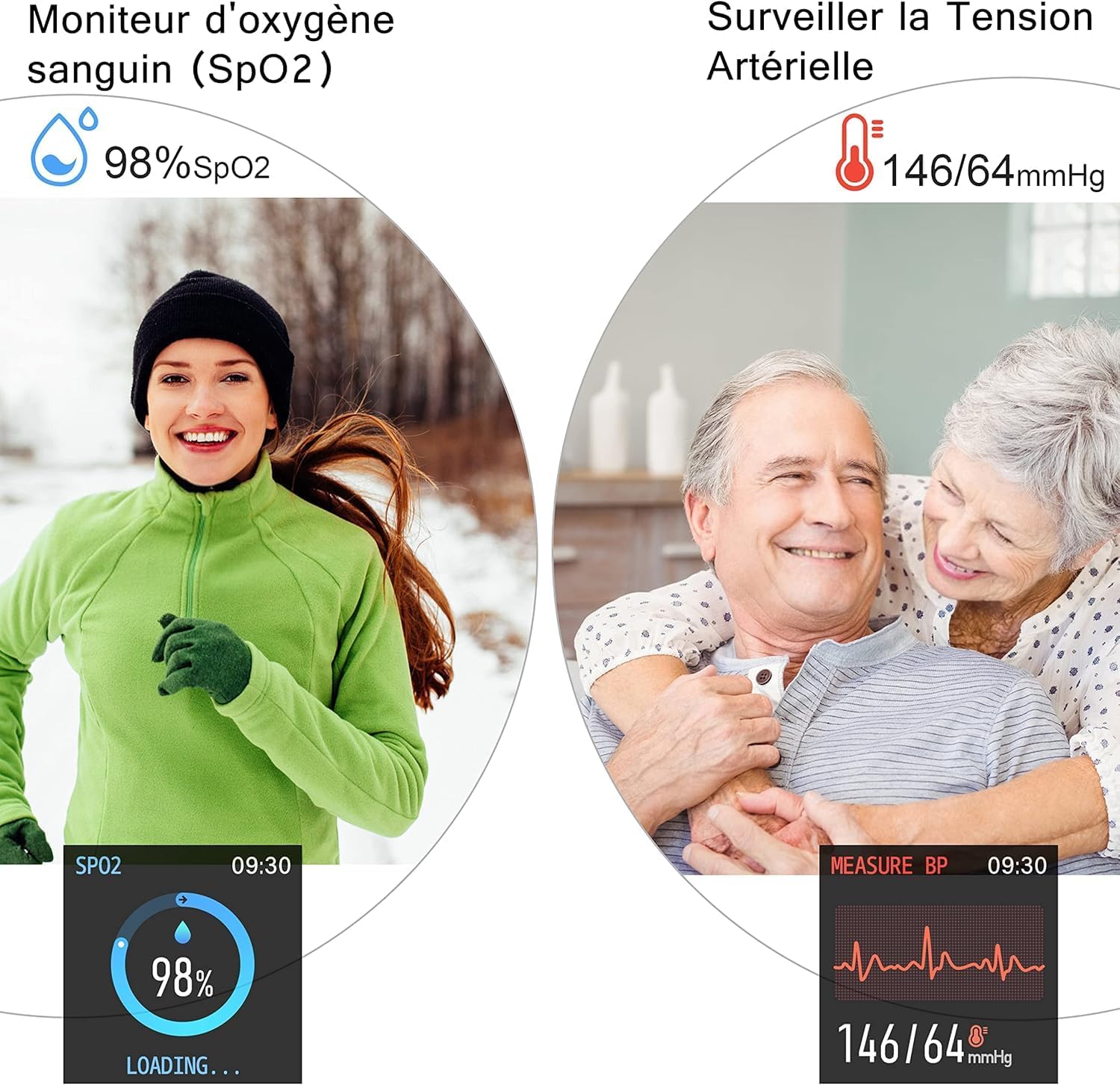
Image 3.2: SpO2 and Blood Pressure Monitoring
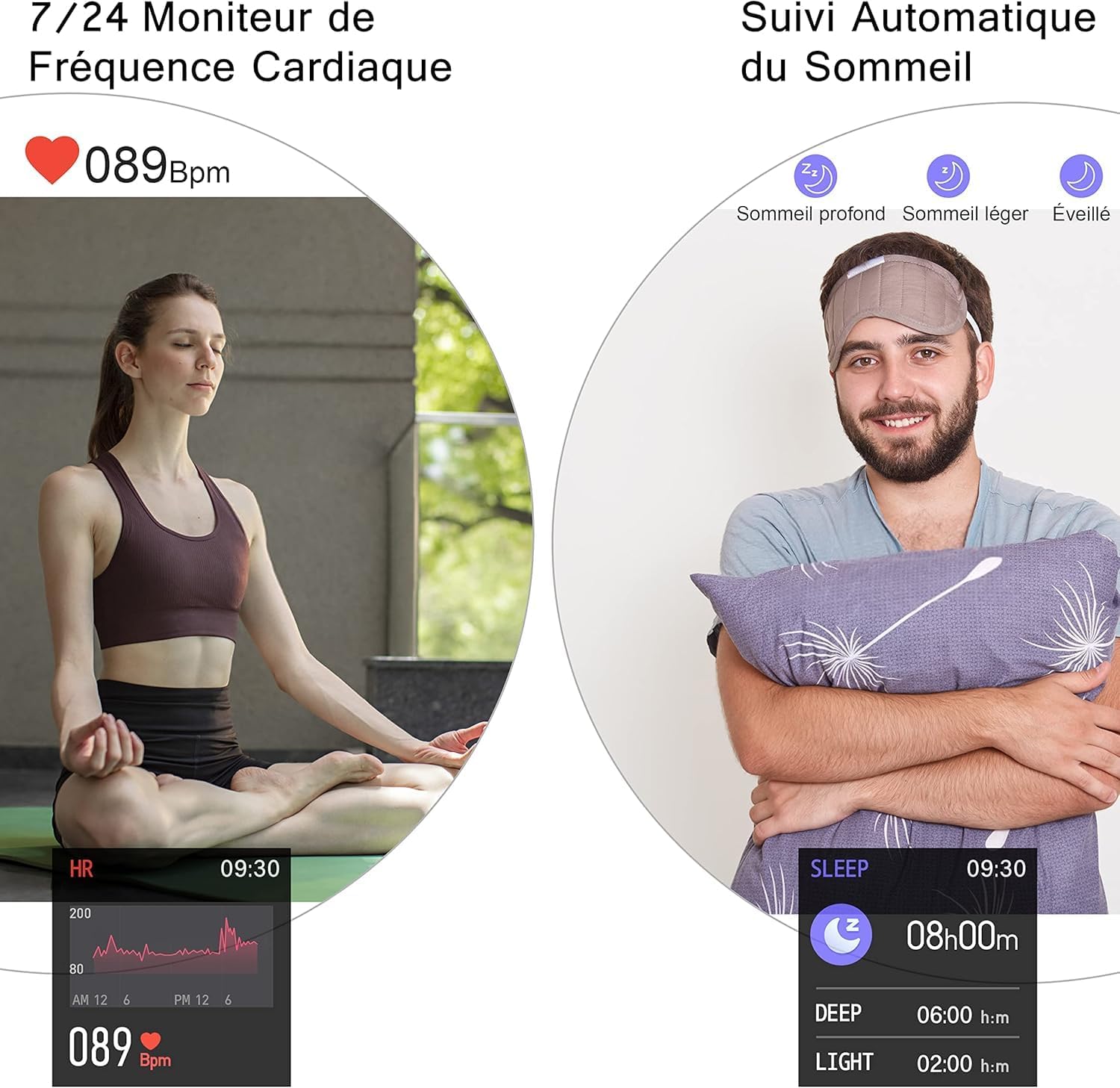
Image 3.3: Heart Rate and Sleep Monitoring
3.4. Sportmodi
The smartwatch features multiple sports modes to track your workouts. Select a mode to record data such as steps, calories burned, distance, and active minutes.
- Available modes include: Walking, Running, Cycling, Jump Rope, Badminton, Basketball, Football.

Image 3.4: Multi-Sport Mode Tracking
3.5. Intelligente Benachrichtigungen
Receive notifications for incoming calls, SMS messages, and social media alerts directly on your watch when connected to your smartphone. Lift your wrist to automatically illuminate the screen and view Nachrichten.
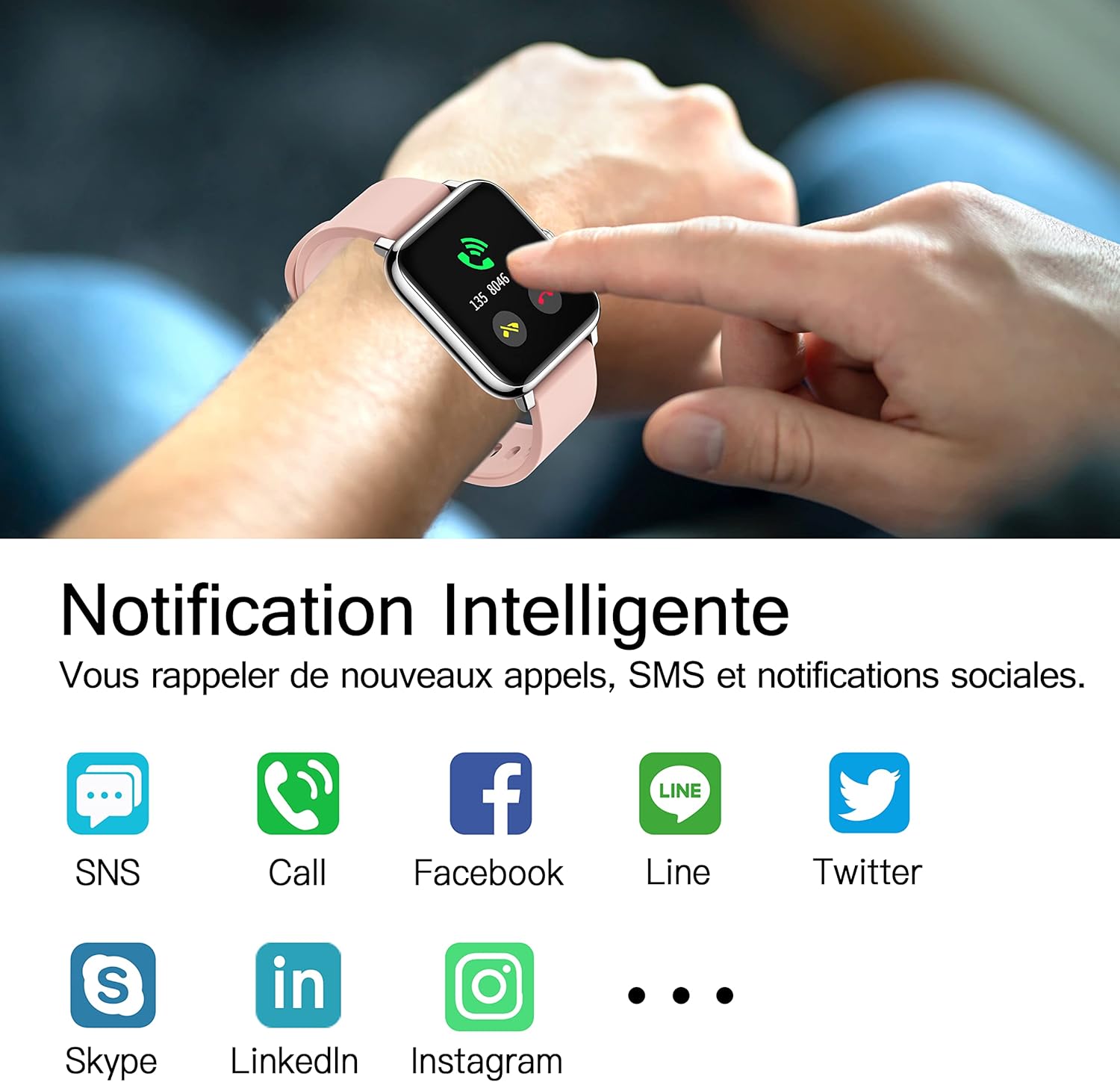
Abbildung 3.5: Intelligente Benachrichtigungen
3.6. Zusätzliche Funktionen
- Musiksteuerung: Steuern Sie die Musikwiedergabe auf Ihrem Smartphone direkt von der Uhr aus.
- Wettervorhersage: View current weather conditions and forecasts after setting your location in the HeroBandIII app.
- Alarm: Stellen Sie Alarme über die App ein, und die Uhr vibriert, um Sie zu benachrichtigen.
- Stoppuhr & Timer: Utilize the stopwatch and timer functions for various activities.
- Sitzende Erinnerung: Lassen Sie sich nach längeren Inaktivitätsphasen an die Bewegung erinnern.
- Fernkamera: Nutzen Sie die Uhr als Fernauslöser für die Kamera Ihres Smartphones.
- Helligkeitsanpassung: Adjust screen brightness directly from the watch's quick settings.
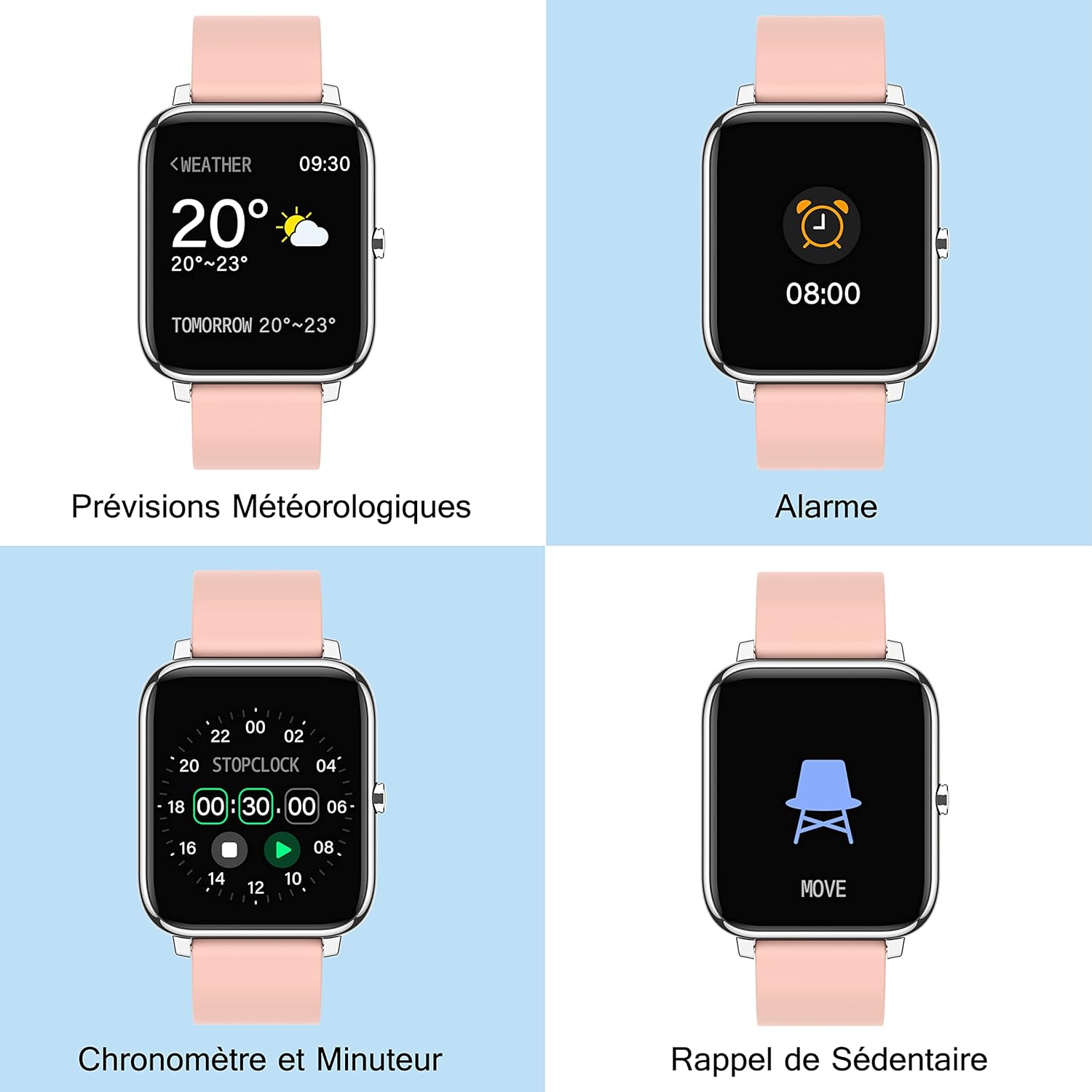
Image 3.6: Additional Smartwatch Functions
4. Wartung
4.1. Reinigung
Reinigen Sie Ihre Smartwatch und das Armband regelmäßig, um Hautirritationen vorzubeugen und die Gerätefunktion zu erhalten. Verwenden Sie dazu ein weiches, fusselfreies Tuch.amp Zum Abwischen von Bildschirm und Armband ein Tuch verwenden. Vermeiden Sie die Verwendung von scharfen Chemikalien oder Scheuermitteln.
4.2. Wasserbeständigkeit
The Popglory P22 Smartwatch is designed to be resistant to splashes and sweat. It is not recommended for swimming, showering, or prolonged submersion in water. Avoid exposing the watch to hot water or steam.
4.3. Speicherung
Store the smartwatch in a cool, dry place when not in use. Avoid extreme temperatures and direct sunlight.
5. Fehlerbehebung
| Problem | Mögliche Ursache | Lösung |
|---|---|---|
| Die Uhr lässt sich nicht einschalten | Schwache Batterie | Laden Sie die Uhr mindestens 10-15 Minuten lang auf. |
| Kopplung mit Smartphone nicht möglich | Bluetooth deaktiviert, App-Problem, Uhr nicht auffindbar | Ensure Bluetooth is on. Restart watch and phone. Reinstall HeroBandIII app. Ensure watch is not paired to another device. |
| Nicht erhaltene Benachrichtigungen | App permissions, Bluetooth connection lost, DND mode | Check app notification permissions. Ensure watch is connected via Bluetooth. Disable Do Not Disturb mode on watch/app. |
| Ungenaue Gesundheitsdaten | Unsachgemäße Passform, Bewegung während der Messung | Ensure the watch is worn snugly on the wrist. Remain still during measurements. Remember data is for reference only. |
| Bildschirm reagiert nicht | Software glitch, low battery | Restart the watch (if possible). Charge the watch. |
6. Spezifikationen
- Marke: Popruhm
- Modellname: P22
- Bildschirmgröße: 1.4 Zoll
- Betriebssystemkompatibilität: Android 4.4+ / iOS 9.0+
- Konnektivität: Bluetooth
- Akku-Typ: Lithium-Polymer
- Besondere Merkmale: Heart Rate Monitor, Blood Pressure Monitor, Blood Oxygen Monitor, Sleep Tracker, Pedometer, Calorie Tracker, Distance Tracker, Multi-Sport Modes, Notification Alerts, Music Control, Weather Forecast, Alarm, Stopwatch, Timer, Sedentary Reminder, Remote Camera Control, Brightness Adjustment.
- Geographisches Positionierungs System: Nicht integriert
- Form: Rechteckig
7. Garantie und Support
For warranty information and customer support, please refer to the documentation included with your purchase or contact Popglory customer service through their official website or the HeroBandIII application. Please have your model number (P22) and purchase details ready when contacting support.


