1. Einleitung
The TP-Link Archer TX50E is an AX3000 Wi-Fi 6 and Bluetooth 5.2 PCIe Adapter designed to upgrade your desktop computer's wireless capabilities. It provides ultra-fast Wi-Fi speeds, improved network efficiency, and broader Bluetooth connectivity, making it ideal for demanding applications like online gaming, 4K/8K video streaming, and VR experiences. This adapter features a specialized heatsink for enhanced stability and includes high-gain antennas for extended signal coverage.

Image: The Archer TX50E PCIe adapter installed in a desktop computer, showcasing its Wi-Fi 6 and Bluetooth 5.3 capabilities.

Image: Key features of the Archer TX50E, including Wi-Fi 6, Bluetooth 5.3, WPA3 security, Windows 11/10 compatibility, and included low-profile Klammern.
2. Packungsinhalt
Überprüfen Sie, ob Ihr Paket die folgenden Artikel enthält:
- TP-Link Archer TX50E AX3000 Wi-Fi 6 Bluetooth 5.2 PCIe Adapter
- Zwei Hochleistungsantennen
- Low-Profile Klammer
- Quick Installation Guide (not listed in JSON, but typical)
- Resource CD (for drivers)

Image: The retail box for the Archer TX50E adapter, showing the product and its main features.
3. Einrichtungsanweisungen
Follow these steps to install your Archer TX50E adapter into your desktop computer.
3.1 Hardware-Installation
- Schalten Sie Ihren Computer aus: Schalten Sie Ihren Computer aus und ziehen Sie das Netzkabel aus der Steckdose.
- Öffnen Sie das Computergehäuse: Entfernen Sie die Seitenwand Ihres Computergehäuses, um auf die Hauptplatine zuzugreifen.
- Install the PCIe Adapter: Locate an available PCIe X1 slot on your motherboard. Carefully insert the Archer TX50E adapter into the slot until it is firmly seated. Secure the adapter with a screw if your case requires it.
- Bluetooth-USB-Kabel anschließen: Connect the provided Bluetooth USB cable to the adapter and then to an available F_USB connector on your motherboard. This connection is essential for Bluetooth functionality.
- Antennen anbringen: Connect the two high-gain antennas to the antenna connectors on the adapter. Adjust their orientation for optimal signal reception.
- Schließen Sie das Computergehäuse: Replace the side panel of your computer case and plug the power cable back into the wall outlet.
- Einschalten: Schalten Sie Ihren Computer ein.

Image: The Archer TX50E adapter with its two high-gain antennas, installed in a desktop computer's PCIe slot.

Image: Illustration demonstrating how the high-gain antennas extend Wi-Fi coverage for the desktop PC.
3.2 Treiberinstallation
After hardware installation, you need to install the drivers for both Wi-Fi and Bluetooth functionality. The Archer TX50E supports Windows 11/10 (64-bit) only.
- Legen Sie die Ressourcen-CD ein: Insert the provided resource CD into your computer's CD/DVD drive. If you do not have a CD/DVD drive, download the latest drivers from the official TP-Link webSeite? ˅ (www.tp-link.com).
- Installationsprogramm ausführen: Open the CD/DVD drive or the downloaded driver package and run the setup file (e.g., Autorun.exe).
- WLAN-Treiber installieren: Follow the on-screen instructions to install the Wi-Fi driver. This typically involves accepting the license agreement and choosing an installation type.
- Bluetooth-Treiber installieren: After the Wi-Fi driver installation is complete, proceed to install the Bluetooth driver by following the on-screen prompts.
- Starte den Computer neu: Restart your computer to ensure all driver changes take effect.
Notiz: Do not run the Bluetooth and Wi-Fi driver installers at the same time. Install them sequentially.
4. Bedienungsanleitung
4.1 Mit WLAN verbinden
Once the Wi-Fi driver is installed, your computer can connect to Wi-Fi 6 networks.
- Click the Wi-Fi icon in the system tray (usually bottom-right corner of your screen).
- Wählen Sie das gewünschte WLAN-Netzwerk aus der Liste aus.
- Geben Sie bei Aufforderung den Netzwerksicherheitsschlüssel (das Passwort) ein.
- Klicken Sie auf „Verbinden“.
The Archer TX50E supports Wi-Fi 6 (802.11ax) for speeds up to 2402 Mbps on the 5 GHz band and 574 Mbps on the 2.4 GHz band, offering a smoother experience with 75% lower latency. Technologies like MU-MIMO and OFDMA boost network throughput and efficiency, especially in multi-device environments.
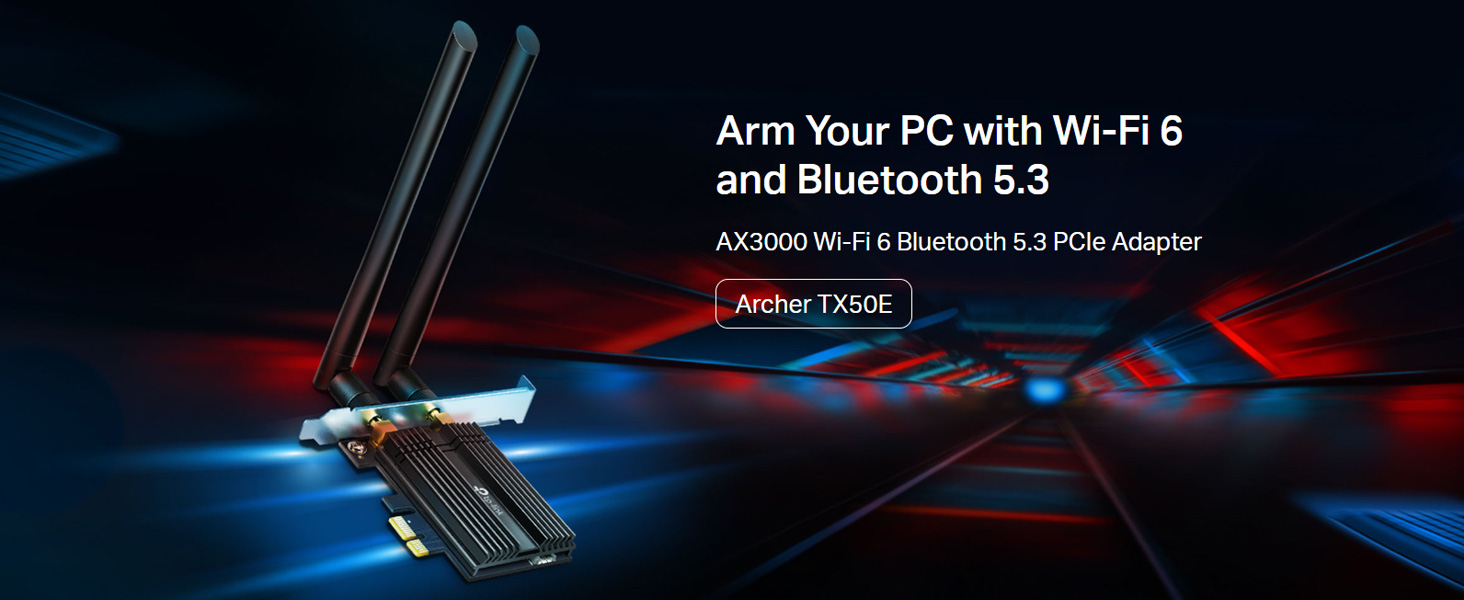
Image: Comparison of Wi-Fi 6 (2402 Mbps) and Wi-Fi 5 (867 Mbps) speeds, illustrating the performance benefits for VR.

Image: Diagram explaining how MU-MIMO and OFDMA reduce latency and improve network efficiency for multiple devices.
4.2 Bluetooth verwenden
With the Bluetooth driver installed and the USB cable connected, you can pair Bluetooth devices.
- Stellen Sie sicher, dass sich Ihr Bluetooth-Gerät im Kopplungsmodus befindet.
- Gehen Sie auf Ihrem Computer zu Einstellungen > Geräte > Bluetooth & andere Geräte.
- Schalten Sie Bluetooth ein und klicken Sie auf „Bluetooth- oder anderes Gerät hinzufügen“.
- Wählen Sie „Bluetooth“ und anschließend Ihr Gerät aus der Liste zum Koppeln aus.
The adapter features Bluetooth 5.2, offering faster speeds and broader coverage compared to previous Bluetooth versions, ensuring reliable connections for your peripherals.

Image: The Bluetooth 5.2 adapter connecting to various devices such as headphones, game controllers, mouse, and keyboard.
5. Fehlerbehebung
If you encounter issues with your Archer TX50E adapter, refer to the following common solutions:
- Kein WLAN oder Bluetooth: Ensure the adapter is correctly seated in the PCIe slot and the Bluetooth USB cable is securely connected to both the adapter and the motherboard's F_USB header. Verify that drivers are installed correctly in Device Manager.
- Langsame WLAN-Geschwindigkeit: Check antenna connections and orientation. Ensure your router supports Wi-Fi 6 and is configured for optimal performance. Update drivers to the latest version from the TP-Link webWebsite.
- Bluetooth-Gerät lässt sich nicht koppeln: Make sure the Bluetooth device is in pairing mode and within range. Confirm the Bluetooth driver is installed and enabled in Device Manager.
- Intermittierende Verbindung: This could be due to interference. Try repositioning your computer or antennas. Ensure your operating system is up to date.
- Probleme bei der Treiberinstallation: If the CD does not work, download drivers directly from the TP-Link support website. Ensure you are installing the correct 64-bit drivers for Windows 10 or Windows 11.
6. Spezifikationen
Detailed technical specifications for the TP-Link Archer TX50E:
| Besonderheit | Beschreibung |
|---|---|
| Modellnummer | Bogenschütze TX50E |
| Wireless-Standard | IEEE 802.11ax/ac/n/a (5 GHz), IEEE 802.11ax/n/g/b (2.4 GHz) |
| Bluetooth-Version | Bluetooth 5.2/5.0/4.2/4.0 |
| Datenübertragungsrate | Bis zu 3000 Mbit/s (2402 Mbit/s im 5-GHz-Band, 574 Mbit/s im 2.4-GHz-Band) |
| Schnittstelle | PCIe X1 |
| Antennen | Zwei High-Gain-Dualband-Antennen |
| Betriebssystemunterstützung | Windows 11/10 (64-bit) only |
| Sicherheit | WPA3, WPA2, WPA, WEP |
| Abmessungen (L x B x H) | 15 x 20 x 3.9 cm (Produkt) |
| Artikelgewicht | 200 g |
| Besondere Merkmale | Heat Sink, MU-MIMO, OFDMA, Ultra-Low Latency |

Bild: Nahaufnahme view of the Archer TX50E's specialized heatsink and gold-plated connectors, designed for stability and reliability.
7. Garantie und Support
Informationen zu Garantie, technischem Support und Produktregistrierung finden Sie auf der offiziellen TP-Link-Website. webWebsite oder wenden Sie sich an den Kundendienst.
- Offiziell WebWebsite: www.tp-link.com
- TP-Link India Support: Toll Free 1800-209-4168, support.in@tp-link.com
Bitte bewahren Sie Ihren Kaufbeleg für Garantieansprüche auf.


